
This page is not an official page of the app or its developer, but an independent editorial publication created for informational and commentary purposes. Unless expressly stated otherwise, neither the app nor its developer is affiliated with, endorsed by, sponsored by, authorized by, or otherwise officially connected with MWM, Apple, Google Play, the app publisher, or the app's developer, and nothing on this page implies that the app was developed using MWM's services. Any trademarks, logos, screenshots, and other content remain the property of their respective owners.


JBL Pro Connect
No more guesswork. This app grants total command over JBL Professional PA systems, transforming chaotic sound setups into precise, optimized performances.
Downloads
1M+User Rating
Total Ratings
207Publisher
Category
MusicLocales
-Latest Version
02.04.02Size
62.1 MBFirst Released
Aug 3, 2021An Analytical Overview of Key Features for Live Sound Management
JBL Pro Connect: Core Functional Capabilities
Comprehensive Mixer & DSP Control
The app provides comprehensive control over the PA system's built-in mixer and advanced Digital Signal Processing (DSP) functions, enabling detailed sound optimization for any scenario.
Automatic Feedback Suppression
It allows users to automatically eliminate audio feedback with integrated dbx Automatic Feedback Suppression (AFS) technology, ensuring clean sound and protecting equipment.
Mobile PA System Control
The app provides seamless wireless control of JBL Professional portable PA speakers directly from a mobile device, offering convenience and flexibility for setup and adjustments.
Multi-Speaker Grouping & Sync
This tool features the ability to sync and group up to 10 compatible JBL speakers, facilitating scalable PA systems and unified control for larger events.
Professional Audio Effects Integration
It allows users to access and adjust professional-grade Lexicon reverb, chorus, delay effects, and dbx Digital DriveRack signal processing for polished audio.
Custom Presets & Snapshots
The app provides the ability to save and recall custom sound presets and snapshots, streamlining setup and ensuring consistent audio quality across various venues or performances.
Surgical Parametric EQ
This tool features a parametric equalizer, allowing users to sculpt sound with surgical precision to adapt to acoustic environments or specific musical requirements.
Advanced Wireless Connectivity (BLE)
It allows users to benefit from advanced Bluetooth Low Energy (BLE) technology, ensuring robust and efficient wireless control over the PA system with extended range.
Automatic Vocal Ducking
The app provides an automatic ducking feature, ensuring vocal clarity by lowering background music levels when speech is detected, ideal for presentations or announcements.
Personalized Workflow & UI
This tool features a customizable interface, including channel renaming and responsive display modes, allowing users to personalize their workflow for intuitive operation.
Frequently Asked Questions
Everything you need to know about JBL Pro Connect
What is the JBL Pro Connect app used for?
The JBL Pro Connect app is used to control JBL Professional portable PA speakers, including PRX ONE and EON700. It provides hands-on control over mixer and DSP functions directly from an iPhone or iPad using Bluetooth Low Energy.
Which devices can control JBL Pro Connect?
The JBL Pro Connect app is compatible with iPhone® or iPad® devices. It utilizes Bluetooth® Low Energy (BLE) technology for wireless connection and control of supported JBL PA speakers.
What JBL speakers are compatible with the JBL Pro Connect app?
The JBL Pro Connect app is compatible with JBL Professional PRX ONE, EON700, EON ONE MK2, PRX 900, and EON One Compact portable PA speakers.
Can I connect multiple speakers to the JBL Pro Connect app?
Yes, the JBL Pro Connect app allows users to sync up to 10 PRX ONE, EON700, or EON ONE MK2 speakers. This feature enables building and managing a comprehensive multi-speaker PA system.
Does the JBL Pro Connect app offer parametric EQ adjustments?
Yes, the JBL Pro Connect app offers precise sound shaping with parametric EQ. It includes custom settings and optimized presets for Speech, Female Vocal, and Male Vocal, as shown in the EQ interface.
Can I use ducking with the JBL Pro Connect app?
Yes, the JBL Pro Connect app allows users to activate ducking. This feature ensures a voice stands out clearly over background music and is configurable with specific settings.
Does JBL Pro Connect offer reverb effects?
Yes, the JBL Pro Connect app offers Lexicon reverb, chorus, and delay effects. Users can adjust reverb settings such as Time, Pre Delay, and Frequency for professional sound polish.
Does the JBL Pro Connect app include automatic feedback suppression?
Yes, the JBL Pro Connect app includes dbx Automatic Feedback Suppression (AFS). This feature optimizes and protects speakers by effectively eliminating unwanted acoustic feedback.
Is the JBL Pro Connect app free to use?
Yes, the JBL Pro Connect app is free for life. Users can download and utilize its full functionality for controlling their JBL professional PA speakers without any cost.
What wireless technology does JBL Pro Connect use?
The JBL Pro Connect app uses advanced Bluetooth Low Energy (BLE) technology. This ensures powerful wireless control functionality and performance for managing JBL PA systems.
The following screenshots and description are sourced directly from the app's official store listing and are the property of the app developer.
App Store
Screenshots
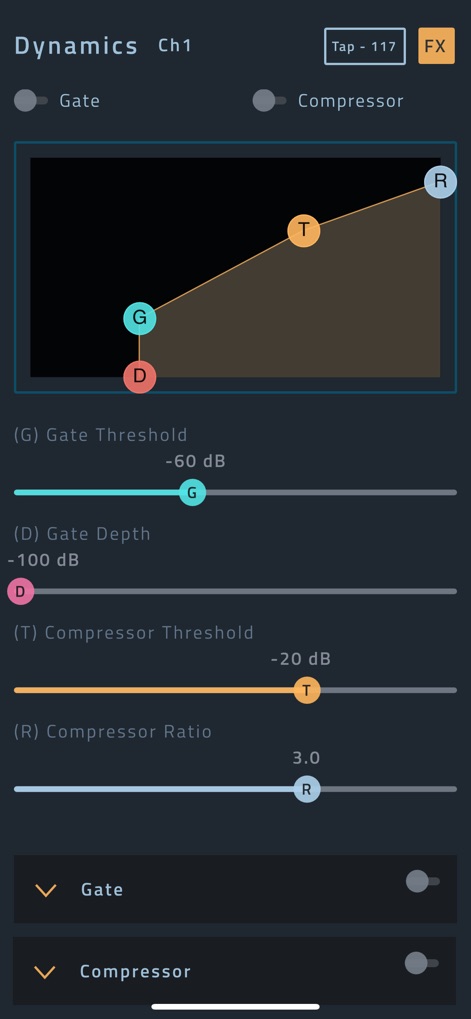
This tool provides granular command over audio dynamics, showcasing the interactive Gate and Compressor graph alongside precise individual parameter sliders.
Precision Dynamics Control
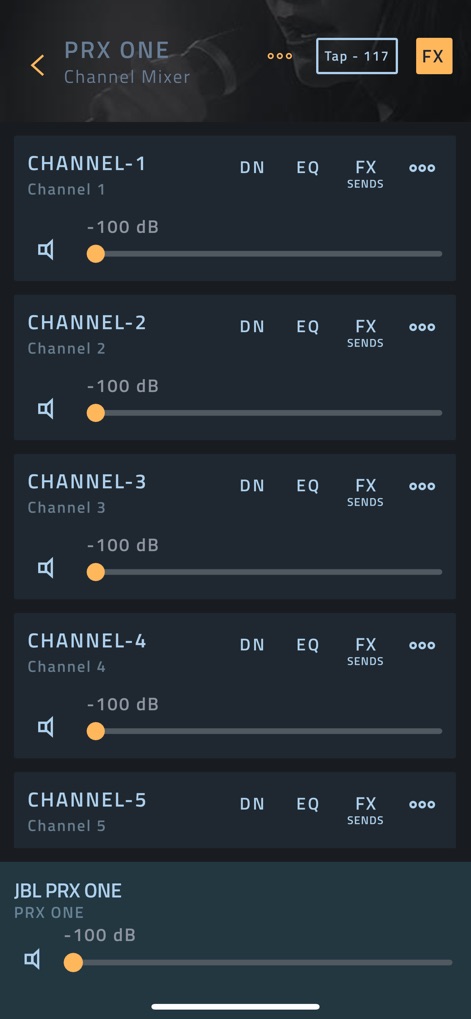
Users can effortlessly manage multiple input sources through the clear Channel Mixer list, with individual volume sliders for quick adjustments and comprehensive control.
Intuitive Channel Mixing
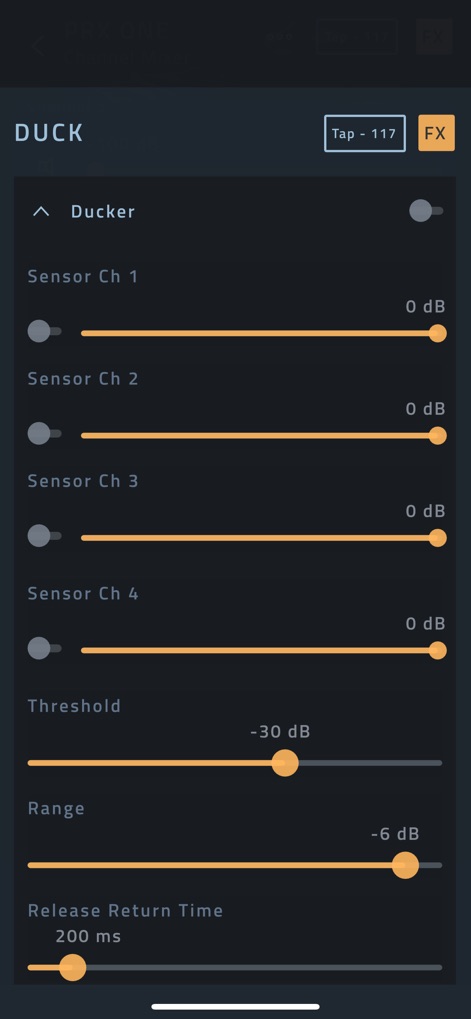
The app offers intelligent ducking capabilities, clearly presenting the master Ducker toggle and individual sensor channel controls for seamless audio prioritization.
Smart Ducking Features
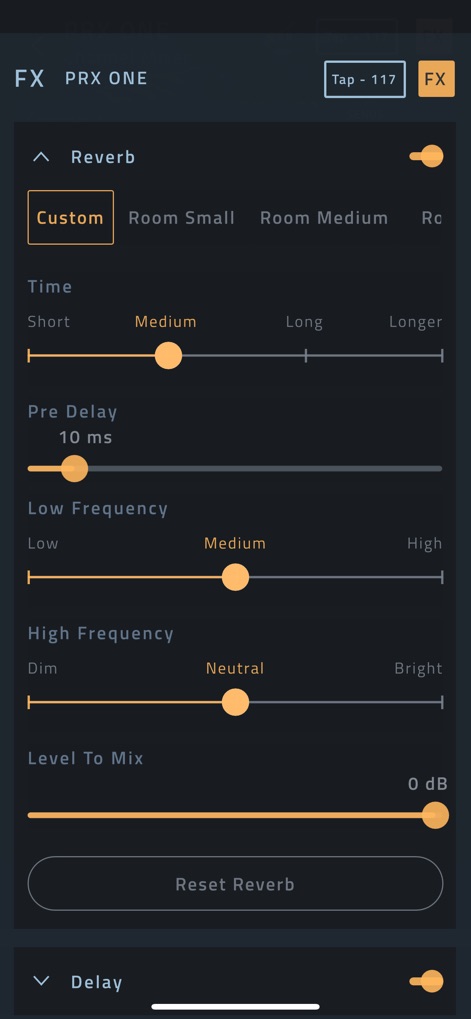
Achieve professional audio polish with detailed reverb settings, featuring a selection of preset environments like 'Room Small' and 'Room Medium,' alongside precise frequency adjustment sliders.
Refined Effects Customization
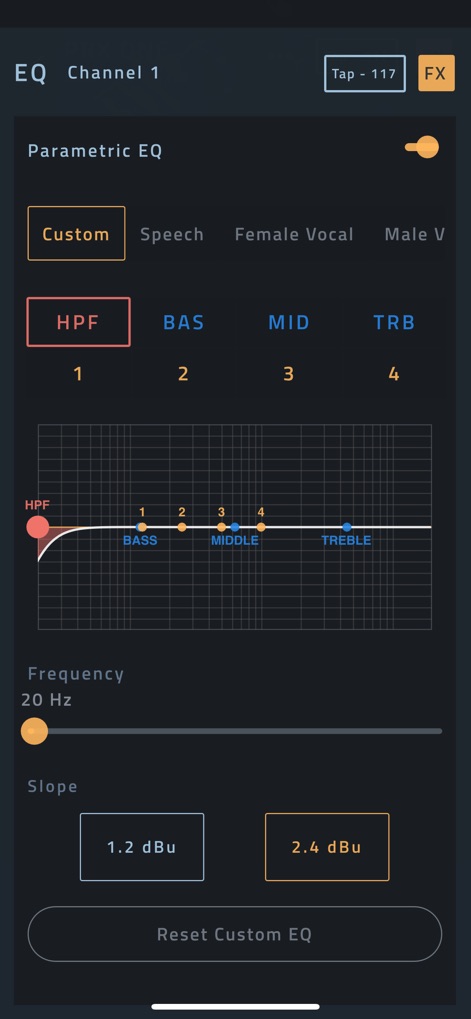
The app empowers precise sound sculpting with a powerful Parametric EQ graph, enabling fine-tuned adjustments via dedicated frequency and slope controls for each band.
Masterful EQ Shaping
Description
Download
More Like This
Apps with similar features and user experience

TouchOSC
Hexler LLC

MixEffect (Trial & Pro Unlock)
Adam Tow

Blackout Lighting Console
Blackout Lighting Console LLC

Logic Remote
Apple Inc.

LK - Ableton & Midi Controller
Imaginando Lda

Eos Remote
Trent Barclay

Mixing Station
Mixing Station GmbH

TouchOSC Mk1
Hexler LLC

MIDI Guitar
Jam Origin ApS
This page is not an official page of the app or its developer, but an independent editorial publication created for informational and commentary purposes. Unless expressly stated otherwise, neither the app nor its developer is affiliated with, endorsed by, sponsored by, authorized by, or otherwise officially connected with MWM, Apple, Google Play, the app publisher, or the app's developer, and nothing on this page implies that the app was developed using MWM's services. Any trademarks, logos, screenshots, and other content remain the property of their respective owners.