
This page is not an official page of the app or its developer, but an independent editorial publication created for informational and commentary purposes. Unless expressly stated otherwise, neither the app nor its developer is affiliated with, endorsed by, sponsored by, authorized by, or otherwise officially connected with MWM, Apple, Google Play, the app publisher, or the app's developer, and nothing on this page implies that the app was developed using MWM's services. Any trademarks, logos, screenshots, and other content remain the property of their respective owners.

Logic Remote
Experience the freedom to record, mix, and perform from anywhere in your studio. Turn your iPad or iPhone into a powerful Multi-Touch extension of your Mac.
Downloads
2M+User Rating
Total Ratings
11K+Publisher
Category
MusicLocales
31Latest Version
1.5.6Size
311.6 MBFirst Released
Jul 16, 2013Master Your Studio Without Being Tied to Your Desk
Transform your iPad or iPhone into a wireless extension of Logic Pro and GarageBand. Logic Remote bridges the gap between digital precision and tactile creativity, giving you the freedom to record, mix, and perform from anywhere in your room.
Seamless Remote Recording
Break free from the 'one-man band' struggle. Start, stop, and record takes from the vocal booth or drum kit without running back to your Mac.
Tactile Multi-Touch Mixing
Ditch the mouse and mix with your hands. Use professional faders, pan controls, and Visual EQ to shape your sound with the speed and feel of a physical console.
Frequently Asked Questions
Everything you need to know about Logic Remote
What is Logic Remote?
Logic Remote is a companion app that extends the creative power of Logic Pro and GarageBand on Mac. It transforms your iPad or iPhone into a mixer, transport control, and a flexible Touch Instrument for music creation.
Can I use Logic Remote with GarageBand?
Yes, Logic Remote is a companion app designed to work with both Logic Pro and GarageBand on the Mac. It allows you to control and interact with GarageBand projects from your iPad or iPhone.
How can I play instruments using Logic Remote?
Logic Remote allows you to play any Logic instrument using a familiar piano keyboard, guitar fretboard, or drum pads. You can also tap out beats on a drum kit, program step sequences, and perform Remix FX.
What mixing controls does Logic Remote provide?
Logic Remote provides Multi-Touch gestures to adjust Mixer volume, pan, solo, and mute controls. It features level meters, automation modes, and Visual EQ to shape track tones.
Can I remotely control Logic Pro transport functions with Logic Remote?
Yes, Logic Remote provides basic transport controls like start, stop, record, and cycle for Logic Pro on your Mac. You can also navigate projects by swiping the LCD or bar ruler and jumping to markers.
Are there features exclusive to iPad in Logic Remote?
Yes, Smart Controls, Sound Library navigation, Smart Help, the full mixer, and access to plug-in controls are exclusively available when using Logic Remote on an iPad. These features are not available on iPhone.
Does Logic Remote support Live Loops control?
Yes, Logic Remote supports controlling Live Loops. Users can trigger individual cells or switch between scenes to manipulate their compositions directly from their iPad or iPhone.
Can I use a Step Sequencer with Logic Remote?
Yes, Logic Remote includes a Step Sequencer feature. It allows you to program beats, bass lines, and melodic parts directly from your device.
Can I use custom key commands with Logic Remote?
Yes, Logic Remote allows you to remotely trigger Logic key commands using customizable buttons. This feature enhances workflow efficiency by personalizing controls.
The following screenshots and description are sourced directly from the app's official store listing and are the property of the app developer.
App Store
Screenshots
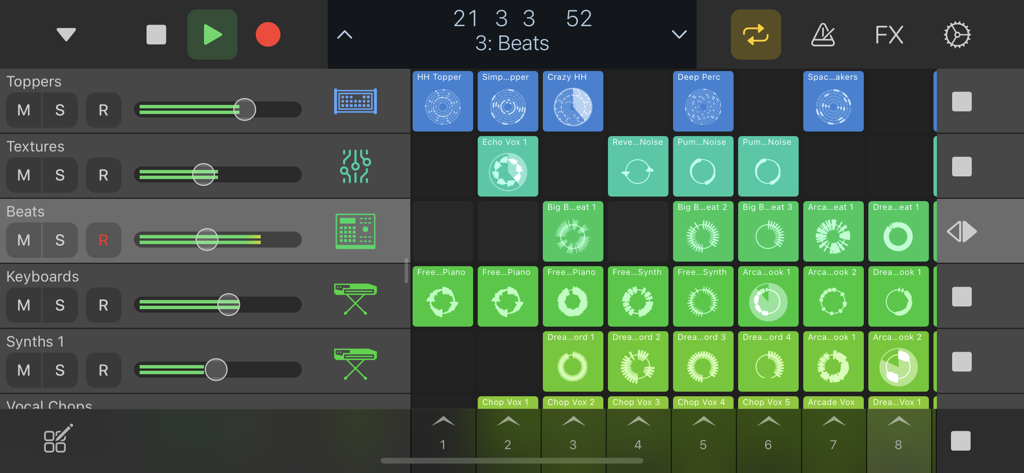
Logic Remote app interface showing Live Loops grid and mixer track controls
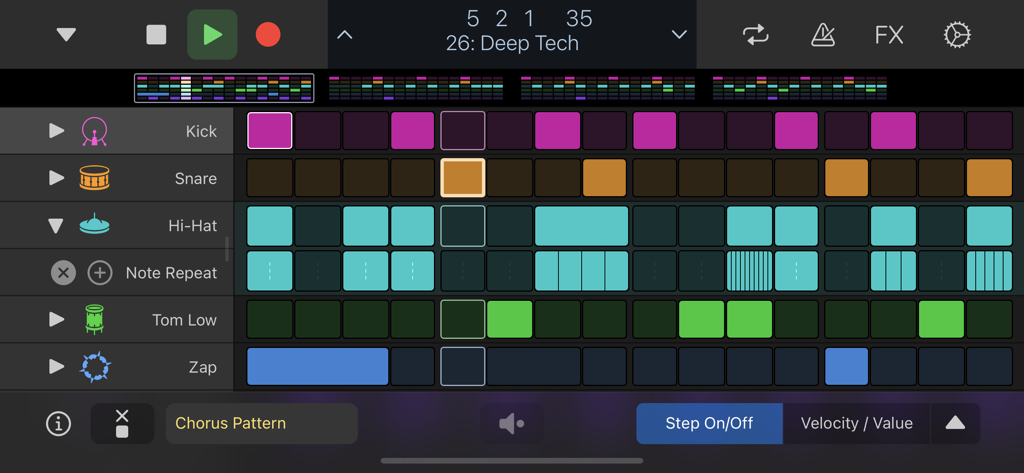
Logic Remote step sequencer interface displaying a drum pattern for deep tech music
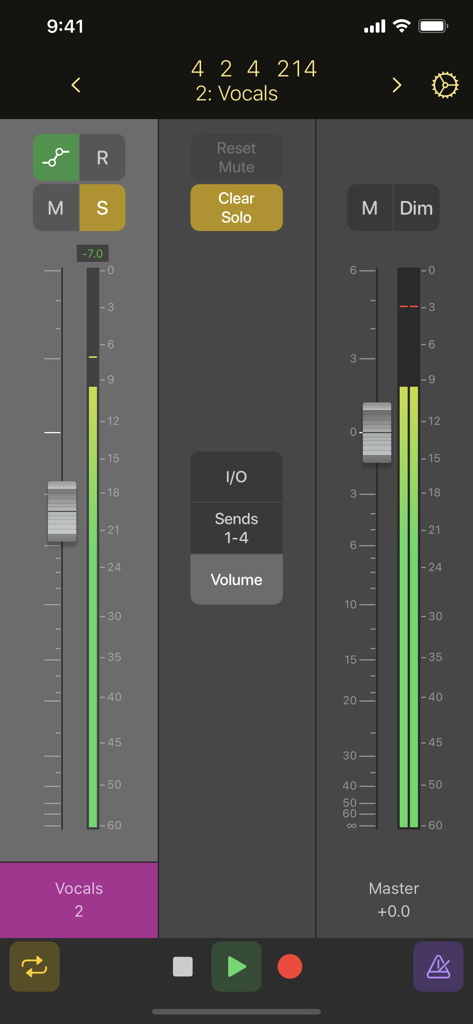
Logic Remote mobile app showing a digital audio mixer with vocal and master channel faders on an iPhone screen
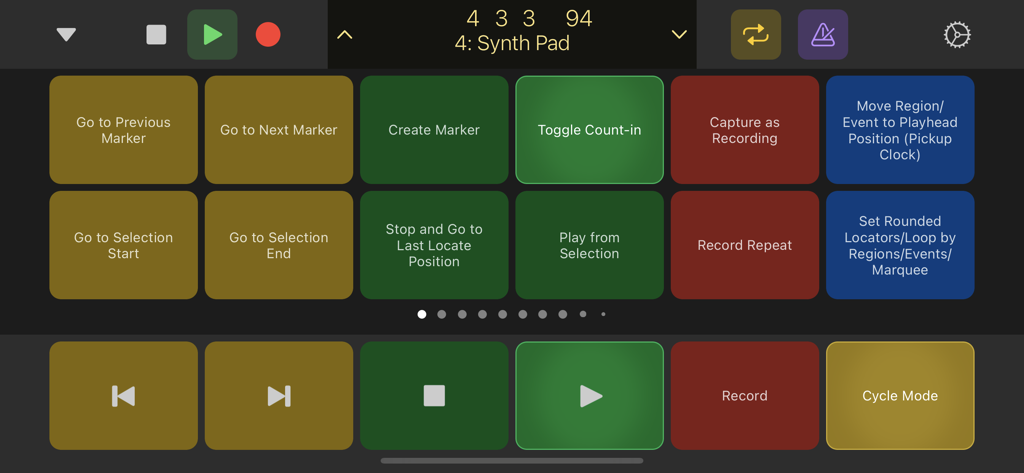
Logic Remote app interface showing transport controls and customizable key command buttons for music production
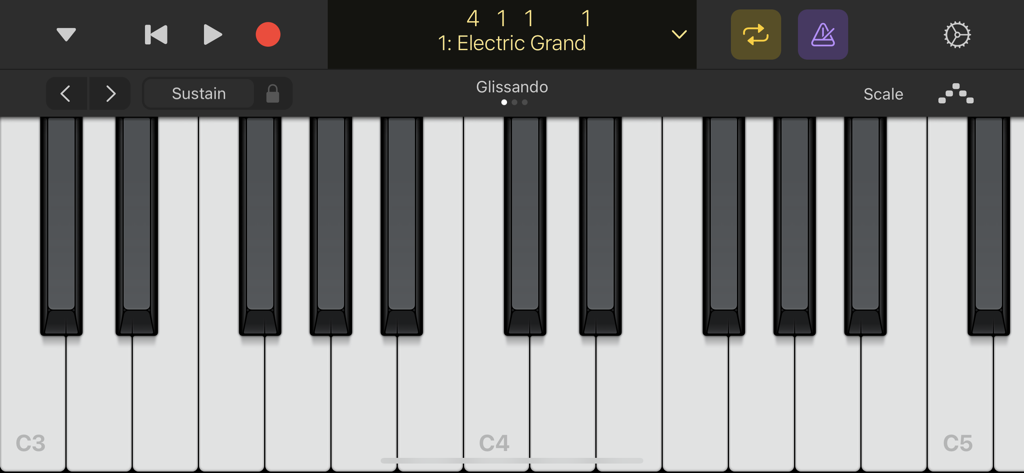
Virtual piano keyboard interface in the Logic Remote app for playing the Electric Grand instrument.
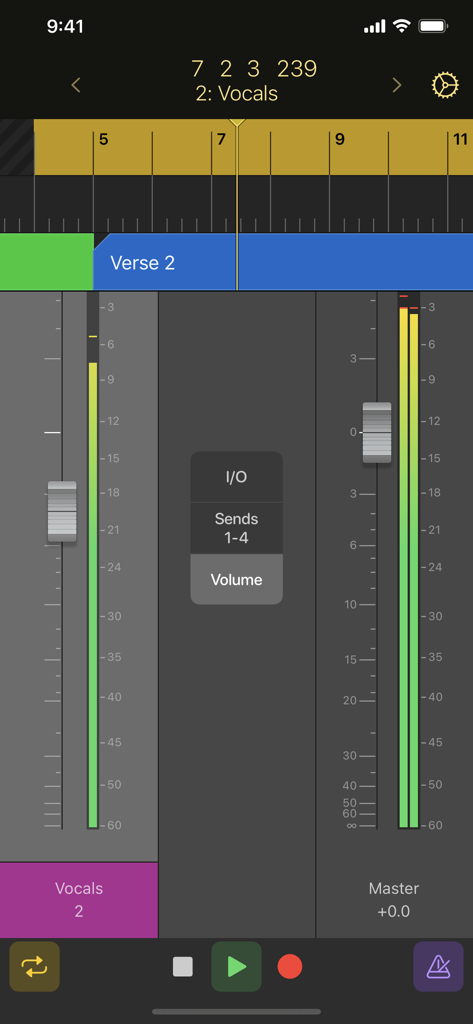
Logic Remote app on iPhone displaying mixer faders for vocals and master tracks with transport controls
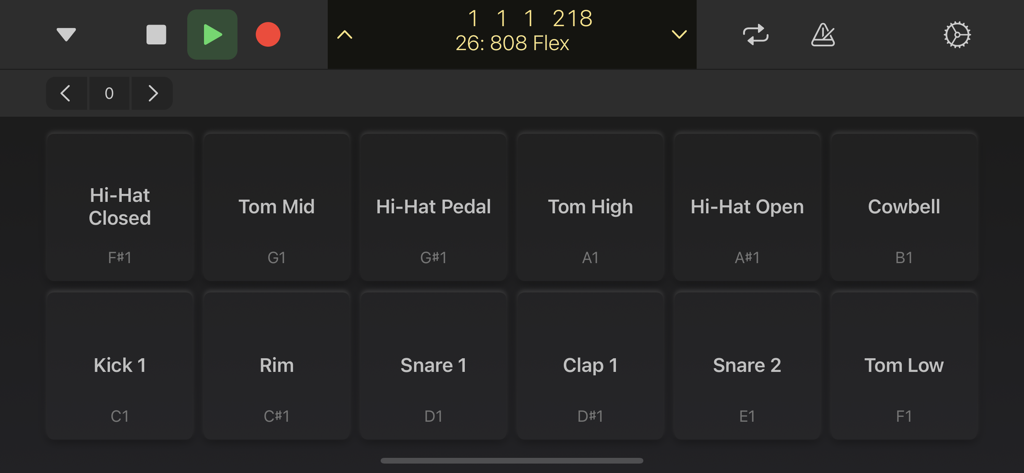
Logic Remote mobile app interface showing digital drum pads for music production
Description
Download
More Like This
Apps with similar features and user experience

TouchOSC
Hexler LLC

MixEffect (Trial & Pro Unlock)
Adam Tow

Blackout Lighting Console
Blackout Lighting Console LLC

LK - Ableton & Midi Controller
Imaginando Lda

Eos Remote
Trent Barclay

Mixing Station
Mixing Station GmbH

TouchOSC Mk1
Hexler LLC

MIDI Guitar
Jam Origin ApS
QLab Remote
Figure 53, LLC
This page is not an official page of the app or its developer, but an independent editorial publication created for informational and commentary purposes. Unless expressly stated otherwise, neither the app nor its developer is affiliated with, endorsed by, sponsored by, authorized by, or otherwise officially connected with MWM, Apple, Google Play, the app publisher, or the app's developer, and nothing on this page implies that the app was developed using MWM's services. Any trademarks, logos, screenshots, and other content remain the property of their respective owners.