
This page is not an official page of the app or its developer, but an independent editorial publication created for informational and commentary purposes. Unless expressly stated otherwise, neither the app nor its developer is affiliated with, endorsed by, sponsored by, authorized by, or otherwise officially connected with MWM, Apple, Google Play, the app publisher, or the app's developer, and nothing on this page implies that the app was developed using MWM's services. Any trademarks, logos, screenshots, and other content remain the property of their respective owners.


LogMeIn Rescue Customer
Device problems? This app grants technicians the remote access they need, making your tech woes their problem to solve. Get back to work, faster.
Downloads
1M+User Rating
Total Ratings
3.7KPublisher
Category
UtilitiesLocales
28Latest Version
7.51Size
70.6 MBFirst Released
Jun 27, 2013An essential utility for on-demand remote technical support on mobile devices.
LogMeIn Rescue Customer: Key Features Evaluation
Remote Device Troubleshooting
The app provides technicians with the capability to remotely diagnose and resolve technical issues directly on a user's smartphone or tablet, simplifying complex problem-solving.
Real-time System Diagnostics Access
It allows support technicians to view essential system diagnostic information from the user's device, enabling quicker and more accurate identification of underlying problems without requiring user input.
Secure Session Initiation via PIN
This tool features a secure, PIN-code based system for initiating support sessions, ensuring that only trusted technicians with the correct code can access the device and safeguarding user privacy.
Remote Configuration Deployment
The app enables technicians to remotely push and apply various profiles and settings, including email, APN, and Wi-Fi configurations, directly to the user's device, streamlining setup and fixing connectivity issues.
Frequently Asked Questions
Everything you need to know about LogMeIn Rescue Customer
What is the purpose of the LogMeIn Rescue Customer app?
The LogMeIn Rescue Customer app allows support technicians to troubleshoot problems on your device. It enables remote assistance through a technician-provided PIN code to connect and diagnose issues.
How do I use the LogMeIn Rescue Customer app for support?
To use LogMeIn Rescue Customer, install and launch the app. Enter the six-digit PIN code provided by your support technician, then allow them to connect to your device for remote assistance.
What actions can a technician perform using LogMeIn Rescue Customer?
Technicians can chat, view system diagnostic information, and push various profiles and settings. These include email, APN, and WiFi configurations to resolve device issues remotely via LogMeIn Rescue Customer.
Does LogMeIn Rescue Customer enable screen sharing?
Yes, the LogMeIn Rescue Customer app broadcasts your screen live with a trusted support agent. Everything on your screen, including notifications, is recorded during this session for troubleshooting.
Can I chat with my support technician through the LogMeIn Rescue Customer app?
Yes, the LogMeIn Rescue Customer app provides an instant chat function. This allows direct communication with your support technician during a remote assistance session to discuss issues.
When is it appropriate to download the LogMeIn Rescue Customer application?
Download the LogMeIn Rescue Customer application only when a support technician you trust specifically directs you to do so. It facilitates direct remote troubleshooting for your device.
The following screenshots and description are sourced directly from the app's official store listing and are the property of the app developer.
App Store
Screenshots
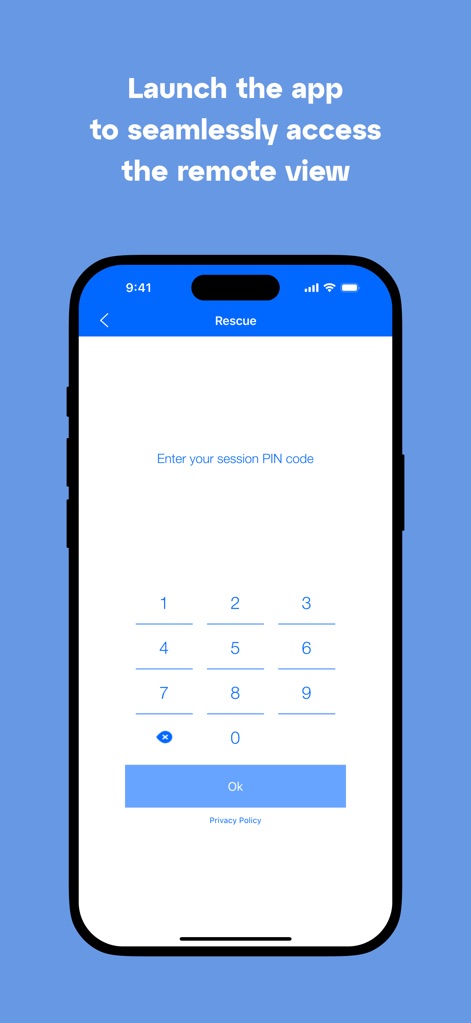
See how the app provides a clear 'Enter your session PIN code' prompt and an intuitive numeric keypad for secure access to remote support.
Effortless PIN Entry
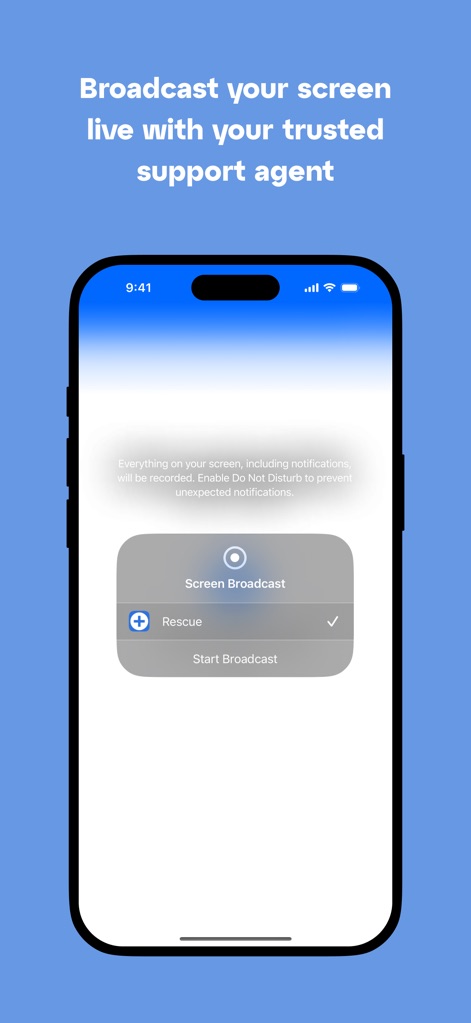
Discover the 'Screen Broadcast' dialog and the prominent 'Start Broadcast' button that enables users to effortlessly share their device screen with a trusted support agent.
Seamless Screen Sharing
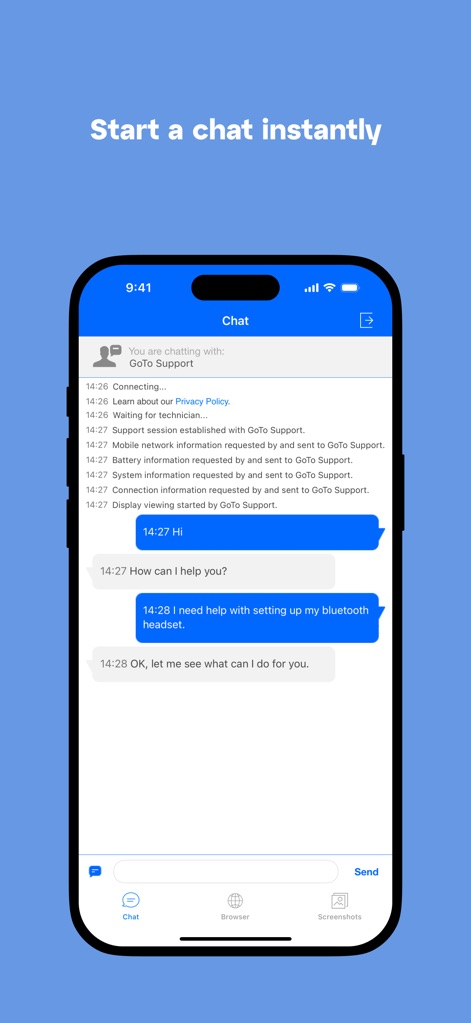
Observe the real-time chat interface with distinct chat bubbles for user and technician messages, and the intuitive 'Chat' input field for instant communication.
Direct Technician Chat
Description
Download
More Like This
Apps with similar features and user experience

向日葵远程控制-Sunlogin remotecontrol
Shanghai best oray information s&t co.,ltd

UU远程-远程办公/游戏串流
Guangzhou NetEase Computer System Co.Ltd

AweSun Remote Desktop
AWERAY PTE. LTD.

AnyDesk Remote Desktop
AnyDesk Software GmbH

TeamViewer Remote Control
TeamViewer Germany GmbH

ToDesk远程控制
Hainan Youqu Technology Co., Ltd.

DeskIn Remote Desktop
ZULER TECHNOLOGY PTE. LTD.

Termius - Modern SSH Client
Termius Corporation

RealVNC Viewer: Remote Desktop
RealVNC Limited
This page is not an official page of the app or its developer, but an independent editorial publication created for informational and commentary purposes. Unless expressly stated otherwise, neither the app nor its developer is affiliated with, endorsed by, sponsored by, authorized by, or otherwise officially connected with MWM, Apple, Google Play, the app publisher, or the app's developer, and nothing on this page implies that the app was developed using MWM's services. Any trademarks, logos, screenshots, and other content remain the property of their respective owners.