
This page is not an official page of the app or its developer, but an independent editorial publication created for informational and commentary purposes. Unless expressly stated otherwise, neither the app nor its developer is affiliated with, endorsed by, sponsored by, authorized by, or otherwise officially connected with MWM, Apple, Google Play, the app publisher, or the app's developer, and nothing on this page implies that the app was developed using MWM's services. Any trademarks, logos, screenshots, and other content remain the property of their respective owners.

My Scanner: Scan to PDF & Edit
Transform your device into a powerhouse mobile office. Scan documents, edit PDFs, e-sign contracts, and write smarter with your personal AI assistant—all in one place.
Downloads
3M+User Rating
Total Ratings
29K+Publisher
Category
BusinessLocales
12Latest Version
9.5Size
373.5 MBFirst Released
May 20, 2020Your All-In-One Mobile Workspace
Ditch the bulky hardware and multiple subscriptions. My Scanner combines professional document tools with advanced AI to supercharge your daily productivity.
Crystal-Clear Pro Scanning
Convert receipts, notes, and IDs into high-res PDFs instantly with smart auto-enhancement and powerful OCR text extraction.
Smart AI Assistant
Draft professional emails, summarize long reports, and solve complex math equations effortlessly with your built-in 24/7 AI partner.
Frequently Asked Questions
Everything you need to know about My Scanner: Scan to PDF & Edit
What is My Scanner: Scan to PDF & Edit?
My Scanner is an all-in-one document and productivity app. It transforms your device into a powerhouse for scanning, editing PDFs, and creating content with an integrated AI writing assistant, replacing multiple other applications.
Can My Scanner convert documents to PDF, JPG, or DOC formats?
Yes, My Scanner can export scanned documents as high-resolution PDFs or JPGs. It also supports exporting documents to DOC format, providing versatile file output options directly from the app.
What PDF editing features does My Scanner provide?
My Scanner offers advanced PDF editing features, including adding text, highlighting, underlining, drawing, filling forms, adding e-signatures, annotating, rearranging, merging, splitting, and organizing pages with drag-and-drop simplicity.
Does My Scanner include an AI writing assistant?
Yes, My Scanner features a built-in AI writing assistant. This companion helps draft emails, create essays, brainstorm ideas, summarize text, rewrite, correct grammar, and generate content tailored to your style.
How does My Scanner ensure document security and user privacy?
My Scanner ensures document security with Face ID, Touch ID, or passcode protection. It also supports offline scanning and editing, which protects user privacy by keeping data on the device.
What subscription options are available for My Scanner?
My Scanner offers weekly, monthly, quarterly, and annual subscription options. These subscriptions automatically renew unless auto-renew is turned off at least 24-hours before the current period ends.
Can My Scanner extract text from images or scanned pages?
Yes, My Scanner includes a Text Extractor (OCR) tool. This feature allows users to pull editable text directly from any image or scanned page, and it also offers translation into over 100 languages.
Does My Scanner solve math and science equations?
Yes, My Scanner includes a Math & Science Solver. Users can scan handwritten or printed equations to get instant solutions for math, chemistry, and physics problems directly within the app.
Does My Scanner have an augmented reality ruler?
Yes, My Scanner features an AR Ruler tool. This allows users to instantly measure objects or distances using augmented reality directly through their device's camera, providing practical measurement capabilities.
Can My Scanner help create invoices and fill out tax forms?
Yes, My Scanner includes an Invoice Creator to generate professional invoices on the go. It also features a Tax Form Filler for easily completing and exporting tax documents, streamlining financial tasks.
What document sharing options are available in My Scanner?
My Scanner allows users to share documents via email, messengers, or print. It supports various export formats, including PDF, JPEG, Word, TXT, PPT, and XLS, along with options to compress files.
Does My Scanner work offline for scanning and editing?
Yes, My Scanner works offline for both scanning and editing documents. This feature enhances privacy control and allows users to maintain productivity without requiring an active internet connection.
The following screenshots and description are sourced directly from the app's official store listing and are the property of the app developer.
App Store
Screenshots
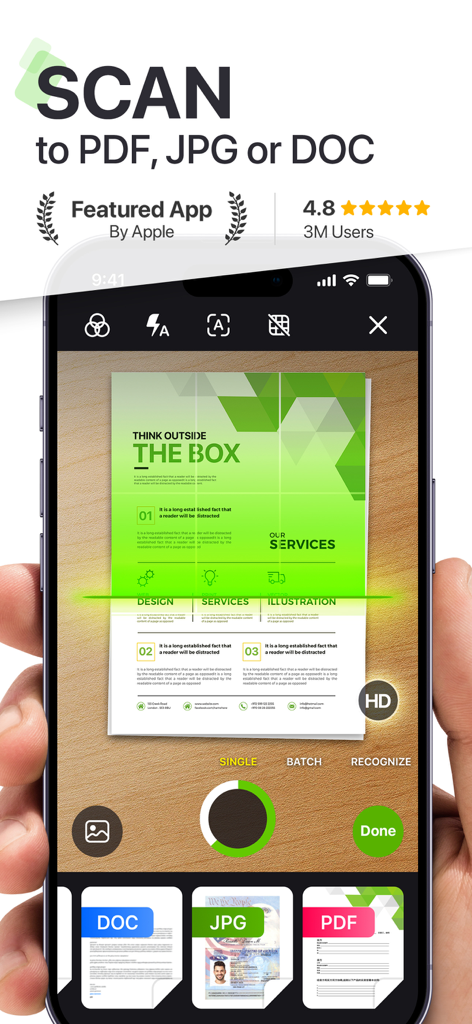
Smartphone interface of My Scanner app scanning a document to PDF format
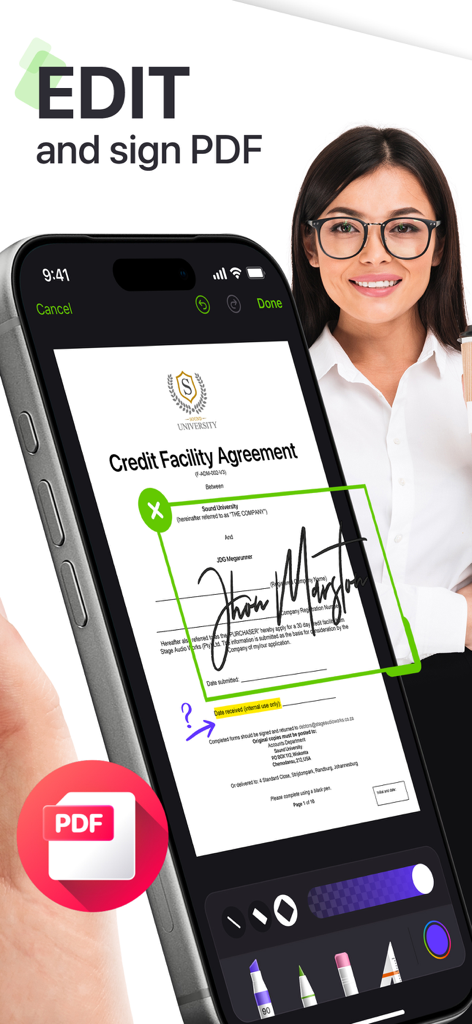
Smartphone screen showing a user signing a PDF credit agreement document
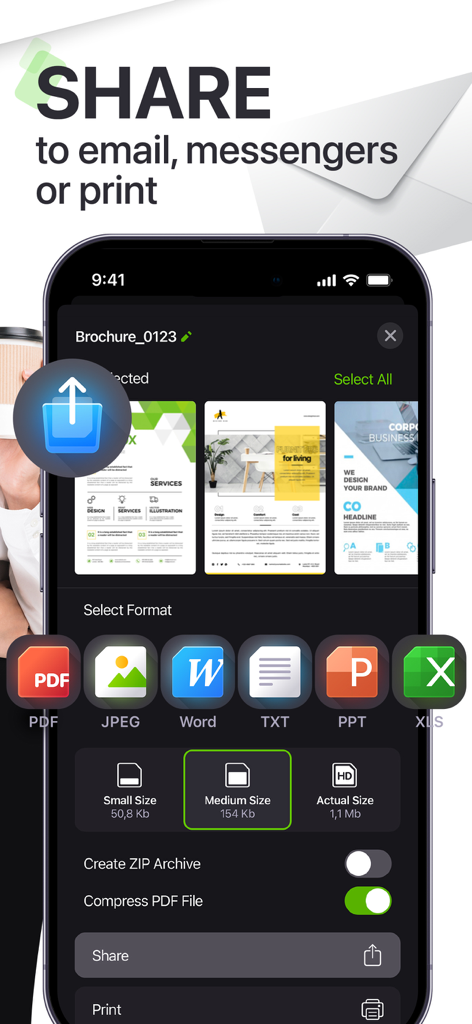
Mobile app interface showing document sharing options and file format selection including PDF Word and JPEG
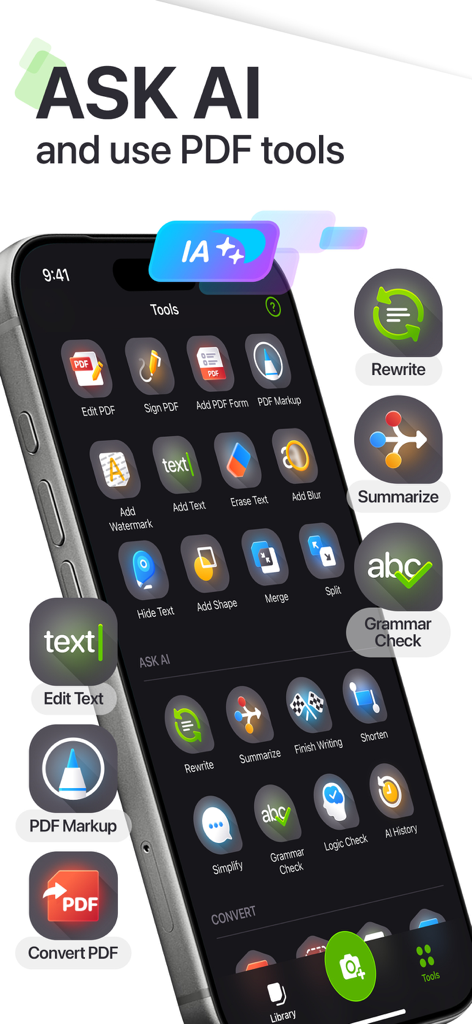
My Scanner app interface showing AI writing assistant and PDF editing tools on an iPhone
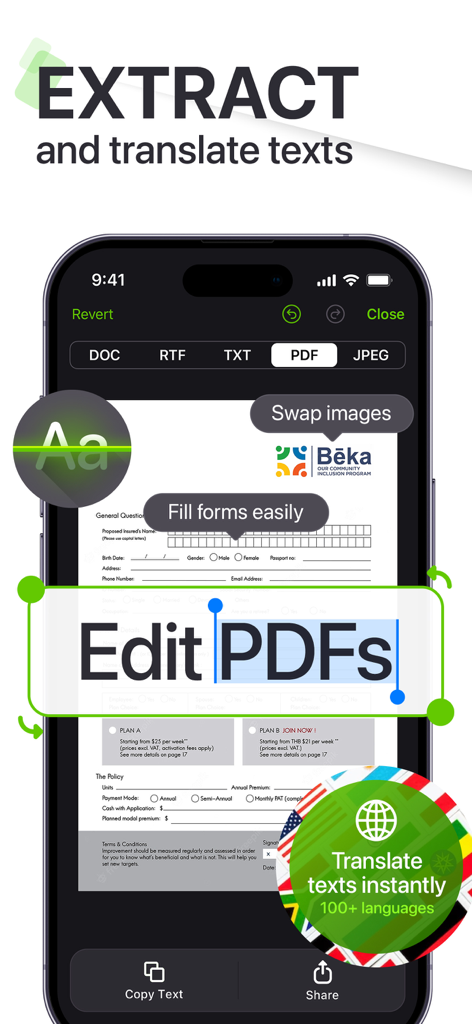
Smartphone screen displaying the My Scanner app interface for editing PDFs and translating extracted text from a document.
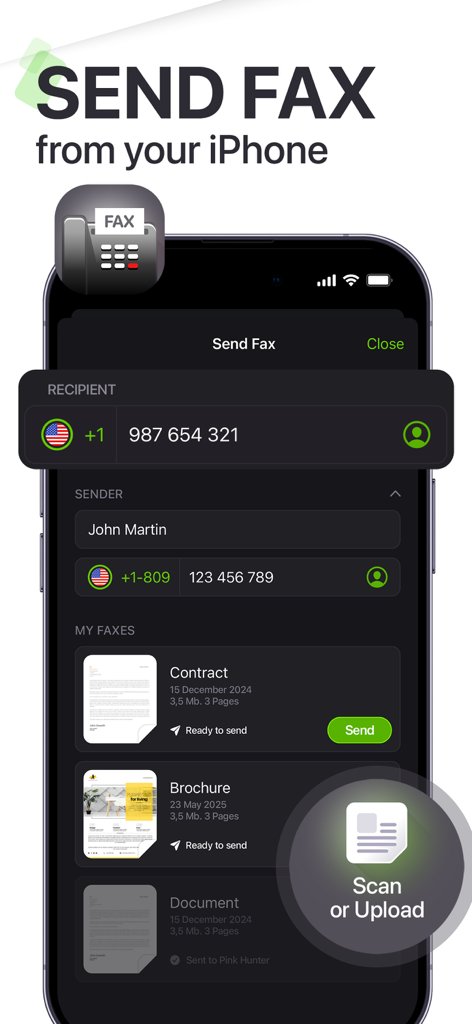
The Send Fax screen of the My Scanner app on an iPhone showing recipient and sender details with a list of documents
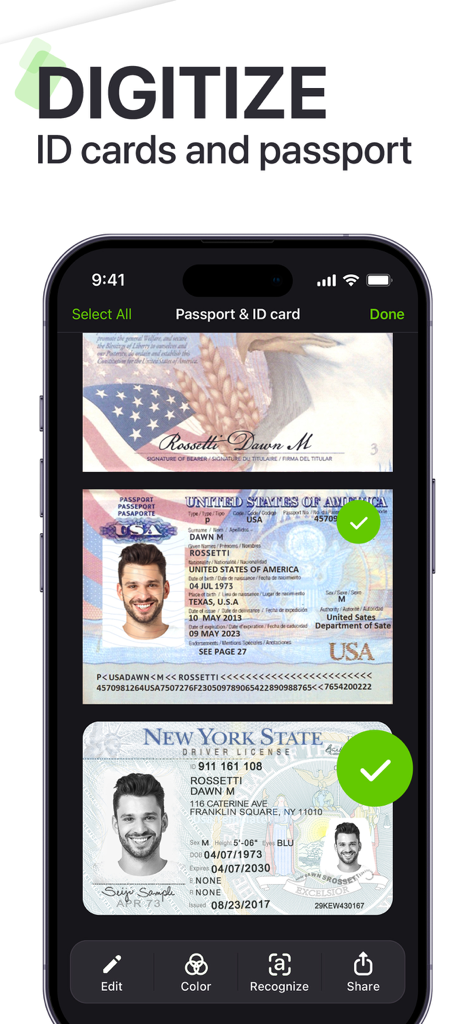
Smartphone screen showing scanned passport and driver license within the My Scanner app interface.
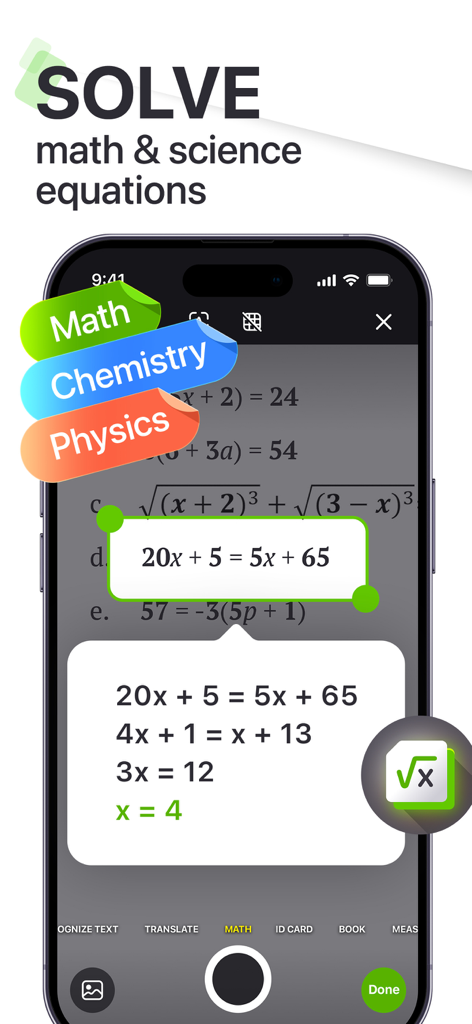
Smartphone screen showing the My Scanner app solving a math equation step by step
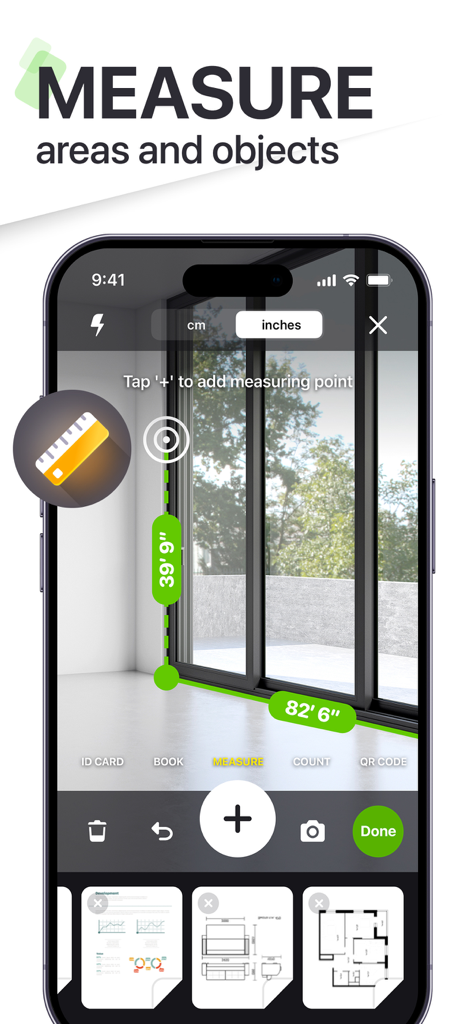
A smartphone screen using the My Scanner app's augmented reality ruler to measure a window in a room.
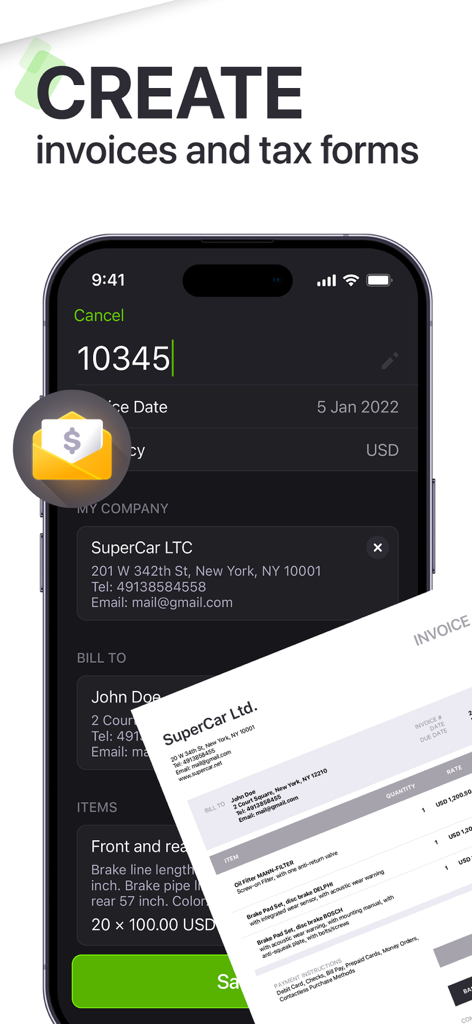
Mobile app interface for creating professional invoices and tax forms
Description
Download
More Like This
Apps with similar features and user experience

PDF PRO Scan Image & Documents
Balzo srl

The PDF Scanner, PDF editor HQ
NEXT K.U.M. LTD

CamScanner - PDF Scanner App
INTSIG Information Co., Ltd

Adobe Scan: PDF & OCR Scanner
Adobe Inc.

WPS Office: PDF, Docs, Sheets
KINGSOFT OFFICE SOFTWARE CORPORATION LIMITED

iLovePDF - PDF Editor & Scan
ILOVEPDF S.L.

Scanner App: Genius Scan
The Grizzly Labs

Microsoft Lens: PDF Scanner
Microsoft Corporation

Clear Scan: Doc Scanner App
INDY MOBILE APP COMPANY LIMITED
This page is not an official page of the app or its developer, but an independent editorial publication created for informational and commentary purposes. Unless expressly stated otherwise, neither the app nor its developer is affiliated with, endorsed by, sponsored by, authorized by, or otherwise officially connected with MWM, Apple, Google Play, the app publisher, or the app's developer, and nothing on this page implies that the app was developed using MWM's services. Any trademarks, logos, screenshots, and other content remain the property of their respective owners.