
This page is not an official page of the app or its developer, but an independent editorial publication created for informational and commentary purposes. Unless expressly stated otherwise, neither the app nor its developer is affiliated with, endorsed by, sponsored by, authorized by, or otherwise officially connected with MWM, Apple, Google Play, the app publisher, or the app's developer, and nothing on this page implies that the app was developed using MWM's services. Any trademarks, logos, screenshots, and other content remain the property of their respective owners.


Netcraze
Network chaos ends now. Netcraze delivers remote mastery over your digital domain.
Downloads
250k+User Rating
Total Ratings
7.2KPublisher
Category
UtilitiesLocales
12Latest Version
67Size
52.4 MBFirst Released
Feb 10, 2025An in-depth look at Netcraze's core functionalities for comprehensive network management and security.
Netcraze: Key Features Analysis
Remote Network Management
The app provides comprehensive control over the home network from any location with internet access, ensuring users can manage settings and security on the go.
Advanced Parental Controls
It allows users to create custom profiles for family members, incorporating specific access schedules and robust content filtering to ensure a safe online environment.
Extensive Content Filtering
This tool features support for a wide array of public content filtering services, enabling users to customize and enforce appropriate online access for all family members.
Detailed Usage Analytics
This tool features granular analysis of internet usage, broken down by device, individual user, or the entire network, empowering users to monitor consumption and identify patterns.
Instant Device Disconnect
The app provides the capability to instantly disconnect a group of devices from the internet with a single tap, offering immediate control over network access.
Real-time Network Alerts
It allows users to stay informed about network status through event alerts delivered via push notifications or email, ensuring prompt awareness of any issues or activities.
Frequently Asked Questions
Everything you need to know about Netcraze
What are the main features of the Netcraze app?
The Netcraze app provides full control of your home network from anywhere. It enables internet usage analysis, family profiles with schedules and content filtering, one-tap device disconnection, and network event alerts.
Can I monitor internet usage with the Netcraze app?
Yes, Netcraze allows you to analyze internet usage by device, user, or network. It provides detailed statistics for download and upload traffic, viewable hourly, daily, monthly, or yearly.
Does Netcraze offer content filtering and access schedules for family members?
Yes, Netcraze supports creating profiles for family members with access schedules and content filtering. The app integrates a wide range of public content filtering services to manage internet safety.
How do I disconnect devices from the internet using Netcraze?
Yes, Netcraze allows disconnecting a group of devices from the Internet with a single tap. Individual device settings also include an Internet On/Off toggle for direct control.
Can Netcraze provide notifications for network events?
Yes, Netcraze keeps you informed about your network status. It sends event alerts directly to you via push notifications or email, ensuring you stay updated.
Does the Netcraze app offer technical support?
Yes, the Netcraze app provides a direct link to technical support. This option is accessible from the main 'Sites' screen within the application.
Can Netcraze manage more than one network site?
Yes, Netcraze allows management of multiple network sites concurrently. The app's interface displays a list of various sites, such as DSL, Omni, Runner 4G, Ultra, and Giga.
Is it possible to set speed limits for devices with Netcraze?
Yes, Netcraze enables you to set specific speed limits for individual devices. This restriction setting is configurable within the detailed view for each connected client.
The following screenshots and description are sourced directly from the app's official store listing and are the property of the app developer.
App Store
Screenshots
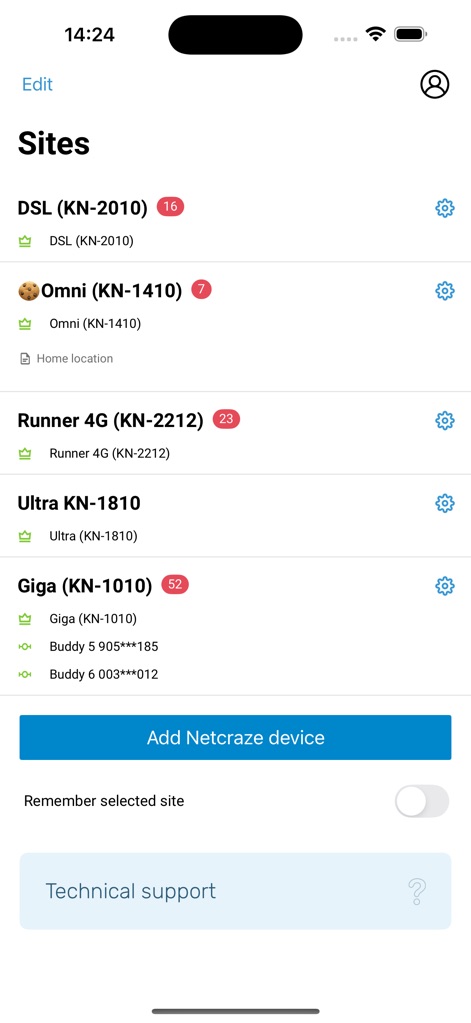
This screen illustrates how users can oversee multiple network sites like 'DSL' and 'Omni', alongside a clear 'Add Netcraze device' option for expansion.
Network Site Management
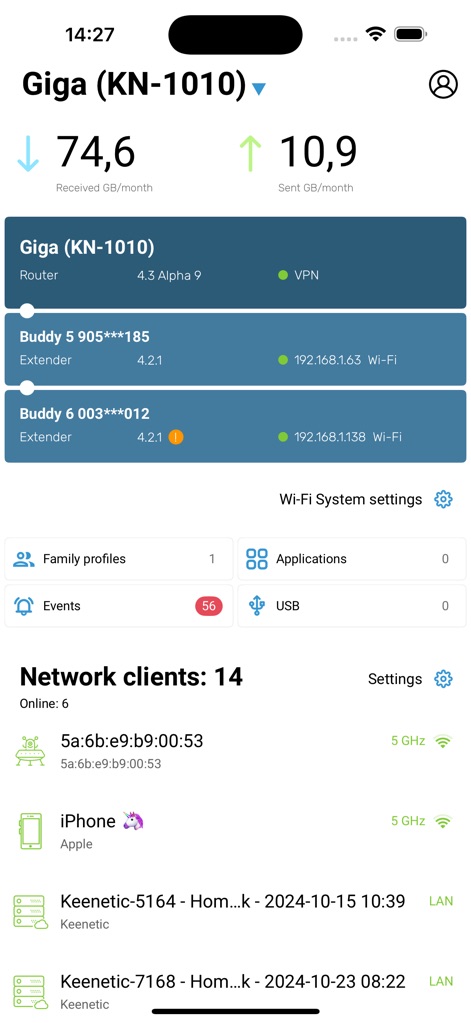
Observe the comprehensive 'Giga (KN-1010)' dashboard, showcasing real-time data transfer statistics and quick access to 'Family profiles' for tailored management.
Dashboard Insights Overview
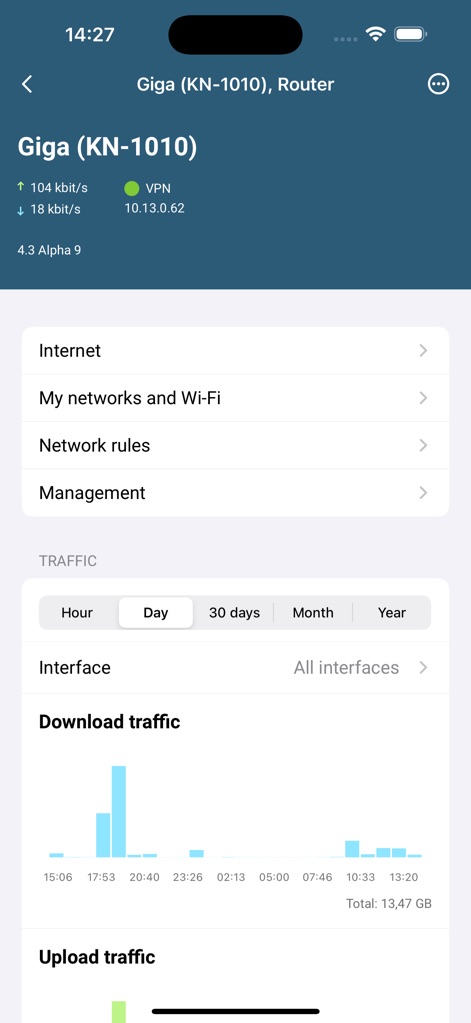
Dive into granular performance data for devices like 'Giga (KN-1010) Router', with detailed 'Download traffic' graphs and intuitive navigation via 'Network rules'.
Traffic Analytics Deep-Dive
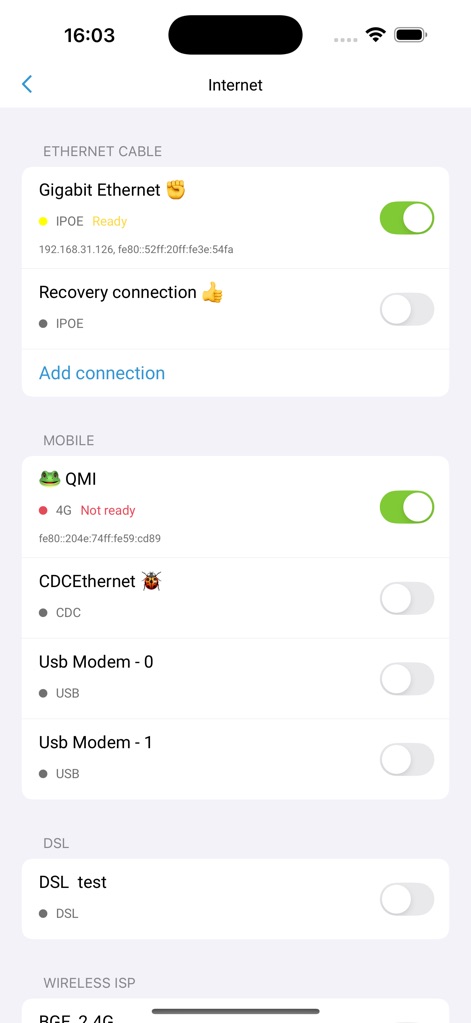
This view presents diverse internet connection settings, including 'Gigabit Ethernet' and 'Mobile QMI', allowing users to effortlessly manage and add new connections.
Versatile Connectivity Settings
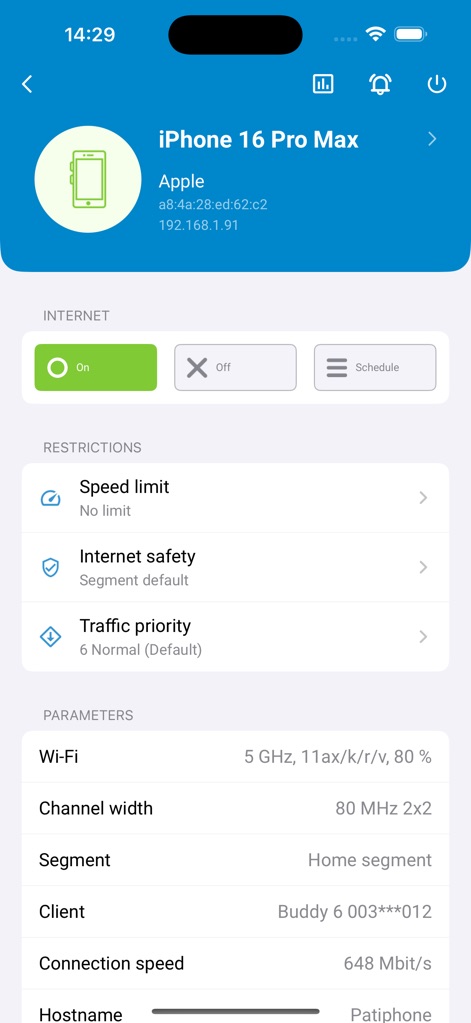
Gain granular control over individual devices such as 'iPhone 16 Pro Max', by applying 'Speed limit' restrictions and adjusting 'Wi-Fi' parameters for optimal performance.
Precise Device Management
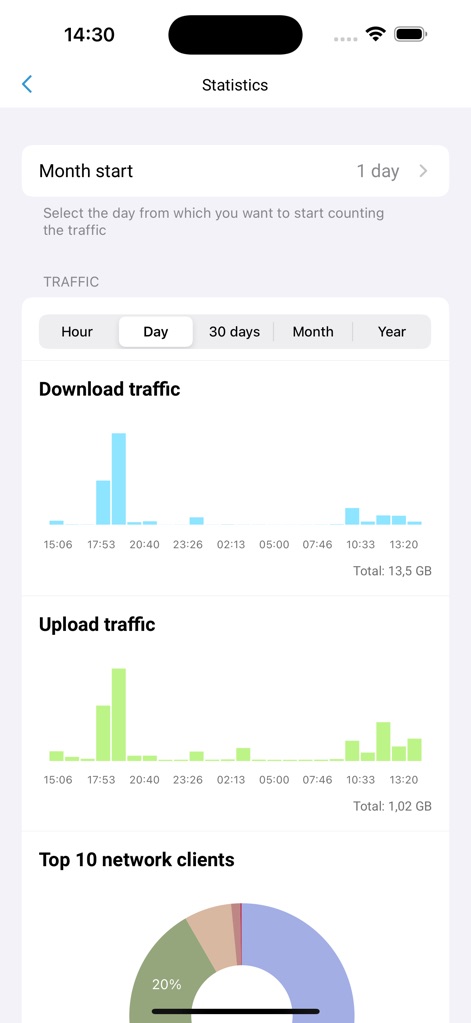
Access detailed network 'Statistics' with clear 'Download traffic' and 'Upload traffic' graphs, along with a visual breakdown of 'Top 10 network clients'.
Comprehensive Usage Statistics
Description
Download
More Like This
Apps with similar features and user experience

TP-Link Tether
TP-Link Systems Inc.

Smart Home Manager
AT&T Services, Inc.

TP-Link Deco
TP-Link Systems Inc.

eero wifi system
eero LLC

MERCUSYS
MERCUSYS Technologies Co., Ltd.

TP-Link Aginet
TP-Link Systems Inc.

T-Mobile Fiber: eero
eero LLC

NETGEAR Nighthawk - WiFi App
NETGEAR, Inc.

UniFi
Ubiquiti Inc.
This page is not an official page of the app or its developer, but an independent editorial publication created for informational and commentary purposes. Unless expressly stated otherwise, neither the app nor its developer is affiliated with, endorsed by, sponsored by, authorized by, or otherwise officially connected with MWM, Apple, Google Play, the app publisher, or the app's developer, and nothing on this page implies that the app was developed using MWM's services. Any trademarks, logos, screenshots, and other content remain the property of their respective owners.