
This page is not an official page of the app or its developer, but an independent editorial publication created for informational and commentary purposes. Unless expressly stated otherwise, neither the app nor its developer is affiliated with, endorsed by, sponsored by, authorized by, or otherwise officially connected with MWM, Apple, Google Play, the app publisher, or the app's developer, and nothing on this page implies that the app was developed using MWM's services. Any trademarks, logos, screenshots, and other content remain the property of their respective owners.


OffScreen: Screen Time Control
Your phone's not the boss anymore. OffScreen hands you the digital reins, allowing focused work and reclaimed attention.
Downloads
2.5M+User Rating
Total Ratings
55.0KPublisher
Category
Health & FitnessLocales
3Latest Version
3.20.7Size
114.7 MBFirst Released
Sep 10, 2019Evaluating core functionalities for digital well-being and productivity enhancement.
Analytical Overview: OffScreen App Features
Comprehensive Screen Time Tracking & Analytics
The app provides detailed insights into smartphone usage patterns, including pickups, average usage, and specific activity types, and displays data on watch faces, enabling users to understand their digital habits effectively.
Advanced Focus Modes with Whitelisting
It allows users to engage in various focus techniques like Pomodoro and countdown timers, supporting lock screen and flip screen focus, with the critical ability to whitelist essential apps for uninterrupted productivity.
Scheduled App Disablement (OFF Time)
This tool features the ability to schedule and disable specific social applications during designated 'OFF Time' periods, actively helping users reduce distractions and reclaim their time.
Personalized Screen Time Goals & Daily Insights
The app provides the capability to set personal screen time goals and receive daily insights, empowering users with actionable information to align their usage with their well-being objectives.
Digital Detox Challenges
The app offers structured challenges, such as screen time, pickup, and sleep challenges, to encourage users in breaking unhealthy digital habits and fostering mindful usage through gamification.
Seamless Apple HealthKit Integration
It allows for the synchronization of sleep time and focus mindfulness data with Apple HealthKit, consolidating health metrics and providing a holistic view of digital well-being within the Apple ecosystem.
Frequently Asked Questions
Everything you need to know about OffScreen: Screen Time Control
What is OffScreen: Screen Time Control?
OffScreen: Screen Time Control helps users track their phone usage and enhance focus. It offers tools for screen time management, various focus modes, and digital detox challenges to promote healthier digital habits.
How does OffScreen help me track my screen time?
OffScreen tracks daily screen time, pickups, average usage, and time spent while walking or stationary. It allows users to set screen time goals and provides daily insights into their phone habits.
Can I set specific goals for my phone usage with OffScreen?
Yes, OffScreen allows users to set a screen time goal. The app provides daily insights to help monitor progress against this goal and manage phone usage effectively.
Does OffScreen offer a Pomodoro timer for focus sessions?
Yes, OffScreen's Focus Mode supports a Pomodoro timer. It also includes countdown and time accumulation modes to help users maintain concentration and productivity.
Can OffScreen block distracting social apps during my OFF Time?
Yes, OffScreen's OFF Time feature allows users to set disable times for social applications. This helps users enjoy periods of uninterrupted focus and reduce digital distractions.
Does OffScreen integrate with Apple HealthKit?
Yes, OffScreen syncs sleep time and focus mindfulness time with Apple HealthKit. This integration allows for a comprehensive overview of user wellness data.
How does OffScreen categorize my focus sessions?
OffScreen allows users to categorize their focus sessions using tags. This feature helps organize and track different types of focused work or study periods.
Can I see my OffScreen usage data over different periods?
Yes, OffScreen provides data visualization in week, month, and year views. Users can analyze their screen time and focus patterns over various durations.
Does OffScreen track location in the background?
Yes, OffScreen tracks your location in the background to collect walking time data. This activity can potentially affect the device's battery life.
What types of challenges does OffScreen offer for digital detox?
OffScreen offers digital detox challenges including screen time challenges, pickup challenges, and sleep challenges. These help users reduce phone dependency and improve well-being.
How do OffScreen subscriptions work?
OffScreen subscriptions are charged to your iTunes account upon purchase confirmation. They automatically renew unless auto-renew is turned off at least 24 hours before the current period ends.
Can I use other apps while OffScreen's focus mode is active?
Yes, OffScreen's focus mode allows users to set a concentration app whitelist. This enables using specific applications like a dictionary during a focus session without breaking concentration.
Does OffScreen provide widgets for quick data viewing?
Yes, OffScreen offers customizable widgets to clearly display data. Users can view essential metrics like screen time, pickups, and OFF time directly from their home screen.
The following screenshots and description are sourced directly from the app's official store listing and are the property of the app developer.
App Store
Screenshots
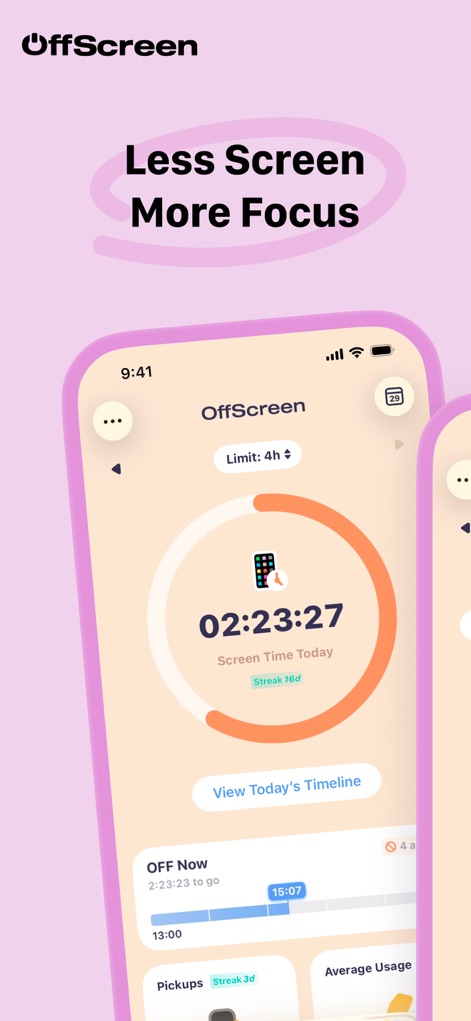
See how OffScreen provides immediate feedback on daily screen time with a prominent usage dial and customizable daily limits.
Real-time Usage Tracking
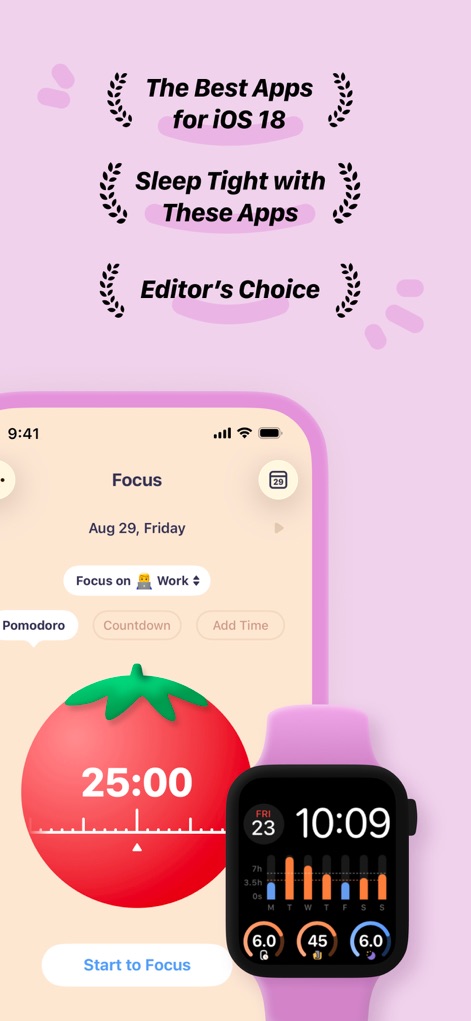
This tool empowers users to enhance concentration through a visual Pomodoro timer and real-time screen time data accessible directly on an Apple Watch.
Boost Productivity with Focus
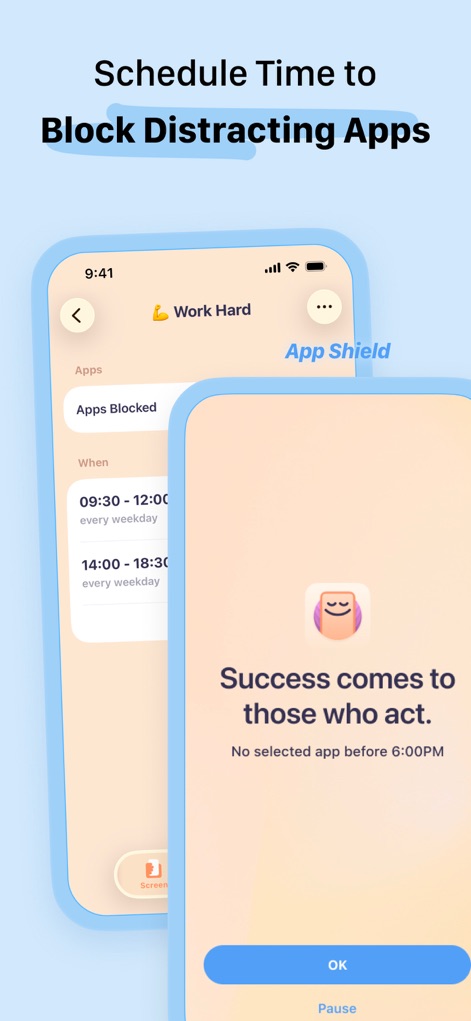
The app allows users to strategically schedule "OFF Time" by blocking distracting applications during set periods, as seen with the customizable time slots and encouraging message.
Strategic App Blocking
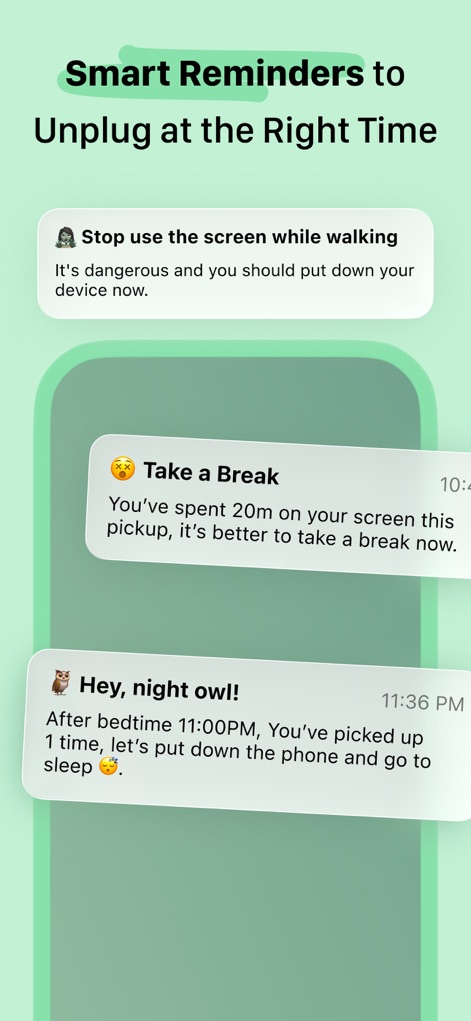
OffScreen sends intelligent reminders designed to promote healthier habits, such as prompts to stop using the phone while walking and gentle nudges about bedtime.
Timely Digital Nudges
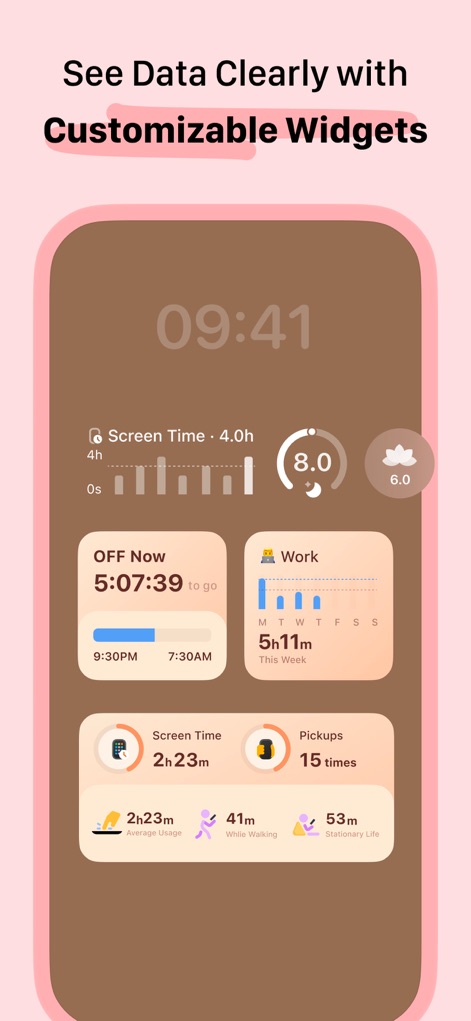
Users can personalize their dashboard with customizable widgets that clearly visualize progress towards screen time goals and provide quick access to "OFF Now" statistics.
Personalized Data Insights
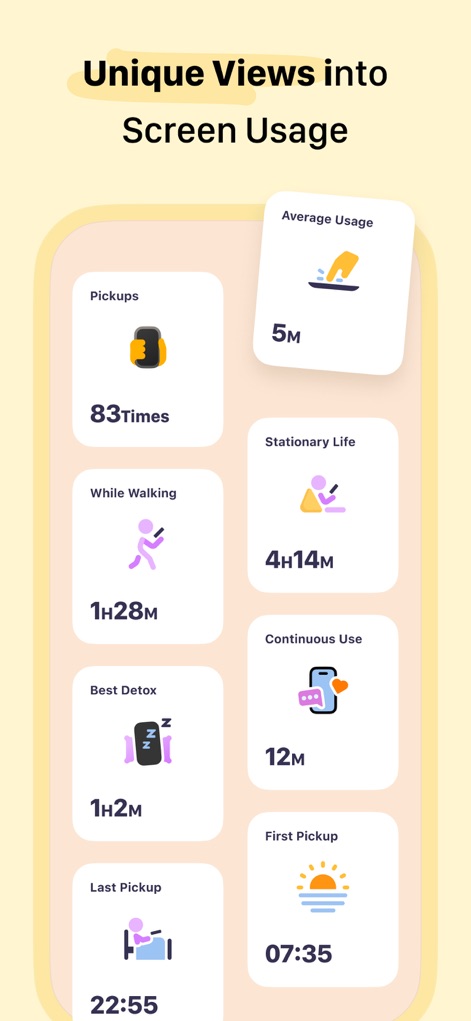
This tool breaks down screen habits into unique, easy-to-digest metrics, including total "Pickups" and time spent "While Walking" for a detailed understanding.
Comprehensive Usage Overview
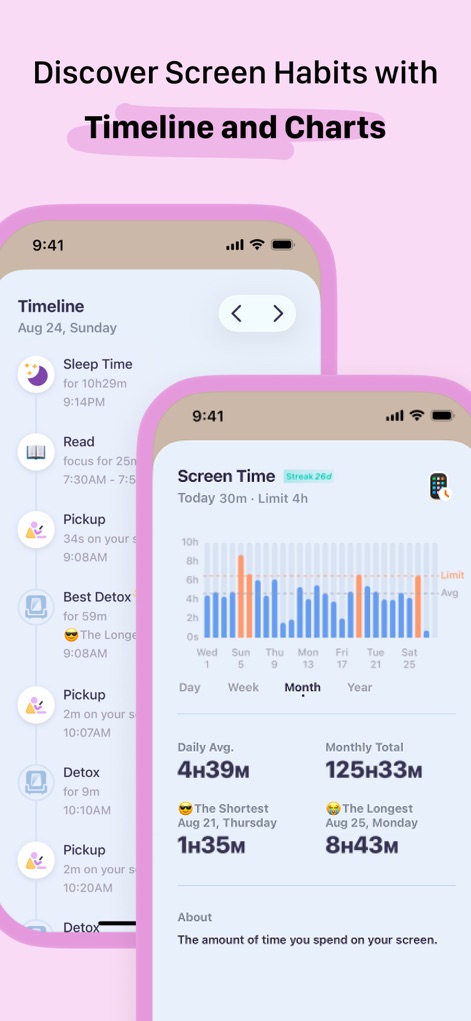
OffScreen provides historical insights through a chronological timeline of daily activities and an intuitive bar chart visualizing screen time trends across different periods.
Historical Usage Trends
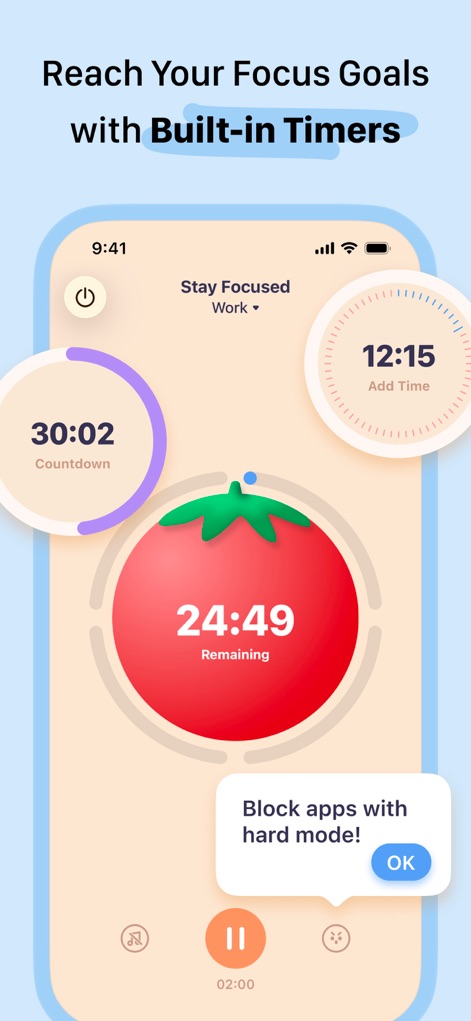
The app equips users with powerful focus tools like the prominent Pomodoro timer and configurable countdowns, offering the option to block distracting apps for enhanced concentration.
Empowered Focus Sessions
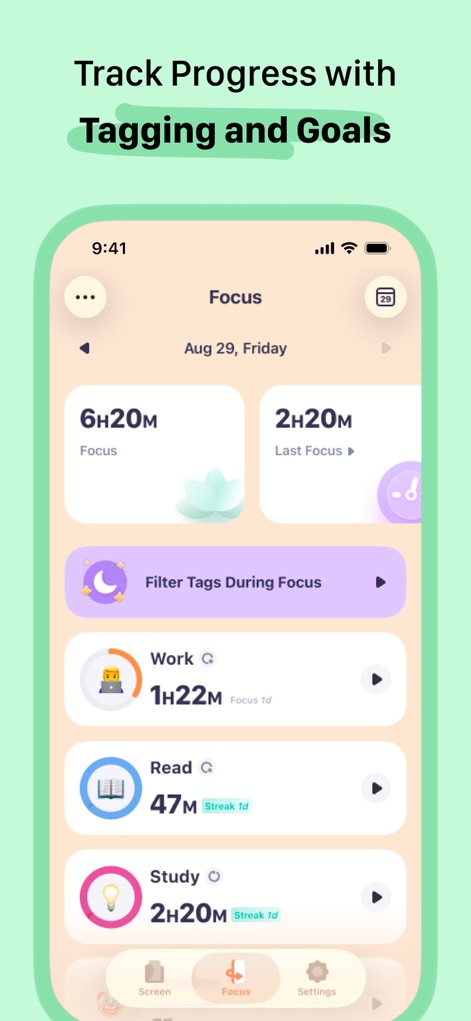
Users can meticulously track their focus progress through categorized sessions, displaying total focus time and individual tag durations, complete with streak indicators.
Categorized Focus Progress
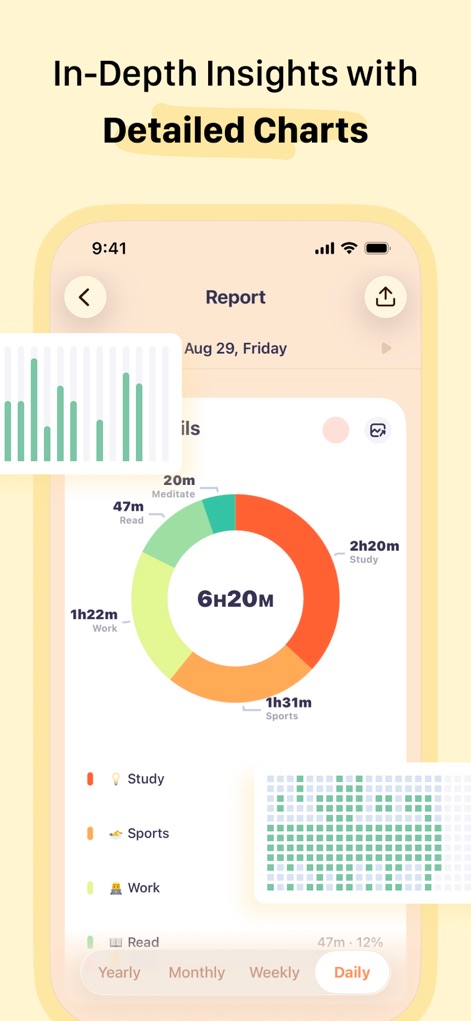
The app offers in-depth analytical reports, featuring a clear pie chart that breaks down focus time by categories and a granular bar chart for daily activity insights.
Deep Dive Analytics
Description
Download
More Like This
Apps with similar features and user experience
Opal: Screen Time Control
OPAL OS CORPORATION

BePresent: Screen Time Control
Screen Detox Inc

Brick - Ditch Distractions
Brick LLC (Wisconsin)

one sec | screen time + focus
riedel.wtf apps S.L.
ScreenZen- Screen Time Control
ScreenZen LLC

Refocus: Block Apps & Websites
Labi, LLC

Clarymind: Focus + Self Care
Seamint Co., Ltd.

Roots: Screen Time Control
MWM

AppBlock: Block Apps & Website
MobileSoft s.r.o.
This page is not an official page of the app or its developer, but an independent editorial publication created for informational and commentary purposes. Unless expressly stated otherwise, neither the app nor its developer is affiliated with, endorsed by, sponsored by, authorized by, or otherwise officially connected with MWM, Apple, Google Play, the app publisher, or the app's developer, and nothing on this page implies that the app was developed using MWM's services. Any trademarks, logos, screenshots, and other content remain the property of their respective owners.