
This page is not an official page of the app or its developer, but an independent editorial publication created for informational and commentary purposes. Unless expressly stated otherwise, neither the app nor its developer is affiliated with, endorsed by, sponsored by, authorized by, or otherwise officially connected with MWM, Apple, Google Play, the app publisher, or the app's developer, and nothing on this page implies that the app was developed using MWM's services. Any trademarks, logos, screenshots, and other content remain the property of their respective owners.


Parental Control App - Kidslox
Your kids' digital lives are a mess. This app hands you the remote.
Downloads
5M+User Rating
Total Ratings
95.9KPublisher
Category
LifestyleLocales
52Latest Version
10.10.0Size
424.7 MBFirst Released
Sep 23, 2014An examination of key functionalities designed for comprehensive digital family management and safety.
Parental Control App - Kidslox: Feature Analysis
Comprehensive Content & App Blocking
This tool provides extensive capabilities to filter inappropriate web content, block specific websites and applications, disable in-app purchases, and completely restrict internet access, ensuring a safe online environment.
Screen Time Controls & Scheduling
The app enables users to establish daily screen time limits, implement schedules for device-free periods, and incentivize positive behavior through screen time rewards for completed chores.
Real-time Family Location Tracking
It allows users to monitor the real-time location of children's devices on a map and receive alerts when children enter or exit predefined geographic zones, enhancing offline safety.
Cross-Platform & Multi-Device Control
This tool offers control across various device types and operating systems, allowing a single account to manage up to 10 devices from one app or any web browser.
Device Activity Monitoring
The app enables parents to gain insight into their child's device usage, allowing them to understand the apps and content their children are engaging with.
Tamper-Proof PIN Protection
The app secures all parental control settings with a unique PIN, preventing children from altering or disabling the established restrictions.
Frequently Asked Questions
Everything you need to know about Parental Control App - Kidslox
What is Kidslox?
Kidslox is a parental control app that helps families manage screen time. It blocks apps and websites, filters content, sets schedules, and monitors device usage across multiple platforms.
How does Kidslox help manage screen time?
Kidslox allows setting daily screen time limits, creating weekly schedules for device usage, and offering screen time rewards for completed tasks. It helps balance device use.
Can Kidslox block specific apps and websites?
Yes, Kidslox blocks individual apps and websites. It filters explicit content like pornography and gambling, blocks social media apps such as Instagram, and restricts internet access.
Does Kidslox include a location tracking feature?
Yes, Kidslox includes a family location tracker. It displays children's device locations on a map and sends notifications when they enter or leave pre-set zones.
How many devices can one Kidslox account manage?
One Kidslox account manages up to 10 devices. This includes iPhones, iPads, iPods, and other mobile devices, controlled via the app or a web browser.
Does Kidslox offer a free trial?
Yes, Kidslox offers a 3-day free trial that provides access to all Premium features. After the trial, a subscription is required for continued access.
How does Kidslox monitor web activity and social media?
Kidslox monitors web search history, identifying suspicious searches. It also monitors Instagram and YouTube activity, detecting suspicious comments/chats and tracking content viewed.
Can children earn extra screen time with Kidslox?
Yes, Kidslox features Screen Time Rewards. Children earn additional screen time for completing tasks like homework or household chores, promoting positive behavior.
What happens if an MDM profile is already on a device?
Kidslox cannot be added to a device with an existing education or business Mobile Device Management (MDM) profile. The original MDM profile must be removed first.
Does Kidslox provide SOS alerts?
Yes, Kidslox provides SOS alerts. Children can activate a panic button on their device, which sends an alert with their location to parents.
How do Kidslox subscriptions work?
Subscriptions are processed via iTunes, renewing automatically unless canceled 24 hours before the period ends. A 'Lifetime subscription' offers ongoing access with a one-off payment.
The following screenshots and description are sourced directly from the app's official store listing and are the property of the app developer.
App Store
Screenshots
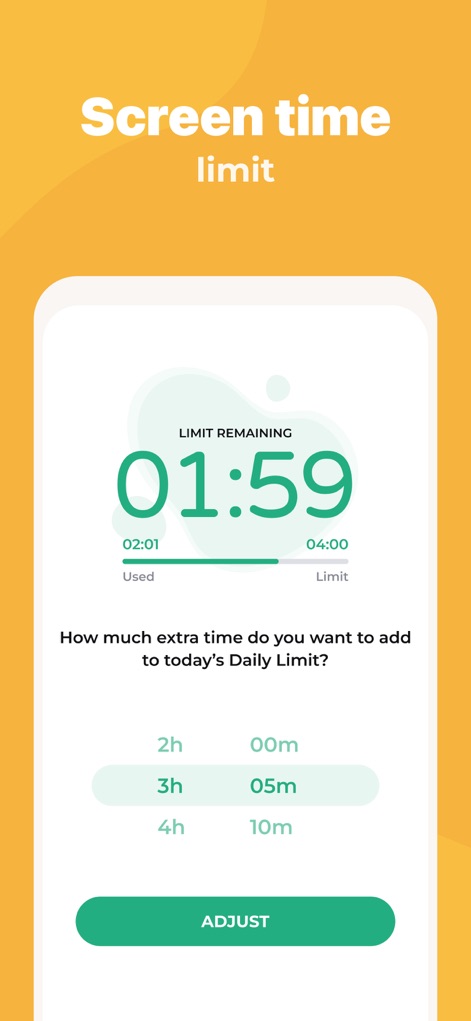
This tool allows users to easily set daily screen time limits and provides flexible options to add extra time as needed, as shown by the 'LIMIT REMAINING' timer and the 'How much extra time' section.
Manage Screen Time
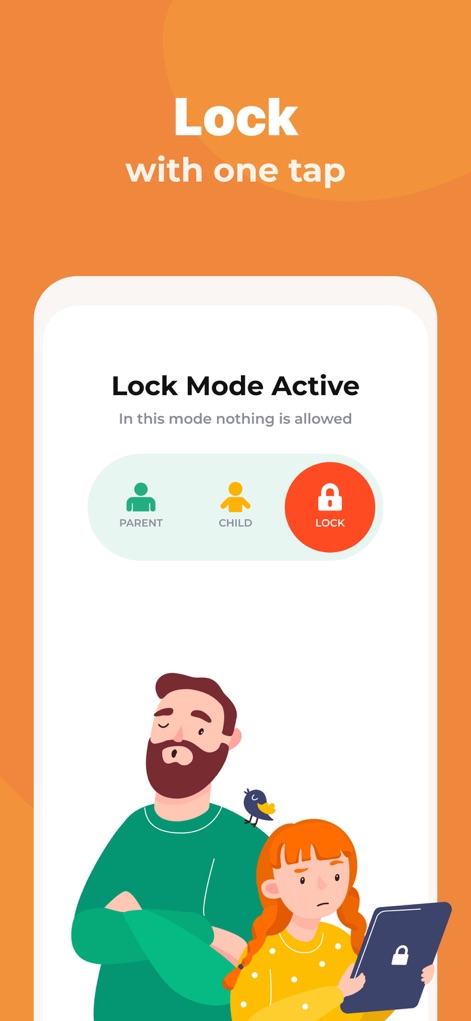
Discover how the app enables immediate device locking with a single tap, displaying a clear 'Lock Mode Active' status and offering distinct 'PARENT', 'CHILD', and 'LOCK' user modes for quick transitions.
Instant Device Lock
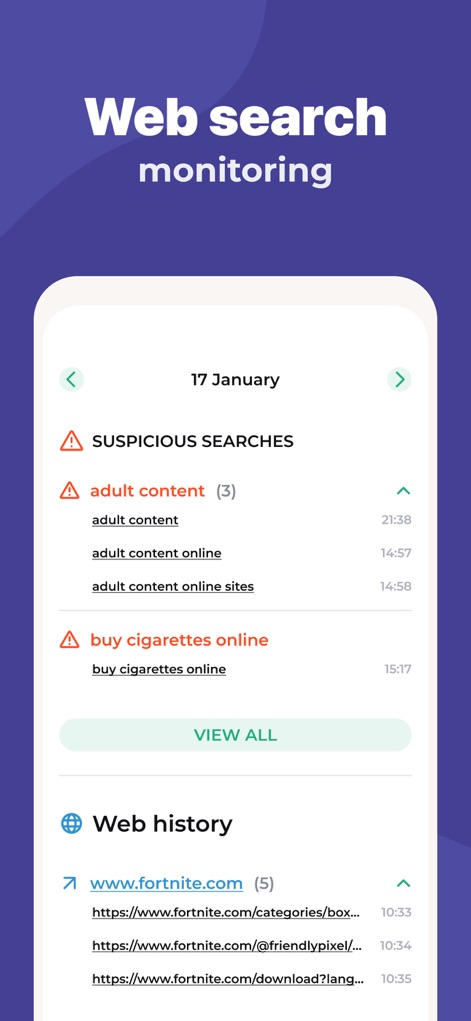
Gain insight into children's online behavior through the app's comprehensive 'SUSPICIOUS SEARCHES' list and detailed 'Web history' log, ensuring safe browsing.
Monitor Web Activity
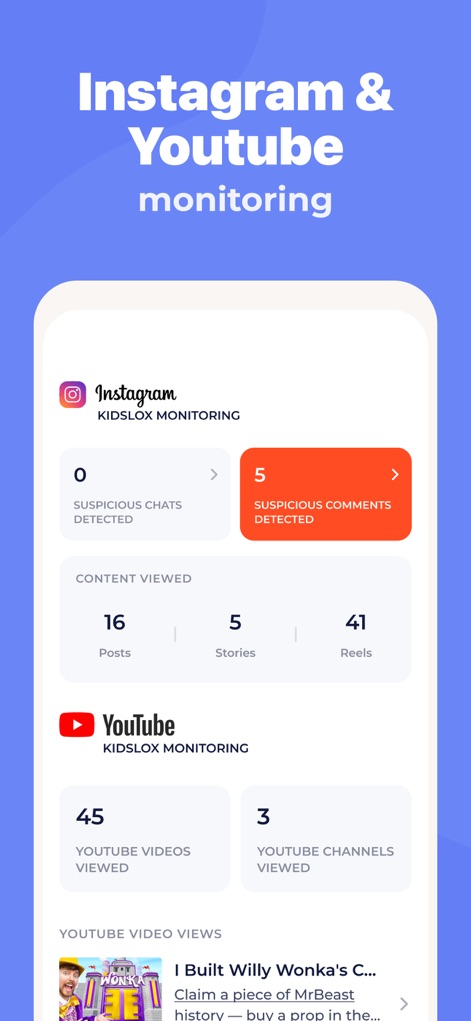
The app provides detailed monitoring of social media and video platforms, highlighting 'Instagram KIDSLOX MONITORING' with suspicious chat/comment detection and 'YouTube KIDSLOX MONITORING' for video and channel views.
Social Media Insights
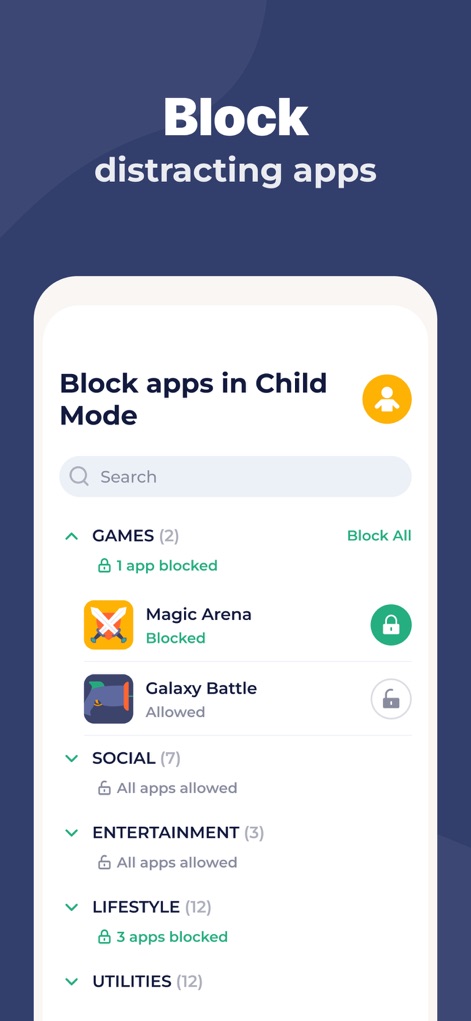
This feature allows parents to block distracting applications with precision, presenting categorized app lists like 'GAMES' and 'SOCIAL' within the intuitive 'Block apps in Child Mode' interface.
App Blocking Control
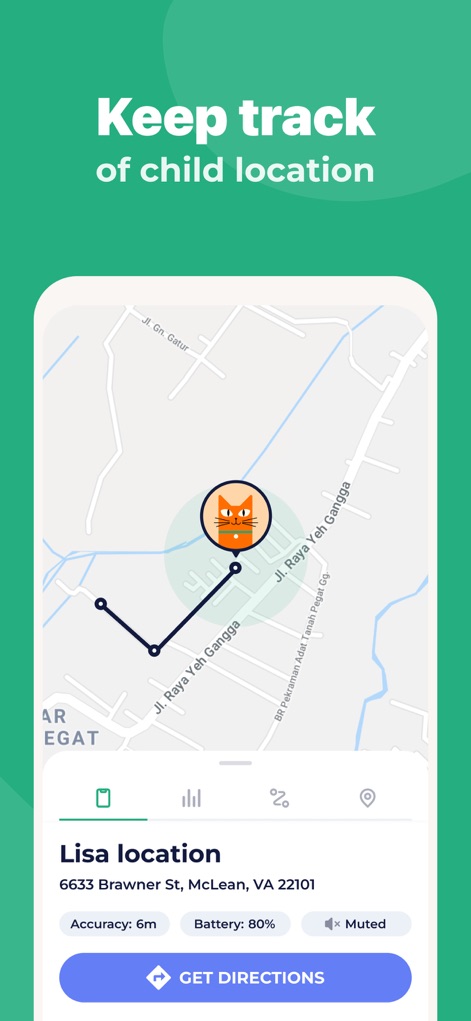
Ensure your child's safety with real-time location tracking displayed on a detailed map and comprehensive 'Lisa location' details including accuracy and battery level.
Real-time Location Tracking
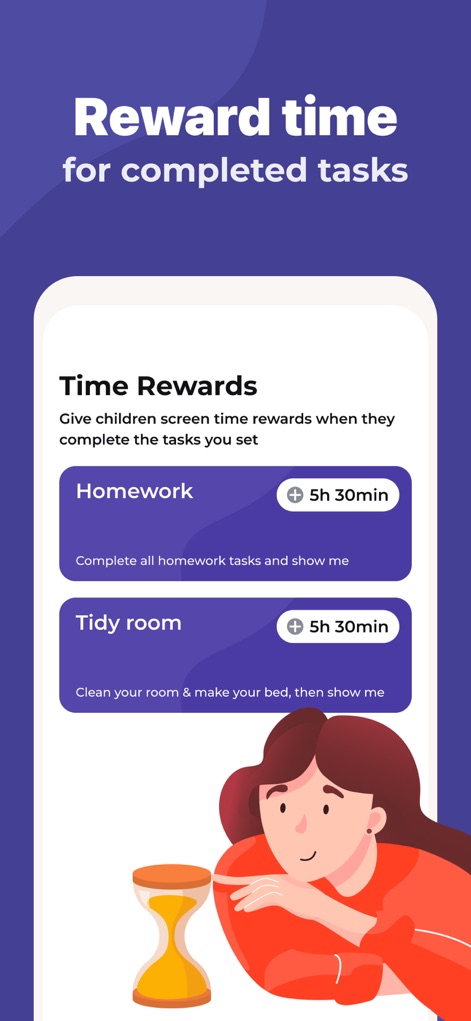
The app introduces 'Time Rewards' for completed tasks such as 'Homework' and 'Tidy room', allowing parents to assign specific screen time bonuses like '5h 30min' to encourage responsible habits.
Incentivize Good Behavior
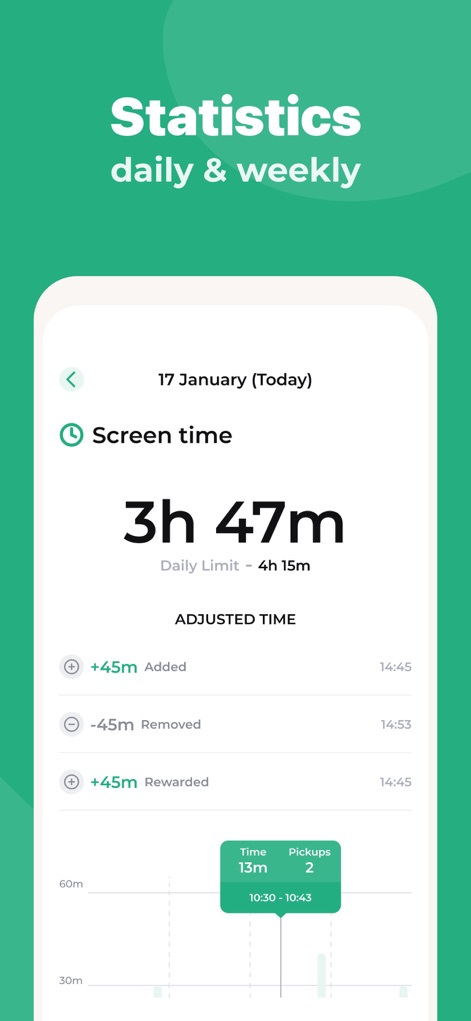
Access a clear overview of daily and weekly device usage through detailed 'Screen time' statistics and an intuitive visual timeline showing activity patterns.
Usage Statistics Overview

This tool allows parents to create custom 'Schedules' for device usage, including specific 'Bed time' and 'Homework' intervals, to promote healthy digital routines.
Custom Usage Schedules
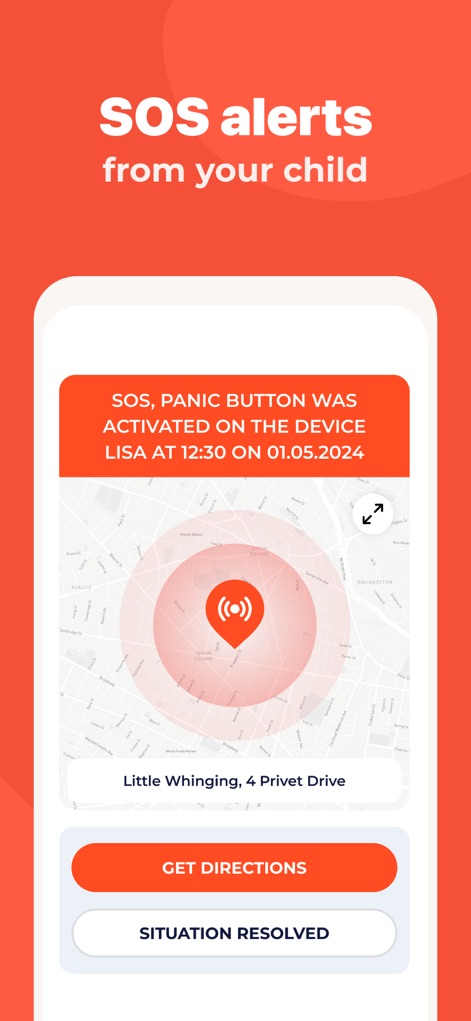
The app features crucial 'SOS, PANIC BUTTON WAS ACTIVATED' alerts, instantly notifying parents of emergencies and displaying the child's precise location on the map for rapid response.
Emergency SOS Alerts
Description
Download
More Like This
Apps with similar features and user experience

Findos - Find My Device
Pollux Bilisim Teknolojileri Sanayi ve Ticaret Limited Sirketi

Boost Family Guard
Smith Micro Software, Inc.

Google Family Link
Google LLC

Findmykids: GPS Phone Tracker
LETEM LTD

Nintendo Switch Parental Cont…
Nintendo Co., Ltd.

Parental Control App Kids360
ANKO SOLUTIONS LLC

JusTalk Kids - Safe Messenger
Ningbo Jus Internet Technology Co., Ltd.

FlashGet Kids:parental control
HONGKONG FLASHGET NETWORK TECHNOLOGY CO., LIMITED

Parental Control App: AirDroid
SAND STUDIO CORPORATION LIMITED
This page is not an official page of the app or its developer, but an independent editorial publication created for informational and commentary purposes. Unless expressly stated otherwise, neither the app nor its developer is affiliated with, endorsed by, sponsored by, authorized by, or otherwise officially connected with MWM, Apple, Google Play, the app publisher, or the app's developer, and nothing on this page implies that the app was developed using MWM's services. Any trademarks, logos, screenshots, and other content remain the property of their respective owners.