
This page is not an official page of the app or its developer, but an independent editorial publication created for informational and commentary purposes. Unless expressly stated otherwise, neither the app nor its developer is affiliated with, endorsed by, sponsored by, authorized by, or otherwise officially connected with MWM, Apple, Google Play, the app publisher, or the app's developer, and nothing on this page implies that the app was developed using MWM's services. Any trademarks, logos, screenshots, and other content remain the property of their respective owners.


PDF Converter - PDF Editor・
Conquer document chaos. This app transforms unwieldy PDFs into actionable data, putting full control in the user's hands.
Downloads
2.5M+User Rating
Total Ratings
71.6KPublisher
Category
BusinessLocales
25Latest Version
4.3.0Size
227.7 MBFirst Released
Aug 26, 2013An Analytical Overview of Key Functionalities
Comprehensive PDF Management and Editing Capabilities
Comprehensive 'Convert To PDF' Functionality
The app provides extensive conversion capabilities, transforming various document and image formats into universally compatible PDF files, which is essential for creating standardized official documents.
Direct PDF Editing Capabilities
This tool features a robust PDF editor, enabling users to directly add text, shapes, comments, and highlights, making it indispensable for document review, correction, and collaborative workflows.
Versatile 'Convert From PDF' Options
It allows users to convert PDF documents into editable formats like Word, Excel, or PowerPoint, as well as image formats like JPG, which is crucial for repurposing content and further editing in other applications.
Advanced PDF Annotation Tools
The app offers diverse annotation tools, including highlighting, commenting, drawing shapes, and underlining or striking through text, facilitating interactive document review, study, and feedback processes.
Secure Digital Signature Implementation
This tool enables users to apply digital signatures to documents with ease, providing a secure and legally binding method for signing contracts, agreements, and other official paperwork.
Enhanced PDF File Security
The app provides robust file protection features, including password protection and encryption, ensuring the security and confidentiality of sensitive PDF documents.
Efficient PDF Compression
It allows users to compress PDF files, significantly reducing their size. This feature is vital for efficient storage, quicker sharing via email, and adherence to file size limits on various platforms.
Direct PDF Form Filling
The app supports PDF form filling, enabling users to complete and submit digital forms directly within the application, thereby saving time and reducing the need for printing and scanning physical documents.
Seamless PDF Merging
This tool features the ability to merge multiple PDF files into a single document, which is highly beneficial for consolidating reports, invoices, or study materials into an organized, unified file.
Flexible PDF Splitting Capabilities
It allows users to split larger PDF documents into smaller, more manageable files or extract specific pages. This is useful for isolating relevant sections of reports, academic papers, or business documents.
Frequently Asked Questions
Everything you need to know about PDF Converter - PDF Editor・
What is the "PDF Converter - PDF Editor" app?
The PDF Converter - PDF Editor app is a comprehensive tool for managing, editing, and converting PDF files. It includes features like merging, splitting, compressing, and editing PDFs.
Can I edit text in PDFs using the PDF Converter - PDF Editor app?
Yes, the PDF Converter - PDF Editor app allows users to edit PDFs by adding text, shapes, comments, and highlights directly within documents. It provides comprehensive PDF editing tools.
Does "PDF Converter - PDF Editor" support converting images to PDF?
Yes, the PDF Converter - PDF Editor app supports converting JPG images to PDF. Users can also convert Word, PowerPoint, Excel, and HTML files into PDF format.
Can I convert PDFs to other file formats with the PDF Converter - PDF Editor app?
Yes, the PDF Converter - PDF Editor app converts PDFs to JPG, Word, PowerPoint, and Excel formats. This functionality allows for diverse document handling.
How do I compress PDF files using the PDF Converter - PDF Editor app?
The PDF Converter - PDF Editor app allows users to compress PDF files to reduce their size for easy sharing. It offers high, medium, and low compression options.
Does the PDF Converter - PDF Editor app allow for digital signatures?
Yes, the PDF Converter - PDF Editor app enables users to sign documents electronically with ease. Users can add, edit, or remove digital signatures as needed directly within the app.
What cloud services integrate with the PDF Converter - PDF Editor app for file management?
The PDF Converter - PDF Editor app integrates with cloud services like Drive, Box, OneDrive, Dropbox, Google Drive, iCloud, and Wifi Connect for importing and syncing files.
What is the cost of a premium subscription for the PDF Converter - PDF Editor app?
The premium subscription for the PDF Converter - PDF Editor app costs $29.99 per year. This provides unlimited access to all features.
Does the PDF Converter - PDF Editor app offer a free trial?
Yes, the PDF Converter - PDF Editor app offers a 3-day free trial. If you subscribe, any remaining trial time is forfeited.
How do I manage auto-renewal for my "PDF Converter - PDF Editor" subscription?
You can manage your subscription and disable auto-renewal at any time via your iTunes Account Settings. Auto-renewal must be turned off 24 hours before the period ends.
Can the PDF Converter - PDF Editor app scan documents?
Yes, the PDF Converter - PDF Editor app features an easy scan function for all documents. It can scan various file types into the app.
What annotation tools are available in the PDF Converter - PDF Editor app?
The PDF Converter - PDF Editor app offers annotation tools such as highlighting text, adding comments, drawing shapes, underlining, striking through, text boxes, sticky notes, and freehand drawing.
Can I protect my PDF files with a password in the PDF Converter - PDF Editor app?
Yes, the PDF Converter - PDF Editor app provides file protection features. Users can secure their PDFs with password protection and encryption to ensure document privacy.
Does the PDF Converter - PDF Editor app allow users to fill out PDF forms?
Yes, the PDF Converter - PDF Editor app includes PDF Form Filling capabilities. Users can fill out PDF forms directly within the app, saving time and paper.
Can the PDF Converter - PDF Editor app convert web pages to PDF?
Yes, the PDF Converter - PDF Editor app converts web pages to PDF format. It also supports converting HTML files directly to PDF.
How does the PDF Converter - PDF Editor app help organize documents?
The PDF Converter - PDF Editor app provides document management features to organize your PDF library. Users can create folders, rename files, and move documents for efficient file management.
Does PDF Converter - PDF Editor include an AI PDF Summary feature?
Yes, the PDF Converter - PDF Editor app includes an AI PDF Summary feature. This is listed under its additional tools.
The following screenshots and description are sourced directly from the app's official store listing and are the property of the app developer.
App Store
Screenshots
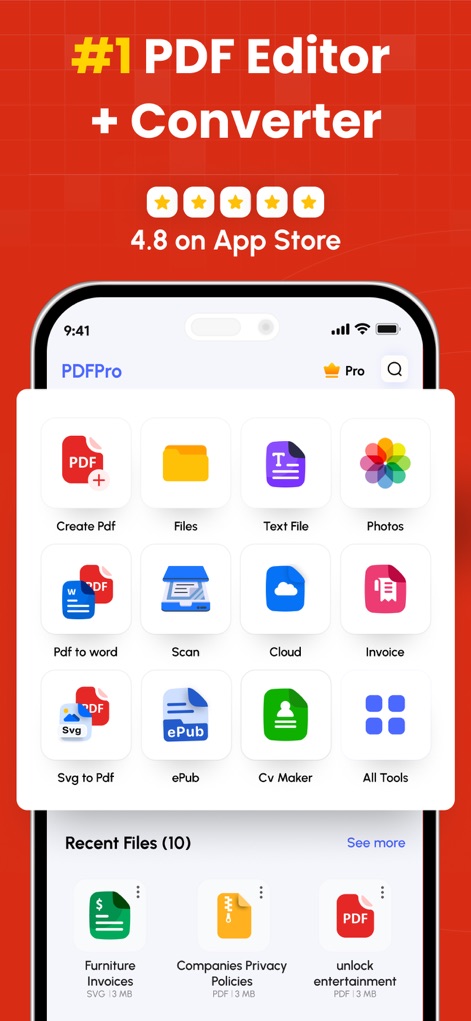
Explore the app's comprehensive dashboard, showcasing features like 'Create Pdf' and 'Pdf to word' conversion icons for quick access.
All-in-One Toolkit
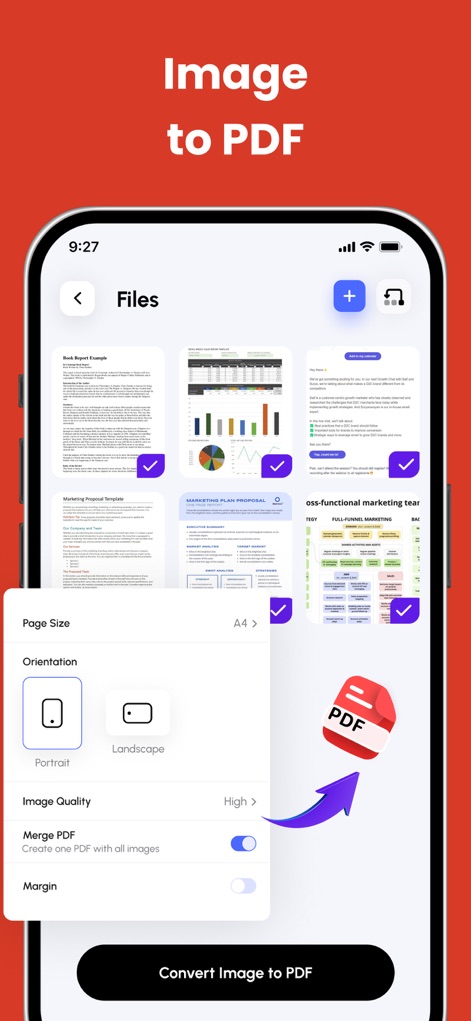
This tool allows users to convert images to PDF, with options to adjust page size and merge multiple images into one document.
Seamless Image Conversion
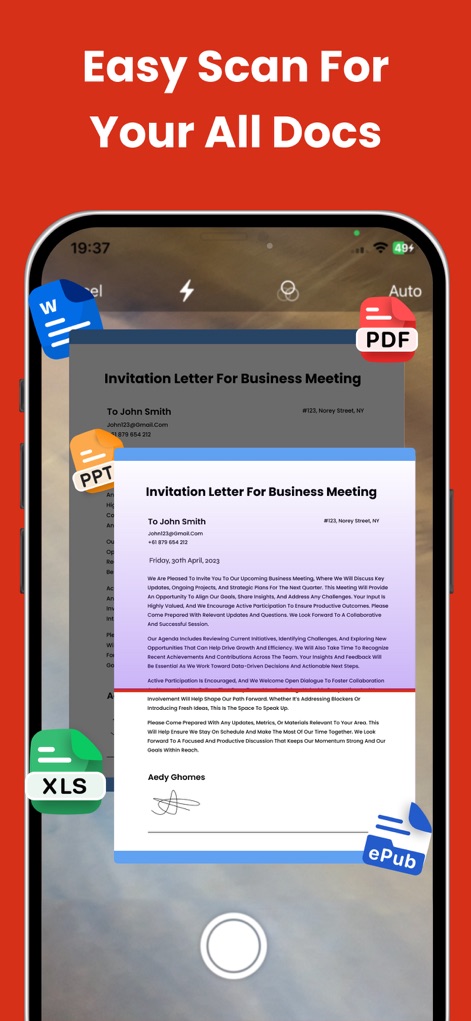
Capture and convert various document types, including invitations and business letters, directly into a PDF format with the app's scanning function.
Effortless Document Scanning
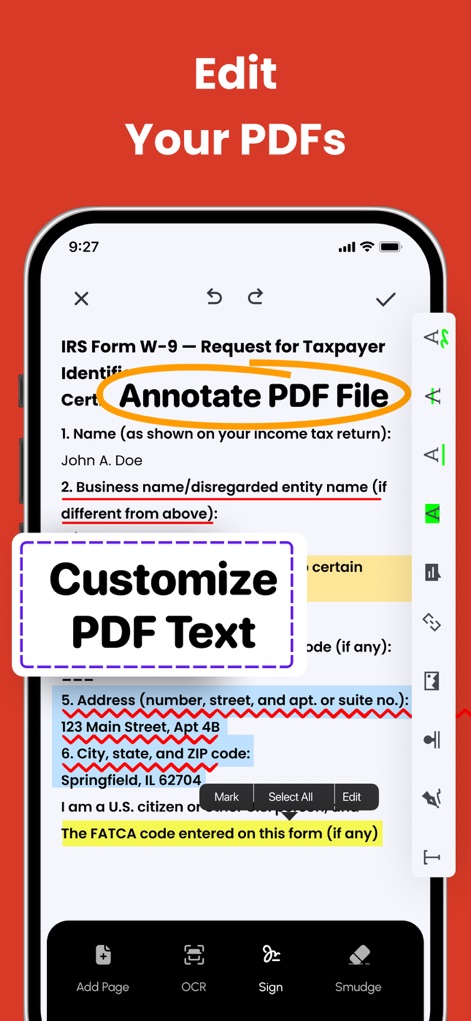
Users can easily annotate PDF files, highlighting text like 'Annotate PDF File' and customizing content within text boxes for detailed review.
Precision PDF Editing
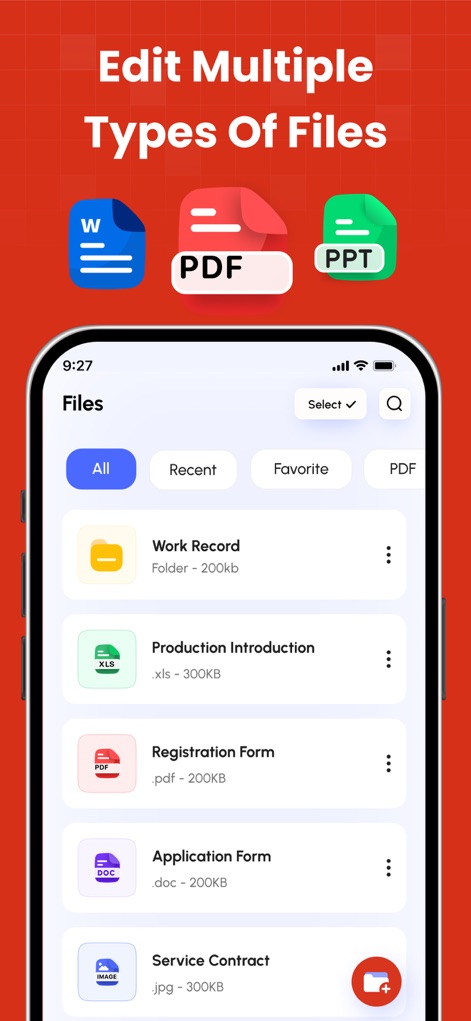
The app supports editing multiple types of files, clearly displaying different file icons such as Word and PDF documents within the organized 'Files' view.
Versatile File Handling
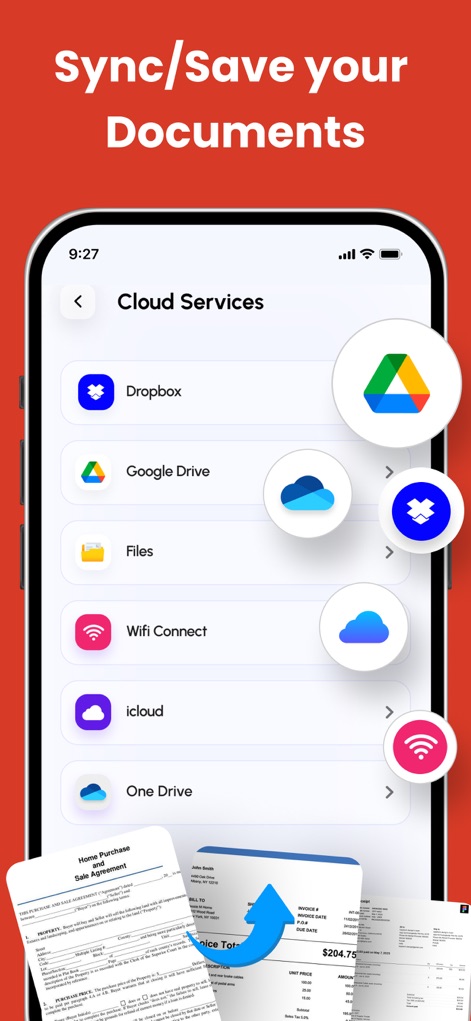
Securely sync and save documents by connecting to popular cloud services like Google Drive and Dropbox, ensuring accessibility from anywhere.
Integrated Cloud Sync
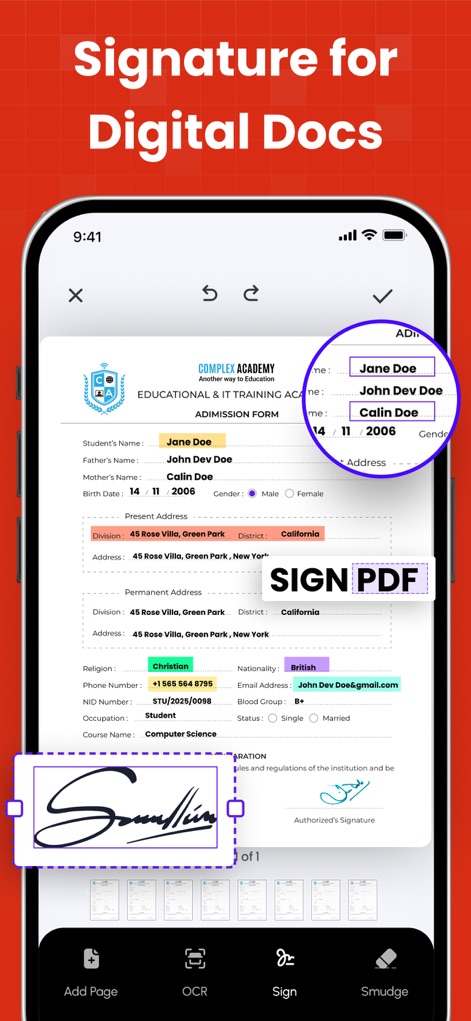
Digitally sign documents with ease, allowing users to add freehand signatures and input text into form fields for quick document finalization.
Streamlined E-Signatures
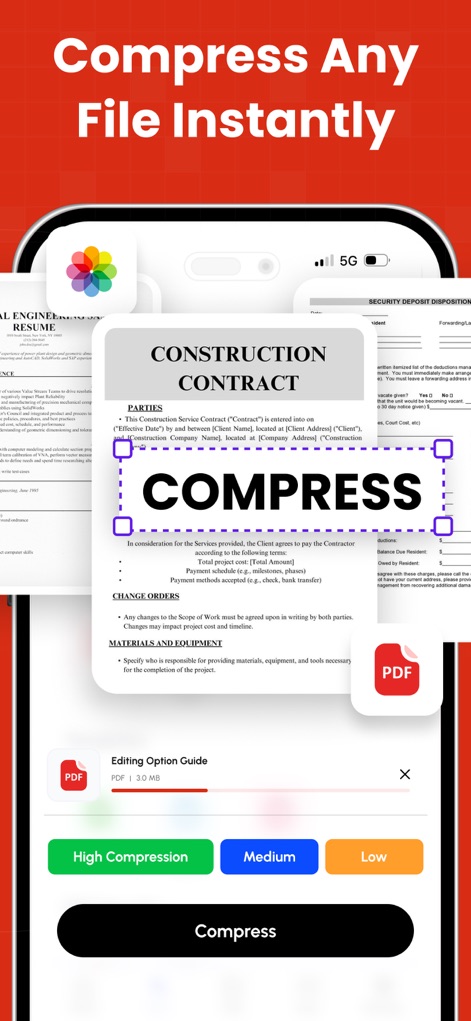
Instantly reduce file sizes with various compression options like 'High Compression' and 'Medium' settings, optimizing documents for sharing and storage.
Efficient File Compression
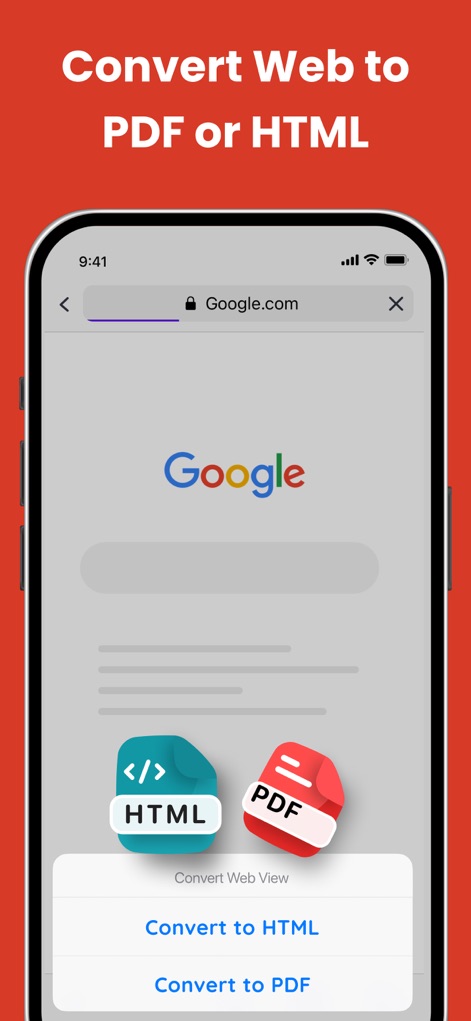
Convert web pages directly to PDF or HTML formats, as shown with the Google.com page and the distinct 'Convert to HTML' option.
Web Content Conversion
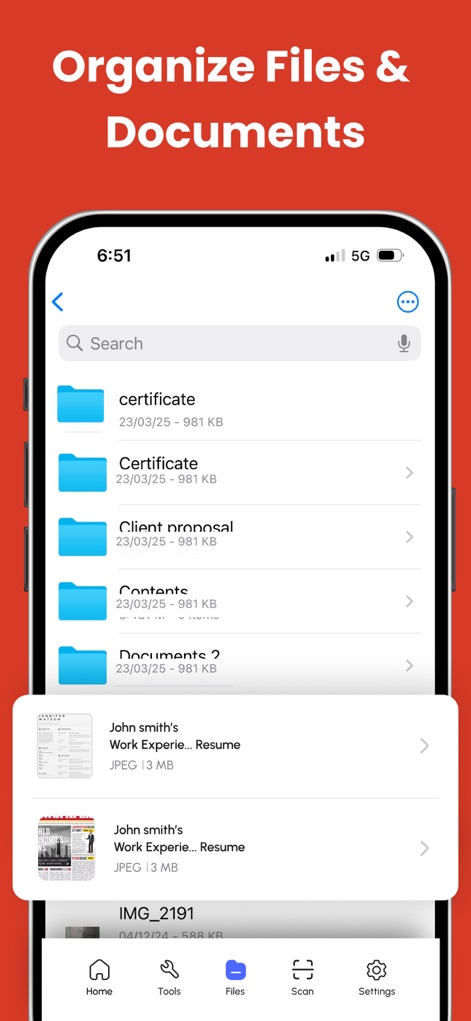
Efficiently manage and organize files within custom folders, allowing users to easily locate specific documents like 'John smith's Work Experie... Resume'.
Organized Document Management
Description
Download
More Like This
Apps with similar features and user experience

PDF PRO Scan Image & Documents
Balzo srl

The PDF Scanner, PDF editor HQ
NEXT K.U.M. LTD

CamScanner - PDF Scanner App
INTSIG Information Co., Ltd

Adobe Scan: PDF & OCR Scanner
Adobe Inc.

WPS Office: PDF, Docs, Sheets
KINGSOFT OFFICE SOFTWARE CORPORATION LIMITED

iLovePDF - PDF Editor & Scan
ILOVEPDF S.L.

Scanner App: Genius Scan
The Grizzly Labs

Microsoft Lens: PDF Scanner
Microsoft Corporation

Clear Scan: Doc Scanner App
INDY MOBILE APP COMPANY LIMITED
This page is not an official page of the app or its developer, but an independent editorial publication created for informational and commentary purposes. Unless expressly stated otherwise, neither the app nor its developer is affiliated with, endorsed by, sponsored by, authorized by, or otherwise officially connected with MWM, Apple, Google Play, the app publisher, or the app's developer, and nothing on this page implies that the app was developed using MWM's services. Any trademarks, logos, screenshots, and other content remain the property of their respective owners.