
This page is not an official page of the app or its developer, but an independent editorial publication created for informational and commentary purposes. Unless expressly stated otherwise, neither the app nor its developer is affiliated with, endorsed by, sponsored by, authorized by, or otherwise officially connected with MWM, Apple, Google Play, the app publisher, or the app's developer, and nothing on this page implies that the app was developed using MWM's services. Any trademarks, logos, screenshots, and other content remain the property of their respective owners.


PDF Editor: Read, Scan & Sign
Stop wrestling with PDFs. This app puts the document workflow in your pocket.
Downloads
1M+User Rating
Total Ratings
11.2KPublisher
Category
BusinessLocales
11Latest Version
1.1.77Size
177.7 MBFirst Released
Sep 29, 2022An Analytical Overview for Professionals and Students
Key Features of A1 PDF EDITOR
Digital Document Signing
It enables users to fill out forms and apply signatures effortlessly using a finger or Apple Pencil, with an electronic signature system ensuring accuracy.
Comprehensive All-in-One Solution
The app consolidates essential PDF functionalities—editing, scanning, converting, and signing—into a single platform, eliminating the need for multiple specialized applications. It also supports offline work with automatic syncing.
Robust PDF Editing & Annotation
This tool features capabilities to edit, write, annotate, highlight passages, add comments with sticky notes and text boxes, and utilize drawing tools, including Apple Pencil support for precision.
Secure Sharing & Collaboration
It facilitates effortless sharing of PDF files via email, links, or text messages, allowing users to invite collaborators and set specific permission levels for viewing, editing, or signing documents.
Versatile PDF Export
The app allows users to convert PDF documents into editable formats such as Word, Excel, and Presentations, providing flexibility for content repurposing and detailed revisions.
Intelligent Document Scanning
It converts physical documents into high-quality, universally readable PDFs using a device's camera, incorporating advanced features like automatic perspective correction, color adjustments, and intelligent cropping.
Seamless Apple Ecosystem Integration
The app ensures full compatibility and a consistent user experience across iPhone, iPad, and Mac devices, leveraging Apple's ecosystem for enhanced productivity.
Multi-Format PDF Conversion
This tool enables the conversion of various document types, including Word, Excel, Presentations, images (JPG, PNG), and plain text, directly into PDF format.
Intuitive PDF Reading Experience
It provides a high-quality PDF opener that allows users to view and read any type of document with clarity and ease, ensuring an optimal viewing experience.
Visual Document Enhancement
The app allows users to insert and edit images and utilize various drawing tools to enhance and beautify their PDF documents.
Frequently Asked Questions
Everything you need to know about PDF Editor: Read, Scan & Sign
What is PDF Editor: Read, Scan & Sign?
PDF Editor: Read, Scan & Sign, also known as A1 PDF EDITOR, is an all-in-one PDF converter, reader, and editor. It enables users to view, scan, edit, annotate, convert, draw, and sign PDF documents on Apple devices.
Can I edit PDF documents with A1 PDF EDITOR?
Yes, A1 PDF EDITOR allows users to edit PDFs. Features include adding sticky notes, drawing, highlighting passages, adding text boxes, and responding to annotations. It supports Apple Pencil on iPad Pro.
Does PDF Editor: Read, Scan & Sign support document scanning?
Yes, PDF Editor: Read, Scan & Sign includes a PDF Scanner. It converts physical documents into universally readable PDFs using the phone's camera, with features like automatic perspective correction and intelligent cropping.
How can I sign documents using A1 PDF EDITOR?
Users can sign documents in A1 PDF EDITOR by filling out forms and adding signatures using a finger or Apple Pencil. The electronic signature system ensures signatures appear accurate on PDF documents.
Is A1 PDF EDITOR compatible with Apple devices?
Yes, A1 PDF EDITOR is compatible with all Apple devices. This includes iPhones (iOS 15.0+), iPads (iPadOS 15.0+), and Macs (macOS 12.0+ with Apple M1 chip or later).
Can PDF Editor: Read, Scan & Sign convert files to and from PDF format?
Yes, PDF Editor: Read, Scan & Sign converts various document types like Word, Excel, Presentations, and Images to PDF. It also converts PDFs back into Word, Excel, and Presentation formats.
Does A1 PDF EDITOR offer a free trial?
Yes, A1 PDF EDITOR offers a free premium trial for 3 days. This trial unlocks all premium features, allowing users to experience the app before committing to a subscription plan.
Can I work offline with PDF Editor: Read, Scan & Sign?
Yes, users can work offline with PDF Editor: Read, Scan & Sign. Any changes made while offline will automatically sync once the device reconnects to the internet.
How do subscriptions work for A1 PDF EDITOR?
Subscriptions for A1 PDF EDITOR are charged through your App Store account and automatically renew. Users can manage or cancel their subscription through App Store account settings, at least 24 hours before the current period ends.
What types of annotations are supported in PDF Editor: Read, Scan & Sign?
PDF Editor: Read, Scan & Sign supports various annotations, including customizable sticky notes, drawing tools, highlighting key passages, and adding text boxes for in-depth comments. Users can also respond to existing annotations.
The following screenshots and description are sourced directly from the app's official store listing and are the property of the app developer.
App Store
Screenshots
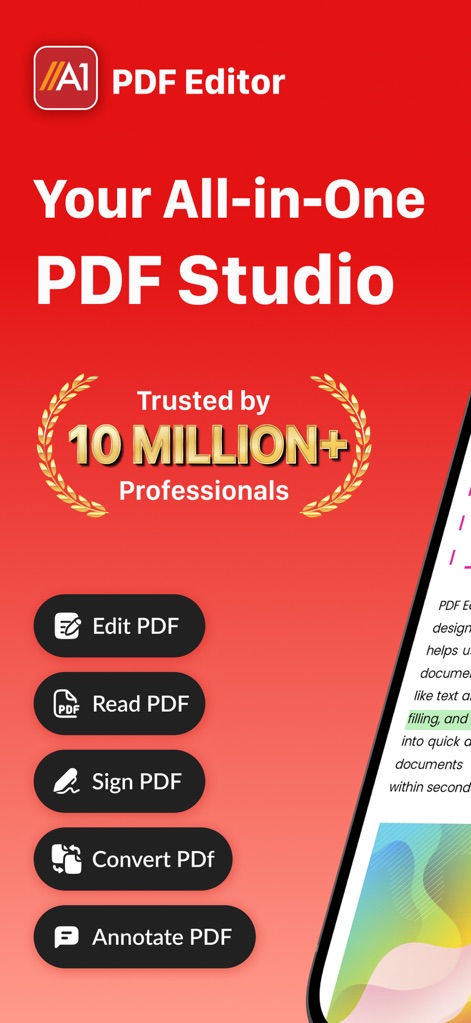
This introductory screen showcases the app's comprehensive capabilities, highlighting its "Trusted by 10 Million+ Professionals" endorsement and direct access to key functions like "Edit PDF" and "Sign PDF".
All-in-One Hub
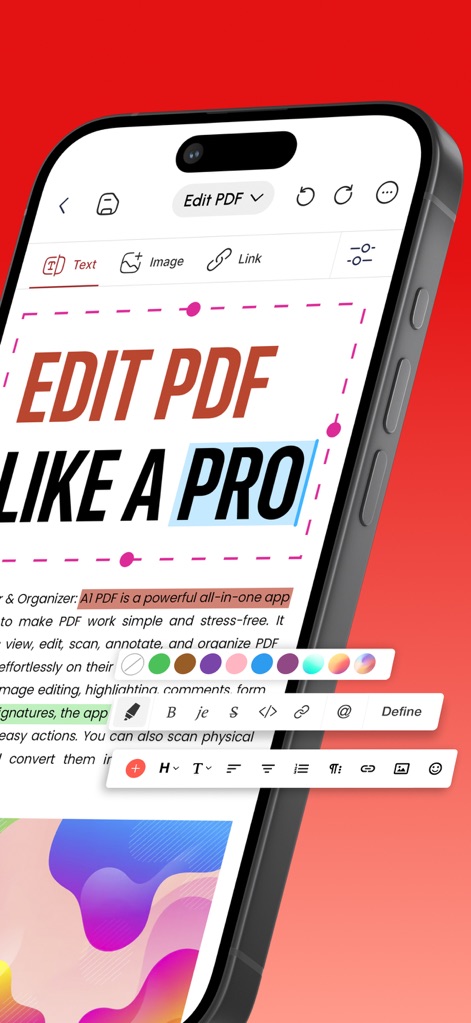
Observe the intuitive text editing interface, allowing users to precisely modify content like "EDIT PDF LIKE A PRO" and apply advanced formatting using the diverse toolbar with color and styling options.
Pro Editing Suite
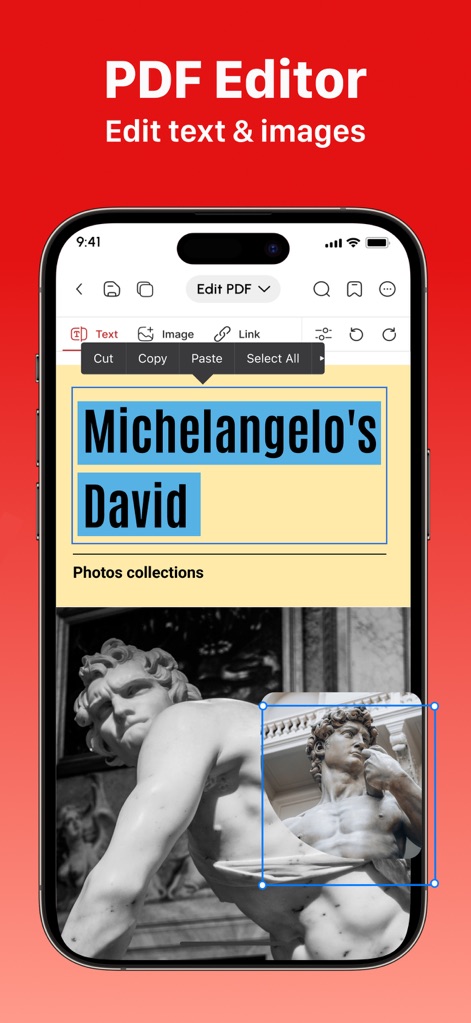
Users gain precise control over PDF elements, as demonstrated by the ability to resize images such as "Michelangelo's David" and directly edit accompanying text for seamless document refinement.
Image & Text Control
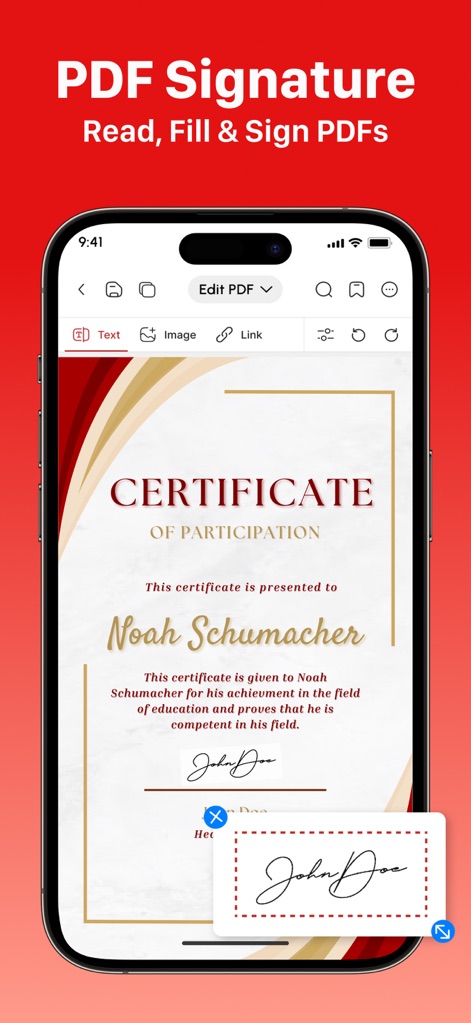
This visual illustrates the straightforward process of e-signing, showcasing a "CERTIFICATE OF PARTICIPATION" where users can effortlessly add their authentic signature using their finger or Apple Pencil.
Seamless Document Signing
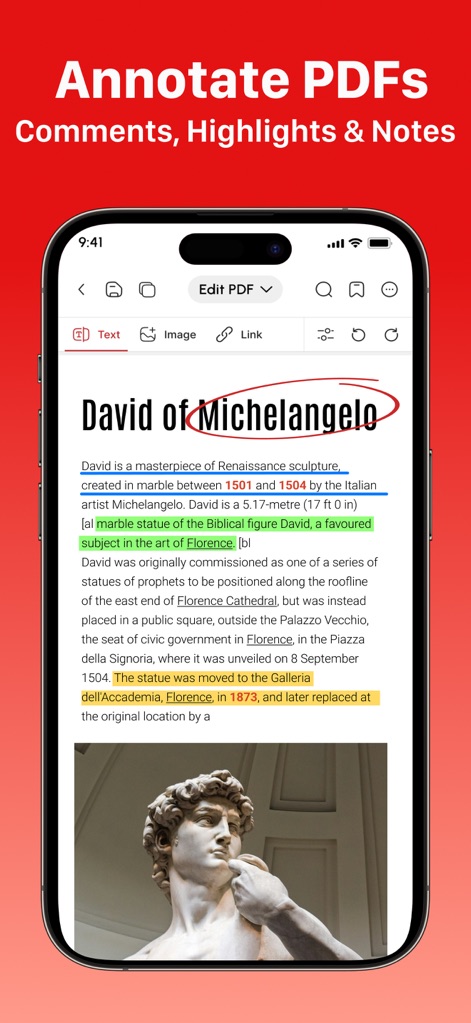
Explore the app's robust annotation capabilities, visible through the multiple text highlights and underlines, alongside the dynamic circling of the word "Michelangelo" for emphasis or correction.
Dynamic Annotations
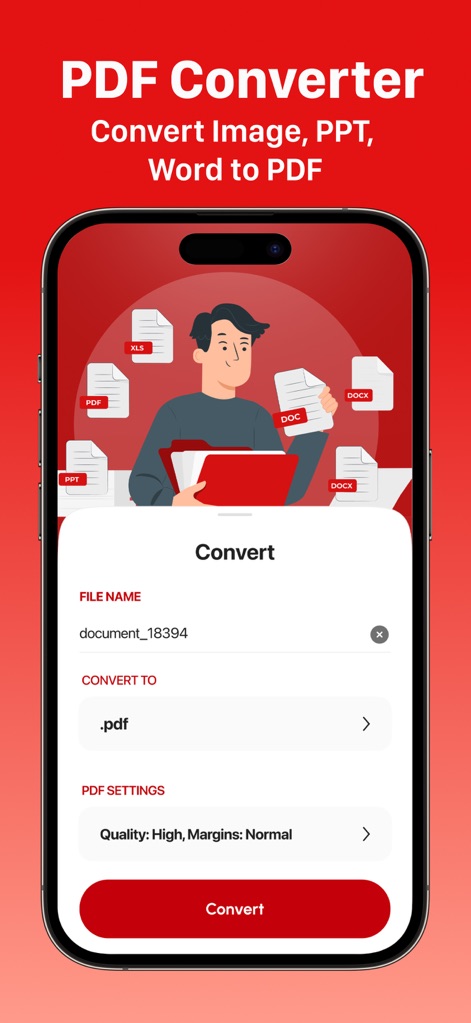
This screen highlights the app's capability to convert diverse file types, from "Word Document" to "Images (JPG, PNG)", into high-quality PDFs with customizable "Quality: High, Margins: Normal" settings.
Versatile PDF Conversion
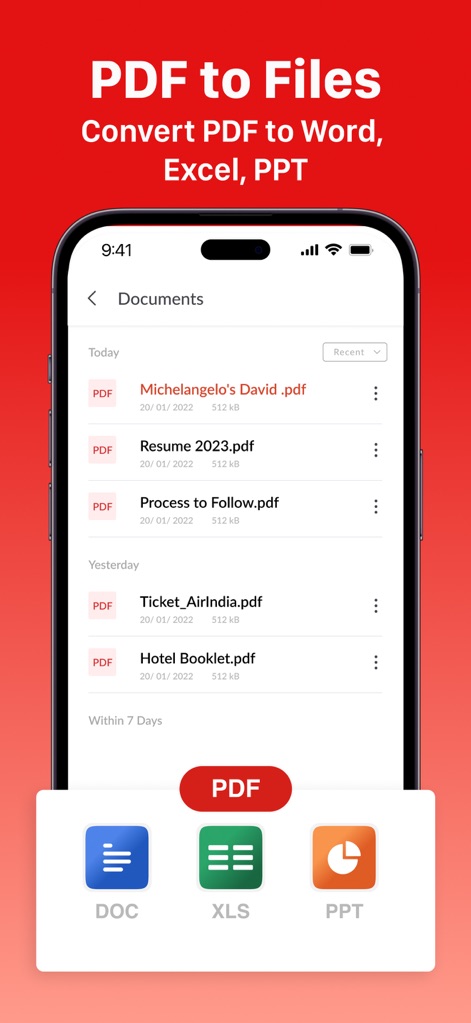
Users can easily manage and export their documents, as seen with the display of recent files like "Michelangelo's David .pdf" and the convenient options to convert selected PDFs to "DOC" or "XLS" formats.
Export Flexibility
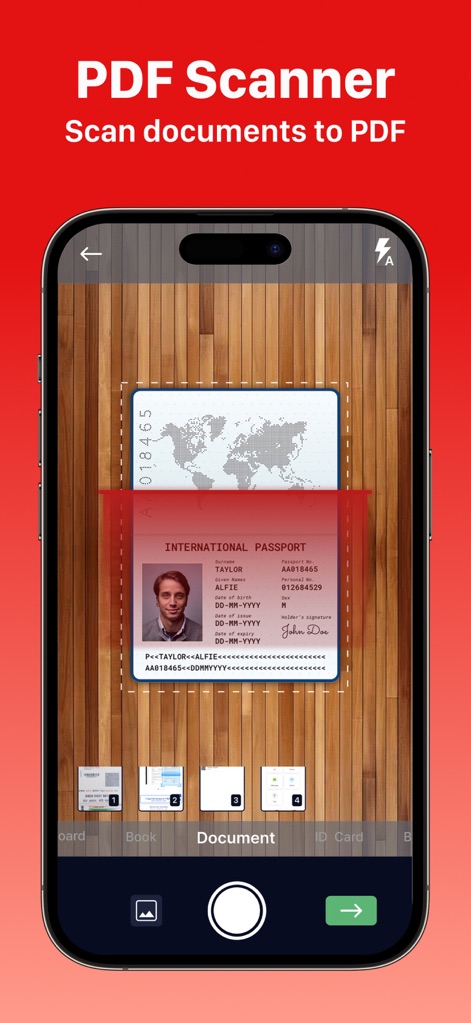
The app transforms physical documents into digital PDFs, demonstrated by the camera's precise scan of an "INTERNATIONAL PASSPORT" and the clear numerical step indicators at the bottom.
Mobile Document Scan
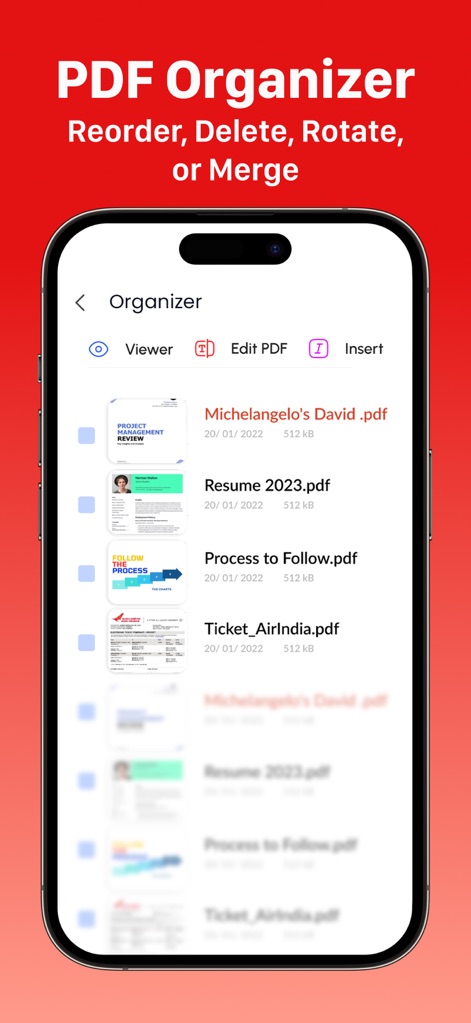
This tool simplifies document management, allowing users to visually organize files with clear thumbnails for "Resume 2023.pdf" and access core functions via the "Organizer" toolbar for viewing or editing.
Efficient Document Organization
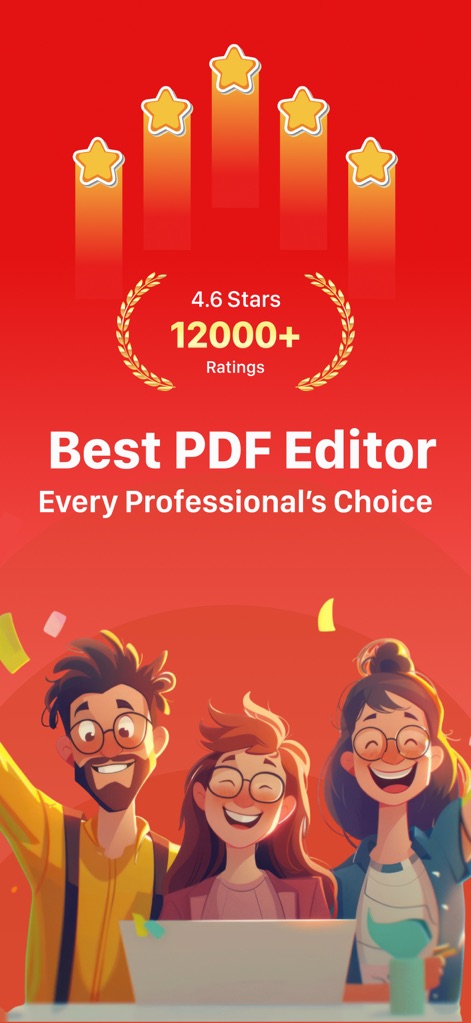
The app's quality is affirmed by its impressive "4.6 Stars" rating and over "12000+ Ratings," reflecting widespread professional approval and user satisfaction.
User Endorsement
Description
Download
More Like This
Apps with similar features and user experience

PDF PRO Scan Image & Documents
Balzo srl

The PDF Scanner, PDF editor HQ
NEXT K.U.M. LTD

CamScanner - PDF Scanner App
INTSIG Information Co., Ltd

Adobe Scan: PDF & OCR Scanner
Adobe Inc.

WPS Office: PDF, Docs, Sheets
KINGSOFT OFFICE SOFTWARE CORPORATION LIMITED

iLovePDF - PDF Editor & Scan
ILOVEPDF S.L.

Scanner App: Genius Scan
The Grizzly Labs

Microsoft Lens: PDF Scanner
Microsoft Corporation

Clear Scan: Doc Scanner App
INDY MOBILE APP COMPANY LIMITED
This page is not an official page of the app or its developer, but an independent editorial publication created for informational and commentary purposes. Unless expressly stated otherwise, neither the app nor its developer is affiliated with, endorsed by, sponsored by, authorized by, or otherwise officially connected with MWM, Apple, Google Play, the app publisher, or the app's developer, and nothing on this page implies that the app was developed using MWM's services. Any trademarks, logos, screenshots, and other content remain the property of their respective owners.