
This page is not an official page of the app or its developer, but an independent editorial publication created for informational and commentary purposes. Unless expressly stated otherwise, neither the app nor its developer is affiliated with, endorsed by, sponsored by, authorized by, or otherwise officially connected with MWM, Apple, Google Play, the app publisher, or the app's developer, and nothing on this page implies that the app was developed using MWM's services. Any trademarks, logos, screenshots, and other content remain the property of their respective owners.

PDF Reader - Editor & Viewer
Effortlessly edit text, sign contracts, and convert files on the go. Join millions of students and professionals who master their workflow with OCR, secure forms, and seamless syncing across iPhone, iPad, and Mac.
Downloads
3M+User Rating
Total Ratings
43K+Publisher
Category
UtilitiesLocales
14Latest Version
10.3.2Size
269.4 MBFirst Released
Apr 30, 2010Elevate Your Document Workflow
The all-in-one PDF toolkit for professionals and students. Edit, sign, and convert documents seamlessly across your iPhone, iPad, and Mac.
Edit and Organize with Ease
Correct typos directly in your PDFs, merge multiple reports into one, or rearrange pages on the fly without needing a desktop.
Smart OCR and Conversion
Transform scans into searchable text with support for 50+ languages and convert PDFs to Word, Excel, or PPT in seconds.
Frequently Asked Questions
Everything you need to know about PDF Reader - Editor & Viewer
What is KDAN PDF Reader?
KDAN PDF, formerly KDAN PDF Reader, is a mobile PDF editor and reader for iPhone, iPad, and Mac. It allows users to edit, scan, organize, convert, sign, and share PDFs in one powerful application.
Can I edit text in PDF files with KDAN PDF?
Yes, KDAN PDF allows you to directly edit and correct any typos on PDF documents. You can also add, delete, or fix text within your PDF files using its editing features.
Does KDAN PDF support PDF to Word conversion?
Yes, KDAN PDF includes a robust PDF converter that can transform PDFs into various formats such as Word, Excel, PowerPoint, and images (docx, xlsx, pptx, jpg, png, gif, bmp).
Can KDAN PDF extract text from scanned documents?
Yes, KDAN PDF features Optical Character Recognition (OCR) to recognize and extract text from scans. It exports OCR results as text or searchable PDFs and supports over 50 languages.
Is it possible to sign documents using KDAN PDF?
Yes, KDAN PDF enables users to fill out and edit PDF forms. You can sign on PDFs and customize or manage your signatures directly within the application.
What cloud services does KDAN PDF integrate with for file sharing?
KDAN PDF integrates with multiple cloud services for file sharing, including KDAN Cloud, iCloud Drive, Dropbox, OneDrive, Google Drive, Evernote, FTP, and WebDAV client access.
How can I protect my PDFs with KDAN PDF?
You can protect PDFs by adding passwords, removing passwords and restrictions, and adding or removing watermarks. The app also allows validation of certificates and signatures.
Does KDAN PDF offer text-to-speech functionality?
Yes, KDAN PDF offers a text-to-speech feature. It can convert text into spoken audio, providing natural-sounding speech with over 50 voices in multiple languages.
Can I annotate PDFs with KDAN PDF?
Yes, KDAN PDF allows extensive annotation. You can add highlights, underlines, strikeout text, shapes, sticky notes, text boxes, and various pre-designed or custom stamps to your PDFs.
How much does KDAN PDF's Document 365 subscription cost?
KDAN PDF's Document 365 offers an annual plan at USD 59.99/year (after a 7-day trial), a quarterly plan at USD 19.99/quarter (after a 3-day trial), and a monthly plan at USD 9.99/month (after a 3-day trial).
The following screenshots and description are sourced directly from the app's official store listing and are the property of the app developer.
App Store
Screenshots
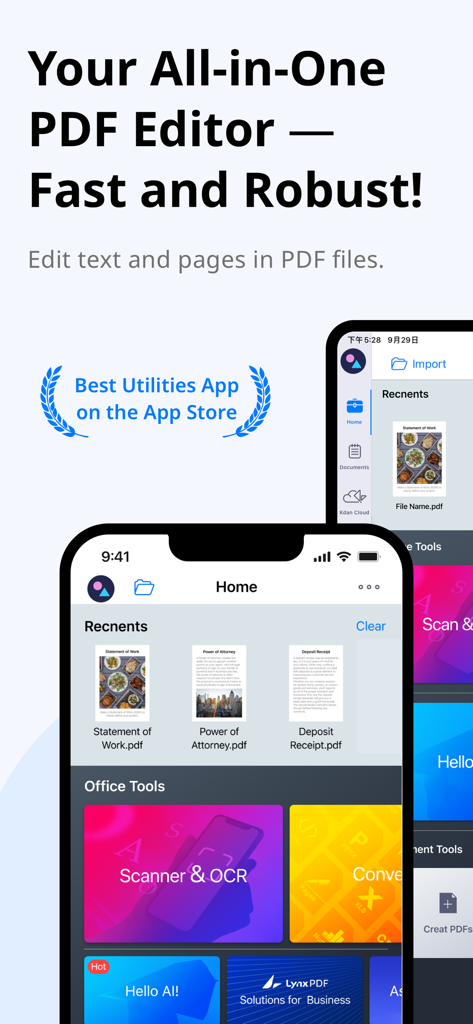
Mobile screen of KDAN PDF Editor showing document management and office tools like scanner and OCR
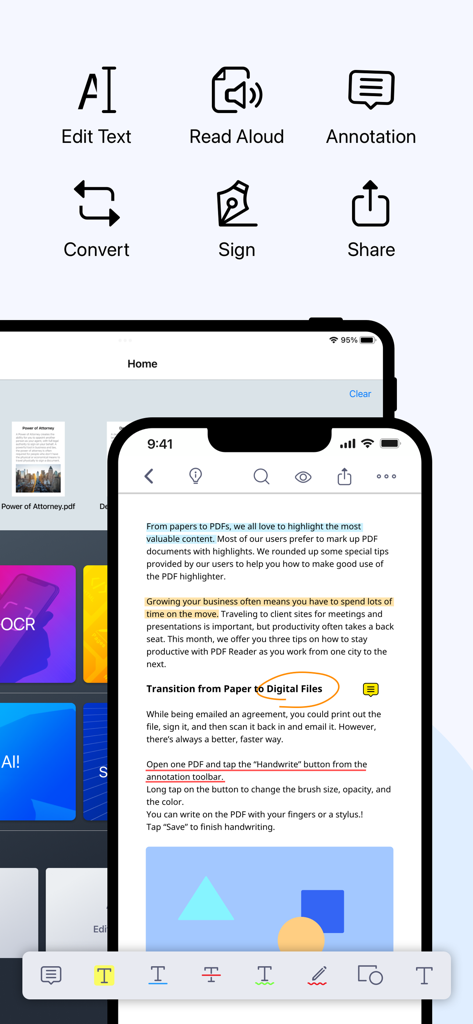
KDAN PDF app interface on iPhone and iPad showing features like editing, annotation, signing, and converting documents.
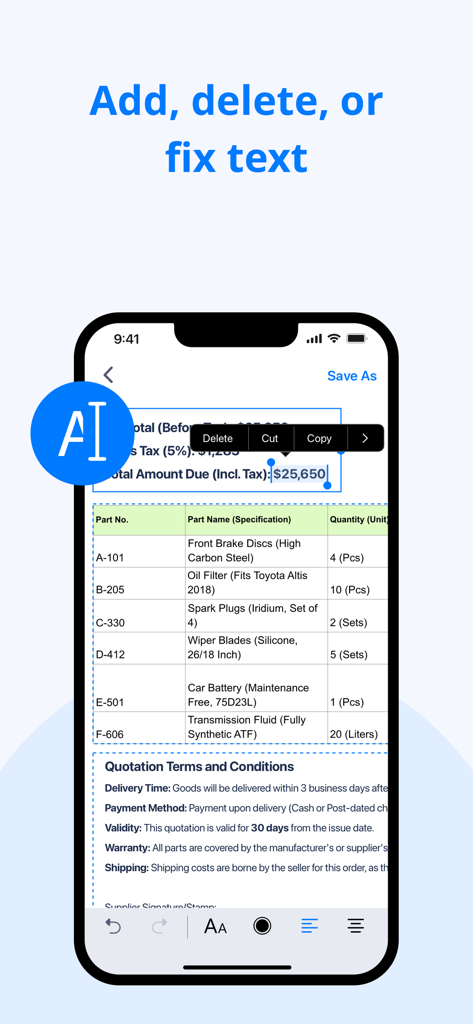
KDAN PDF app interface showing a user editing text and numbers on a digital invoice document from an iPhone.
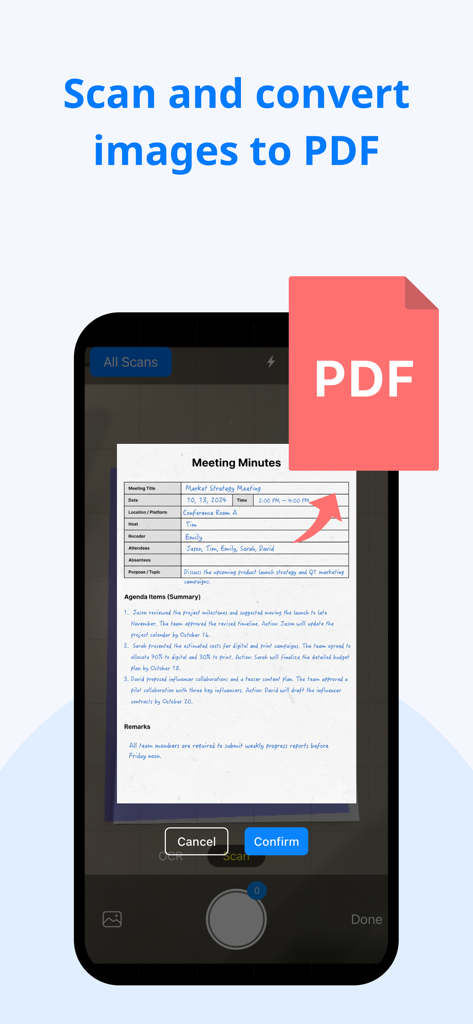
A smartphone interface demonstrating the feature to scan a paper document and convert it into a PDF file.
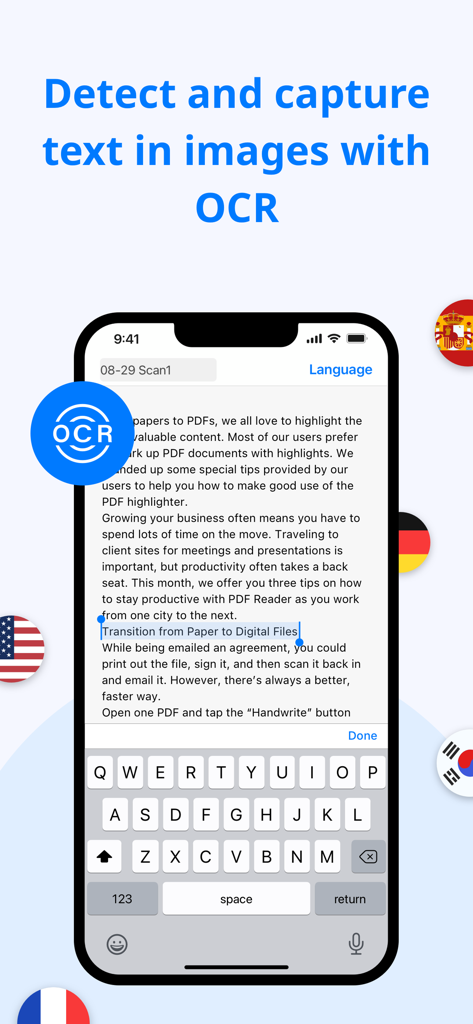
KDAN PDF app interface demonstrating OCR text recognition and capture on an iPhone
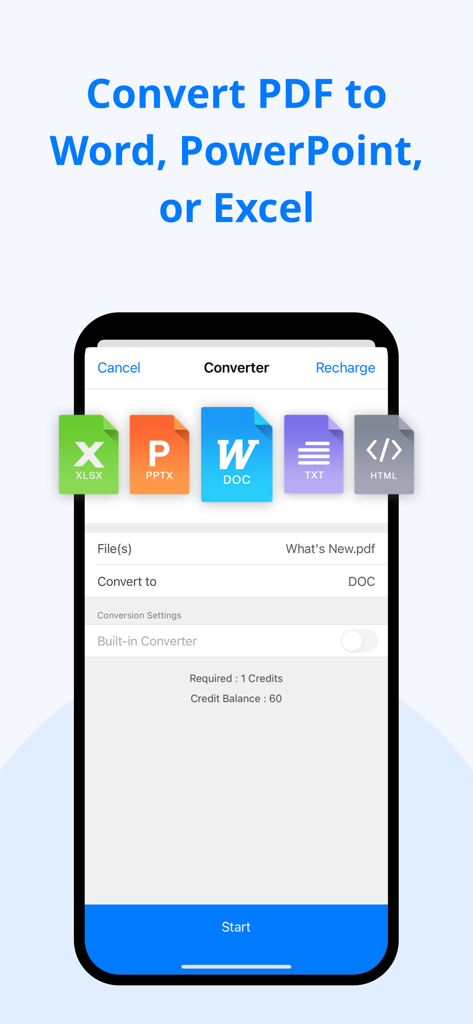
Interface of KDAN PDF app showing options to convert PDF to Word PowerPoint and Excel
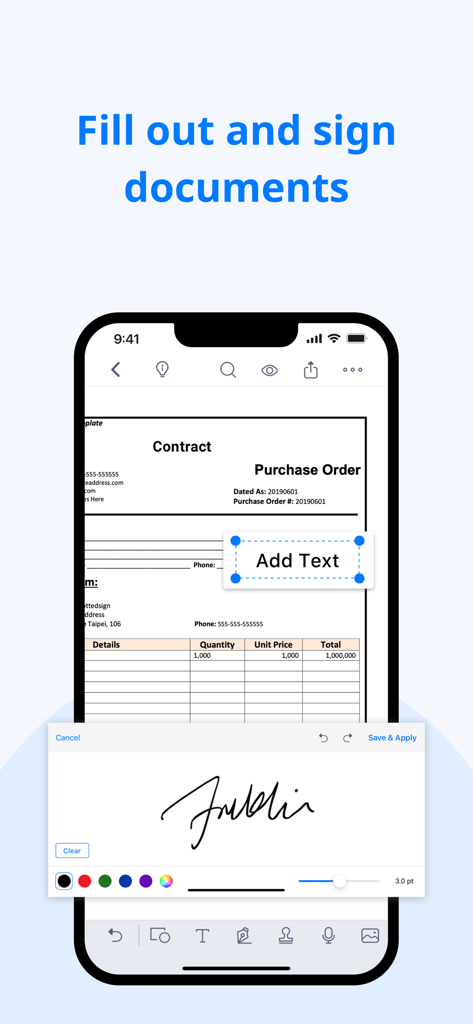
iPhone screen showing the KDAN PDF app interface for filling out forms and adding a digital signature to a contract
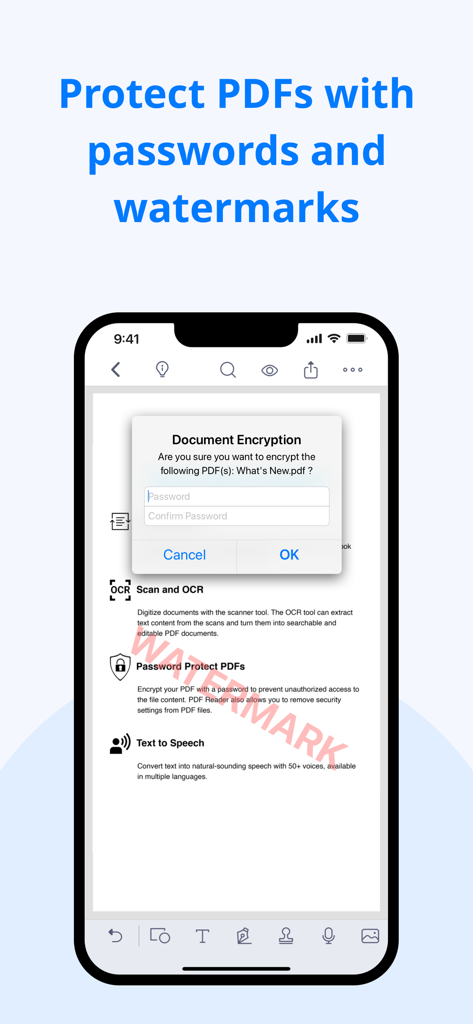
iPhone screen showing KDAN PDF document encryption popup and a watermark on a document
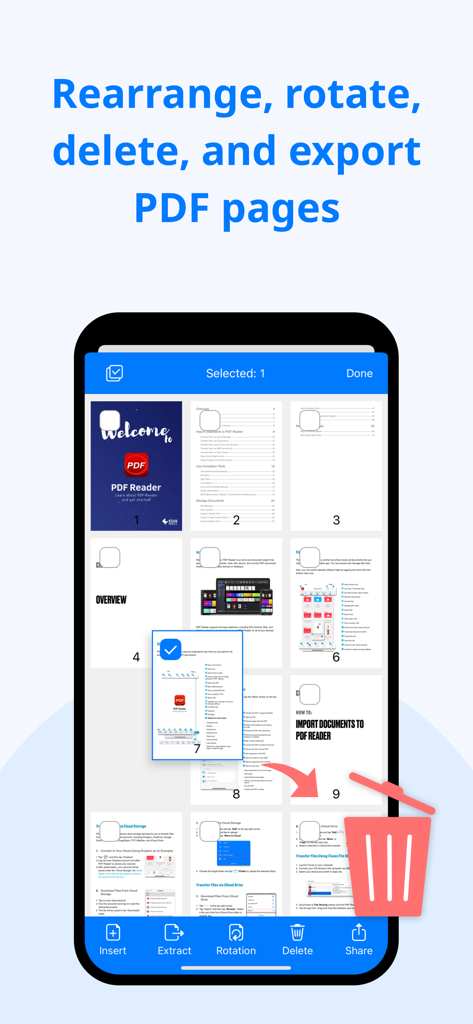
A mobile screen showing the KDAN PDF app interface for rearranging rotating and deleting pages within a document
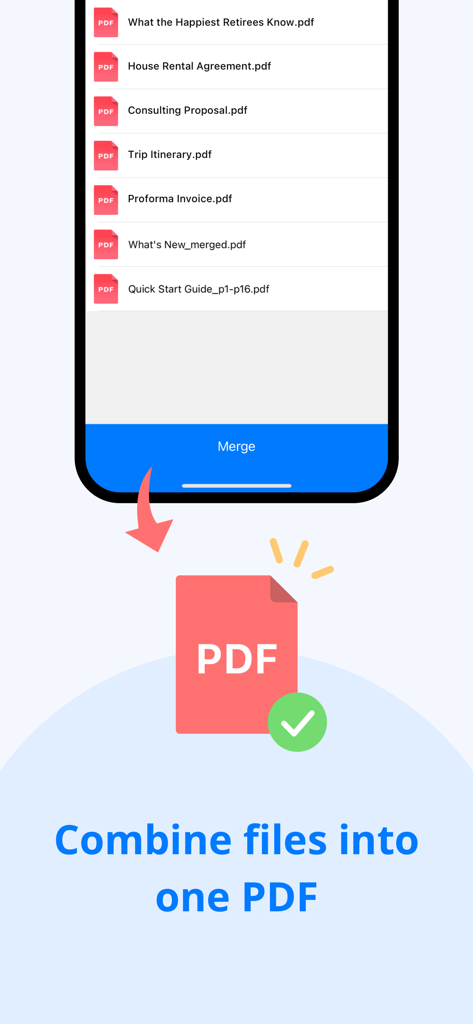
KDAN PDF app interface showing a list of documents and a button to combine multiple files into one PDF.
Description
Download
More Like This
Apps with similar features and user experience

PDF PRO Scan Image & Documents
Balzo srl

The PDF Scanner, PDF editor HQ
NEXT K.U.M. LTD

CamScanner - PDF Scanner App
INTSIG Information Co., Ltd

Adobe Scan: PDF & OCR Scanner
Adobe Inc.

WPS Office: PDF, Docs, Sheets
KINGSOFT OFFICE SOFTWARE CORPORATION LIMITED

iLovePDF - PDF Editor & Scan
ILOVEPDF S.L.

Scanner App: Genius Scan
The Grizzly Labs

Microsoft Lens: PDF Scanner
Microsoft Corporation

Clear Scan: Doc Scanner App
INDY MOBILE APP COMPANY LIMITED
This page is not an official page of the app or its developer, but an independent editorial publication created for informational and commentary purposes. Unless expressly stated otherwise, neither the app nor its developer is affiliated with, endorsed by, sponsored by, authorized by, or otherwise officially connected with MWM, Apple, Google Play, the app publisher, or the app's developer, and nothing on this page implies that the app was developed using MWM's services. Any trademarks, logos, screenshots, and other content remain the property of their respective owners.