
This page is not an official page of the app or its developer, but an independent editorial publication created for informational and commentary purposes. Unless expressly stated otherwise, neither the app nor its developer is affiliated with, endorsed by, sponsored by, authorized by, or otherwise officially connected with MWM, Apple, Google Play, the app publisher, or the app's developer, and nothing on this page implies that the app was developed using MWM's services. Any trademarks, logos, screenshots, and other content remain the property of their respective owners.


PDF Reader & PDF Editor
This app eradicates document friction, delivering total command over every PDF.
Downloads
1M+User Rating
Total Ratings
5.7KPublisher
Category
BusinessLocales
14Latest Version
1.2.1Size
101.8 MBFirst Released
Oct 27, 2022An evaluation of core functionalities for productivity-focused users on Apple devices.
Key Features Analysis: PDF Reader & PDF Editor
Comprehensive PDF Viewing
The app provides quick access and comfortable reading of documents with flexible display options, including fast opening, various reading modes (page-by-page, continuous, horizontal/vertical), and efficient navigation through search and zoom functions.
Advanced Annotation & Markup Tools
It facilitates active reading and review through a range of tools such as highlighting, underlining, strikethrough, and freehand drawing, significantly aiding comprehension and retention for users.
Secure Document Management
This tool offers robust features for protecting sensitive files with password locks and efficient organization capabilities, including sorting, renaming, and favoriting, ensuring documents remain secure and easily accessible.
PDF Editing & Manipulation
It allows users to combine multiple documents, extract specific pages, and convert images into PDF format, streamlining document preparation and customization workflows.
Digital Signature Integration
The app enables users to securely add electronic signatures to PDF files, facilitating quick approval and signing of documents without the need for printing and scanning.
Effortless Text Interaction & Search
It allows for quick searching of keywords within documents and easy copying of text, enhancing research, information extraction, and citation processes.
Frequently Asked Questions
Everything you need to know about PDF Reader & PDF Editor
What is the main purpose of the PDF Reader & PDF Editor app?
The PDF Reader & PDF Editor app functions as an ultimate PDF viewer, editor, and ebook reader, allowing users to open, read, annotate, edit, and manage PDF files efficiently.
What are the subscription costs for the PDF Reader & PDF Editor app?
The PDF Reader & PDF Editor app costs USD $9.99 monthly or USD $29.99 annually. The annual plan includes a 7-day free trial.
Can users add signatures and annotate documents in PDF Reader & PDF Editor?
Yes, the PDF Reader & PDF Editor app allows users to add e-signatures, highlight paragraphs, underline, strikethrough, and doodle on PDF files.
Does PDF Reader & PDF Editor support image to PDF conversion?
Yes, PDF Reader & PDF Editor includes a tool to easily convert images directly into PDF files within the application.
How does PDF Reader & PDF Editor help users manage their PDF files?
PDF Reader & PDF Editor allows users to sort files by name, size, or modification time. Users can also rename, delete, favorite, lock, merge, and split PDF files.
Does PDF Reader & PDF Editor store personal user data?
No, PDF Reader & PDF Editor explicitly states that it does not store user information or personal data, ensuring privacy for its users.
Is a dark mode available in the PDF Reader & PDF Editor app?
Yes, PDF Reader & PDF Editor features a one-click switch to toggle between light and dark viewing modes for documents.
Which devices does PDF Reader & PDF Editor support?
PDF Reader & PDF Editor supports all Apple devices, including both iPhones and iPads, providing a consistent user experience across platforms.
Can PDF Reader & PDF Editor integrate with cloud storage services for syncing and sharing?
Yes, PDF Reader & PDF Editor supports syncing with multiple cloud shareware like Google Drive, Dropbox, and Microsoft OneDrive for convenient sharing and collaboration.
Does the PDF Reader & PDF Editor app offer a free trial for its features?
Yes, the PDF Reader & PDF Editor app offers a 7-day free trial specifically with its annual subscription plan.
The following screenshots and description are sourced directly from the app's official store listing and are the property of the app developer.
App Store
Screenshots
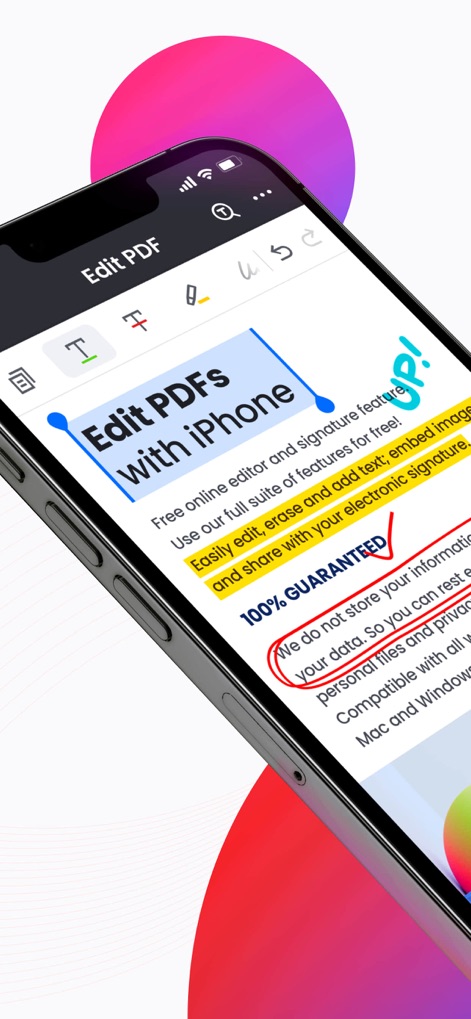
Observe how users can easily highlight text and add personalized electronic signatures directly on their iPhone.
Effortless Document Editing

This tool empowers users with efficient editing capabilities, clearly indicated by the 'Trusted by Professionals' badge and versatile cloud syncing.
Professional Editing Power

The app provides a well-organized grid view for all PDF documents, ensuring quick access and easy management for users.
Centralized Document Hub

Users can effortlessly apply text highlighting and incorporate handwritten e-signatures, enhancing document interaction with precision.
Seamless Annotation Control
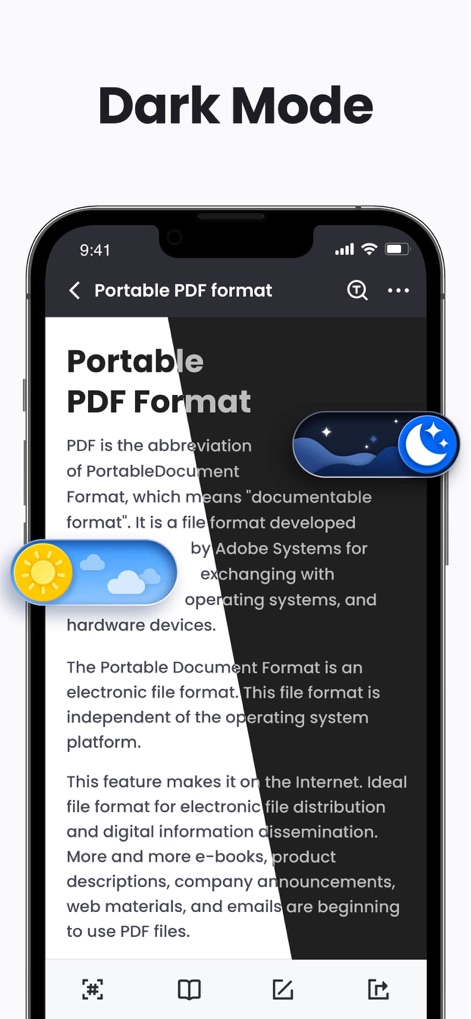
Experience enhanced readability with the intuitive dark mode feature, offering a quick toggle between light and dark viewing preferences.
Adaptive Reading Comfort

This feature enables users to view pages in a clear thumbnail layout and filter them by 'Annotated' status for streamlined workflow.
Advanced Page Organization
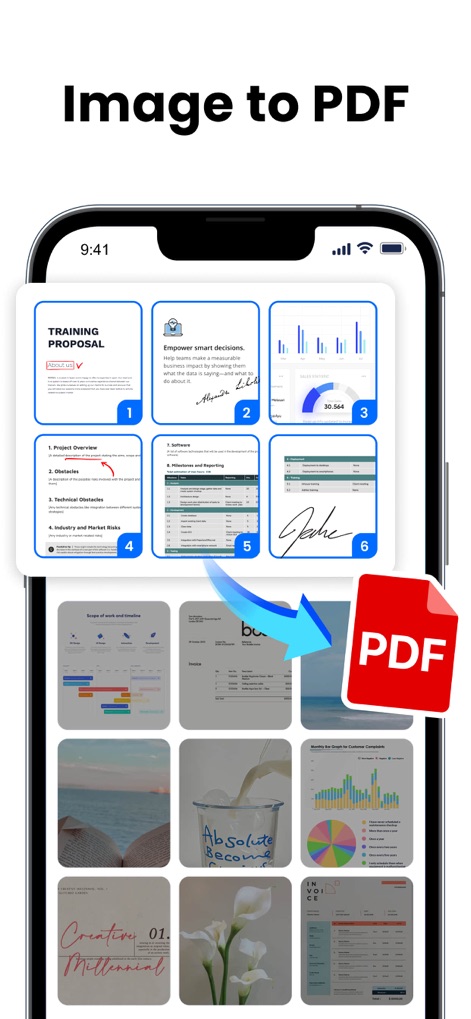
See the straightforward process of converting images to PDF files, demonstrating the ease of selecting multiple image thumbnails for transformation.
Instant Image Conversion

The app's versatile tools are presented in a clear icon array, offering functions like merging and splitting PDFs, with a banner indicating 'MORE FEATURES COMING SOON'.
Comprehensive Toolkit Showcase
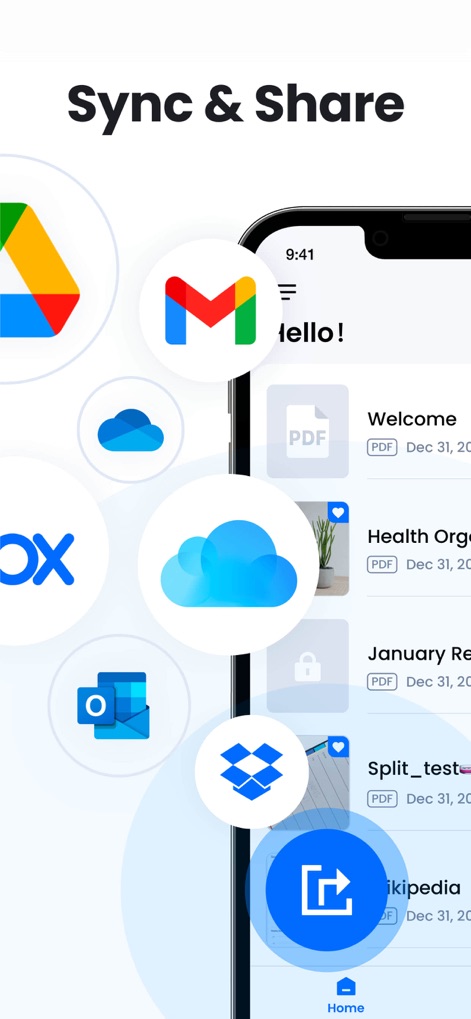
Users can seamlessly sync and share documents across popular cloud services like Google Drive and Dropbox, fostering collaborative workflows.
Integrated Cloud Ecosystem
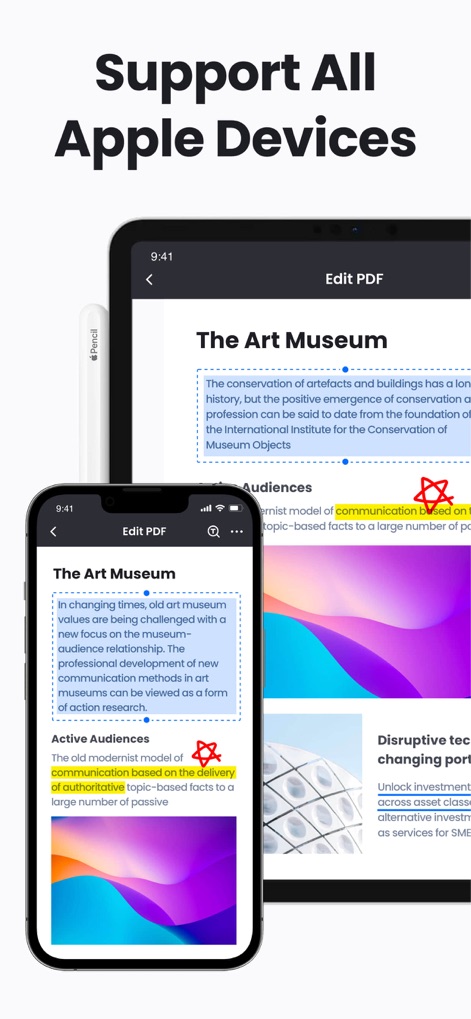
The app demonstrates full compatibility across Apple devices, showcasing its optimized interface on both iPhone and iPad screens.
Universal Apple Experience
Description
Download
More Like This
Apps with similar features and user experience

PDF PRO Scan Image & Documents
Balzo srl

The PDF Scanner, PDF editor HQ
NEXT K.U.M. LTD

CamScanner - PDF Scanner App
INTSIG Information Co., Ltd

Adobe Scan: PDF & OCR Scanner
Adobe Inc.

WPS Office: PDF, Docs, Sheets
KINGSOFT OFFICE SOFTWARE CORPORATION LIMITED

iLovePDF - PDF Editor & Scan
ILOVEPDF S.L.

Scanner App: Genius Scan
The Grizzly Labs

Microsoft Lens: PDF Scanner
Microsoft Corporation

Clear Scan: Doc Scanner App
INDY MOBILE APP COMPANY LIMITED
This page is not an official page of the app or its developer, but an independent editorial publication created for informational and commentary purposes. Unless expressly stated otherwise, neither the app nor its developer is affiliated with, endorsed by, sponsored by, authorized by, or otherwise officially connected with MWM, Apple, Google Play, the app publisher, or the app's developer, and nothing on this page implies that the app was developed using MWM's services. Any trademarks, logos, screenshots, and other content remain the property of their respective owners.