
This page is not an official page of the app or its developer, but an independent editorial publication created for informational and commentary purposes. Unless expressly stated otherwise, neither the app nor its developer is affiliated with, endorsed by, sponsored by, authorized by, or otherwise officially connected with MWM, Apple, Google Play, the app publisher, or the app's developer, and nothing on this page implies that the app was developed using MWM's services. Any trademarks, logos, screenshots, and other content remain the property of their respective owners.


PDF Reader - PDF Editor
Paperwork: conquered. This app gives users absolute command over their PDFs, from a quick sign-off to a full document overhaul.
Downloads
100k+User Rating
Total Ratings
96Publisher
Category
BusinessLocales
20Latest Version
1.3.1Size
141.7 MBFirst Released
Jan 26, 2023An in-depth evaluation of core functionalities for productivity and document management.
App Feature Analysis: PDF Reader - PDF Editor
Form Filling & e-Signatures
This app allows users to easily complete, save, and transmit PDF forms, along with the critical capability to apply electronic signatures from any location, streamlining document workflows and promoting a paperless environment.
Advanced PDF Content Editing
The app facilitates direct editing of text and images within PDF files. It also offers advanced manipulation features such as merging, splitting, reordering pages, rotating content, and freehand drawing, providing extensive control over document structure and content.
Comprehensive PDF Viewing & Annotation
This tool provides robust capabilities for viewing PDF documents, including text search and page bookmarking. It also features comprehensive annotation tools such as highlighting, underlining, and adding notes, which are essential for reviewing and collaborating on documents.
Integrated Document Scanning
It offers functionality to quickly scan various physical documents and enhance their quality for clarity, enabling the creation of digital copies directly from a mobile device.
Efficient File Organization
The app enables users to efficiently manage their PDF files by offering functions to rename, copy, move, delete, and access documents from cloud storage services, ensuring streamlined file organization and accessibility.
Image to PDF Conversion
This tool features a PDF converter that allows users to transform photos and images directly into new PDF documents, facilitating the digitization of physical materials for archiving or sharing.
Frequently Asked Questions
Everything you need to know about PDF Reader - PDF Editor
What is PDF Reader - PDF Editor?
PDF Reader - PDF Editor is an all-in-one tool for reading, editing, viewing, annotating, scanning, filling, signing, and sharing PDF files. It also allows creating forms and converting images to PDF.
Can I annotate PDFs with PDF Reader - PDF Editor?
Yes, PDF Reader - PDF Editor allows users to annotate PDFs. You can add notes, highlight, underline, and cross out text directly within your PDF documents using the app.
How do I convert images to PDF using PDF Reader - PDF Editor?
Yes, PDF Reader - PDF Editor includes a PDF Converter feature. It allows you to convert photos and turn other images directly into new PDF files within the application.
Can I sign PDF documents in PDF Reader - PDF Editor?
Yes, PDF Reader - PDF Editor allows you to sign PDFs. Users can easily complete, save, and add their signature to PDF forms and documents directly within the app from any location.
Does PDF Reader - PDF Editor include a document scanner?
Yes, PDF Reader - PDF Editor includes a document scanner. It enables users to quickly scan various documents, including IDs and passports, and improve the scan quality for better clarity.
Can I edit text and images in PDFs using PDF Reader - PDF Editor?
Yes, PDF Reader - PDF Editor supports direct editing of text and images within PDF files. Users can modify content directly, enhancing their documents as needed.
How can I manage my PDF files with PDF Reader - PDF Editor?
PDF Reader - PDF Editor allows comprehensive file management. You can organize, rename, copy, move, or delete PDFs and access files directly from your Google Drive.
Does PDF Reader - PDF Editor have OCR functionality?
Yes, PDF Reader - PDF Editor includes OCR (Optical Character Recognition) functionality. It allows users to search and extract text from PDFs, as well as create documents using OCR.
Where can I find the Terms of Use for PDF Reader - PDF Editor?
The Terms of Use for PDF Reader - PDF Editor are available at the following address: https://www.apple.com/legal/internet-services/itunes/dev/stdeula/.
What is the Privacy Policy for PDF Reader - PDF Editor?
The Privacy Policy for PDF Reader - PDF Editor is located at https://www.freeprivacypolicy.com/privacy/view/50c5621471755f1548917ebbe5e90160. This policy details how the app handles user data.
The following screenshots and description are sourced directly from the app's official store listing and are the property of the app developer.
App Store
Screenshots
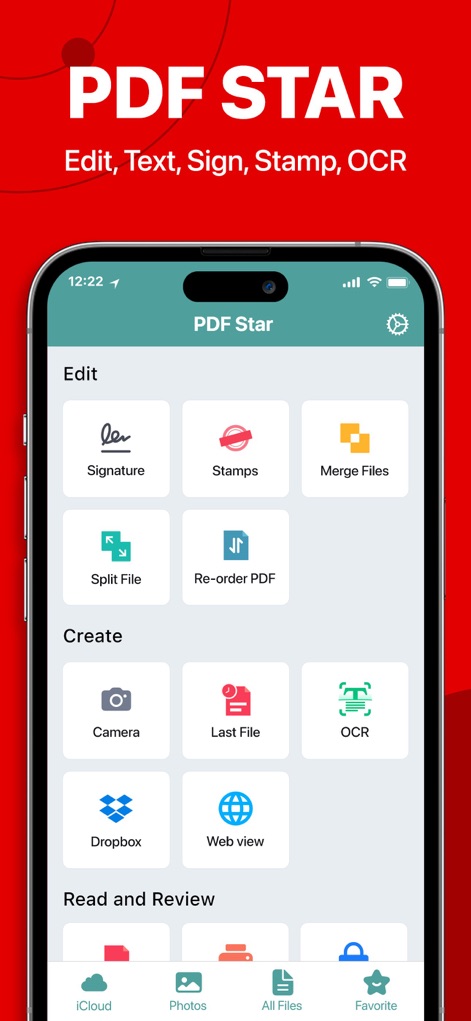
Explore the app's central hub, showcasing essential functions like the Signature tool and the convenient OCR option for text extraction.
Core Functions

Observe how key functionalities like the prominent 'Signature' button and 'OCR' are readily accessible from the main interface.
Quick Access
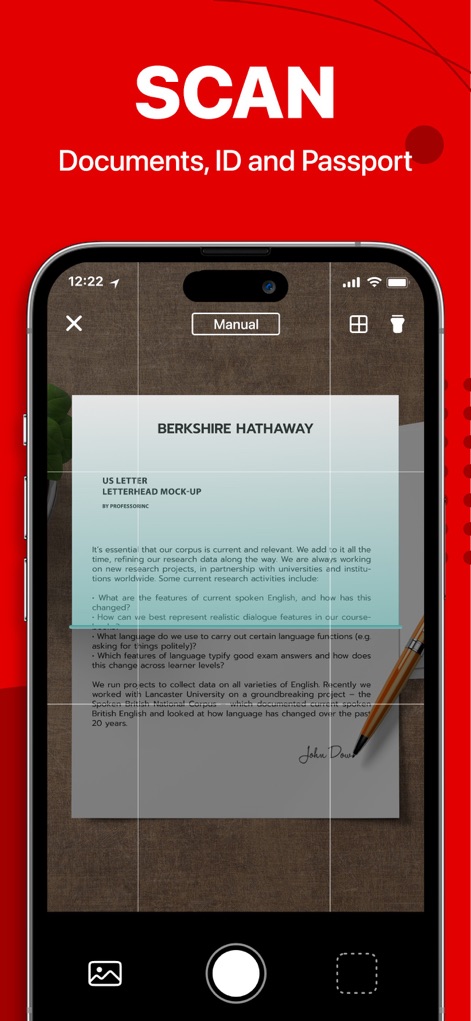
Witness the seamless document scanning process, utilizing 'Manual' mode for precise capture and generating a clear preview of the digitized content.
Document Scanning
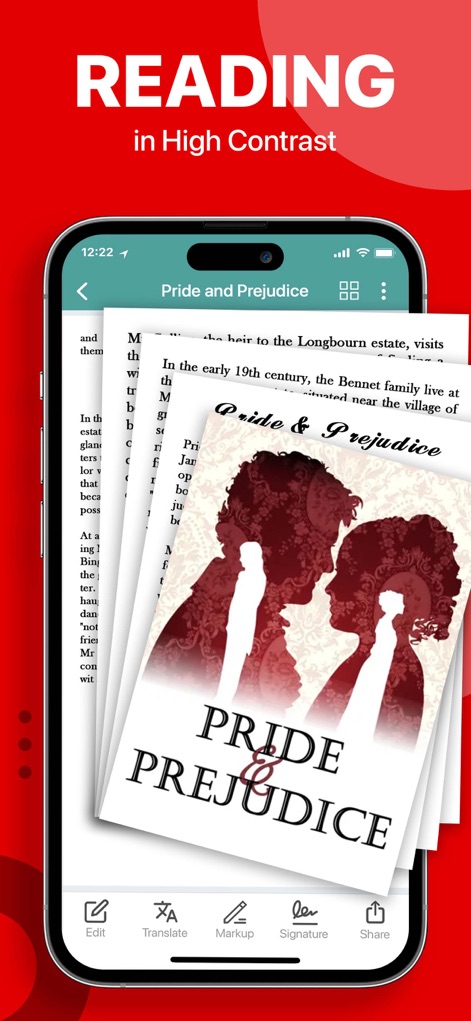
Experience enhanced PDF reading with the app's high contrast display and easily access annotation tools like 'Markup' and share documents via the intuitive bottom navigation bar.
Enhanced Reading
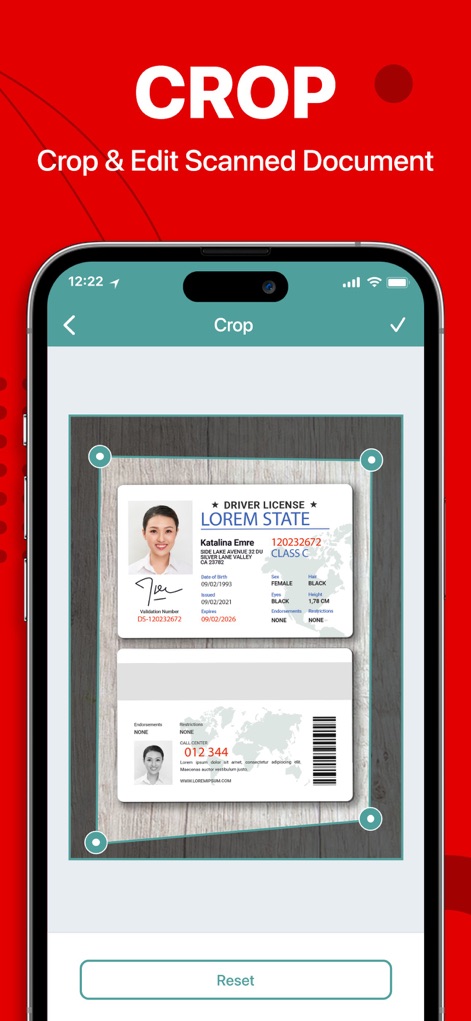
See the precision offered by adjustable cropping handles for scanned documents, allowing users to fine-tune images with an easy 'Reset' option.
Precise Cropping
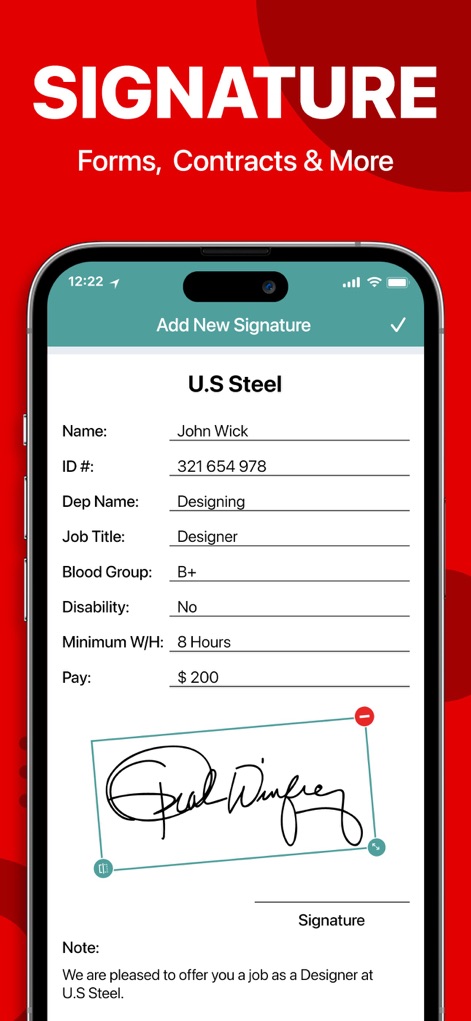
Discover the app's capability for secure digital signing, enabling users to effortlessly fill professional form fields and apply a personalized drawn signature.
Secure Signatures

Manage all PDF documents efficiently within the app's organized library, featuring a detailed file list with metadata and a convenient search bar for quick retrieval.
Organized Library

Observe the app's dynamic scanning process, providing a real-time preview of the document capture and guided by a prominent red scanning line for accuracy.
Dynamic Scanning
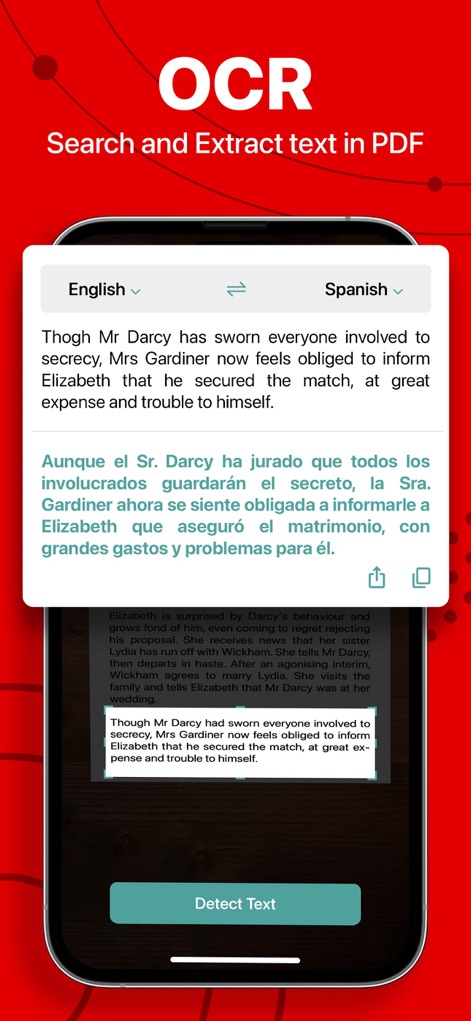
Harness the power of smart text extraction via OCR, allowing users to accurately pull text from PDFs and even perform direct language translation, such as English to Spanish.
Smart Text Extraction

Streamline document workflows with the app's efficient stamping feature, enabling the application of professional 'APPROVED' stamps and integration with date/signature fields.
Document Stamping
Description
Download
More Like This
Apps with similar features and user experience

PDF PRO Scan Image & Documents
Balzo srl

The PDF Scanner, PDF editor HQ
NEXT K.U.M. LTD

CamScanner - PDF Scanner App
INTSIG Information Co., Ltd

Adobe Scan: PDF & OCR Scanner
Adobe Inc.

WPS Office: PDF, Docs, Sheets
KINGSOFT OFFICE SOFTWARE CORPORATION LIMITED

iLovePDF - PDF Editor & Scan
ILOVEPDF S.L.

Scanner App: Genius Scan
The Grizzly Labs

Microsoft Lens: PDF Scanner
Microsoft Corporation

Clear Scan: Doc Scanner App
INDY MOBILE APP COMPANY LIMITED
This page is not an official page of the app or its developer, but an independent editorial publication created for informational and commentary purposes. Unless expressly stated otherwise, neither the app nor its developer is affiliated with, endorsed by, sponsored by, authorized by, or otherwise officially connected with MWM, Apple, Google Play, the app publisher, or the app's developer, and nothing on this page implies that the app was developed using MWM's services. Any trademarks, logos, screenshots, and other content remain the property of their respective owners.