
This page is not an official page of the app or its developer, but an independent editorial publication created for informational and commentary purposes. Unless expressly stated otherwise, neither the app nor its developer is affiliated with, endorsed by, sponsored by, authorized by, or otherwise officially connected with MWM, Apple, Google Play, the app publisher, or the app's developer, and nothing on this page implies that the app was developed using MWM's services. Any trademarks, logos, screenshots, and other content remain the property of their respective owners.


PDF Scanner: App for Documents
This app turns chaos into order. It arms users with the ability to tame document floods, anytime, anywhere.
Downloads
2.5M+User Rating
Total Ratings
23.5KPublisher
Category
BusinessLocales
8Latest Version
3.4.8Size
370.3 MBFirst Released
Mar 29, 2022An Evaluation of Essential Functionalities for Mobile Document Management
Key Features Analysis: PDF Scanner: App for Documents
Integrated E-Signature
This tool allows users to sign documents directly on their device, which is crucial for busy professionals, small business owners, and freelancers to streamline contracts and agreements efficiently.
Optical Character Recognition (OCR)
The app provides advanced text recognition capabilities, enabling users to copy and edit text directly from scanned documents, a vital feature for enhancing productivity and data reusability.
Mobile Document Digitization
It allows users to quickly convert paper documents, IDs, and passports into high-quality digital files using their smartphone, forming the core of a portable and efficient document management solution.
Advanced Document Manipulation
This tool features the ability to add pages, insert text or images, and apply custom watermarks to digitized documents, offering extensive control for professional document creation and branding.
Versatile Export Options
The app provides flexible sharing options, allowing users to print documents, convert them to editable Word files, or share scans directly, facilitating seamless integration into various workflows.
Image Enhancement Tools
It features professional editing functionalities such as filtering, rotating, straightening, and cropping, ensuring that scanned documents always have a polished and presentable appearance.
Document Import & Organization
This tool enables users to easily import documents and images from their gallery, rename files, and search efficiently by document name, promoting better organization and quick retrieval of digital assets.
Basic Document Tools & Security
The app allows users to highlight key details, erase imperfections, and secure confidential documents with a locking mechanism, adding layers of utility and privacy protection.
Frequently Asked Questions
Everything you need to know about PDF Scanner: App for Documents
What is the PDF Scanner: App for Documents?
The PDF Scanner: App for Documents transforms an iPhone into a powerful portable scanner. It quickly converts paper documents into high-quality digital PDF files, streamlining various document management tasks for personal or business use.
Can I scan documents for free with Scanner App?
Yes, Scanner App includes free features enabling users to scan documents, IDs, and passports. It also offers free tools for importing, organizing, and professionally editing scans, such as filtering, rotating, and cropping.
What types of documents can PDF Scanner: App for Documents scan?
Users can scan diverse documents, including paper notes, sketches, IDs, passports, agreements, contracts, book pages, business cards, and receipts. The app is suitable for digitizing a wide array of physical papers.
Does PDF Scanner: App for Documents offer text recognition (OCR)?
Yes, PDF Scanner: App for Documents provides Text Recognition (OCR) as a subscription feature. This functionality allows users to extract text from documents for easy copying and further editing.
Can I sign documents electronically within Scanner App?
Yes, users can electronically sign documents directly on their device using the E-Signature feature. This capability is available with a subscription in the Scanner App.
What editing tools are available for scanned documents in Scanner App?
Scanner App offers free professional editing tools including filter, rotate, straighten, and crop scans. Subscription-based advanced editing features allow users to add pages, insert text or images, and apply custom watermarks.
How do I export or share documents from PDF Scanner: App for Documents?
PDF Scanner: App for Documents supports advanced export options via subscription, enabling users to share scans, print documents, or convert them to Word files. Basic sharing tools are also available.
Does Scanner App have privacy protection for confidential documents?
Yes, Scanner App includes a free tool to lock confidential documents. This feature helps users secure sensitive information within the application.
Where can I find the Privacy Policy for PDF Scanner: App for Documents?
The Privacy Policy for PDF Scanner: App for Documents is published at https://pp.scannerapp.online/. This link provides comprehensive details regarding the app's data handling and privacy practices.
The following screenshots and description are sourced directly from the app's official store listing and are the property of the app developer.
App Store
Screenshots
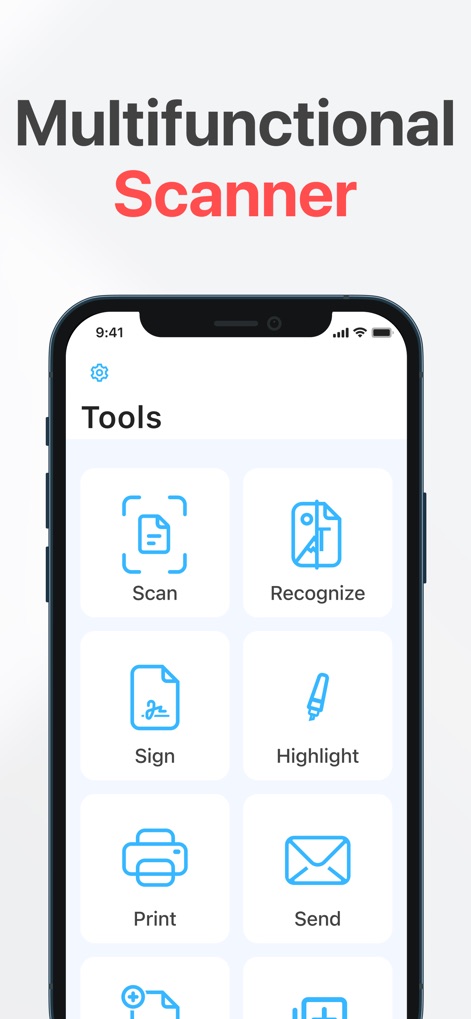
This tool presents a comprehensive suite of features, including one-tap scanning and intuitive e-signature capabilities, for efficient document management.
Core Document Tools
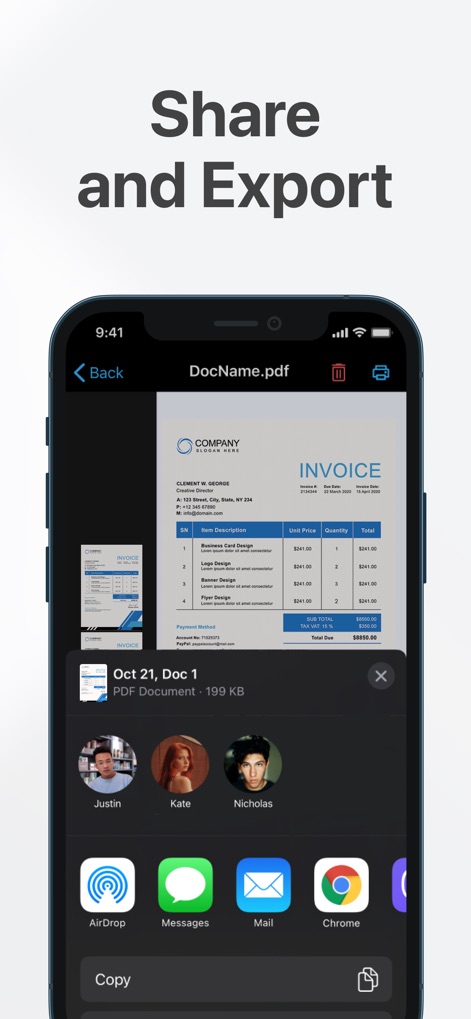
Users can effortlessly distribute documents directly from the app, utilizing the integrated share sheet to send files via AirDrop or email.
Seamless Document Sharing
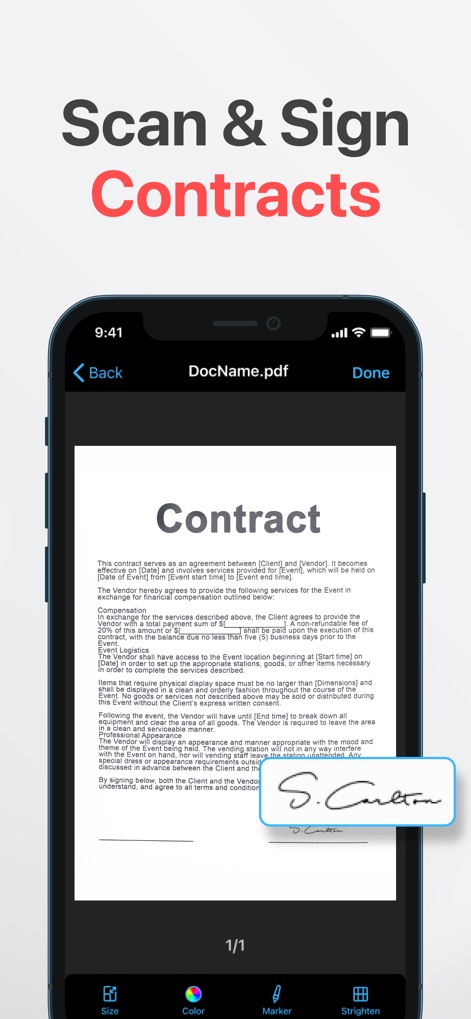
The app facilitates secure document signing directly on the device, allowing users to apply e-signatures and adjust document appearance with precise editing tools.
Digital Signature Made Easy
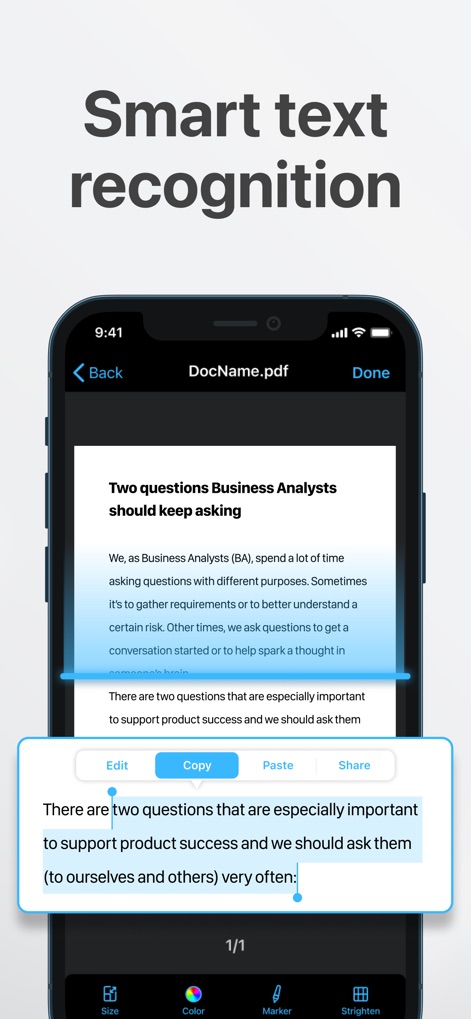
This tool employs advanced OCR technology to recognize text within documents, enabling users to easily copy and edit extracted content directly.
Intelligent Text Recognition
Description
Download
More Like This
Apps with similar features and user experience

PDF PRO Scan Image & Documents
Balzo srl

The PDF Scanner, PDF editor HQ
NEXT K.U.M. LTD

CamScanner - PDF Scanner App
INTSIG Information Co., Ltd

Adobe Scan: PDF & OCR Scanner
Adobe Inc.

WPS Office: PDF, Docs, Sheets
KINGSOFT OFFICE SOFTWARE CORPORATION LIMITED

iLovePDF - PDF Editor & Scan
ILOVEPDF S.L.

Scanner App: Genius Scan
The Grizzly Labs

Microsoft Lens: PDF Scanner
Microsoft Corporation

Clear Scan: Doc Scanner App
INDY MOBILE APP COMPANY LIMITED
This page is not an official page of the app or its developer, but an independent editorial publication created for informational and commentary purposes. Unless expressly stated otherwise, neither the app nor its developer is affiliated with, endorsed by, sponsored by, authorized by, or otherwise officially connected with MWM, Apple, Google Play, the app publisher, or the app's developer, and nothing on this page implies that the app was developed using MWM's services. Any trademarks, logos, screenshots, and other content remain the property of their respective owners.