
This page is not an official page of the app or its developer, but an independent editorial publication created for informational and commentary purposes. Unless expressly stated otherwise, neither the app nor its developer is affiliated with, endorsed by, sponsored by, authorized by, or otherwise officially connected with MWM, Apple, Google Play, the app publisher, or the app's developer, and nothing on this page implies that the app was developed using MWM's services. Any trademarks, logos, screenshots, and other content remain the property of their respective owners.


Camera Scanner: Scan to PDF
Stop drowning in paper. This app weaponizes your iPhone, transforming physical clutter into organized, accessible digital files.
Downloads
1M+User Rating
Total Ratings
42.4KPublisher
Category
ProductivityLocales
1Latest Version
8.1Size
67.7 MBFirst Released
Dec 29, 2021A comprehensive analysis of key functionalities for enhanced mobile document management.
Evaluation: Camera Scanner: Scan to PDF
Robust Document Scanning
The app provides robust document scanning capabilities, featuring high accuracy, automatic edge detection, and perspective correction to save scans as high-quality PDF documents.
Photo to PDF Conversion
It allows users to instantly convert photos to PDF and merge multiple scans into a single PDF document, acting as a versatile PDF converter and maker.
Integrated PDF Editor and Signer
This tool features an integrated PDF editor, enabling users to sign documents securely, add annotations, fill forms, and edit PDF files directly from their device.
Smart PDF Reader and File Management
The app includes a smart PDF reader and comprehensive file manager, allowing users to organize, search, and access their scanned documents and records efficiently within the application.
Seamless Sharing and Export
It allows users to quickly share scanned PDF documents via email, messaging, or cloud storage, and export files for printing or further use with popular cloud services.
Dedicated Receipt Scanning
The app provides a dedicated receipt scanner function for tracking expenses, enabling users to digitally store and share receipts for business and personal financial management.
Frequently Asked Questions
Everything you need to know about Camera Scanner: Scan to PDF
What is the main function of the PDF Scanner App for Documents?
The PDF Scanner App for Documents transforms an iPhone into a powerful scanning tool, enabling users to scan various documents like receipts, contracts, notes, and IDs directly from their phone.
Does the PDF Scanner App for Documents offer a free version?
Yes, the PDF Scanner App for Documents offers a free version that allows users to scan, save, and share documents without needing an account or subscription.
Can the PDF Scanner App for Documents scan multi-page documents?
Yes, the PDF Scanner App for Documents can scan dozens of pages at once and provides features to easily add, remove, or rearrange pages for multi-page PDFs.
What types of documents can I scan with the PDF Scanner App for Documents?
Users can scan business receipts, contracts, school notes, ID cards, multi-page forms, books, and handwritten notes using the PDF Scanner App for Documents.
Are scans made with the PDF Scanner App for Documents stored securely?
Yes, all scans made with the PDF Scanner App for Documents stay on the user's device. The app ensures privacy with no automatic uploads or tracking of personal information.
Can I use the PDF Scanner App for Documents without an internet connection?
Yes, the PDF Scanner App for Documents supports offline scanning. Users can utilize the app's features and scan documents free without Wi-Fi or an internet connection.
What are the subscription costs for the PDF Scanner App for Documents?
The PDF Scanner App for Documents offers a weekly subscription for $1.99, a monthly subscription for $4.99, and a yearly subscription for $19.99.
Does the PDF Scanner App for Documents include OCR text recognition?
Yes, the PDF Scanner App for Documents includes text recognition features. Users can extract and edit any text from scanned documents, as shown in the app's interface.
Can I convert scanned documents to formats other than PDF using the PDF Scanner App for Documents?
Yes, the PDF Scanner App for Documents can convert PDFs to various formats including TXT, PPT, Word, HTML, and Excel. It also allows exporting as JPEG.
How does the PDF Scanner App for Documents enhance scan quality?
The PDF Scanner App for Documents enhances quality with auto edge detection, advanced image enhancement to clean shadows, improve contrast, and smart modes like Color, Grayscale, and Black & White filters.
Can users sign documents within the PDF Scanner App for Documents?
Yes, the PDF Scanner App for Documents allows users to edit and sign documents directly within the app. It provides tools for adding signatures to scanned files.
Does the PDF Scanner App for Documents allow for sharing scanned files?
Yes, the PDF Scanner App for Documents allows users to share scans as PDF or JPEG via email, text, and other methods. Users can also create zip files or set password protection.
Is there a quick way to start scanning with the PDF Scanner App for Documents?
Yes, the PDF Scanner App for Documents offers a Quick Launch Widget, allowing users to start scanning directly from their home screen for fast access.
Does the PDF Scanner App for Documents handle ID card scanning?
Yes, the PDF Scanner App for Documents provides specific functionality to digitize ID cards, ensuring they are scanned with precision and clarity.
Can the PDF Scanner App for Documents scan QR codes?
Yes, the PDF Scanner App for Documents functions as both a QR Code Scanner and Maker. It enables users to scan QR codes and perform actions like opening URLs.
The following screenshots and description are sourced directly from the app's official store listing and are the property of the app developer.
App Store
Screenshots
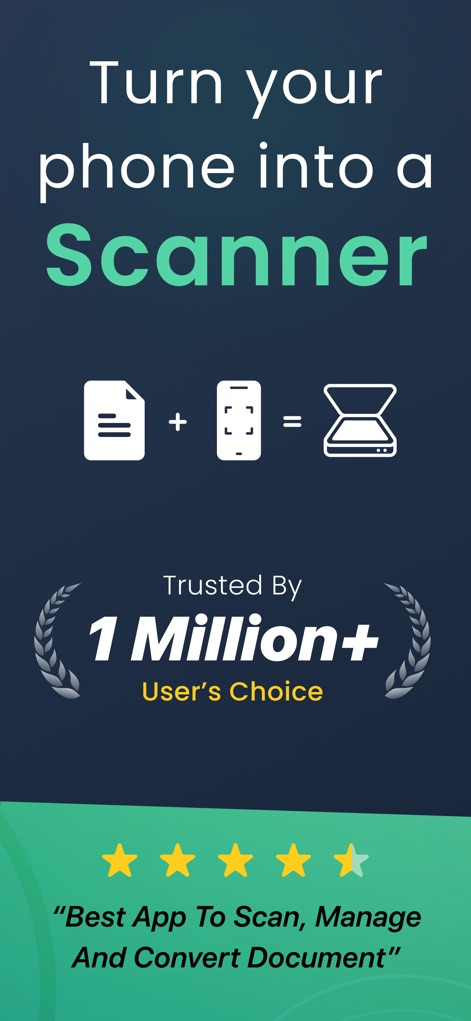
This initial screen showcases the app's core value proposition by highlighting the 'document icon + phone icon = scanner icon' graphic and emphasizing its widespread adoption with the 'Trusted By 1 Million+ User's Choice' badge.
Transform Your Device
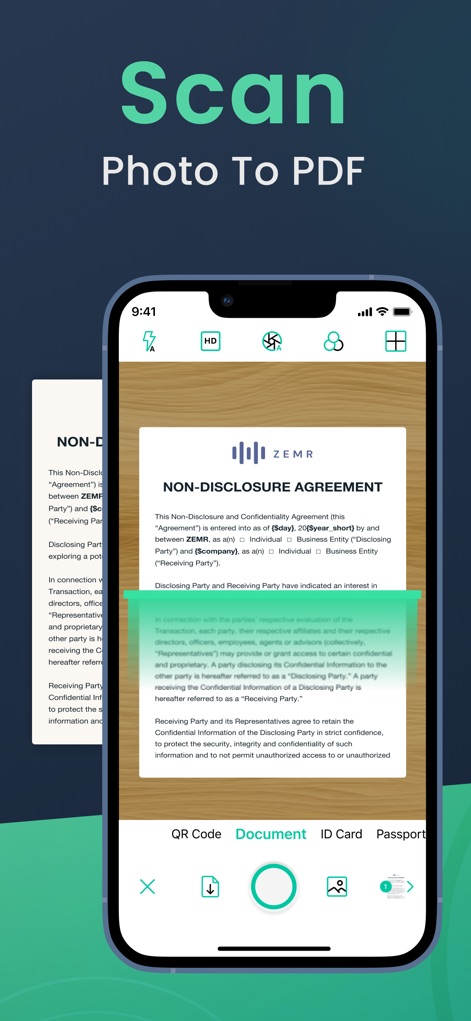
The app's scanning interface is displayed, showing precise automatic edge detection for documents and the clear options to categorize scans like 'Document' or 'ID Card'.
Effortless Document Capture
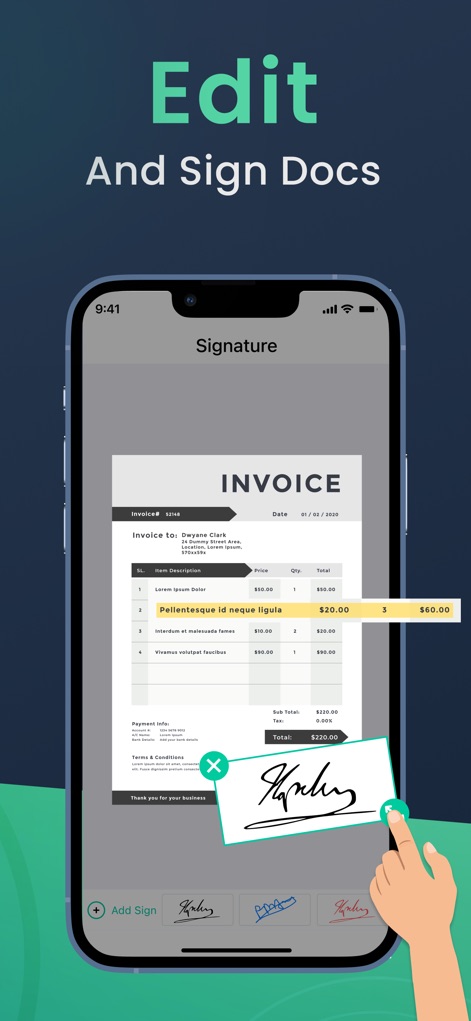
Users can see the intuitive PDF editor at work, demonstrating how digital signatures are easily applied to documents, alongside the clear 'Add Sign' function.
Streamlined Document Editing
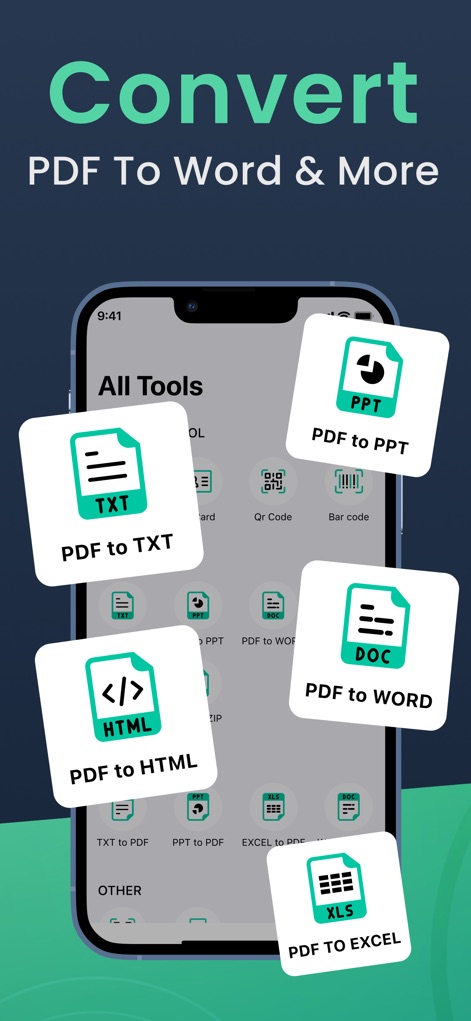
This screen illustrates the comprehensive conversion capabilities through the 'All Tools' section, featuring diverse options like 'PDF to TXT' and 'PDF to DOC' for broad compatibility.
Versatile File Conversion
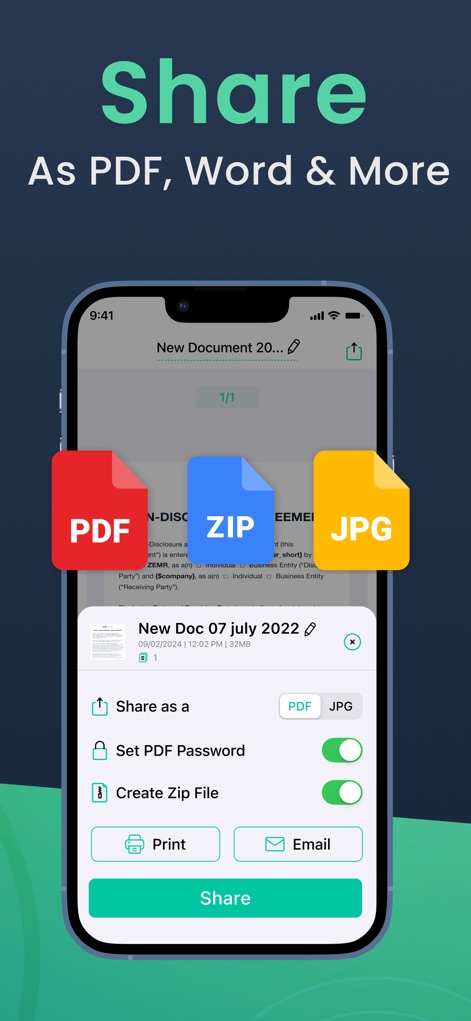
The sharing capabilities are clearly presented, with options to export documents as 'PDF, ZIP, and JPG' and advanced features like the 'Set PDF Password' toggle for security.
Seamless Sharing Options
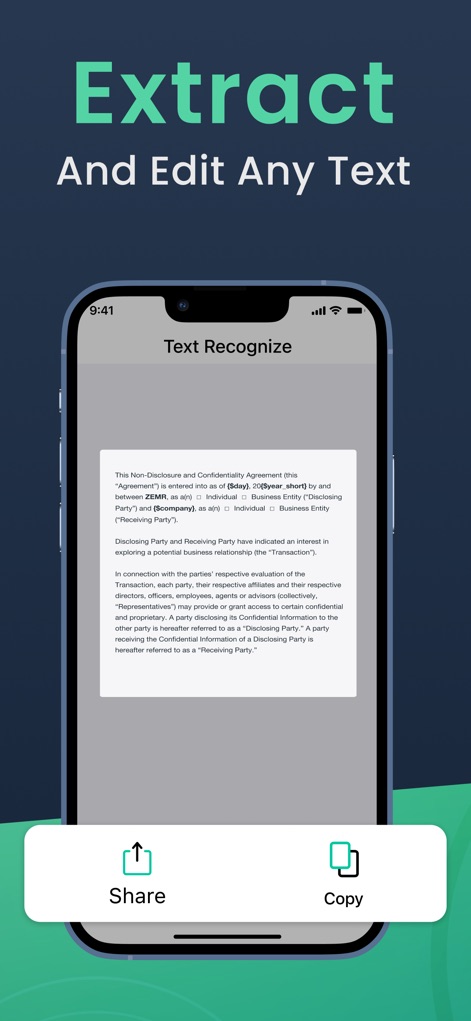
This feature demonstrates the app's optical character recognition (OCR) by displaying a 'Text Recognize' interface with extracted text ready for use, alongside convenient 'Share' and 'Copy' actions.
Intelligent Text Extraction
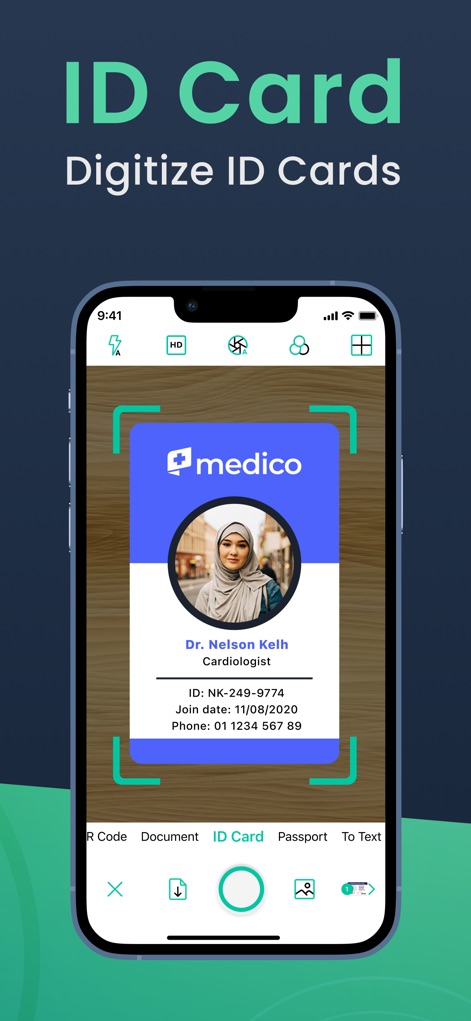
The app offers specialized scanning for identification with a distinct 'ID Card' categorization, showcasing the automatic framing and processing of such documents.
Specialized ID Scanning
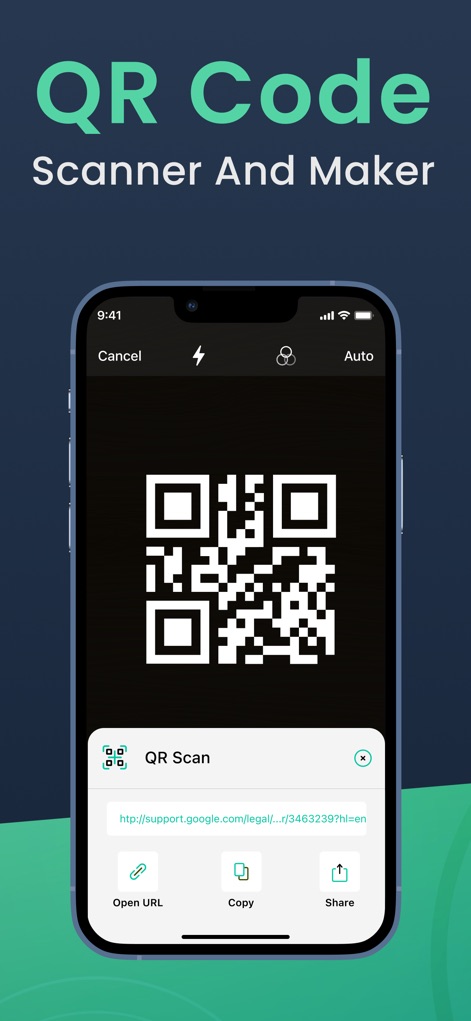
The built-in 'QR Code Scanner And Maker' feature is displayed, highlighting its ability to scan QR codes and present actionable options like 'Open URL' or 'Share' the link.
Integrated QR Functionality
Description
Download
More Like This
Apps with similar features and user experience

PDF PRO Scan Image & Documents
Balzo srl

The PDF Scanner, PDF editor HQ
NEXT K.U.M. LTD

CamScanner - PDF Scanner App
INTSIG Information Co., Ltd

Adobe Scan: PDF & OCR Scanner
Adobe Inc.

WPS Office: PDF, Docs, Sheets
KINGSOFT OFFICE SOFTWARE CORPORATION LIMITED

iLovePDF - PDF Editor & Scan
ILOVEPDF S.L.

Scanner App: Genius Scan
The Grizzly Labs

Microsoft Lens: PDF Scanner
Microsoft Corporation

Clear Scan: Doc Scanner App
INDY MOBILE APP COMPANY LIMITED
This page is not an official page of the app or its developer, but an independent editorial publication created for informational and commentary purposes. Unless expressly stated otherwise, neither the app nor its developer is affiliated with, endorsed by, sponsored by, authorized by, or otherwise officially connected with MWM, Apple, Google Play, the app publisher, or the app's developer, and nothing on this page implies that the app was developed using MWM's services. Any trademarks, logos, screenshots, and other content remain the property of their respective owners.