
This page is not an official page of the app or its developer, but an independent editorial publication created for informational and commentary purposes. Unless expressly stated otherwise, neither the app nor its developer is affiliated with, endorsed by, sponsored by, authorized by, or otherwise officially connected with MWM, Apple, Google Play, the app publisher, or the app's developer, and nothing on this page implies that the app was developed using MWM's services. Any trademarks, logos, screenshots, and other content remain the property of their respective owners.


PDF Scanner App: TapScanner
No more paperwork purgatory. Users gain the ultimate control over their documents, transforming phone photos into actionable files.
Downloads
10M+User Rating
Total Ratings
344.7KPublisher
Category
BusinessLocales
8Latest Version
4.71.0Size
178.1 MBFirst Released
May 30, 2018An evaluation of core functionalities enhancing mobile document management and productivity for diverse users.
Key Feature Analysis: TapScanner
Mobile Document Scanning to PDF
The app allows users to digitize various physical documents directly into PDF format using their mobile device, replacing traditional scanners and enabling on-the-go productivity.
Optical Character Recognition (OCR)
It enables users to convert scanned images into editable and searchable text, facilitating easy extraction and repurposing of document content with high accuracy.
Multi-format File Conversion
This tool allows users to convert documents between various formats such as PDF, JPG, and Word, enhancing flexibility for sharing, editing, and integration into different workflows.
E-signature and PDF Annotation
This tool features integrated e-signature capabilities and intuitive annotation tools, allowing users to complete, sign, and mark up documents directly within the app, streamlining paperwork.
Automatic Cropping and Enhancement
It automatically detects document edges, crops, and applies powerful filters to enhance scans, ensuring professional-looking digital copies by removing shadows and adjusting clarity.
PDF Management (Split & Merge)
The app offers robust PDF management tools, including the ability to split large PDF files into smaller ones and merge multiple PDFs into a single organized document.
Cloud Backup Integration
The app provides seamless integration with cloud storage services, ensuring scanned documents are securely backed up, easily accessible, and synchronized across devices.
PDF Security and Protection
It allows users to protect sensitive PDF documents with password encryption, ensuring confidentiality and control over who can access valuable information.
Frequently Asked Questions
Everything you need to know about PDF Scanner App: TapScanner
What documents can PDF Scanner App: TapScanner convert to PDF?
PDF Scanner App: TapScanner converts various documents to PDF, including receipts, business cards, whiteboards, IDs, books, and photos directly from your mobile device.
Does PDF Scanner App: TapScanner automatically crop scanned documents?
Yes, PDF Scanner App: TapScanner features automatic cropping and sorting of documents, streamlining the scanning process and saving user time.
Can users add an e-signature with PDF Scanner App: TapScanner?
Yes, PDF Scanner App: TapScanner allows users to attach an E-signature and edit fields within documents using its PDF sign tools.
How does PDF Scanner App: TapScanner enhance scanned documents?
PDF Scanner App: TapScanner enhances documents with powerful filters, removing shadows, adjusting contrast, brightness, and converting to black and white for professional results.
Does PDF Scanner App: TapScanner support cloud backup for scans?
Yes, PDF Scanner App: TapScanner automatically backs up scanned documents from your phone to your preferred cloud service, ensuring high-quality PDF output.
Can I edit text from scanned documents using PDF Scanner App: TapScanner?
Yes, PDF Scanner App: TapScanner uses OCR to convert images to editable text. Users can export accurate text and unlock content from scans, enhanced by machine learning.
Does PDF Scanner App: TapScanner include a QR code reader?
Yes, PDF Scanner App: TapScanner integrates a built-in QR scanner within its cam scan module, supporting links, text, ISBN, and emails.
How do I split PDF files in PDF Scanner App: TapScanner?
To split PDF files in PDF Scanner App: TapScanner, import a PDF file, and the application will divide it into multiple separate PDF documents.
Can PDF Scanner App: TapScanner combine multiple PDF files?
Yes, PDF Scanner App: TapScanner allows users to merge multiple PDF files quickly, simplifying document organization and editing processes.
What file formats can PDF Scanner App: TapScanner convert?
PDF Scanner App: TapScanner converts between JPG and PDF, and between PDF and Word. It also transforms camera or gallery images into PDFs.
Can PDF Scanner App: TapScanner reduce the size of PDF files?
Yes, PDF Scanner App: TapScanner compresses PDF files, reducing their size for easier sharing via email or chat and saving storage space.
Does PDF Scanner App: TapScanner remove watermarks from scans?
Yes, PDF Scanner App: TapScanner offers a feature to remove watermarks, ensuring perfect and clean scans without stains.
Can I protect my PDF files with a password in PDF Scanner App: TapScanner?
Yes, PDF Scanner App: TapScanner allows users to protect PDF files with a password, enhancing document security.
Is direct printing available through PDF Scanner App: TapScanner?
Yes, PDF Scanner App: TapScanner enables users to print documents directly from within the application.
How can I share documents using PDF Scanner App: TapScanner?
Users can easily and quickly share documents from PDF Scanner App: TapScanner to email, social media, and instant messaging applications.
How does PDF Scanner App: TapScanner help organize scanned documents?
PDF Scanner App: TapScanner helps organize documents by allowing users to create folders and tag scans. Documents are searchable by name, tag, or folder.
How often are subscriptions billed for PDF Scanner App: TapScanner?
Subscriptions for PDF Scanner App: TapScanner are billed weekly, monthly, or annually, depending on the specific plan selected by the user.
Does the PDF Scanner App: TapScanner subscription auto-renew?
Yes, PDF Scanner App: TapScanner subscriptions auto-renew at the chosen package's cost unless cancelled 24 hours before the current period ends.
How do I manage or cancel my PDF Scanner App: TapScanner subscription?
Users manage their PDF Scanner App: TapScanner subscription and turn off auto-renewal via their iTunes Account Settings after purchase.
Is PDF Scanner App: TapScanner free to use?
PDF Scanner App: TapScanner offers a "Try Now For Free!" option. It provides initial access freely, but extended features require subscriptions.
The following screenshots and description are sourced directly from the app's official store listing and are the property of the app developer.
App Store
Screenshots
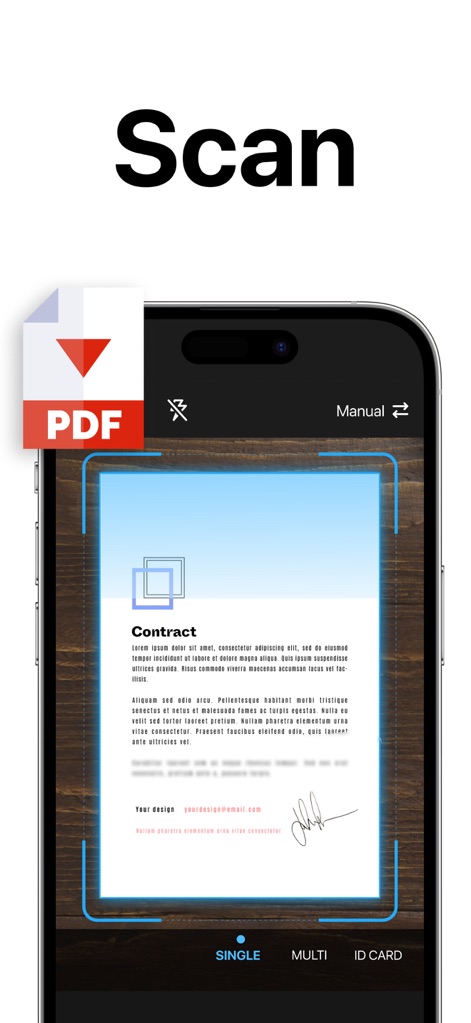
See how the app facilitates instant document capture with a clear scanning frame and immediate conversion to PDF.
Efficient Document Scanning

Discover the app's ability to save scans in various formats like PDF, DOC, and JPG, alongside powerful filter enhancement options.
Versatile File Saving
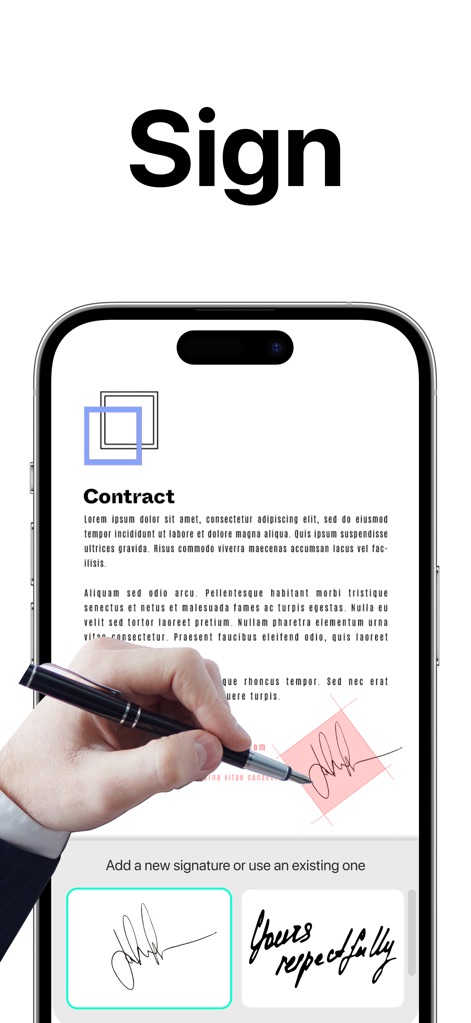
Observe how users can easily add e-signatures directly onto documents and preview different signature styles within the app.
Effortless E-Signatures
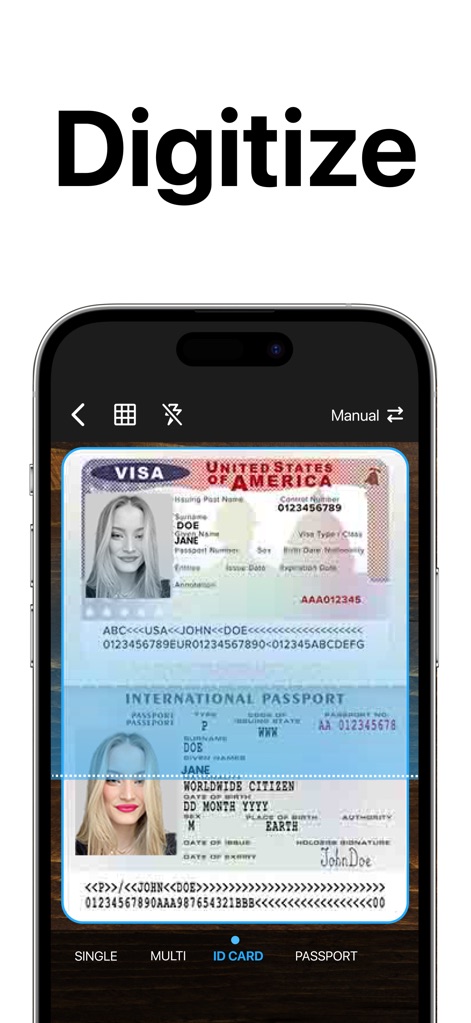
Explore the app's specialized feature for digitizing ID cards, complete with a dedicated 'ID Card' scanning mode.
Quick ID Digitization
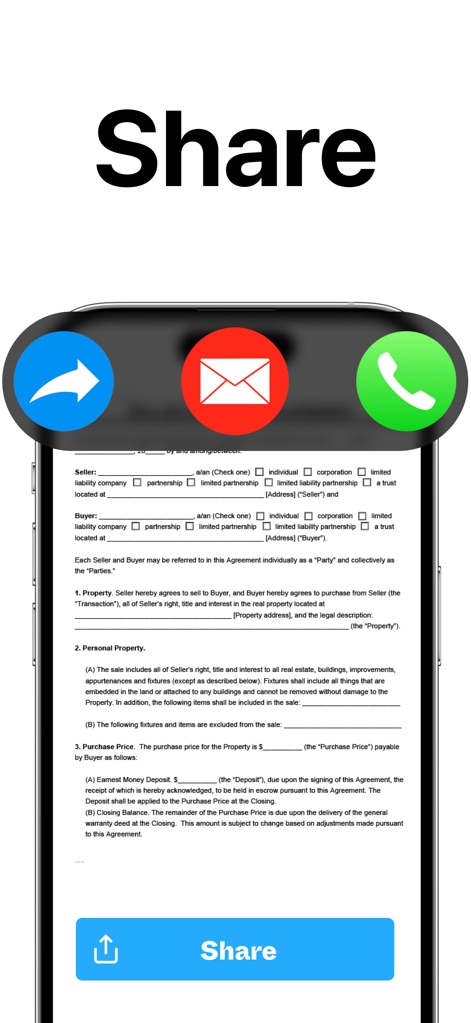
Witness the intuitive 'Share' button and integrated options for sharing documents via email or other communication platforms.
Seamless Document Sharing
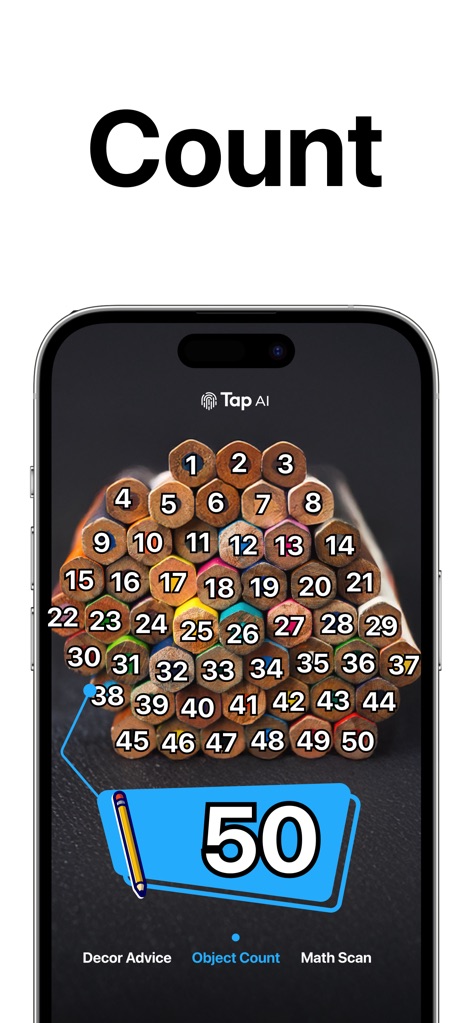
Learn about the app's unique 'Object Count' feature that automatically identifies and numbers objects in an image, like pencils.
Intelligent Object Counting
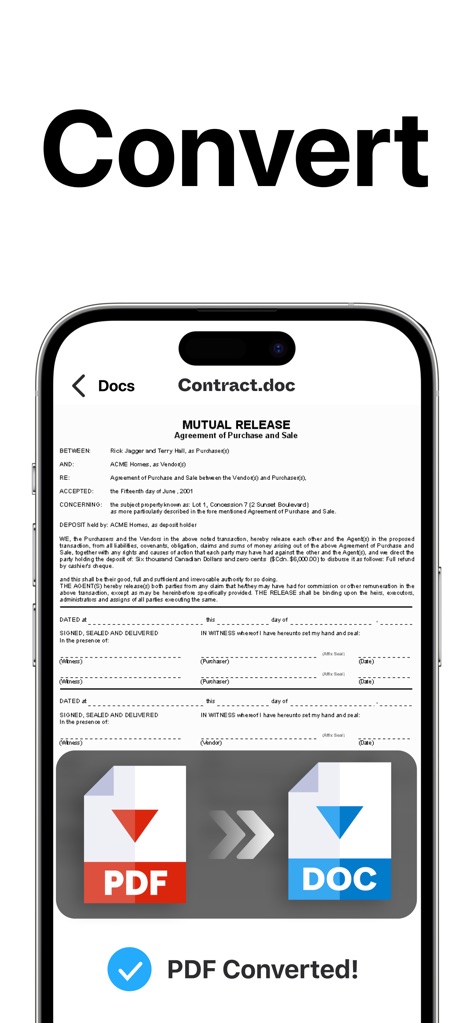
Understand how the app effortlessly converts documents from PDF to DOC format, providing clear conversion confirmations.
Flexible Format Conversion
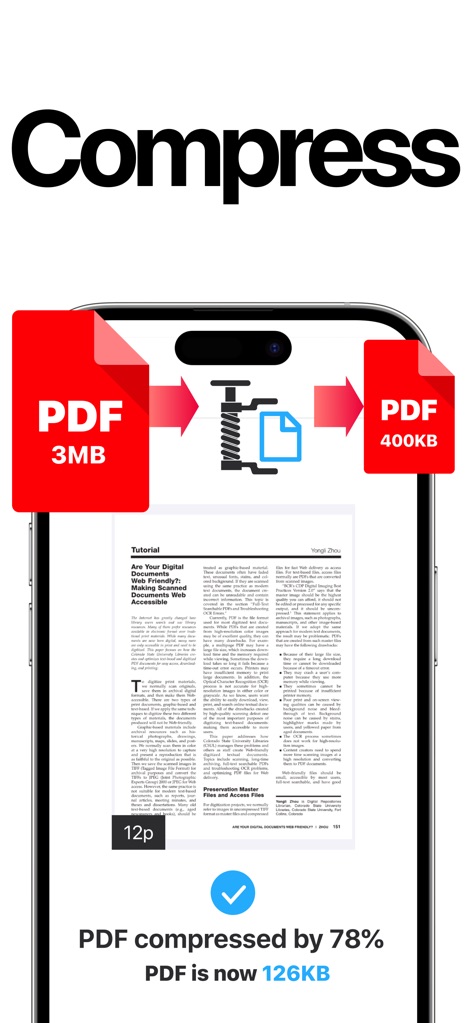
Examine the app's powerful compression capabilities, reducing PDF file sizes significantly and displaying clear compression percentages.
Optimize File Size
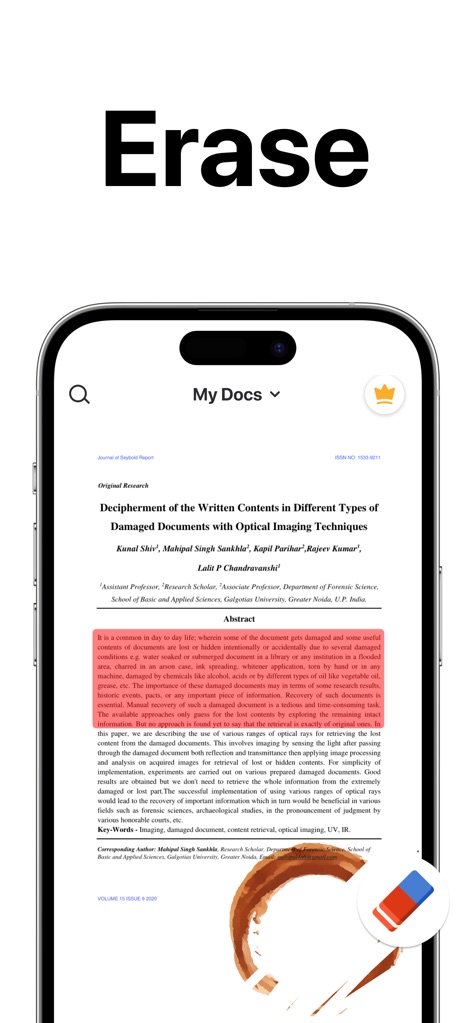
See how the app allows users to precisely erase unwanted elements from scanned documents, indicated by the highlighted area and eraser tool.
Clean Document Editing
Description
Download
More Like This
Apps with similar features and user experience

PDF PRO Scan Image & Documents
Balzo srl

The PDF Scanner, PDF editor HQ
NEXT K.U.M. LTD

CamScanner - PDF Scanner App
INTSIG Information Co., Ltd

Adobe Scan: PDF & OCR Scanner
Adobe Inc.

WPS Office: PDF, Docs, Sheets
KINGSOFT OFFICE SOFTWARE CORPORATION LIMITED

iLovePDF - PDF Editor & Scan
ILOVEPDF S.L.

Scanner App: Genius Scan
The Grizzly Labs

Microsoft Lens: PDF Scanner
Microsoft Corporation

Clear Scan: Doc Scanner App
INDY MOBILE APP COMPANY LIMITED
This page is not an official page of the app or its developer, but an independent editorial publication created for informational and commentary purposes. Unless expressly stated otherwise, neither the app nor its developer is affiliated with, endorsed by, sponsored by, authorized by, or otherwise officially connected with MWM, Apple, Google Play, the app publisher, or the app's developer, and nothing on this page implies that the app was developed using MWM's services. Any trademarks, logos, screenshots, and other content remain the property of their respective owners.