PDF Viewer by Nutrient
Download on App Store

This page is not an official page of the app or its developer, but an independent editorial publication created for informational and commentary purposes. Unless expressly stated otherwise, neither the app nor its developer is affiliated with, endorsed by, sponsored by, authorized by, or otherwise officially connected with MWM, Apple, Google Play, the app publisher, or the app's developer, and nothing on this page implies that the app was developed using MWM's services. Any trademarks, logos, screenshots, and other content remain the property of their respective owners.


Logo of PDF Viewer by Nutrient
Download on App Store

PDF Viewer by Nutrient

Transform your device into a high-performance workstation. Annotate, sign, and edit documents with a fast, beautiful interface built for professionals and trusted by the world's leading companies.

Key Figures

Downloads

1M+

User Rating

4.6/5

Total Ratings

9K+

Publisher

PSPDFKit GmbH

Category

Productivity

Locales

28

Latest Version

2026.1

Size

99.6 MB

First Released

Oct 24, 2016
Features

Desktop-Class Power for Your Mobile Workflow

Harness the PDF engine trusted by companies like IBM and Dropbox. PDF Viewer turns your iPhone and iPad into a professional-grade workstation for any document task.

Smart Annotation & Markup

Experience pixel-perfect precision with Apple Pencil support. Highlight text, add notes, or record audio comments to digest complex information faster.

Professional Signing & Forms

Close deals from anywhere. Quickly fill out forms and apply secure, flattened signatures to ensure your high-stakes documents remain tamper-proof.

The following screenshots and description are sourced directly from the app's official store listing and are the property of the app developer.

App Store

Screenshots
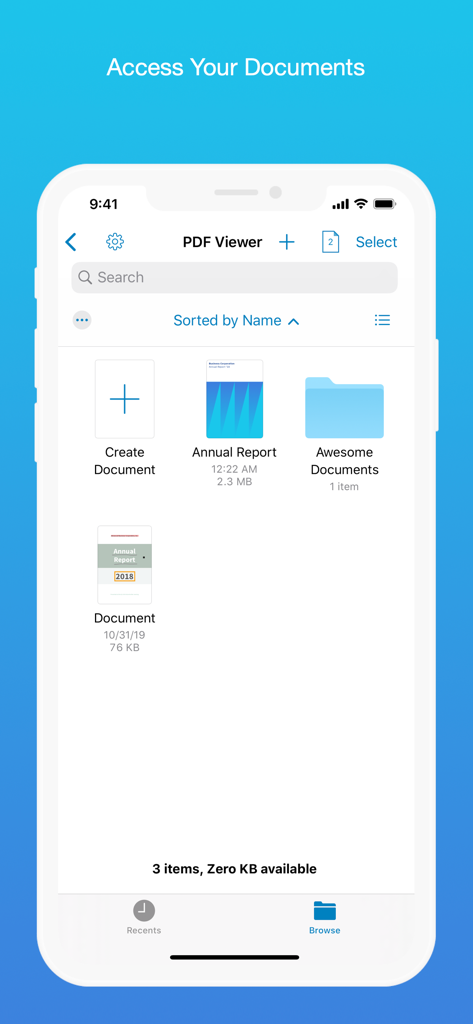
PDF Viewer by Nutrient - Interface of the PDF Viewer app displaying a document browser with files and folders
Interface of the PDF Viewer app displaying a document browser with files and folders

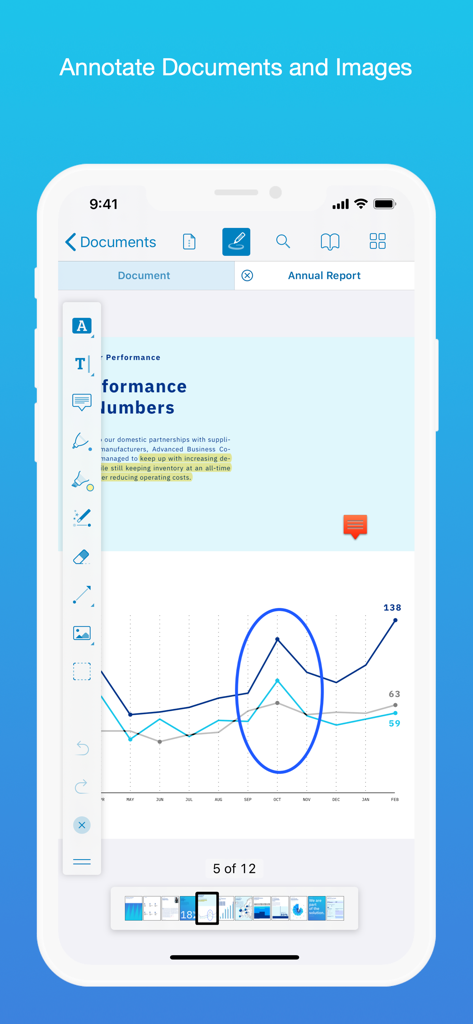
PDF Viewer by Nutrient - iPhone screenshot showing PDF Viewer app with annotation tools highlighting a line graph in an annual report document
iPhone screenshot showing PDF Viewer app with annotation tools highlighting a line graph in an annual report document

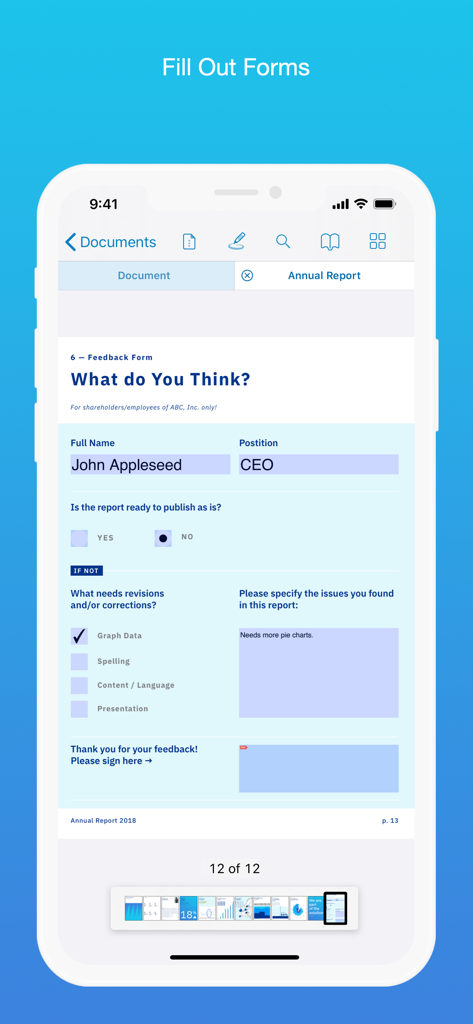
PDF Viewer by Nutrient - Filling out a PDF feedback form on a mobile phone
Filling out a PDF feedback form on a mobile phone

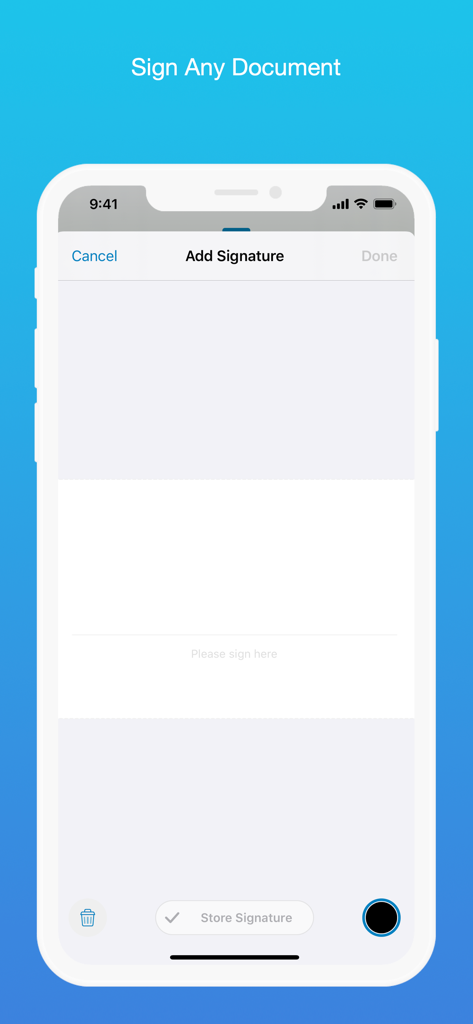
PDF Viewer by Nutrient - Digital signature interface in the PDF Viewer app on an iPhone
Digital signature interface in the PDF Viewer app on an iPhone

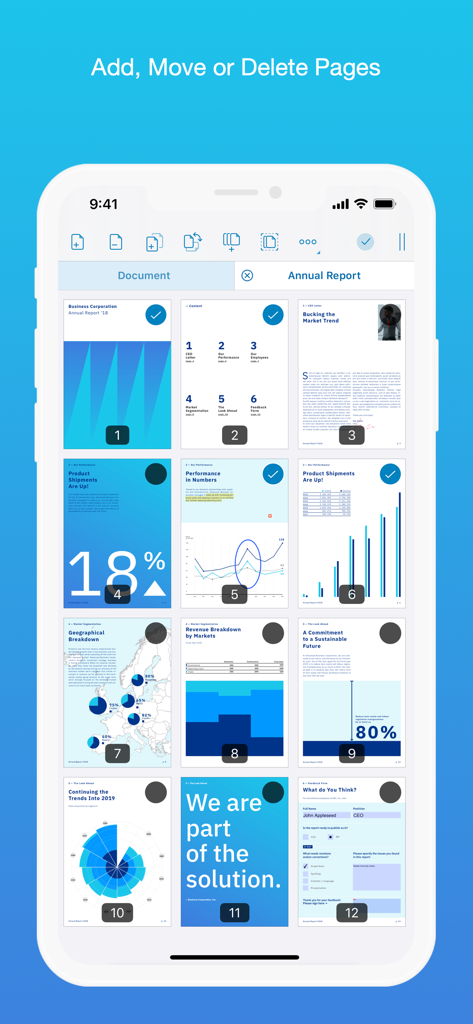
PDF Viewer by Nutrient - A mobile interface showing a grid of PDF pages with options to add move or delete them
A mobile interface showing a grid of PDF pages with options to add move or delete them

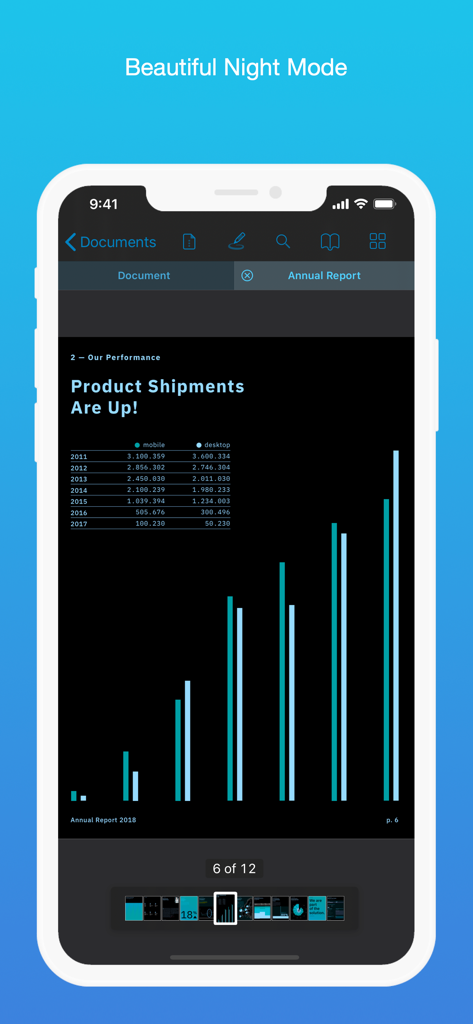
PDF Viewer by Nutrient - PDF Viewer app showing a document in night mode on an iPhone
PDF Viewer app showing a document in night mode on an iPhone

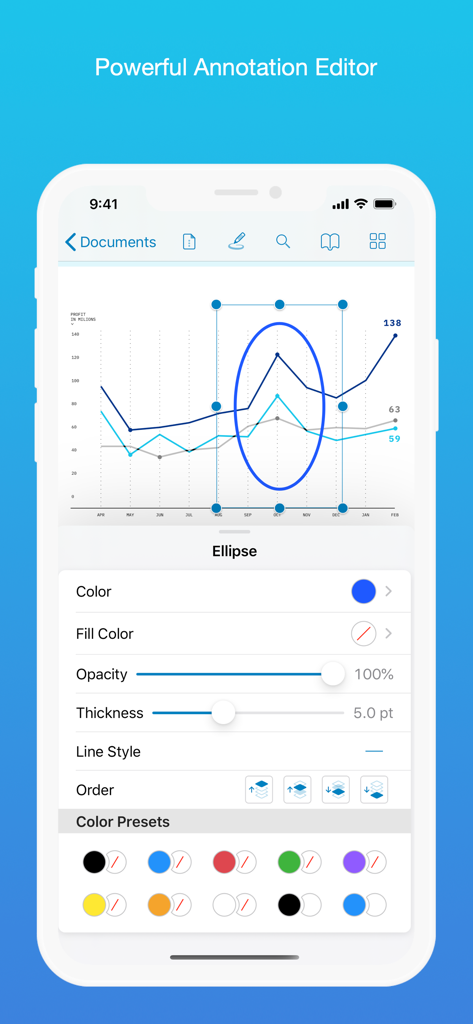
PDF Viewer by Nutrient - iPhone screen displaying PDF Viewer's annotation editor with options to customize an ellipse on a data chart.
iPhone screen displaying PDF Viewer's annotation editor with options to customize an ellipse on a data chart.

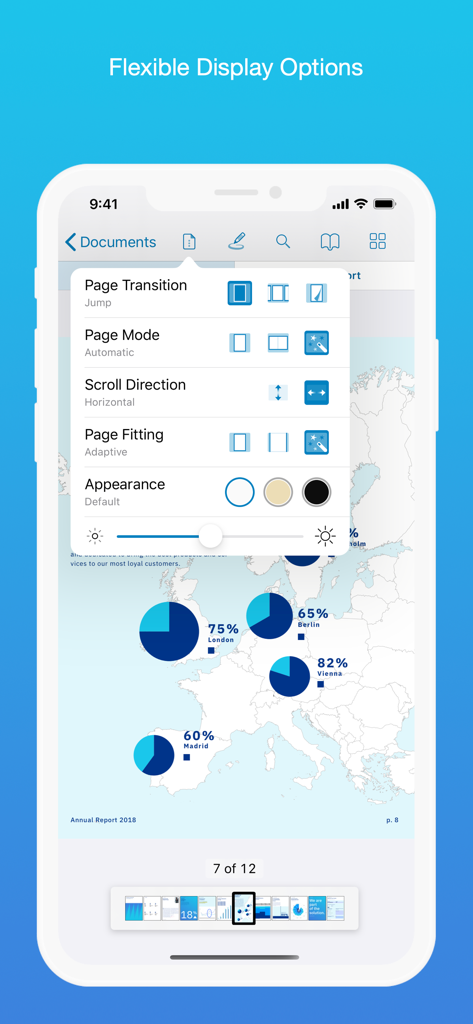
PDF Viewer by Nutrient - PDF Viewer app interface showing flexible display options including page mode scroll direction and appearance themes
PDF Viewer app interface showing flexible display options including page mode scroll direction and appearance themes

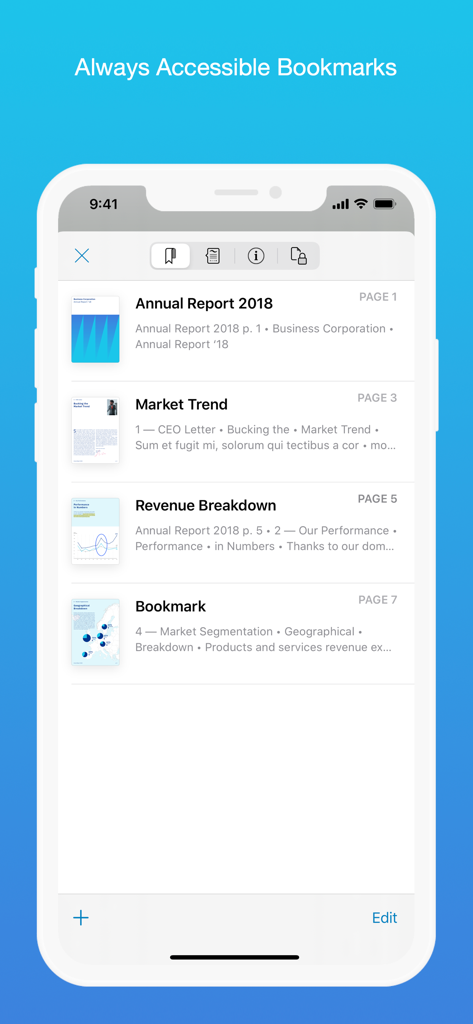
PDF Viewer by Nutrient - iPhone showing the bookmarks list in PDF Viewer app
iPhone showing the bookmarks list in PDF Viewer app

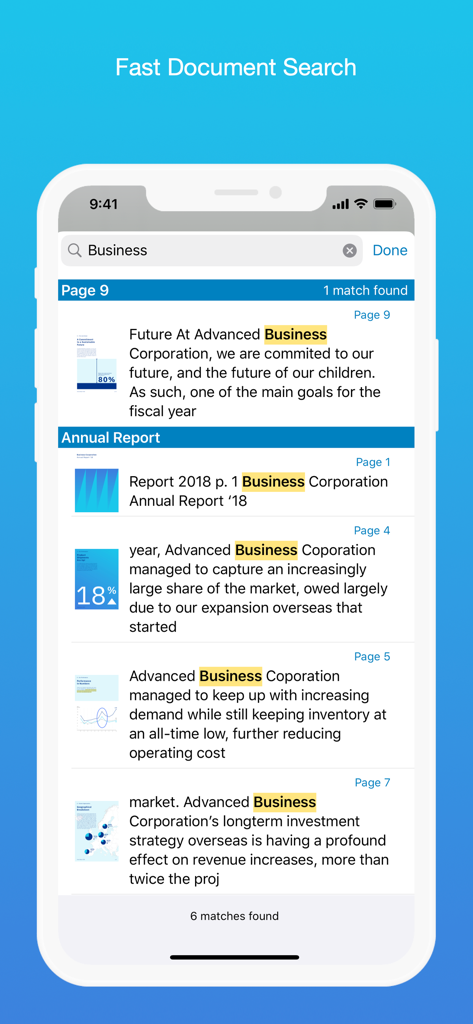
PDF Viewer by Nutrient - A mobile interface displaying search results for the word Business across multiple documents in the PDF Viewer app

A mobile interface displaying search results for the word Business across multiple documents in the PDF Viewer app

Description

PDF Viewer is a fast and beautiful app, allowing you to view, search, and annotate PDF documents with ease on your iPhone and iPad. Access your files from iCloud, Dropbox, Box, OneDrive, Google Drive or any other cloud solution via Apple's familiar Document Browser interface. +++ Listed as “Productivity lifesaver” on the App Store +++ "A streamlined interface packed with powerful features - it’s like having a desktop-quality PDF toolkit wherever we go" – App Store Editor Notes “I'm impressed by how the folks at PSPDFKit have been able to fine-tune the document browser to the app's needs.” – MacStories.net "If you want a PDF viewer that is designed for reading PDF books, this is it." – App Review VIEW DOCUMENTS ON THE GO • Easily import a PDF from your favorite cloud service provider, email, or directly off a website. • Supports Open In Place, Drag & Drop and features the familiar Apple Document Browser interface from the Files app. • Search for the exact text you are looking for within the document. • Double tap on the screen to Smart Zoom directly to the text you want to read. • Annotate images (JPEG, PNG) non-destructive, just like PDF documents. (PRO) ANNOTATE WITH EASE • While reviewing a document, use your finger or Apple Pencil to highlight and markup text. • Leave comments by adding a note, text, or drawing directly on the PDF. • Add images or audio. • Reply to notes. (PRO) SIGN DOCUMENTS ANYWHERE • Add your signature to any document using your finger or Apple Pencil. • Move and resize your signature as needed. • Flatten a document to ensure the signature doesn’t change. CREATE AND EDIT PDFs • Create new documents from existing documents by moving, rotating, deleting, or adding new pages. • Combine multiple documents into a single one. (PRO) • Add bookmarks to easily return to certain pages in large documents. FILL OUT FORMS • Quickly fill out PDF Forms by adding text to the fields. • Flatten and secure the form once you’re done to ensure the document doesn’t change. • Add a signature to any Form. STORE, ORGANIZE AND SHARE • Store documents, create folders and organize your documents. • Share documents by printing, emailing or saving your edits back any cloud service. PASSWORD PROTECT DOCUMENTS • Read document metadata, title and keywords. • Protect documents with user and owner passwords and limit permissions. (PRO) AND SO MUCH MORE • Conveniently switch to night mode when viewing your documents at night. • Present on external screens without the distraction of toolbars. (PRO) • Have the text from a PDF read out loud to you with text-to-speech. • PDF Viewer remembers where you were down to the page/position where you left off - even across devices. PRICING PDF Viewer comes with a large feature set, completely free. Some advanced features require the purchase of PDF Viewer Pro, available as a subscription. We offer 3-monthly and yearly subscription plans. There’s also a fully functional 7-day trial, so you can test PDF Viewer Pro (including document merging and password editing) before you commit. All plans unlock the app on iPhone and iPad. TRUSTED BY COMPANIES YOU KNOW PDF Viewer is built on top of and powered by PSPDFKit, the same PDF engine trusted around the world by companies like Dropbox, Box, IBM, Atlassian, SAP, and Lufthansa. BE PART OF THE PDF VIEWER COMMUNITY pdfviewer.io twitter.com/pdfviewerapp LEGAL Duration and price of each subscription are displayed in PDF Viewers’ storefront, updated at the time of purchase. Payment will be charged to iTunes account at confirmation of purchase. Subscriptions automatically renew unless auto-renew is turned off no later than 24 hours before the end of the current period. Subscriptions and auto-renewal can be managed/turned off in the iTunes account settings. Any unused portion of a free trial period is forfeited as soon as a subscription is purchased. Terms of Use: https://pdfviewer.io/terms Privacy Policy: https://pdfviewer.io/privacy

Download

Download on App Store

This page is not an official page of the app or its developer, but an independent editorial publication created for informational and commentary purposes. Unless expressly stated otherwise, neither the app nor its developer is affiliated with, endorsed by, sponsored by, authorized by, or otherwise officially connected with MWM, Apple, Google Play, the app publisher, or the app's developer, and nothing on this page implies that the app was developed using MWM's services. Any trademarks, logos, screenshots, and other content remain the property of their respective owners.








