
This page is not an official page of the app or its developer, but an independent editorial publication created for informational and commentary purposes. Unless expressly stated otherwise, neither the app nor its developer is affiliated with, endorsed by, sponsored by, authorized by, or otherwise officially connected with MWM, Apple, Google Play, the app publisher, or the app's developer, and nothing on this page implies that the app was developed using MWM's services. Any trademarks, logos, screenshots, and other content remain the property of their respective owners.


PDFelement: PDF Editor, Viewer
Finally, control your PDFs. This app delivers the power to reshape your documents, not just view them.
Downloads
2.5M+User Rating
Total Ratings
21.5KPublisher
Category
ProductivityLocales
13Latest Version
V6.1.1Size
260.4 MBFirst Released
Nov 2, 2020Evaluating the application's pivotal features and their impact on professional, business, and academic document management workflows.
Comprehensive Analysis of PDFelement: PDF Editor, Viewer's Core Capabilities
AI Chat with PDF
The app provides an AI-powered chat interface, allowing users to ask questions and receive instant, accurate answers directly from their documents, significantly speeding up information retrieval and analysis.
AI Summarize PDF
This tool features AI-driven summarization, enabling users to condense lengthy contracts, reports, and other documents into key points in seconds, which is invaluable for quick comprehension and productivity.
Scan and OCR
It allows users to digitize physical documents like receipts, invoices, and certificates, coupled with OCR technology to extract editable text, transforming paper archives into searchable and manageable digital files.
Direct PDF Editing
The app offers robust PDF editing capabilities, empowering users to directly modify text and images within their PDF documents for ultimate convenience, eliminating the need to revert to original source files.
Versatile PDF Conversion
This tool facilitates comprehensive PDF conversion, allowing users to transform PDFs to and from various formats such as Word, Excel, PowerPoint, JPG, and PNG, ensuring seamless interoperability with other applications.
Fill and Sign Forms
It enables users to fill interactive PDF forms with ease and digitally sign documents using text or handwritten signature images, streamlining administrative tasks and promoting paperless workflows.
Document Security
The app provides robust password protection features, allowing users to secure sensitive and confidential documents with encryption, ensuring data privacy and compliance.
Merge and Organize Pages
This tool allows users to combine multiple PDF files into one coherent document and organize pages by adding, deleting, rotating, splitting, and rearranging them, which is essential for professional document assembly.
AI Translate Document Content
The app integrates AI-powered translation, enabling users to translate any selected text within their documents across 60+ languages, which is highly beneficial for handling multilingual content.
PDF Compression
It offers a compress feature that effectively reduces the size of PDF files without compromising the quality of the content, making large documents easier to share and store.
Frequently Asked Questions
Everything you need to know about PDFelement: PDF Editor, Viewer
What is PDFelement: PDF Editor, Viewer?
PDFelement is an AI PDF Editor, Reader, Scanner, and Converter. It provides smart AI solutions like chatting with PDFs, translation, summarization, grammar checks, and AI-generated content detection, along with comprehensive PDF editing and management tools.
Can I edit PDFs like a Word document using PDFelement?
Yes, PDFelement allows mobile-exclusive editing of text and images in PDFs, similar to a Word document. Users can fix typos, add paragraphs, customize visuals, and import unique cloud fonts for professional results.
Does PDFelement offer AI features for PDF documents?
Yes, PDFelement offers extensive AI features. These include an AI Written Detector, AI PDF translation, Chat with PDF/AI, summarizing, grammar checks, and rewriting PDFs to enhance document management and analysis.
Can PDFelement translate PDF documents into multiple languages?
Yes, PDFelement's AI PDF translator can translate documents into over 50 languages. This feature ensures that the original formatting is preserved during the translation process, maintaining document integrity.
What PDF reading modes are available in PDFelement?
PDFelement offers Smart PDF Reader features. These include Liquid Mode, which readjusts PDFs to fit the screen, Bookmark navigation for seamless reading, and background modes like dark, light, and sepia for optimal viewing.
Can PDFelement convert files to and from PDF format?
Yes, PDFelement functions as a PDF Converter. It converts various file types such as Word, Excel, PowerPoint, HTML, images, and TXT files to PDF, and also converts PDFs back to these formats.
How does PDFelement handle document scanning and OCR?
PDFelement includes a Scanner to digitize paper documents. It features Enhancer & Deskew for automatic background removal and edge trimming. Its OCR functionality recognizes and extracts text for easy searching, editing, or sharing.
Can I protect my PDFs with a password in PDFelement?
Yes, PDFelement allows users to protect PDFs by setting a password for confidential content. This feature ensures enhanced security for sensitive documents stored or shared through the application.
What cloud storage services does PDFelement support?
PDFelement supports linking with various online storage accounts. These include Wondershare Cloud, iCloud, Google Drive, OneDrive, Dropbox, WebDAV, FTP, and SFTP for convenient storage and access to your PDFs.
How does the subscription work for PDFelement: PDF Editor, Viewer?
Payment for the PDFelement subscription is charged to your iTunes account upon purchase. Subscriptions automatically renew unless auto-renew is turned off at least 24 hours before the current period ends.
Can PDFelement detect AI-generated content?
Yes, PDFelement includes an AI Written Detector feature. This tool accurately checks content to determine if it is human-crafted or AI-generated, assisting users with content verification.
Does PDFelement allow creating new PDF documents?
Yes, PDFelement allows users to create blank PDFs using custom templates like lined, grid, dotted, or music paper. It also enables creating PDFs directly from imported images or device camera scans.
Is it possible to generate mind maps in PDFelement?
Yes, PDFelement features AI Recognition and Summarization to generate mind maps. This capability helps users visualize and organize key information extracted from their documents effectively.
Can PDFelement help me fill out and sign forms?
Yes, PDFelement enables users to fill out PDF forms using interactive text fields, checkboxes, and radio buttons. It also supports creating and uploading digital signatures and custom stamps for document authentication.
Does PDFelement offer audio comments and text transcription?
Yes, PDFelement offers an "AI Record" feature for audio comments and text transcription. This allows users to add spoken notes to documents and convert them into written text efficiently.
The following screenshots and description are sourced directly from the app's official store listing and are the property of the app developer.
App Store
Screenshots

The app's intuitive home screen showcases Quick Tools for instant access to AI features like 'AI Record' and 'Chat with AI', alongside a clear list of recently accessed documents.
AI-Powered Productivity
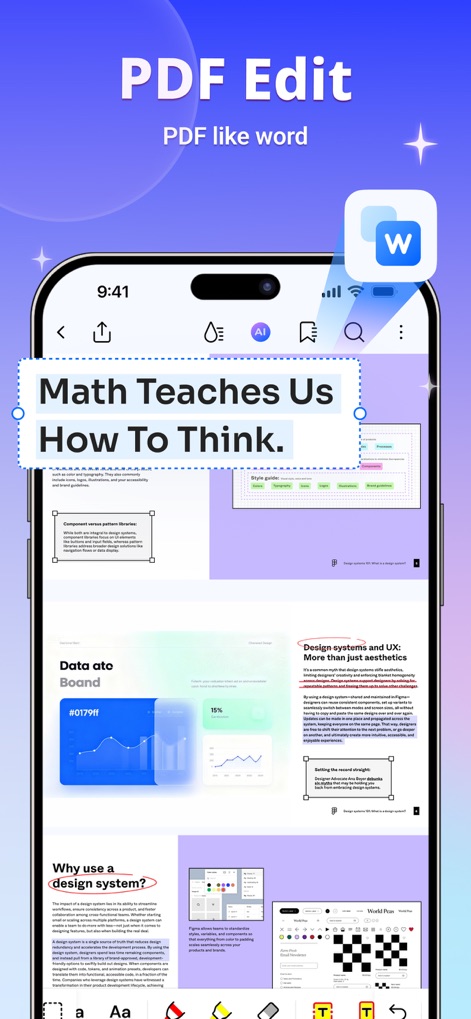
Users can effortlessly edit PDF text and images directly on the page, utilizing a familiar word processor-style interface with customizable font options and spacing adjustments.
Effortless PDF Editing
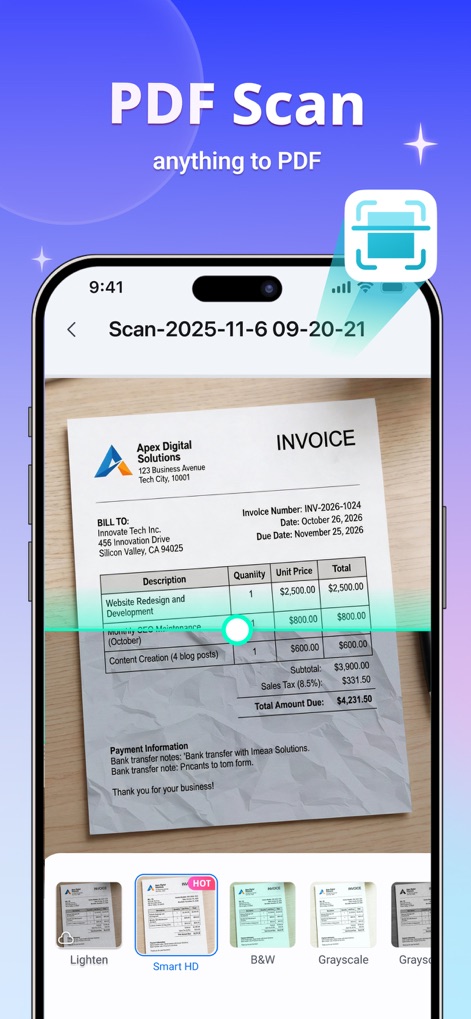
This tool allows for precise document digitization, featuring a live scanning interface with options for enhancing image quality using filters like 'Smart HD' and 'Grayscale'.
Advanced Document Scanning
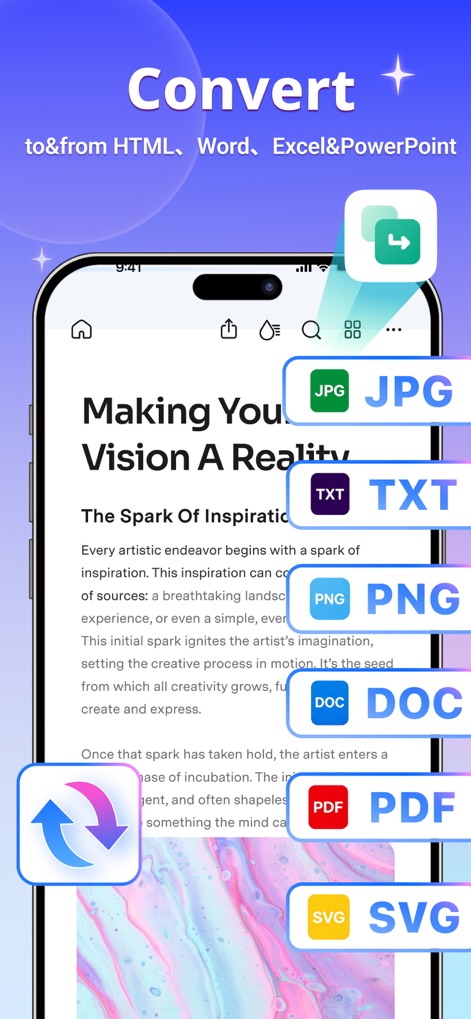
The app offers comprehensive conversion capabilities, enabling users to transform PDFs into multiple formats like 'JPG' and 'DOC', or create PDFs from other file types with ease.
Versatile File Conversion
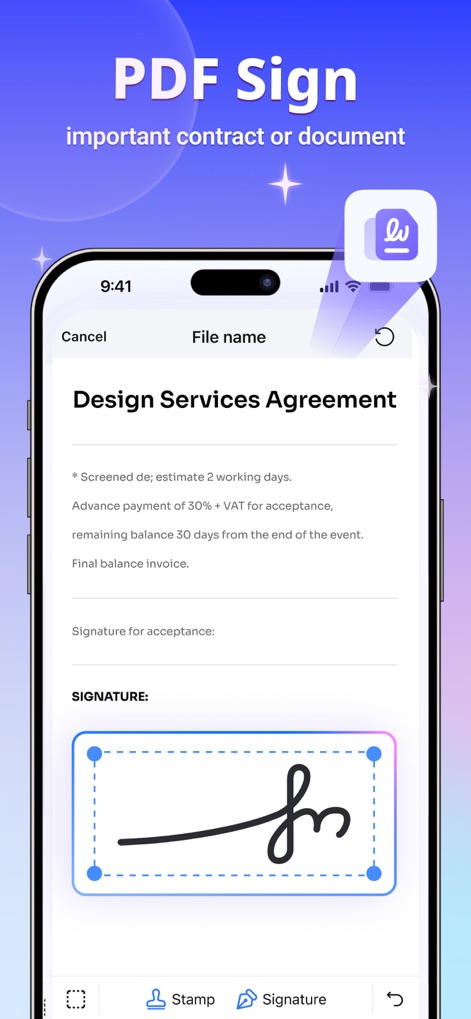
Users can securely sign important documents with a dedicated signature tool, allowing for the addition of handwritten signatures and custom 'Stamp' images directly within the PDF.
Secure Document Signing
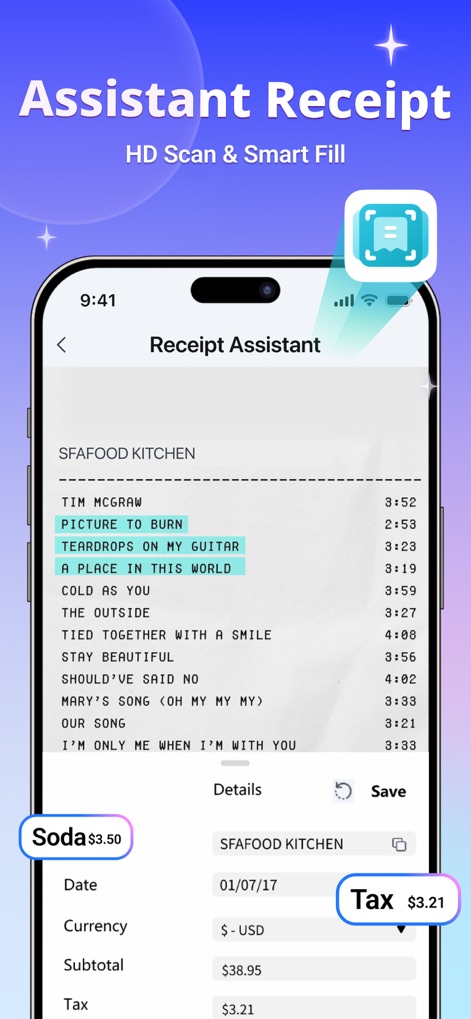
This feature intelligently processes scanned receipts, extracting key details and providing smart fill suggestions for categories like 'Soda' and automatic calculation for 'Tax'.
Smart Receipt Management
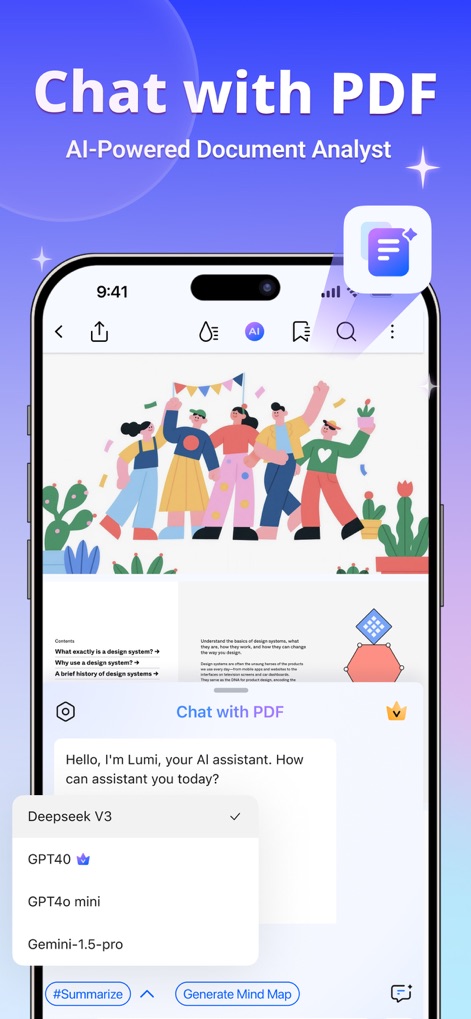
The app integrates an AI-powered chat assistant, 'Lumi', allowing users to ask questions directly from their documents and choose from advanced models such as 'GPT4o' for insightful analysis.
Interactive AI Assistant
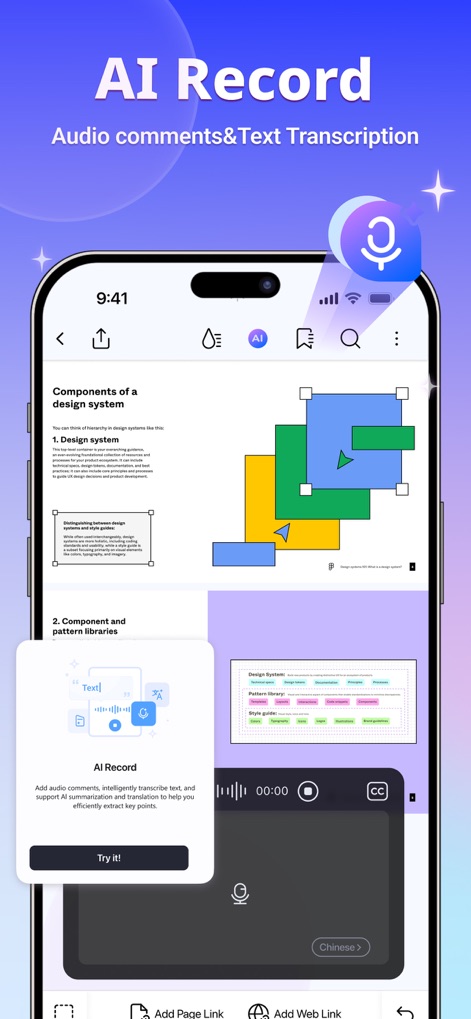
Users can enhance their PDFs with voice annotations, utilizing the 'AI Record' feature to transcribe spoken comments into text and efficiently capture notes within documents.
Voice Annotation & Transcription
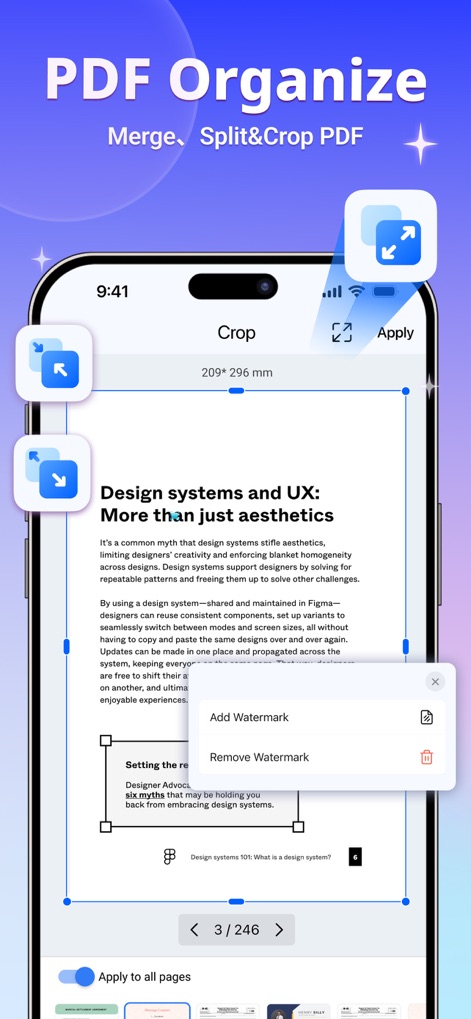
The app provides robust tools for organizing PDF pages, including a precise 'Crop' function with adjustable boundaries and options to 'Add Watermark' for document security.
Streamlined Page Management
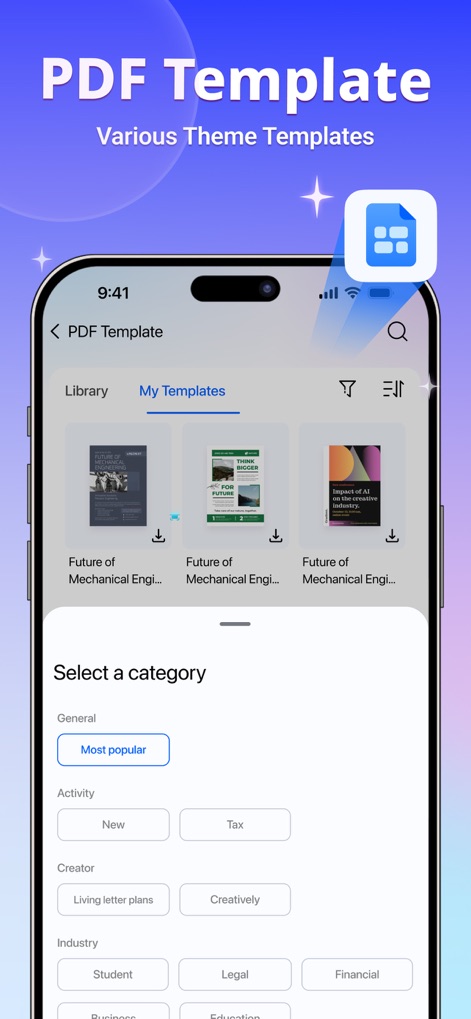
Users gain access to a rich library of PDF templates, categorized for easy navigation (e.g., 'Most popular', 'Tax'), offering professional designs for various business and educational needs.
Professional Template Library
Description
Download
More Like This
Apps with similar features and user experience

PDF PRO Scan Image & Documents
Balzo srl

The PDF Scanner, PDF editor HQ
NEXT K.U.M. LTD

CamScanner - PDF Scanner App
INTSIG Information Co., Ltd

Adobe Scan: PDF & OCR Scanner
Adobe Inc.

WPS Office: PDF, Docs, Sheets
KINGSOFT OFFICE SOFTWARE CORPORATION LIMITED

iLovePDF - PDF Editor & Scan
ILOVEPDF S.L.

Scanner App: Genius Scan
The Grizzly Labs

Microsoft Lens: PDF Scanner
Microsoft Corporation

Clear Scan: Doc Scanner App
INDY MOBILE APP COMPANY LIMITED
This page is not an official page of the app or its developer, but an independent editorial publication created for informational and commentary purposes. Unless expressly stated otherwise, neither the app nor its developer is affiliated with, endorsed by, sponsored by, authorized by, or otherwise officially connected with MWM, Apple, Google Play, the app publisher, or the app's developer, and nothing on this page implies that the app was developed using MWM's services. Any trademarks, logos, screenshots, and other content remain the property of their respective owners.