
This page is not an official page of the app or its developer, but an independent editorial publication created for informational and commentary purposes. Unless expressly stated otherwise, neither the app nor its developer is affiliated with, endorsed by, sponsored by, authorized by, or otherwise officially connected with MWM, Apple, Google Play, the app publisher, or the app's developer, and nothing on this page implies that the app was developed using MWM's services. Any trademarks, logos, screenshots, and other content remain the property of their respective owners.


Remote Gamepad
Level up your gaming with motion-controlled steering, custom layouts, and seamless connectivity. No expensive hardware needed—your ultimate backup controller is already in your pocket.
Downloads
103K+User Rating
Total Ratings
0Publisher
Category
EntertainmentLocales
1Latest Version
1.13.0Size
58.9 MBFirst Released
Aug 24, 2023Master Your PC Games Without New Gear
Remote Gamepad bridges the gap between your iPhone and PC, providing a pro-grade controller experience using the tech you already own.
Immersive Motion Steering
Experience racing games like never before by using your phone's high-precision gyroscope as a virtual steering wheel.
Pro-Level Layout Editor
Craft the perfect control scheme. Customize button sizes, positions, and colors to create a layout that fits your hands perfectly.
Frequently Asked Questions
Everything you need to know about Remote Gamepad
What is Remote Gamepad?
Remote Gamepad transforms your phone into a PC gamepad, allowing you to play games on Windows 10/11 or Linux using customizable on-screen controls or external mobile game controllers.
What operating systems does Remote Gamepad support?
Remote Gamepad supports both Windows 10/11 and Linux operating systems. It is compatible with all PC games that support standard game controllers.
How does Remote Gamepad connect to a PC?
Remote Gamepad connects to your PC using Wi-Fi, USB, or Bluetooth. No additional hardware is required for the connection.
Can I customize the game controller layouts in Remote Gamepad?
Yes, Remote Gamepad includes a layout editor. You can customize the button position, size, color, and shape to create your own game controller layouts, which can also be shared.
Does Remote Gamepad support external mobile game controllers?
Yes, Remote Gamepad supports external mobile game controllers. It forwards the button presses from controllers connected to your phone to your PC.
Is Remote Gamepad free to use?
Remote Gamepad offers a trial within the app. To continue using it after the time limit, you must upgrade to the premium version or watch ads.
Can Remote Gamepad be used for steering in racing games?
Yes, Remote Gamepad allows you to rotate your phone as a steering wheel in racing games. The settings include options for steering range and rotation actions.
Does Remote Gamepad provide haptic feedback?
Yes, Remote Gamepad includes a haptic feedback feature. This option can be enabled or disabled within the app's settings.
Can users share custom layouts created with Remote Gamepad?
Yes, users can share their custom game controller layouts created with Remote Gamepad. Layouts are shared with other users using a link.
The following screenshots and description are sourced directly from the app's official store listing and are the property of the app developer.
App Store
Screenshots
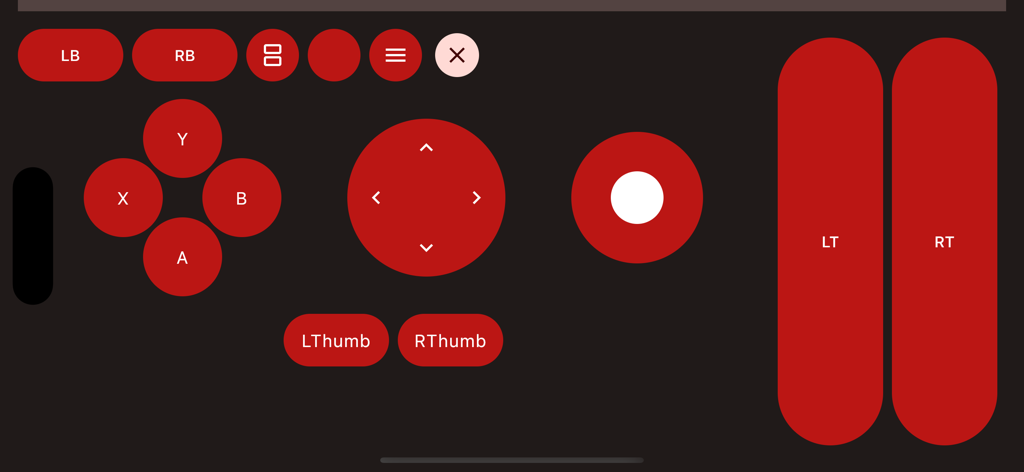
Customizable virtual gamepad interface with red buttons for remote PC gaming
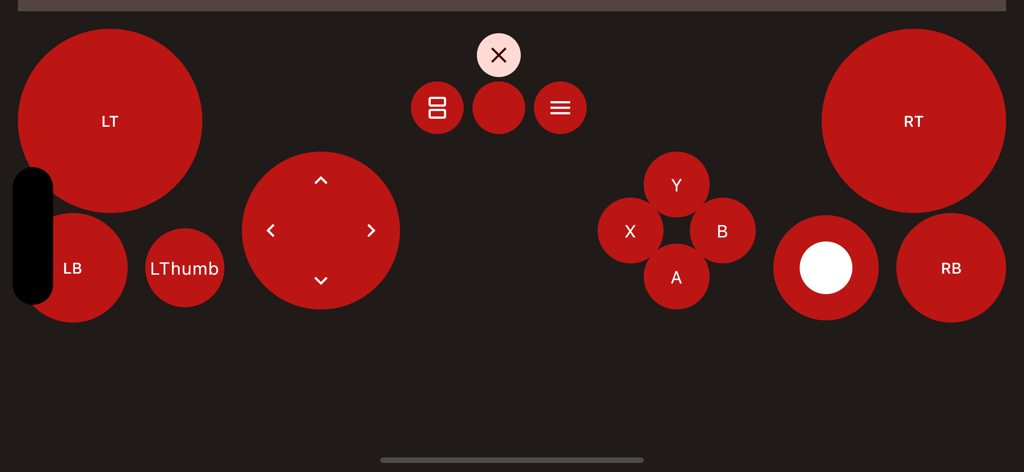
Virtual game controller layout with custom red buttons and D-pad on a mobile screen
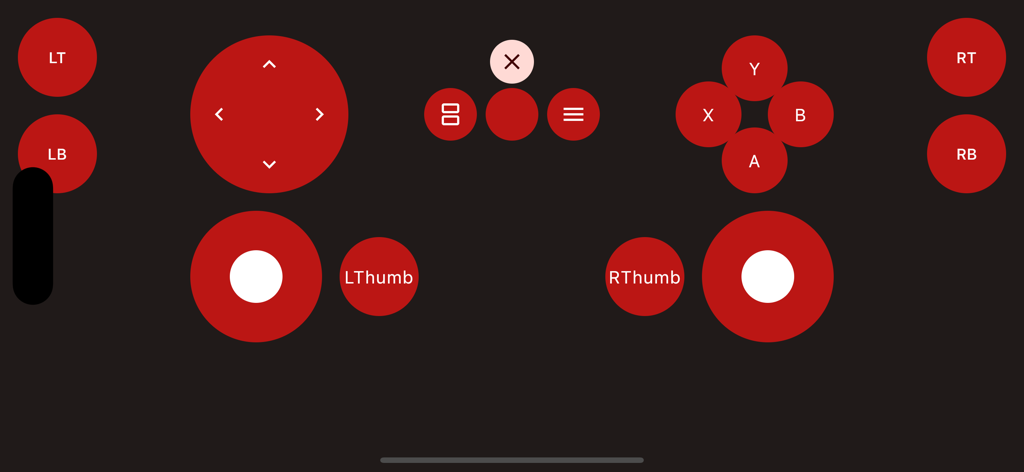
Virtual gamepad layout with red buttons and joysticks for PC gaming
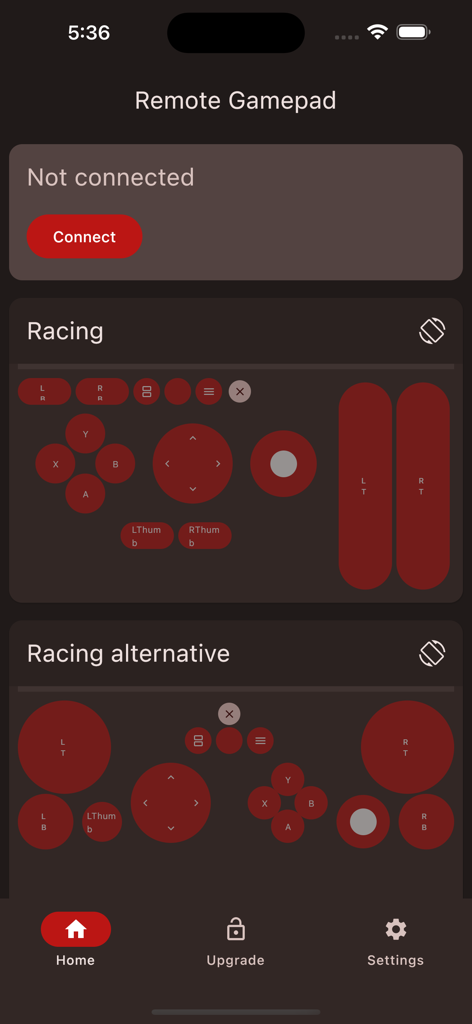
Remote Gamepad mobile app interface showing various customizable racing controller layouts for PC gaming.
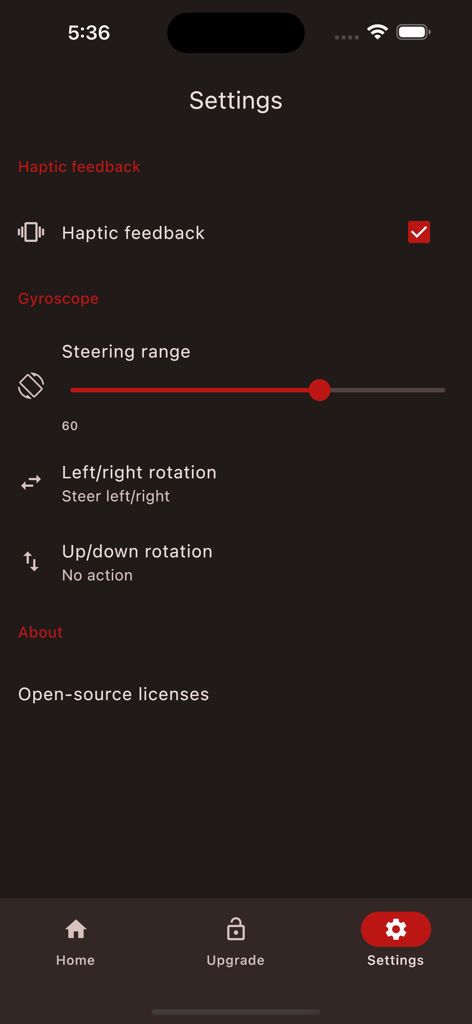
Remote Gamepad app settings menu with gyroscope and haptic feedback controls
Description
Download
More Like This
Apps with similar features and user experience

Mouse · Keyboard
Remote Sunrise LTD

Camo Camera
Reincubate Ltd

DroidCam Webcam & OBS Camera
DEV47 APPS LTD.

spacedesk - USB Display for PC
datronicsoft Technology GmbH

iVCam Webcam
俊红 柴

Remote Mouse
耀 阮

CamX - USB Camera
Touchbits Inc.

Genki Studio
Human Things, Inc

Astropad Studio Drawing Tablet
Astro HQ LLC
This page is not an official page of the app or its developer, but an independent editorial publication created for informational and commentary purposes. Unless expressly stated otherwise, neither the app nor its developer is affiliated with, endorsed by, sponsored by, authorized by, or otherwise officially connected with MWM, Apple, Google Play, the app publisher, or the app's developer, and nothing on this page implies that the app was developed using MWM's services. Any trademarks, logos, screenshots, and other content remain the property of their respective owners.