
This page is not an official page of the app or its developer, but an independent editorial publication created for informational and commentary purposes. Unless expressly stated otherwise, neither the app nor its developer is affiliated with, endorsed by, sponsored by, authorized by, or otherwise officially connected with MWM, Apple, Google Play, the app publisher, or the app's developer, and nothing on this page implies that the app was developed using MWM's services. Any trademarks, logos, screenshots, and other content remain the property of their respective owners.

Remote, Mouse & Keyboard
Turn your iPhone or iPad into a powerful wireless mouse, keyboard, and smart remote. Seamlessly control your Apple TV, Mac, and PC with effortless gestures, live screen views, and smart automation designed for your digital life.
Downloads
1M+User Rating
Total Ratings
43K+Publisher
Category
UtilitiesLocales
33Latest Version
2026.1Size
88.3 MBFirst Released
Apr 13, 2013One Device to Rule Them All
Ditch the clutter of multiple remotes. Transform your iPhone into a high-performance wireless bridge for your Mac, PC, and Apple TV with seamless precision.
Precision Mouse & Keyboard
Say goodbye to frustrating TV typing. Use your phone as a responsive trackpad and full QWERTY keyboard for instant searches and effortless computer navigation.
Universal Media Command
The ultimate companion for streamers and cord-cutters. Manage volume, playback, and app launching across all your entertainment devices from a single, intuitive interface.
Frequently Asked Questions
Everything you need to know about Remote, Mouse & Keyboard
What is the Remote, Mouse & Keyboard app?
Remote, Mouse & Keyboard transforms your iPhone or iPad into a universal remote, wireless mouse, keyboard, and automation hub. It controls Apple TV, Mac, Windows PC, or another iPad via Wi-Fi or Bluetooth.
What devices can Remote, Mouse & Keyboard control?
Remote, Mouse & Keyboard controls Apple TV, Mac, Windows PCs, and other iPads. It functions as an all-in-one app for various digital devices.
How does Remote, Mouse & Keyboard turn my iPhone into an Apple TV remote?
Remote, Mouse & Keyboard connects to Apple TV via Wi-Fi. It allows control of volume, playback, media functions, navigation with a touchpad, comfortable typing, and instant app launching.
Can Remote, Mouse & Keyboard control both Mac and Windows computers?
Yes, Remote, Mouse & Keyboard controls both Mac and Windows computers. It supports macOS 10.13 or newer and Windows 7 or newer for full command.
Does Remote, Mouse & Keyboard display my computer screen live on my phone?
Yes, Remote, Mouse & Keyboard allows you to view your computer screen live on your iPhone or iPad. This feature supports real-time interaction for productivity and control.
Does Remote, Mouse & Keyboard offer in-app purchases?
Yes, Remote, Mouse & Keyboard offers optional in-app purchases. These purchases unlock premium features, customization options, and advanced automation tools.
What are the system requirements for the Remote, Mouse & Keyboard app?
System requirements include macOS 10.13+ for Mac, Windows 7+ for Windows, and Bluetooth for iPad control. All Apple TV models are supported. A free helper app download is also required.
Can I create custom control panels in Remote, Mouse & Keyboard?
Yes, Remote, Mouse & Keyboard allows users to create custom control panels for any software. It also provides pre-made control panels for popular apps and websites.
Does the Remote, Mouse & Keyboard app integrate with Siri Shortcuts?
Yes, Remote, Mouse & Keyboard integrates with Siri Shortcuts. Users can perform system actions, launch apps, or trigger custom automation scripts using voice commands.
Is a helper app required for Remote, Mouse & Keyboard to control computers?
Yes, a free helper app download is required for Remote, Mouse & Keyboard to control Mac or Windows computers. The app description provides a link for this download.
Can I use Remote, Mouse & Keyboard to control another iPad with my iPhone?
Yes, you can use your iPhone to control another iPad via Bluetooth with the Remote, Mouse & Keyboard app. This enables adjusting volume, playback, typing, and navigation.
What connection methods does Remote, Mouse & Keyboard use?
Remote, Mouse & Keyboard utilizes both Wi-Fi and Bluetooth for seamless connectivity. Wi-Fi is used for Apple TV and computer control, while Bluetooth is used for iPad control.
Does Remote, Mouse & Keyboard allow launching applications on a connected computer?
Yes, Remote, Mouse & Keyboard allows users to launch or quit apps on connected Mac or Windows computers. This streamlines workflow and provides full control from your iPhone or iPad.
Can I perform system actions like shutdown or restart on my computer using Remote, Mouse & Keyboard?
Yes, Remote, Mouse & Keyboard enables performing various system actions on your computer, including sleep, restart, logout, and shutdown. These actions are managed directly from your iPhone or iPad.
The following screenshots and description are sourced directly from the app's official store listing and are the property of the app developer.
App Store
Screenshots
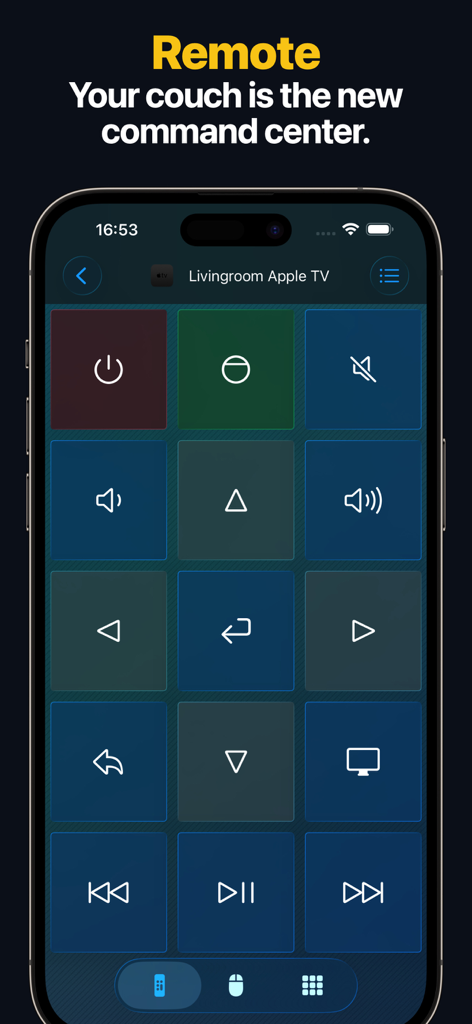
Digital Apple TV remote control interface on an iPhone screen showing playback and volume buttons
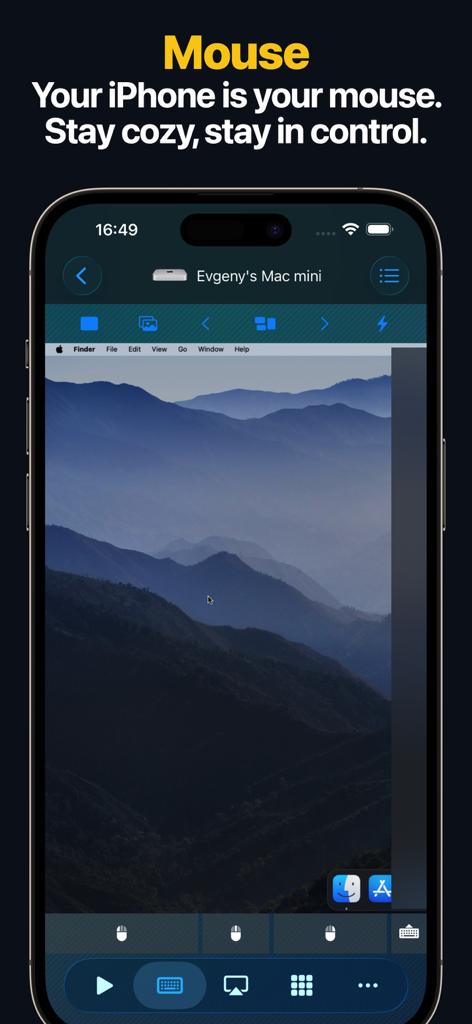
iPhone app screen showing remote desktop control of a Mac mini computer
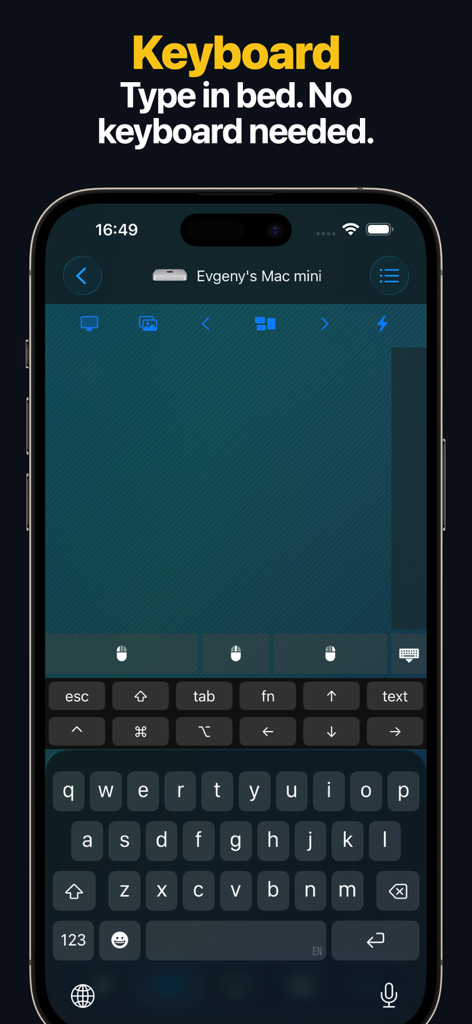
iPhone app screen showing a virtual keyboard interface used to remotely control a Mac mini computer
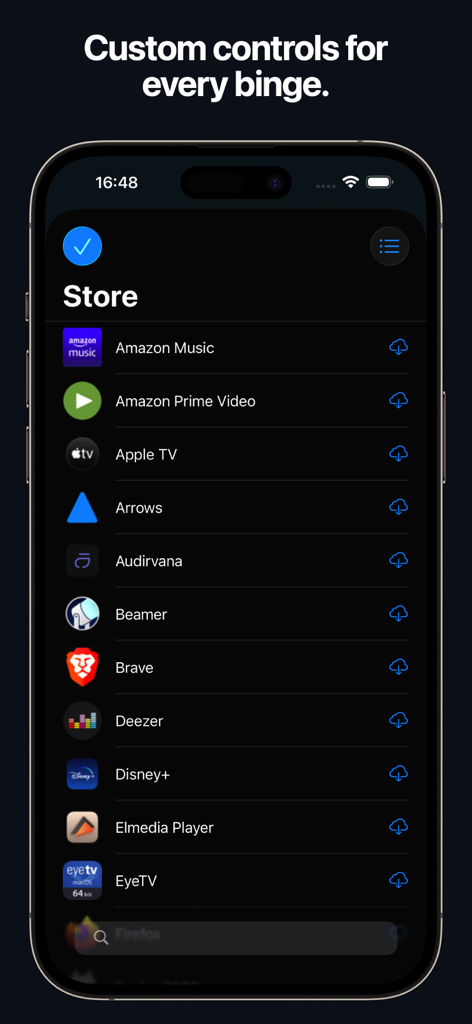
Store screen showing custom remote control layouts for Amazon Prime Video Disney plus and Apple TV
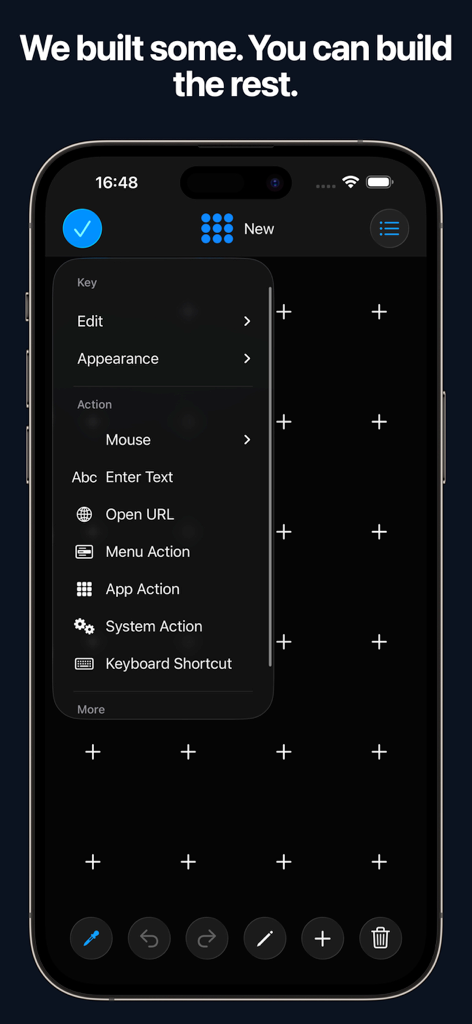
iPhone screen showing the custom remote control layout builder with various action options like system actions and keyboard shortcuts
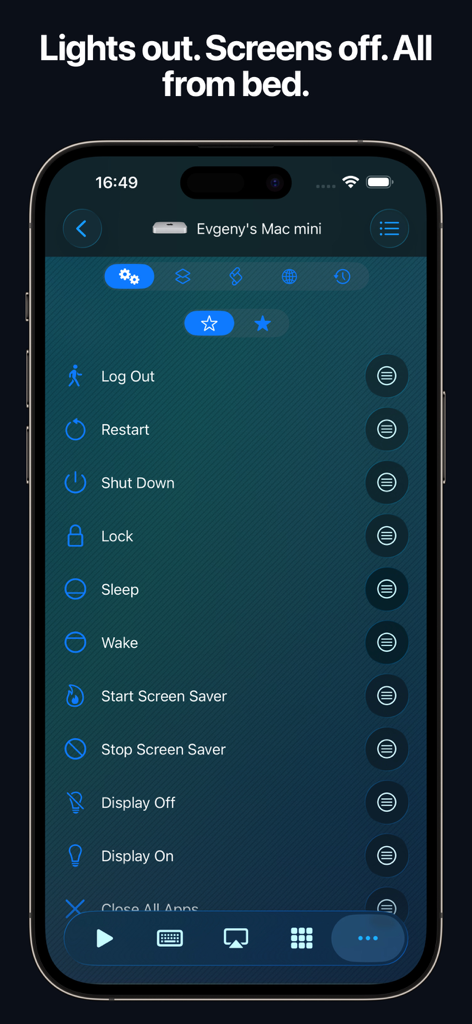
Interface of the Remote Mouse and Keyboard app showing remote system actions for a Mac Mini
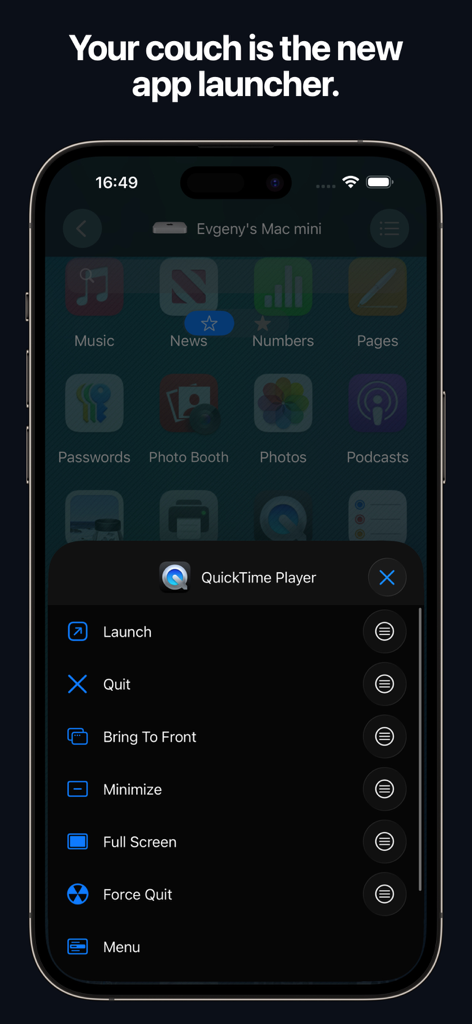
iPhone app interface showing a remote launcher for controlling Mac applications from a smartphone.
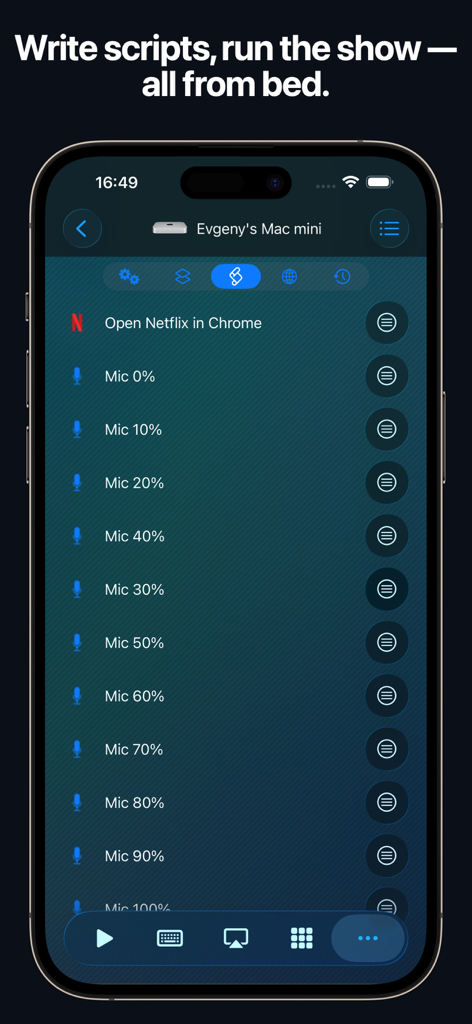
Automation script interface for controlling a Mac mini remotely with an iPhone
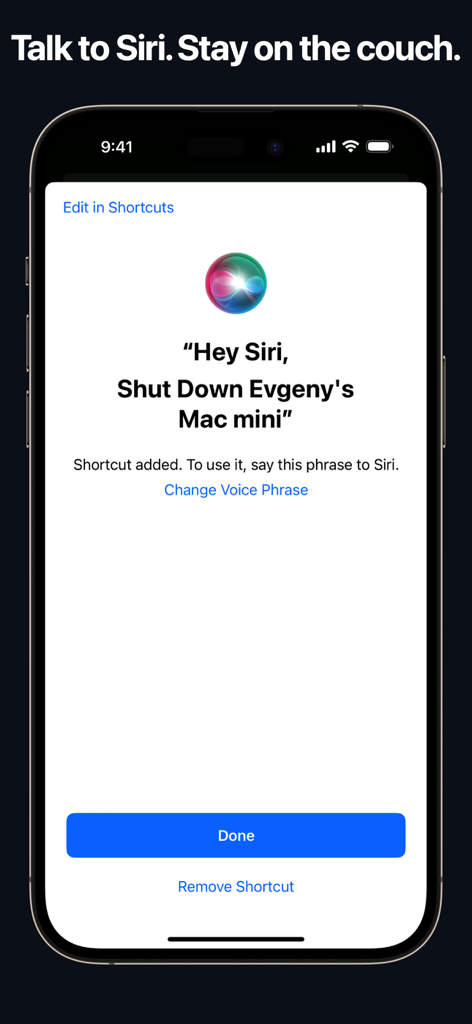
iPhone screen showing a Siri voice command shortcut to shut down a Mac computer remotely
Description
Download
More Like This
Apps with similar features and user experience

Mouse · Keyboard
Remote Sunrise LTD

Camo Camera
Reincubate Ltd

DroidCam Webcam & OBS Camera
DEV47 APPS LTD.

spacedesk - USB Display for PC
datronicsoft Technology GmbH

iVCam Webcam
俊红 柴

Remote Mouse
耀 阮

CamX - USB Camera
Touchbits Inc.

Genki Studio
Human Things, Inc

Astropad Studio Drawing Tablet
Astro HQ LLC
This page is not an official page of the app or its developer, but an independent editorial publication created for informational and commentary purposes. Unless expressly stated otherwise, neither the app nor its developer is affiliated with, endorsed by, sponsored by, authorized by, or otherwise officially connected with MWM, Apple, Google Play, the app publisher, or the app's developer, and nothing on this page implies that the app was developed using MWM's services. Any trademarks, logos, screenshots, and other content remain the property of their respective owners.