Screen Recorder - StartRec
Download on App Store

This page is not an official page of the app or its developer, but an independent editorial publication created for informational and commentary purposes. Unless expressly stated otherwise, neither the app nor its developer is affiliated with, endorsed by, sponsored by, authorized by, or otherwise officially connected with MWM, Apple, Google Play, the app publisher, or the app's developer, and nothing on this page implies that the app was developed using MWM's services. Any trademarks, logos, screenshots, and other content remain the property of their respective owners.

Logo of Screen Recorder - StartRec
Download on App Store

Screen Recorder - StartRec

Capture your screen in stunning 1080p, add Face Cam reactions, and use pro editing tools to create viral-ready videos for TikTok, YouTube, and Instagram.

Key Figures

Downloads

415K+

User Rating

3.3/5

Total Ratings

700

Publisher

Ion Dobrioglo

Category

Reference

Locales

33

Latest Version

3.1.6

Size

61.4 MB

First Released

Mar 13, 2020
Features

Create Content That Grabs Attention

The all-in-one studio to record your screen, add your reaction, and edit viral-ready videos in minutes.

Face Cam Overlay

Express yourself by adding a live reaction bubble to your recordings, perfect for tutorials and gaming streams.

Pro Recording Quality

Capture every detail with 1080p resolution and 60fps, ensuring your highlights look crisp and professional.

The following screenshots and description are sourced directly from the app's official store listing and are the property of the app developer.

App Store

Screenshots
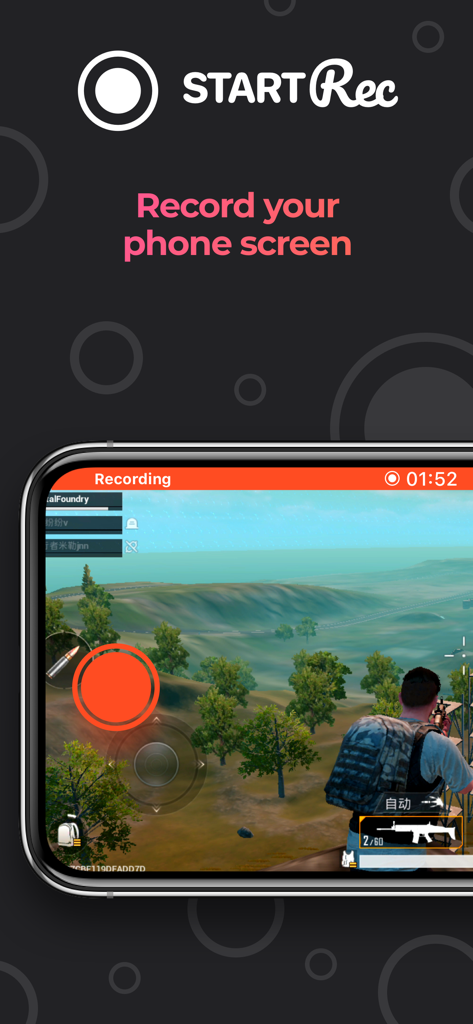
Screen Recorder - StartRec - StartRec app screen showing a mobile action game being recorded on a smartphone
StartRec app screen showing a mobile action game being recorded on a smartphone

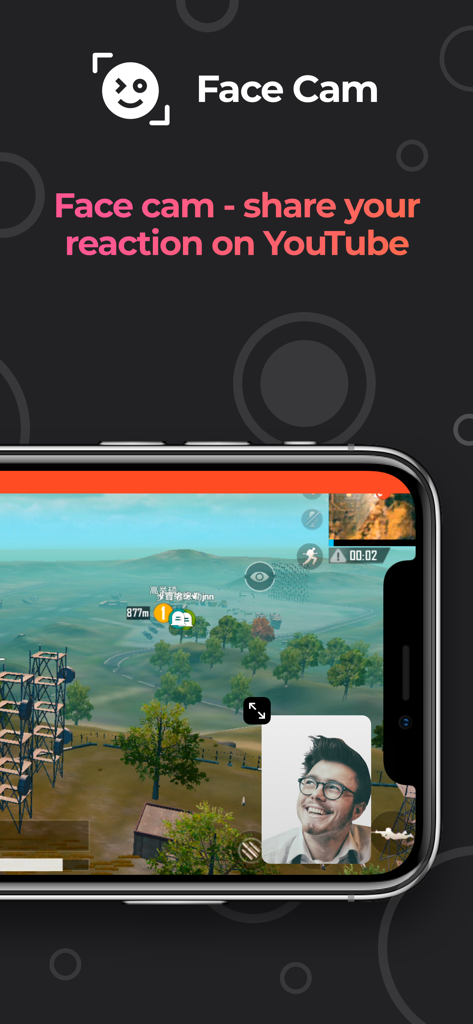
Screen Recorder - StartRec - Screen recorder app interface showing a face cam reaction overlay over mobile gameplay
Screen recorder app interface showing a face cam reaction overlay over mobile gameplay

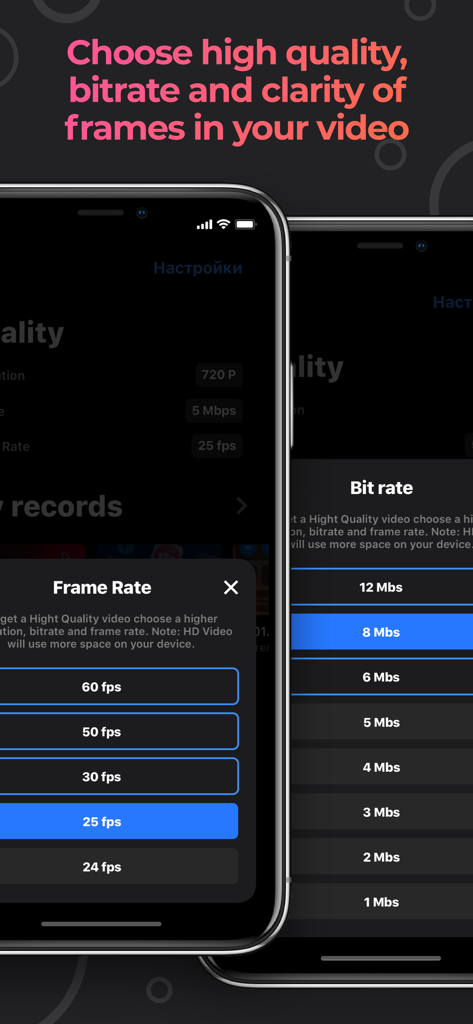
Screen Recorder - StartRec - A mobile app interface showing menu options for selecting video frame rate and bit rate in the StartRec app
A mobile app interface showing menu options for selecting video frame rate and bit rate in the StartRec app

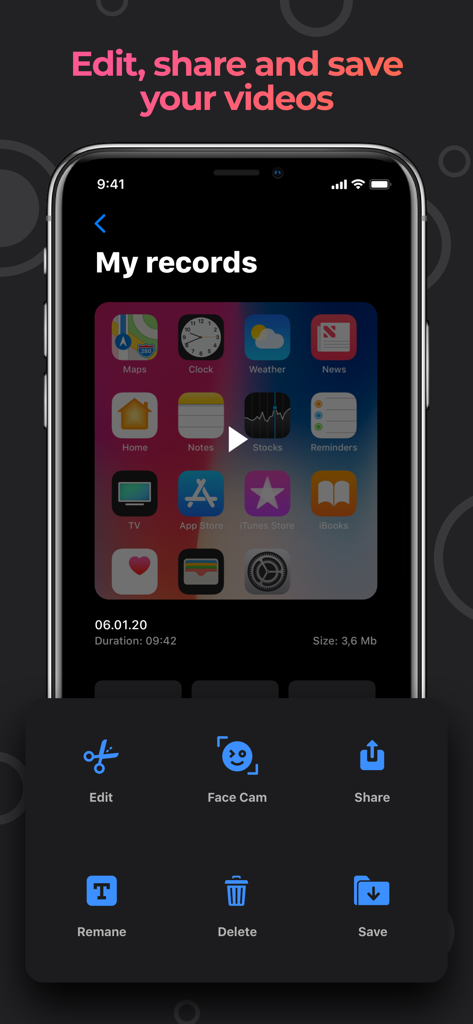
Screen Recorder - StartRec - Interface of StartRec app displaying options to edit share and save screen recordings with Face Cam
Interface of StartRec app displaying options to edit share and save screen recordings with Face Cam

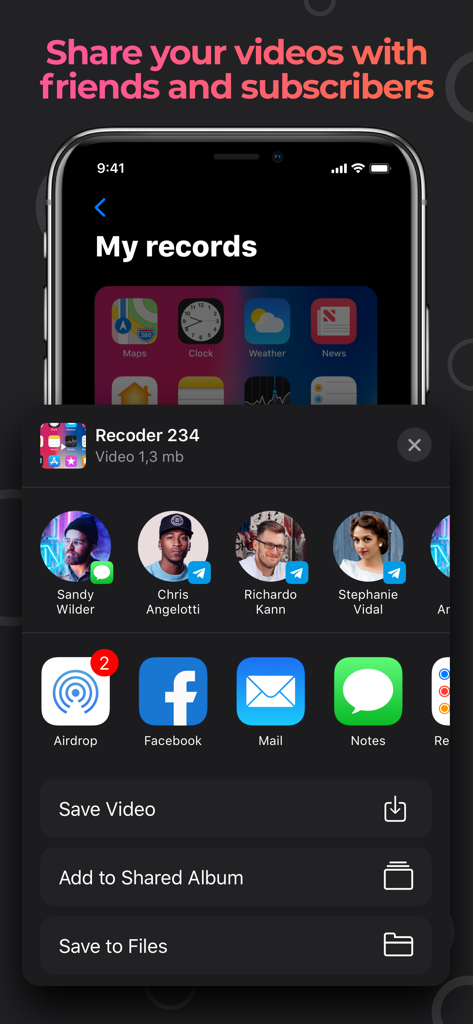
Screen Recorder - StartRec - Screen recording sharing interface in the StartRec app on an iPhone

Screen recording sharing interface in the StartRec app on an iPhone

Description

Using the StartRec app you can record the screen of your device with sound. Also you can capture your reaction using the Face Cam function and easily edit your video files. StartRec is compatible with all iPhone / iPad devices with iOS 11 and above. Features that our app provides: - Unlimited screen recording time as your device allows. - Use microphone when recording video. - Resolution when shooting video: HD-1080P, HD-720P, 480P, 360P. - Frame rate when shooting video: 60 frames per second, 50 frames per second, 30 frames per second, 25 frames per second, 24 frames per second. -Transmission rate when shooting video: 12 MB, 8 MB, 6 MB, 5 MB, 4 MB, 3 MB, 2 MB, 1 MB. - In any of your videos, add Face Cam reaction. - Edit the position and size of the Face Cam reaction. - Add videos from your gallery to insert your Face Cam reaction. - Increase your playback speed: Normal 1.00x, Low 0.20x and Height 4.00x. - Size your video for different purposes: 1: 1 4: 5 16:18 16: 9 9:16 5.5 '' 5.8 '' 3: 4 4: 3 2: 3 3: 22: 1 1: 2. - Color palette. - A large number of fonts. - Unlimited amount of text insertion. - 20 filters. - Rotate the video in different directions. - Flip video. - Change the background in different colors of the palette. - Share. - Save video to camera roll. - Add video from camera roll for editing. Upgrade to premium version to get unlimited full access to all premium features! The subscription plan is renewing automatically but you can cancel it at any time. Get StartRec Premium and enjoy: - Remove All Ads - Unlimited Recording Time. - Full Access to all the App Features. - Face Cam feature. * StartRec provides 2 subscription plans. The subscription plans are renewing automatically but you can cancel them at any time. * The weekly plan costs $4.99 / Week. (This is an old plan and it is not used any more. Only users who subscribed to it from the previous versions of the app can still use it) * Subscription payments will be charged to your iTunes account at confirmation of your purchase and upon commencement of each renewal term. Subscription will automatically renew to a paid subscription. You can cancel your subscription the iTunes settings at least 24-hours before. The cancellation will take effect the day after the last day of the current subscription period and you will be downgraded to the free service. Account will be charged for renewal within 24-hours prior to the end of the current period, and identify the cost of the renewal. Subscriptions may be managed by the user and auto-renewal may be turned off by going to the user's Account Settings after purchase. You can cancel your subscription via this url: https://support.apple.com/en-us/HT202039 Please before using Screen Recorder - StartRec and subscribing to StartRec Premium read and accept our Privacy Policy and Terms of use. You can access them inside the app or on our website on links below: Privacy Policy: https://iondobrioglo99.github.io/apps/privacy.txt Terms of usage: https://iondobrioglo99.github.io/apps/terms.txt If you need help or just want to leave a feedback please fell free to contact us on the website or email. We will be happy to read your reviews: Email: ion.dobrioglo99@gmail.com Our site page: https://sandersmason.github.io/

Download

Download on App Store

This page is not an official page of the app or its developer, but an independent editorial publication created for informational and commentary purposes. Unless expressly stated otherwise, neither the app nor its developer is affiliated with, endorsed by, sponsored by, authorized by, or otherwise officially connected with MWM, Apple, Google Play, the app publisher, or the app's developer, and nothing on this page implies that the app was developed using MWM's services. Any trademarks, logos, screenshots, and other content remain the property of their respective owners.








