Smart Scanner: Convert PDF Doc
Download on App Store

This page is not an official page of the app or its developer, but an independent editorial publication created for informational and commentary purposes. Unless expressly stated otherwise, neither the app nor its developer is affiliated with, endorsed by, sponsored by, authorized by, or otherwise officially connected with MWM, Apple, Google Play, the app publisher, or the app's developer, and nothing on this page implies that the app was developed using MWM's services. Any trademarks, logos, screenshots, and other content remain the property of their respective owners.

Logo of Smart Scanner: Convert PDF Doc
Download on App Store

Smart Scanner: Convert PDF Doc

Transform your iPhone into a powerful, high-speed document scanner. Scan IDs, extract text with advanced OCR, and create professional-grade PDFs to streamline your workflow on the go.

Key Figures

Downloads

20K+

User Rating

1.0/5

Total Ratings

0

Publisher

ZEE BROTHERS PVT. LIMITED

Category

Productivity

Locales

31

Latest Version

1.2

Size

66.5 MB

First Released

Oct 6, 2025
Features

Your Office, Reimagined for Your Pocket

Stop searching for a bulky scanner. Transform your iPhone into a high-performance productivity hub to scan, convert, and organize any document in seconds.

Smart Text Recognition (OCR)

Save hours of manual typing. Instantly extract text from printed pages or notes to copy, edit, and share anywhere.

Professional-Grade Scanning

Advanced edge detection automatically crops and enhances your docs, ensuring every PDF looks sharp and professional for clients.

The following screenshots and description are sourced directly from the app's official store listing and are the property of the app developer.

App Store

Screenshots
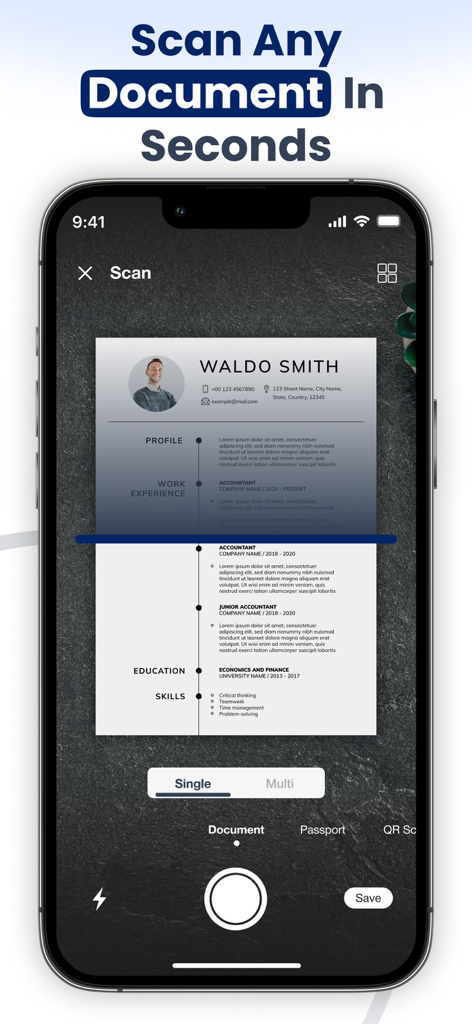
Smart Scanner: Convert PDF Doc - Smartphone scanning a resume document using the Smart Scanner app interface
Smartphone scanning a resume document using the Smart Scanner app interface

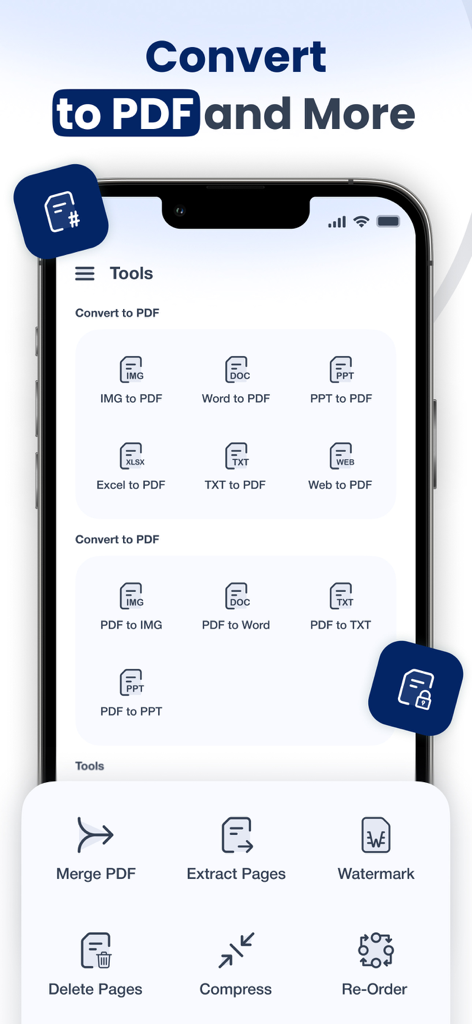
Smart Scanner: Convert PDF Doc - Smart Scanner app interface showing PDF conversion tools and document management features like merge and compress
Smart Scanner app interface showing PDF conversion tools and document management features like merge and compress

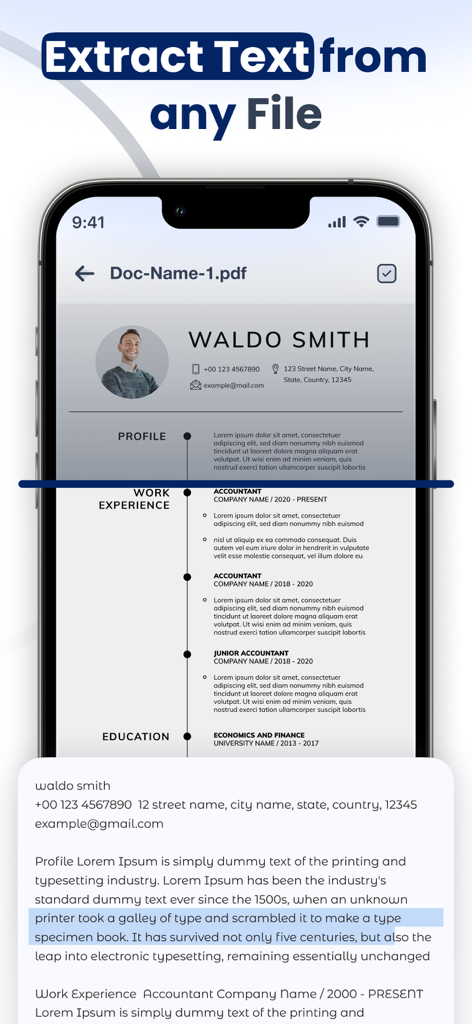
Smart Scanner: Convert PDF Doc - Smartphone screen showing the Smart Scanner app extracting text from a PDF document using OCR
Smartphone screen showing the Smart Scanner app extracting text from a PDF document using OCR

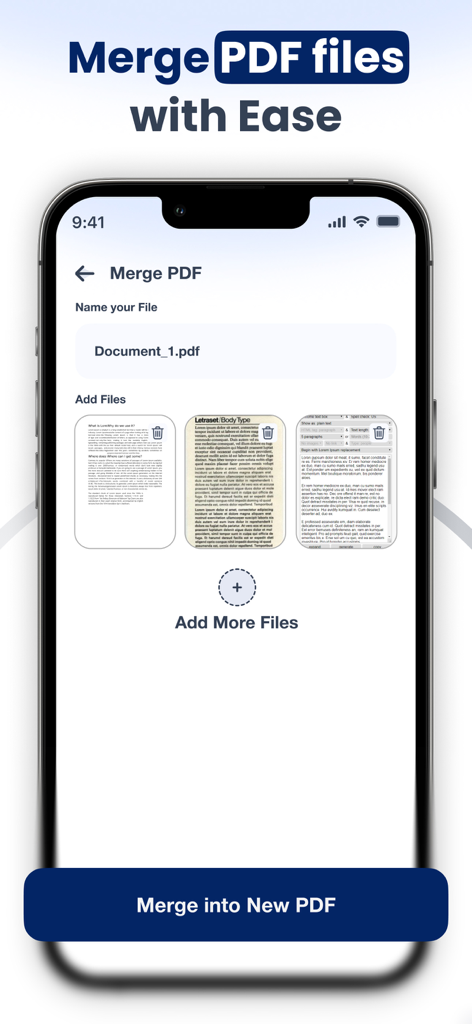
Smart Scanner: Convert PDF Doc - A mobile app interface showing the merge PDF files feature with options to add multiple documents and name the new file
A mobile app interface showing the merge PDF files feature with options to add multiple documents and name the new file

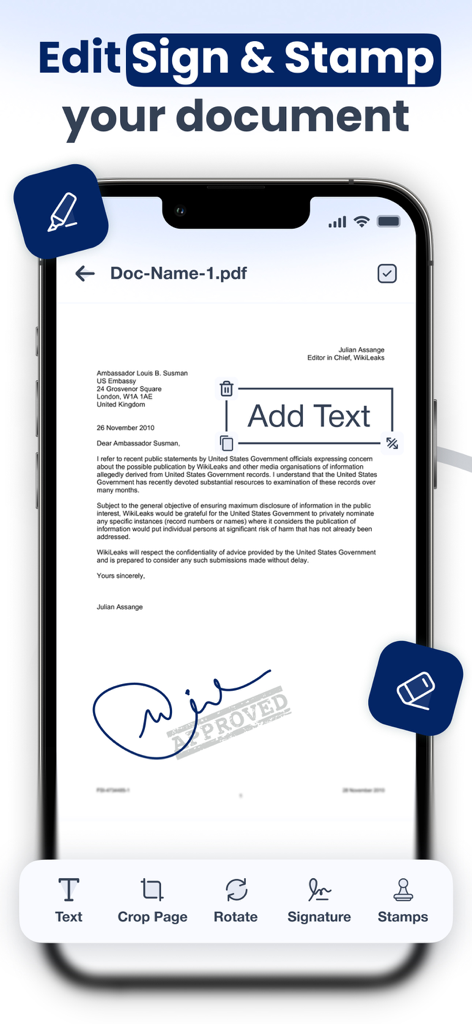
Smart Scanner: Convert PDF Doc - Smart Scanner app interface showing document editing signing and stamping functionality
Smart Scanner app interface showing document editing signing and stamping functionality

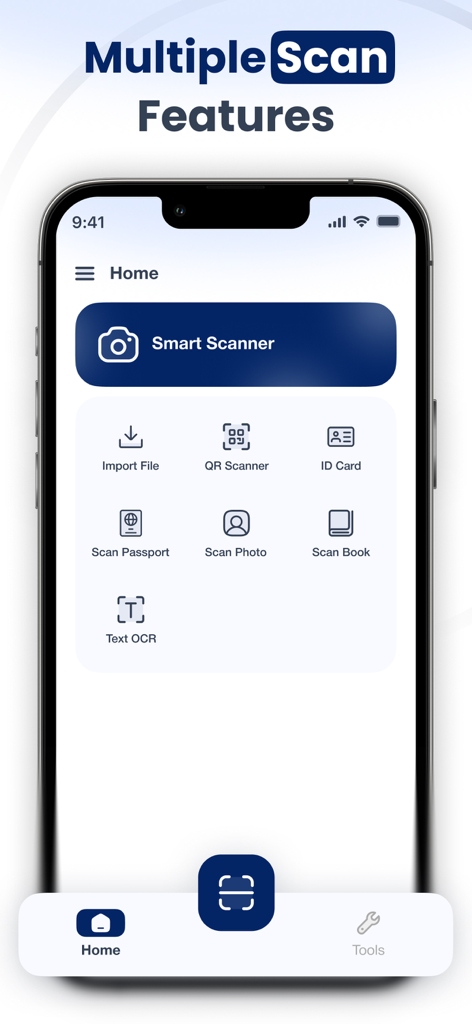
Smart Scanner: Convert PDF Doc - Smart Scanner app home screen showing scan options for documents, IDs, and OCR text recognition.

Smart Scanner app home screen showing scan options for documents, IDs, and OCR text recognition.

Description

Document Scanner: Scan PDF is your all-in-one mobile scanner & PDF converter. Easily transform your iPhone into a portable document scanner that can scan and convert documents anytime, anywhere. Whether you’re a student managing assignments, a professional handling contracts, or simply someone who wants to go paperless, this app has everything you need in one place. Why Choose a Document Scanner? Ultra-Fast & Accurate – Advanced edge detection makes every scan sharp and clear. All Documents Supported – Scan ID cards and passports, photos, books, receipts, notes, and more. Paperless Office Tool – Save space, stay organized, and share scanned documents instantly. Privacy First – Keep your personal and professional documents safe on your device. Key Features PDF Scanner Scan any document with automatic detection and convert it into crystal-clear PDF files. Text OCR (Optical Character Recognition) Perform text recognition from images and copy it anywhere. Perfect for students and professionals. ID & Passport Scan Easily scan ID cards and passports, licenses, and certificates. Book & Photo Scan Digitize books and photos with professional-quality results. QR Code Reader Scan QR codes and instantly access links, websites, or business cards. PDF Converter & Tools Convert images and files into PDF format, merge PDF documents, and share them quickly via email, cloud, or messaging apps. File Import Bring in files directly from your gallery, email, or cloud storage and convert them instantly. Who Is It For? Students: Scan notes, assignments, books, and handouts. Business Professionals: Digitize contracts, invoices, receipts, and ID proofs. General Users: Save passports, licenses, QR codes, and personal documents in one secure place. Go Paperless Today With Document Scanner: Scan PDF, you’ll never need a bulky scanner again. Carry your digital office in your pocket — scan and convert documents, recognise text, and manage your files faster than ever. Document Scanner: Scan PDF offers 3 auto-renewing subscription options: Weekly, Monthly and Yearly with 3 Days Free trial These prices are for United States customers. Pricing in other countries may vary and actual charges may be converted to your local currency depending on the country of residence. • Payment will be charged to the iTunes Account at confirmation of purchase • Subscription automatically renews unless auto-renewal is turned off at least 24 hours before the end of the current period • Account will be charged for renewal within 24 hours prior to the end of the current period, and the cost of the renewal • Subscriptions may be managed by the user, and auto-renewal may be turned off by going to the user's Account Settings after purchase • Any unused portion of a free trial period, if offered, will be forfeited when the user purchases a subscription to that publication, where applicable Privacy Policy https://documentscannerscanpdf.blogspot.com/2025/10/privacy-policy.html Terms & Conditions https://documentscannerscanpdf.blogspot.com/2025/10/terms-conditions.htmlDownload now and enjoy the smarter way to scan and convert documents.

Download

Download on App Store

This page is not an official page of the app or its developer, but an independent editorial publication created for informational and commentary purposes. Unless expressly stated otherwise, neither the app nor its developer is affiliated with, endorsed by, sponsored by, authorized by, or otherwise officially connected with MWM, Apple, Google Play, the app publisher, or the app's developer, and nothing on this page implies that the app was developed using MWM's services. Any trademarks, logos, screenshots, and other content remain the property of their respective owners.








