
This page is not an official page of the app or its developer, but an independent editorial publication created for informational and commentary purposes. Unless expressly stated otherwise, neither the app nor its developer is affiliated with, endorsed by, sponsored by, authorized by, or otherwise officially connected with MWM, Apple, Google Play, the app publisher, or the app's developer, and nothing on this page implies that the app was developed using MWM's services. Any trademarks, logos, screenshots, and other content remain the property of their respective owners.

SocialFocus: Hide Distractions
The Safari extension that lets you surgically hide distracting feeds, shorts, and comments while keeping the essential tools you need for work and study.
Downloads
153K+User Rating
Total Ratings
700Publisher
Category
Social NetworkingLocales
1Latest Version
7.5Size
45.4 MBFirst Released
Dec 24, 2022Take Back Control of Your Attention
Stop doom-scrolling and start producing. SocialFocus lets you surgically remove distractions from your favorite websites while keeping the tools you actually need to get work done.
Surgical Distraction Removal
Hide recommended videos, reels, and news feeds on platforms like YouTube and Instagram without blocking the entire site.
Stay in the Deep Work Zone
Eliminate algorithmic traps and 'doom-scrolling' triggers to protect your mental energy for high-value research and creativity.
Frequently Asked Questions
Everything you need to know about SocialFocus: Hide Distractions
What is SocialFocus: Hide Distractions?
SocialFocus is a Safari extension that hides distractions on websites such as YouTube, Facebook, and Instagram. It allows users to selectively conceal attention-grabbing components on supported sites.
Which websites does SocialFocus support for distraction hiding?
SocialFocus: Hide Distractions supports websites including YouTube, Facebook, Twitter, Instagram, Reddit, LinkedIn, and Gmail. It functions as a Safari extension for these online platforms.
Can SocialFocus hide specific elements on YouTube?
Yes, SocialFocus can hide specific elements on YouTube, such as recommended videos, shorts, and comments. It provides options for selective content concealment on the platform.
Does SocialFocus: Hide Distractions work with mobile apps?
No, SocialFocus: Hide Distractions does not work with mobile apps. It operates exclusively as a Safari browser extension for websites.
What exclusive features are included in SocialFocus PRO?
The SocialFocus PRO version offers hotkey configuration, settings synchronization, and other additional functionalities. These features are not available in the standard version of the app.
Does SocialFocus provide password protection for its settings?
Yes, SocialFocus provides password protection to prevent unauthorized changes to its settings. Users can create a password to secure their distraction-hiding configurations.
Is it possible to hide Instagram reels and stories using SocialFocus?
Yes, SocialFocus enables users to hide Instagram feeds, reels, and stories. The extension offers specific options for concealing these elements on the platform.
How many customization options does SocialFocus offer across supported websites?
SocialFocus: Hide Distractions offers over 115 customization options across 7 supported websites. This allows users to tailor their distraction control settings precisely.
Does SocialFocus support dark and light mode themes?
Yes, SocialFocus supports both dark and light modes. The application interface automatically adapts to the user's system appearance settings for an optimized viewing experience.
Where can users find the Terms of Use for SocialFocus: Hide Distractions?
The Terms of Use for SocialFocus: Hide Distractions are available at https://socialfocus.app/tos/. This URL provides access to the official legal terms and conditions.
The following screenshots and description are sourced directly from the app's official store listing and are the property of the app developer.
App Store
Screenshots
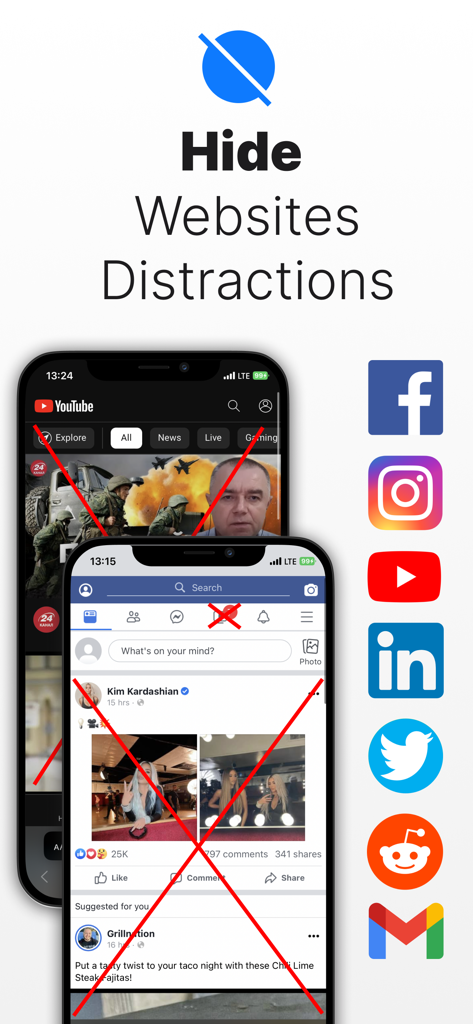
SocialFocus app screenshot showing hidden distracting elements on YouTube and Facebook mobile websites
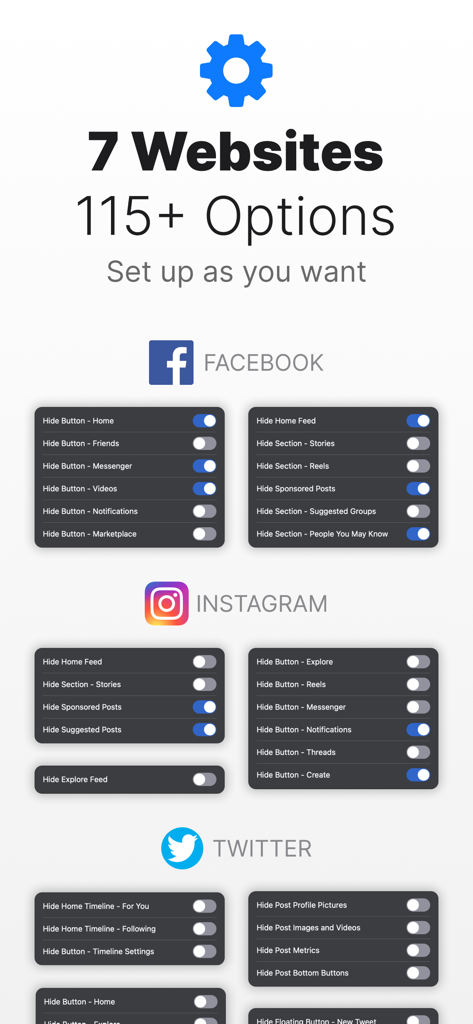
SocialFocus Safari extension interface showing toggle switches to hide feeds, stories, and reels on Facebook, Instagram, and Twitter
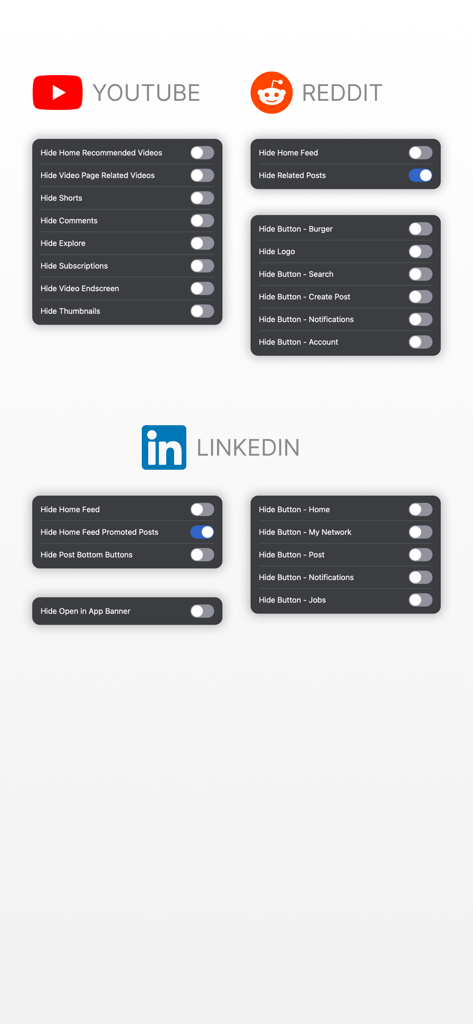
Interface showing distraction blocking settings for YouTube Reddit and LinkedIn in the SocialFocus app
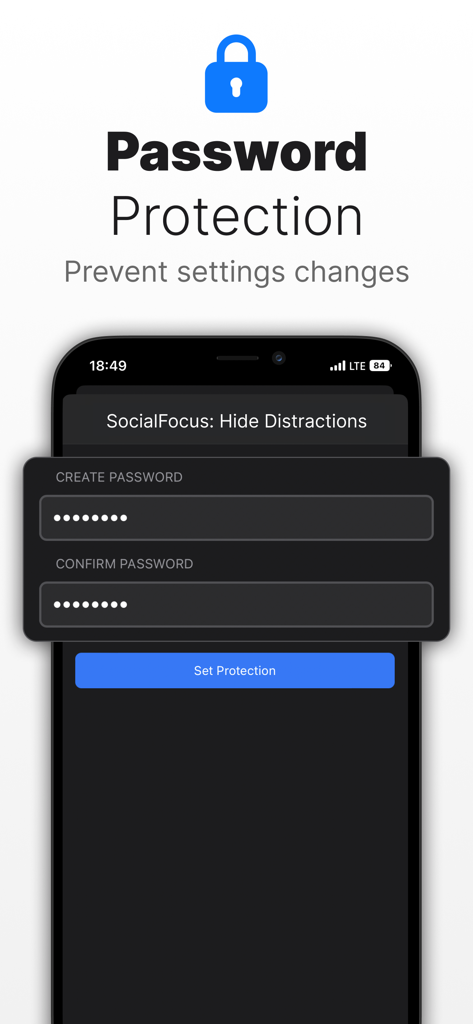
Interface of the SocialFocus app showing the password protection setup screen to prevent changes to distraction settings
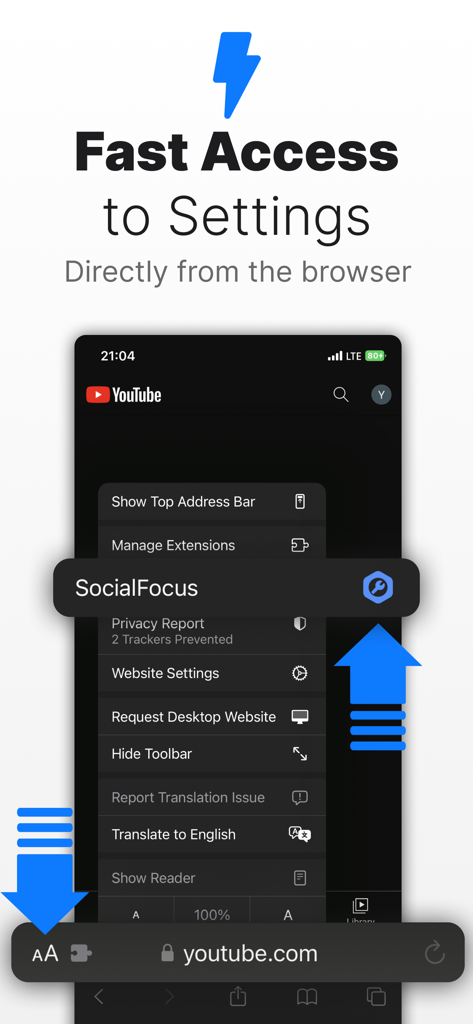
Quick access to SocialFocus settings within the Safari browser menu on iPhone
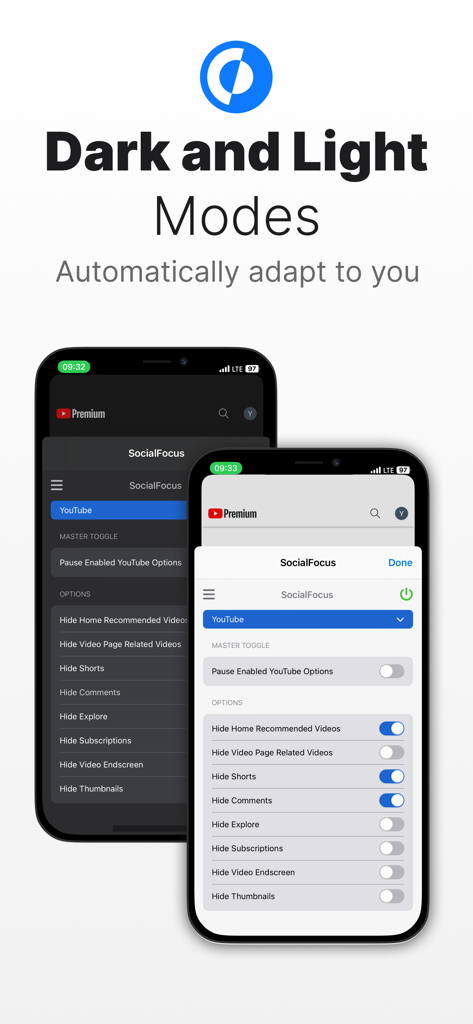
SocialFocus app interface shown in both dark and light modes on iPhone screens for YouTube distraction management
Description
Download
More Like This
Apps with similar features and user experience

Opal: Screen Time Control
OPAL OS CORPORATION

BePresent: Screen Time Control
Screen Detox Inc

Brick - Ditch Distractions
Brick LLC (Wisconsin)

one sec | screen time + focus
riedel.wtf apps S.L.

ScreenZen- Screen Time Control
ScreenZen LLC

Refocus: Block Apps & Websites
Labi, LLC

Clarymind: Focus + Self Care
Seamint Co., Ltd.

Roots: Screen Time Control
MWM

AppBlock: Block Apps & Website
MobileSoft s.r.o.
This page is not an official page of the app or its developer, but an independent editorial publication created for informational and commentary purposes. Unless expressly stated otherwise, neither the app nor its developer is affiliated with, endorsed by, sponsored by, authorized by, or otherwise officially connected with MWM, Apple, Google Play, the app publisher, or the app's developer, and nothing on this page implies that the app was developed using MWM's services. Any trademarks, logos, screenshots, and other content remain the property of their respective owners.