
This page is not an official page of the app or its developer, but an independent editorial publication created for informational and commentary purposes. Unless expressly stated otherwise, neither the app nor its developer is affiliated with, endorsed by, sponsored by, authorized by, or otherwise officially connected with MWM, Apple, Google Play, the app publisher, or the app's developer, and nothing on this page implies that the app was developed using MWM's services. Any trademarks, logos, screenshots, and other content remain the property of their respective owners.


Sony | Imaging Edge Mobile
Post-capture lag ends here. This app empowers a Sony camera, delivering instant media transfer and complete remote command.
Downloads
12.5M+User Rating
Total Ratings
45.1KPublisher
Category
Photo & VideoLocales
18Latest Version
7.8.3Size
52.6 MBFirst Released
Jan 9, 2012Sony | Imaging Edge Mobile: Analytical Feature Overview
An evaluation of core functionalities designed for enhanced camera control, efficient media management, and streamlined creative workflows for Sony Alpha users.
Seamless High-Quality Media Transfer
The app provides swift transfer of high-resolution images and videos, including 4K files, from the camera to a mobile device. It supports automatic background transfers and allows users to access and transfer media even when the camera is powered off, significantly enhancing post-capture workflow and immediate sharing capabilities.
Precision Remote Camera Operation
This tool empowers users with comprehensive remote control over their Sony camera via a smartphone, featuring real-time live view. It is ideal for executing precise shots in challenging conditions such as long exposures, macro photography, or when maintaining critical camera stability, preventing unintentional camera movement.
Efficient Camera Setting Management
The app facilitates the saving and application of up to 20 customized camera settings profiles. This functionality allows users to rapidly switch between optimized configurations for different shooting scenarios, ensuring consistency and significantly streamlining preparation time for demanding photographic tasks.
Integrated Geotagging for Imagery
It allows users to accurately embed geographical data, sourced from the smartphone's GPS, into their photographs. This feature is invaluable for organizing travel photography, documenting locations, and provides precise context for every captured image, even for cameras without built-in GPS functionality.
Frequently Asked Questions
Everything you need to know about Sony | Imaging Edge Mobile
How does Sony | Imaging Edge Mobile transfer images and videos?
Imaging Edge Mobile transfers images and videos from a camera to a smartphone or tablet. It supports automatic background transfers after shooting and can handle high bit rate video files, including 4K.
Does Sony | Imaging Edge Mobile support 4K video transfer?
Yes, Imaging Edge Mobile can transfer high bit rate video files, including 4K, from a camera to a smartphone or tablet. The availability of video transfer varies depending on the smartphone.
Does Sony | Imaging Edge Mobile allow remote camera shooting?
Yes, Imaging Edge Mobile enables remote shooting of a camera. Users can capture photos and videos while checking the camera's live view on their smartphone, useful for long-exposure or macro shots.
How does Sony | Imaging Edge Mobile add location information to photos?
Imaging Edge Mobile adds location information by linking with compatible cameras to embed smartphone-acquired data into captured images. For cameras without linkage, it adds location info to photos saved on the smartphone during remote shooting.
What operating systems does Sony | Imaging Edge Mobile support?
Imaging Edge Mobile supports iOS operating systems ranging from iOS 17.7 to iOS 18.6. The app's functionality is not guaranteed with all smartphones/tablets.
Can Sony | Imaging Edge Mobile save camera settings?
Yes, Imaging Edge Mobile allows users to save up to 20 camera settings within the app. These saved settings can then be applied to compatible cameras with the same model name.
Does Sony | Imaging Edge Mobile support automatic image transfer?
Yes, Imaging Edge Mobile features an automatic background transfer function. Images are transferred to the smartphone as they are captured, eliminating the need for manual selection after shooting.
The following screenshots and description are sourced directly from the app's official store listing and are the property of the app developer.
App Store
Screenshots
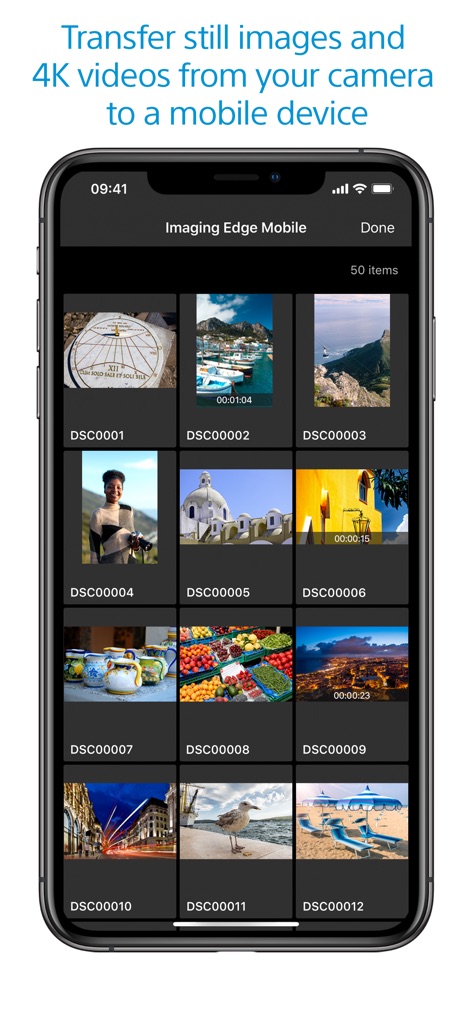
Seamless Content Transfer
This visual demonstrates the organized media gallery, allowing users to effortlessly browse transferred still photos and quickly identify 4K video files via their timestamps.
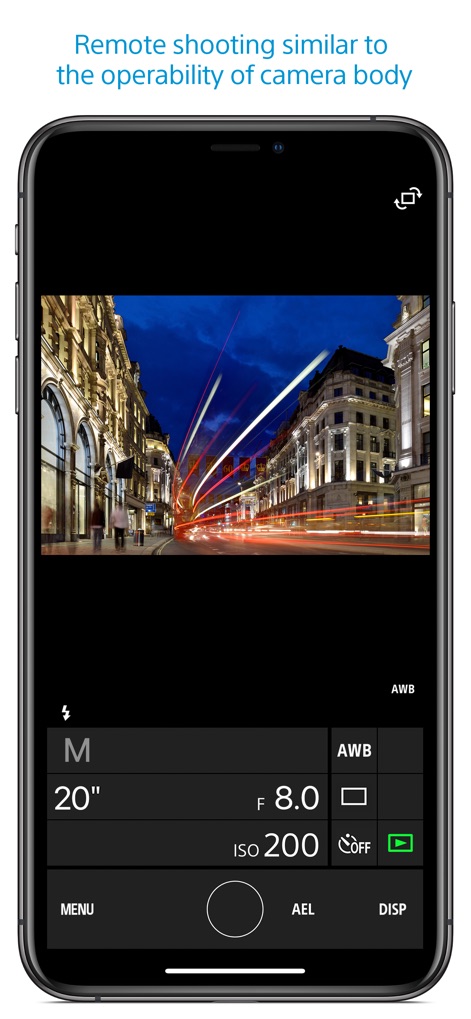
Precision Remote Control
The app provides an intuitive remote shooting interface, offering granular control over manual exposure settings and precise white balance adjustments for professional results.
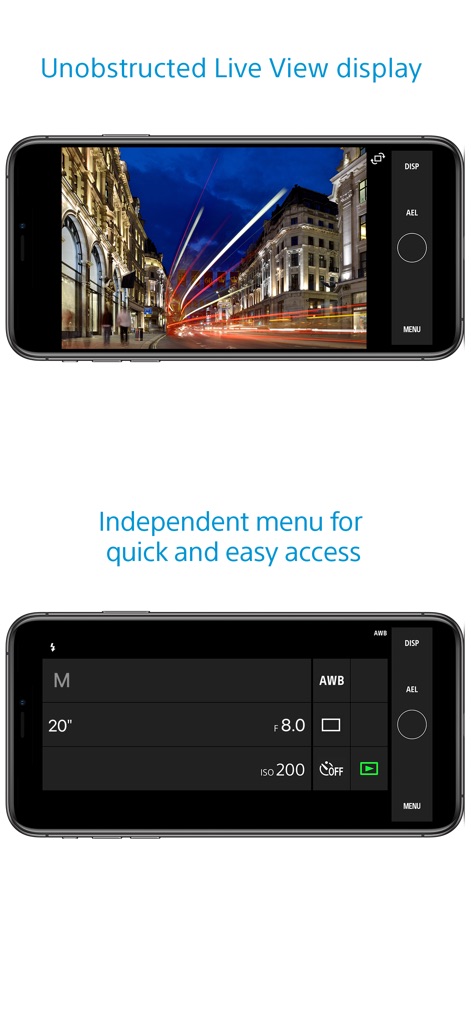
Immersive Live View
Users benefit from an expansive live view frame, enabling them to compose shots with an unobstructed view and precisely frame subjects without UI distractions.
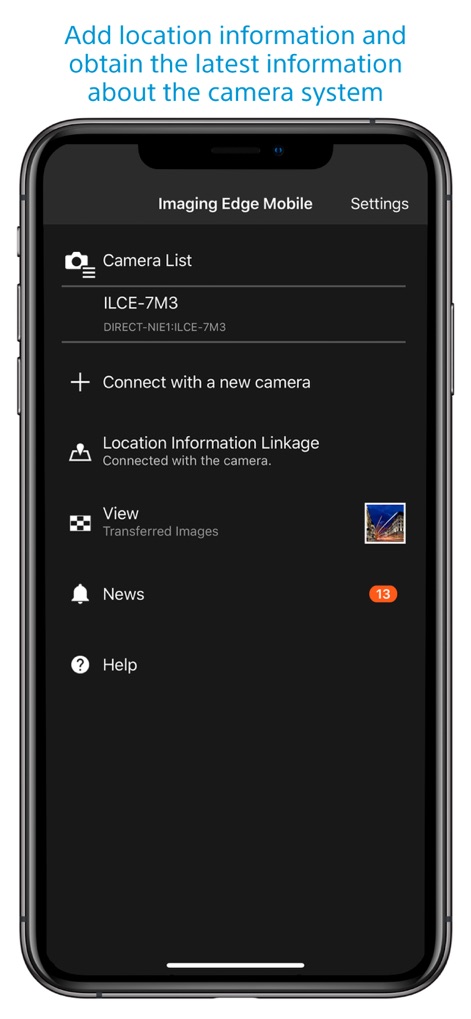
Direct Control Access
This view highlights the dedicated control panel, offering quick and easy access to essential shooting parameters like shutter speed, aperture, and ISO.
Description
Download
More Like This
Apps with similar features and user experience

DJI Mimo
SZ DJI TECHNOLOGY CO., LTD

DJI Ronin
SZ DJI TECHNOLOGY CO., LTD

Roku TV Remote Control & Cast
Aleh Piashkou

Remote for Hisense TV.
Duscov Stepan

Alpha Linker - Camera Transfer
恒茂 刘

MyCentsys Pro
Centurion Systems (Pty) Ltd

Roku TV Remote Control・
Artur Belov

Luminair
Synthe FX, LLC

FUJIFILM XApp
FUJIFILM Corporation
This page is not an official page of the app or its developer, but an independent editorial publication created for informational and commentary purposes. Unless expressly stated otherwise, neither the app nor its developer is affiliated with, endorsed by, sponsored by, authorized by, or otherwise officially connected with MWM, Apple, Google Play, the app publisher, or the app's developer, and nothing on this page implies that the app was developed using MWM's services. Any trademarks, logos, screenshots, and other content remain the property of their respective owners.