
This page is not an official page of the app or its developer, but an independent editorial publication created for informational and commentary purposes. Unless expressly stated otherwise, neither the app nor its developer is affiliated with, endorsed by, sponsored by, authorized by, or otherwise officially connected with MWM, Apple, Google Play, the app publisher, or the app's developer, and nothing on this page implies that the app was developed using MWM's services. Any trademarks, logos, screenshots, and other content remain the property of their respective owners.

Sony | Sound Connect
Your sound, your rules. The app empowers users to command every sonic detail, from equalizer nuances to ambient isolation, ensuring peak audio performance and ear health.
Downloads
25M+User Rating
Total Ratings
226.4KPublisher
Category
UtilitiesLocales
15Latest Version
12.5.2Size
296.1 MBFirst Released
Feb 28, 2017Key Features of Sony | Sound Connect
An analytical overview of core functionalities enhancing the premium audio experience.
Adaptive Noise Control
The app provides advanced control over noise cancellation and ambient sound levels, enabling users to create their ideal listening environment whether for focus or situational awareness.
Ear Health Safeguard
This tool features ear health monitoring by recording sound pressure levels and comparing them against WHO recommendations, promoting safer listening habits for health-conscious users.
Personalized Audio Profiles
It allows users to fine-tune their audio experience with a customizable equalizer, ensuring sound quality is precisely tailored to individual preferences for high-fidelity listening.
Intelligent Sound Adaptation
The app provides intelligent, automatic switching of noise cancellation settings and playback based on the user's situation, facilitating a seamless and optimized audio experience.
Usage Statistics & Analytics
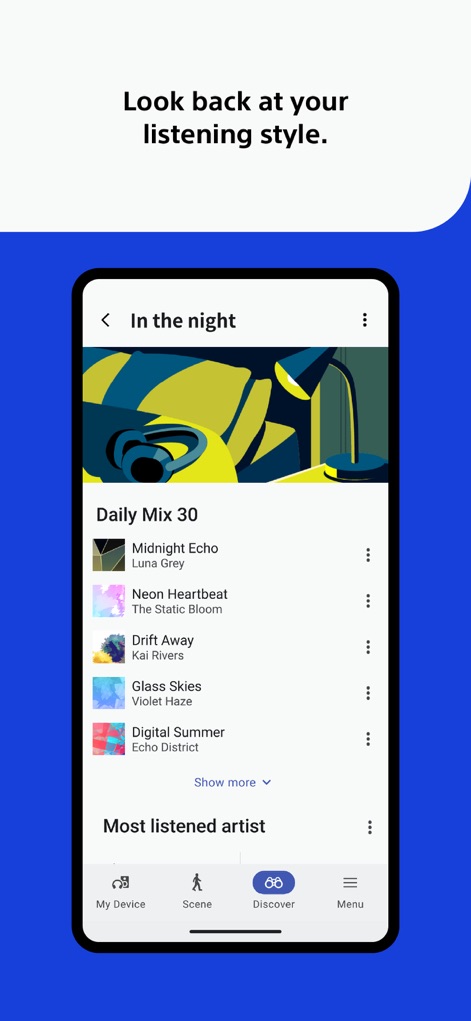
This tool features detailed usage logs of devices and a list of listened songs, allowing users to review and understand their listening habits over time.
Seamless Firmware Management
It allows users to easily perform software updates for their Sony audio devices directly through the app, ensuring optimal performance and access to the latest features.
Frequently Asked Questions
Everything you need to know about Sony | Sound Connect
What is Sony | Sound Connect?
Sony | Sound Connect is an app designed to personalize your music experience with Sony headphones. It allows users to adjust equalizer and noise cancellation settings for tailored sound.
Can I adjust noise cancellation settings with Sony | Sound Connect?
Yes, Sony | Sound Connect allows users to adjust noise cancellation modes and set detailed levels of ambient sound filtered in. This creates an ideal listening environment.
Does Sony | Sound Connect offer an equalizer?
Yes, Sony | Sound Connect offers a customizable equalizer. This feature allows users to personalize the sound quality to their specific taste.
Can Sony | Sound Connect help with ear health?
Yes, Sony | Sound Connect records the sound pressure played by the headphones. It compares this data with the limits recommended by the World Health Organization (WHO) for ear health.
Does Sony | Sound Connect automate settings based on situation?
Yes, Sony | Sound Connect can automatically switch noise cancellation settings and playback music or audio notifications. This automation corresponds to the user's current situation.
What is the minimum iOS version required for Sony | Sound Connect?
From version 12.5, Sony | Sound Connect is only available on iOS 17.0 or later. Users must ensure their device meets this requirement.
Can I see my listening history in Sony | Sound Connect?
Yes, Sony | Sound Connect allows users to look back at their listening style. It provides usage logs of devices and a list of songs that have been listened to.
Was Sony | Sound Connect known by another name previously?
Yes, the "Sony|Headphones Connect" app was renewed to "Sony|Sound Connect" in October 2024. This is a rebranding of the existing application.
Does Sony | Sound Connect offer tutorials or tips?
Yes, Sony | Sound Connect includes a "How to Use" section with tutorials and tips. For example, it features a "Speak-To-Chat" function.
Can Sony | Sound Connect update my Sony device software?
Yes, Sony | Sound Connect facilitates software updates for compatible devices. This ensures devices remain up-to-date with the latest features and improvements.
The following screenshots and description are sourced directly from the app's official store listing and are the property of the app developer.
App Store
Screenshots
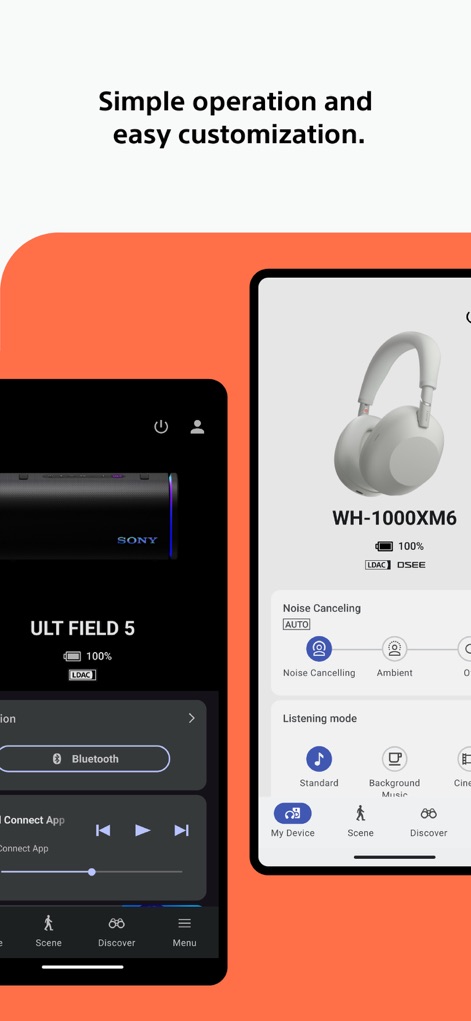
Device Management Hub
This tool provides intuitive controls for connected devices, showcasing precise noise cancellation adjustments and various listening modes to optimize audio environments.
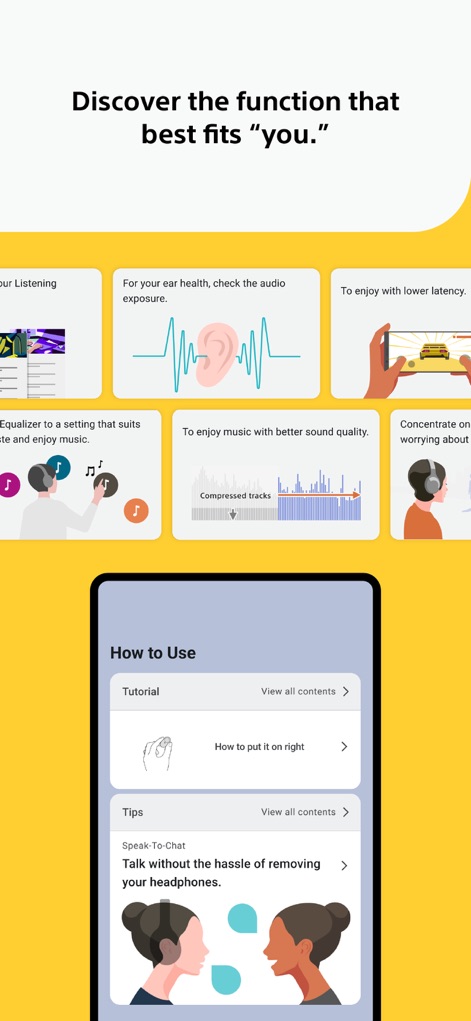
Feature Discovery
Explore the app's comprehensive capabilities, from detailed ear health monitoring with WHO comparisons to personalized sound adjustments via the customizable equalizer.
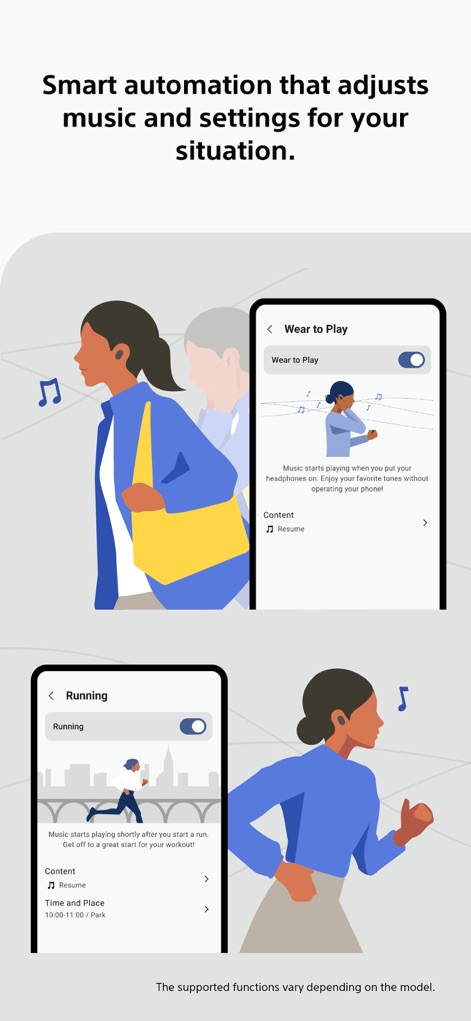
Contextual Automation
Experience intelligent scene detection, where the app automatically adapts settings based on user activity, such as enabling "Wear to Play" upon headphone wear or customizing sound profiles for "Running" sessions.
Personalized Playback History
Users can effortlessly review their listening habits, viewing curated "Daily Mix" playlists and statistics on their "Most listened artist" for personalized retrospection.
Description
Download
More Like This
Apps with similar features and user experience

Bose
Bose Corporation

Marshall Bluetooth
Marshall Group AB (publ)

JBL PartyBox
Harman International Industries

Bose Connect
Bose Corporation

Bose QC Earbuds
Bose Corporation

JBL Headphones
Harman International Industries

soundcore
Power Mobile Life LLC

JBL Portable
Harman International Industries

Xiaomi Earbuds
Beijing Xiaomi Co., Ltd
This page is not an official page of the app or its developer, but an independent editorial publication created for informational and commentary purposes. Unless expressly stated otherwise, neither the app nor its developer is affiliated with, endorsed by, sponsored by, authorized by, or otherwise officially connected with MWM, Apple, Google Play, the app publisher, or the app's developer, and nothing on this page implies that the app was developed using MWM's services. Any trademarks, logos, screenshots, and other content remain the property of their respective owners.