
This page is not an official page of the app or its developer, but an independent editorial publication created for informational and commentary purposes. Unless expressly stated otherwise, neither the app nor its developer is affiliated with, endorsed by, sponsored by, authorized by, or otherwise officially connected with MWM, Apple, Google Play, the app publisher, or the app's developer, and nothing on this page implies that the app was developed using MWM's services. Any trademarks, logos, screenshots, and other content remain the property of their respective owners.

Sound Bar Remote
Say goodbye to remote clutter and take full command of your home theater. Adjust volume, switch inputs, and fine-tune your sound modes with the intuitive convenience of your smartphone.
Downloads
276K+User Rating
Total Ratings
5K+Publisher
Category
MusicLocales
19Latest Version
2.40Size
18.7 MBFirst Released
Aug 16, 2020Master Your Home Cinema Experience
Eliminate remote clutter and optimize your audio with a sleek, intuitive interface designed for your lifestyle.
Seamless Phone Control
Never search for a lost remote again. Adjust volume, power, and inputs directly from the device you already have in your hand.
Tailored Sound in One Tap
Switch instantly between Movie, Music, or Game modes. Enhance dialogue with Clear Voice or feel the depth with Bass Extension.
Frequently Asked Questions
Everything you need to know about Sound Bar Remote
What is the Sound Bar Remote app?
The Sound Bar Remote app provides easy operation for select Yamaha Sound Bars, allowing control from an iPhone, iPod touch, or iPad.
What features does the Sound Bar Remote app provide?
The Sound Bar Remote app offers basic controls like volume up/down, input selection, and sound mode selection for compatible Yamaha Sound Bars.
Can I change the input source with the Sound Bar Remote app?
Yes, the Sound Bar Remote app allows users to select input sources such as TV, Optical Digital, Bluetooth, and Analog for their connected Yamaha Sound Bar.
Which Yamaha Sound Bar models are compatible with the Sound Bar Remote app?
Yes, the Sound Bar Remote app supports various Yamaha Sound Bar models including SR-B40A, SR-C20A, ATS-B400, YAS-108, and ATS-1080.
What iOS version does the Sound Bar Remote app require?
The Sound Bar Remote app requires iOS version 14.1 or above to function correctly on your iPhone, iPod touch, or iPad.
Does the Sound Bar Remote app connect via Bluetooth?
Yes, the Sound Bar Remote app uses the Bluetooth function on your smartphone or tablet to control Bluetooth-enabled Yamaha Sound Bar devices.
Does the Sound Bar Remote app have a dark mode option?
Yes, the Sound Bar Remote app supports dark mode, providing an alternative visual theme for the user interface.
How do I control volume using the Sound Bar Remote app?
Yes, the Sound Bar Remote app provides volume up/down controls with a slider and plus/minus buttons, as shown on the main screen.
Does the Sound Bar Remote app offer sound enhancement options like Clear Voice or Bass Extension?
Yes, the Sound Bar Remote app includes sound settings like Clear Voice and Bass Extension, accessible through toggles on the main control screen.
The following screenshots and description are sourced directly from the app's official store listing and are the property of the app developer.
App Store
Screenshots
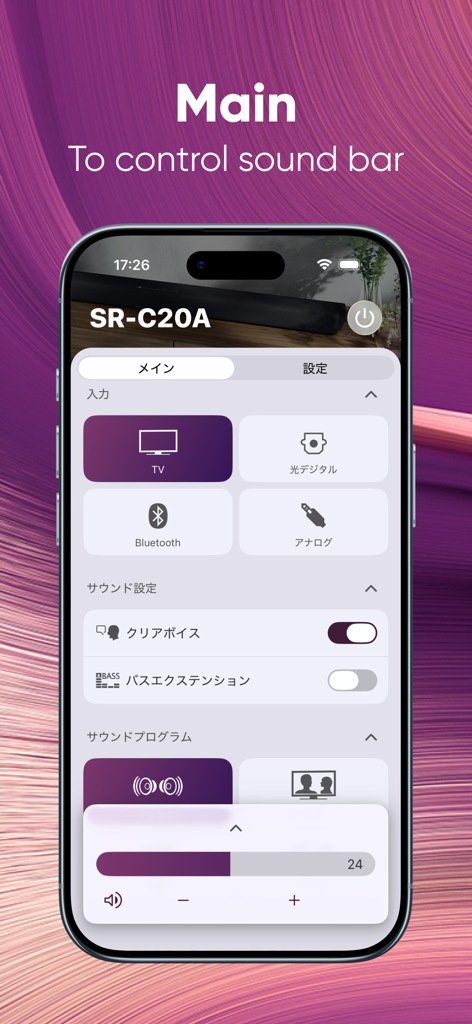
Main control screen of the Yamaha Sound Bar Remote app showing volume and input settings for a soundbar
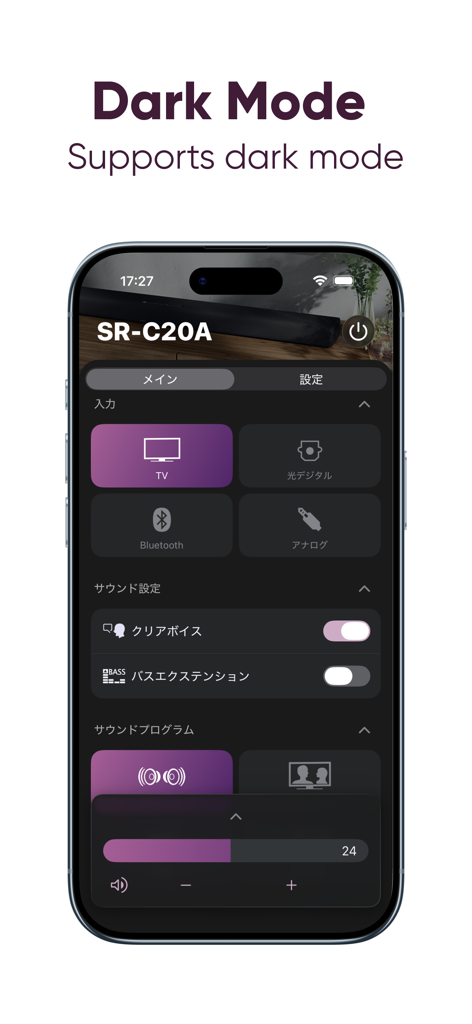
Yamaha Sound Bar Remote app interface in dark mode featuring controls for the SR-C20A model.
Description
Download
More Like This
Apps with similar features and user experience

Bose
Bose Corporation

Marshall Bluetooth
Marshall Group AB (publ)

JBL PartyBox
Harman International Industries

Bose Connect
Bose Corporation

Bose QC Earbuds
Bose Corporation

JBL Headphones
Harman International Industries

soundcore
Power Mobile Life LLC

JBL Portable
Harman International Industries

Xiaomi Earbuds
Beijing Xiaomi Co., Ltd
This page is not an official page of the app or its developer, but an independent editorial publication created for informational and commentary purposes. Unless expressly stated otherwise, neither the app nor its developer is affiliated with, endorsed by, sponsored by, authorized by, or otherwise officially connected with MWM, Apple, Google Play, the app publisher, or the app's developer, and nothing on this page implies that the app was developed using MWM's services. Any trademarks, logos, screenshots, and other content remain the property of their respective owners.