SwiftScan Pro Document Scanner
Download on App Store

This page is not an official page of the app or its developer, but an independent editorial publication created for informational and commentary purposes. Unless expressly stated otherwise, neither the app nor its developer is affiliated with, endorsed by, sponsored by, authorized by, or otherwise officially connected with MWM, Apple, Google Play, the app publisher, or the app's developer, and nothing on this page implies that the app was developed using MWM's services. Any trademarks, logos, screenshots, and other content remain the property of their respective owners.

Logo of SwiftScan Pro Document Scanner
Download on App Store

SwiftScan Pro Document Scanner

Transform your iPhone into a powerful mobile office. Scan at 200+ DPI, fax contracts instantly, and use AI to summarize documents—all with secure cloud integration and FaceID protection.

Key Figures

Downloads

332K+

User Rating

4.8/5

Total Ratings

8K+

Publisher

Maple Media Apps, LLC

Category

Utilities

Locales

23

Latest Version

9.6.76

Size

487.1 MB

First Released

Jul 15, 2015
Features

A Professional Desktop Scanner in Your Pocket

SwiftScan Pro empowers high-productivity professionals to digitize, summarize, and secure documents on the go with industry-leading AI and cloud technology.

AI-Driven Document Intelligence

Save hours of reading with instant AI summaries and translate complex documents into dozens of languages with one tap.

Professional-Grade Fidelity

Capture every detail with 200+ DPI resolution, automatic edge detection, and smart color optimization for a flawless finish.

The following screenshots and description are sourced directly from the app's official store listing and are the property of the app developer.

App Store

Screenshots
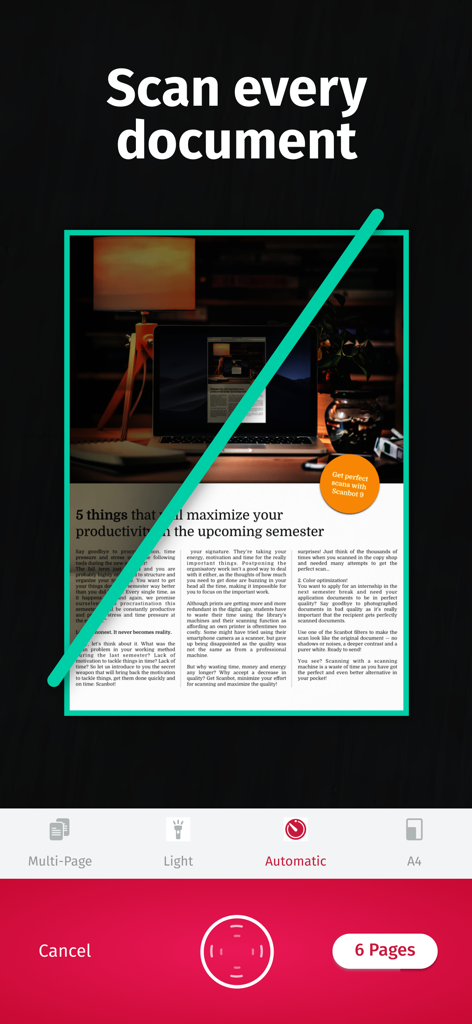
SwiftScan Pro Document Scanner - SwiftScan Pro mobile app scanning a document with automatic edge detection
SwiftScan Pro mobile app scanning a document with automatic edge detection

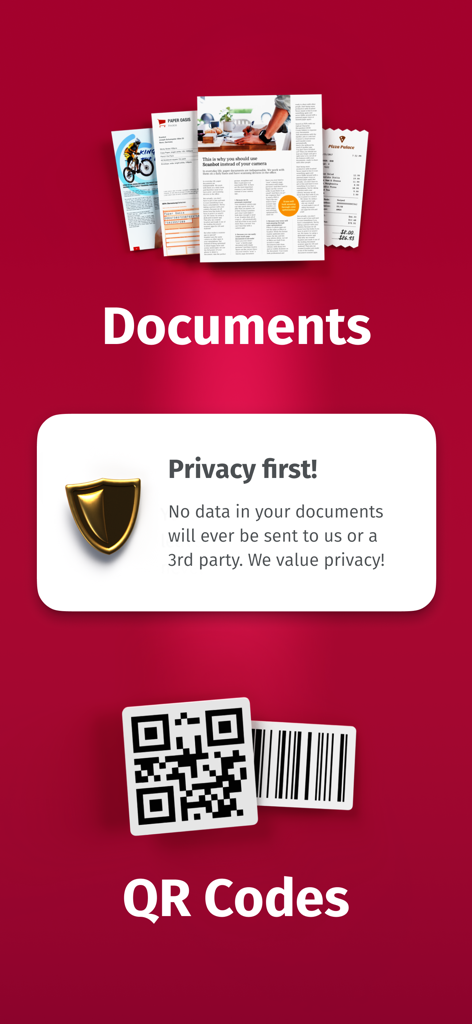
SwiftScan Pro Document Scanner - SwiftScan Pro app interface highlighting document scanning, QR code support, and data privacy security.
SwiftScan Pro app interface highlighting document scanning, QR code support, and data privacy security.

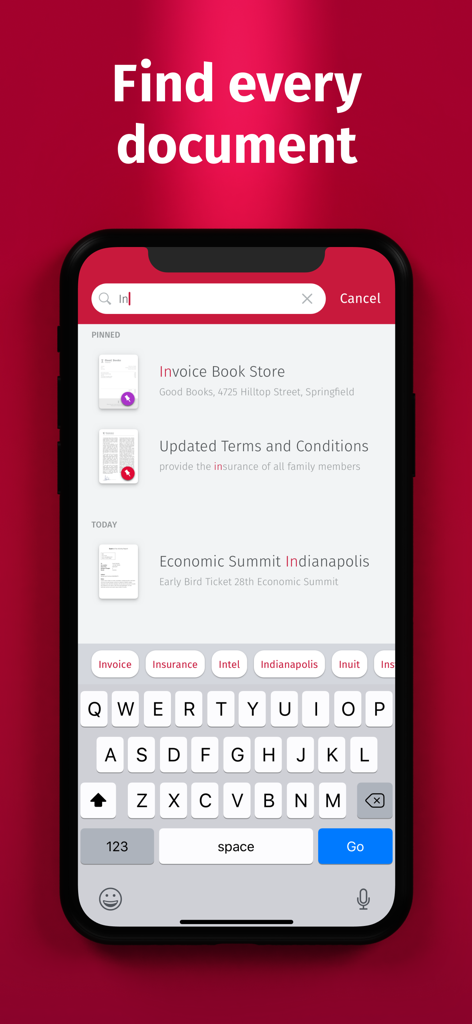
SwiftScan Pro Document Scanner - SwiftScan Pro mobile app search interface for finding scanned documents like invoices and terms and conditions.
SwiftScan Pro mobile app search interface for finding scanned documents like invoices and terms and conditions.

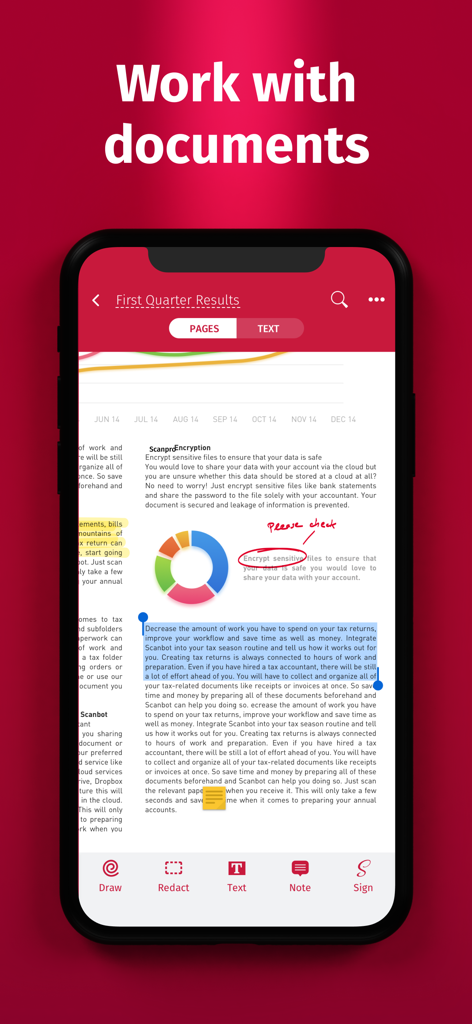
SwiftScan Pro Document Scanner - SwiftScan Pro mobile interface showing document editing features including highlights and annotations
SwiftScan Pro mobile interface showing document editing features including highlights and annotations

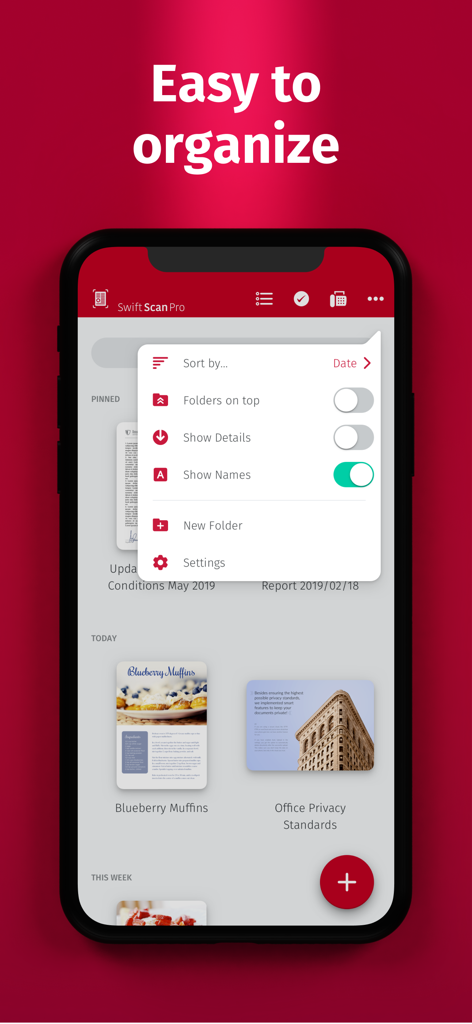
SwiftScan Pro Document Scanner - SwiftScan Pro app screen showing document management and sorting options on an iPhone
SwiftScan Pro app screen showing document management and sorting options on an iPhone

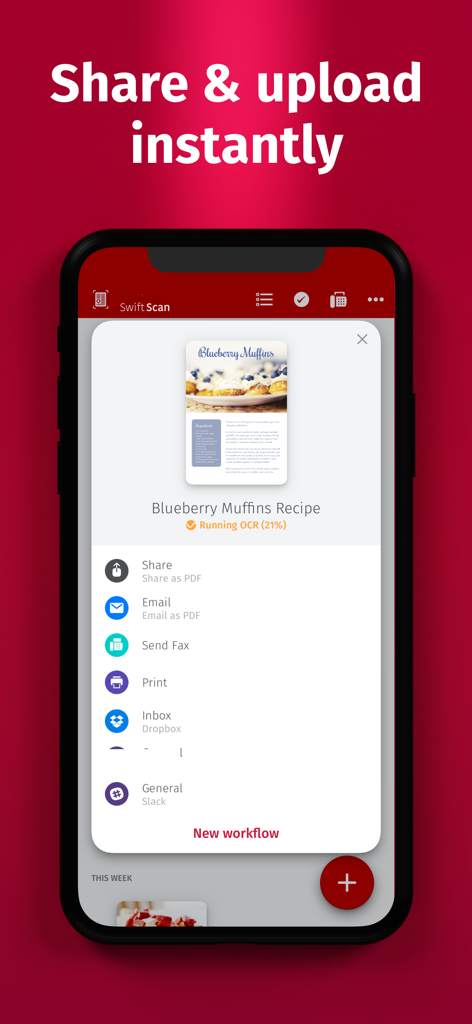
SwiftScan Pro Document Scanner - SwiftScan Pro app interface showing options to share, fax, and upload scanned documents to cloud services like Dropbox and Slack.
SwiftScan Pro app interface showing options to share, fax, and upload scanned documents to cloud services like Dropbox and Slack.

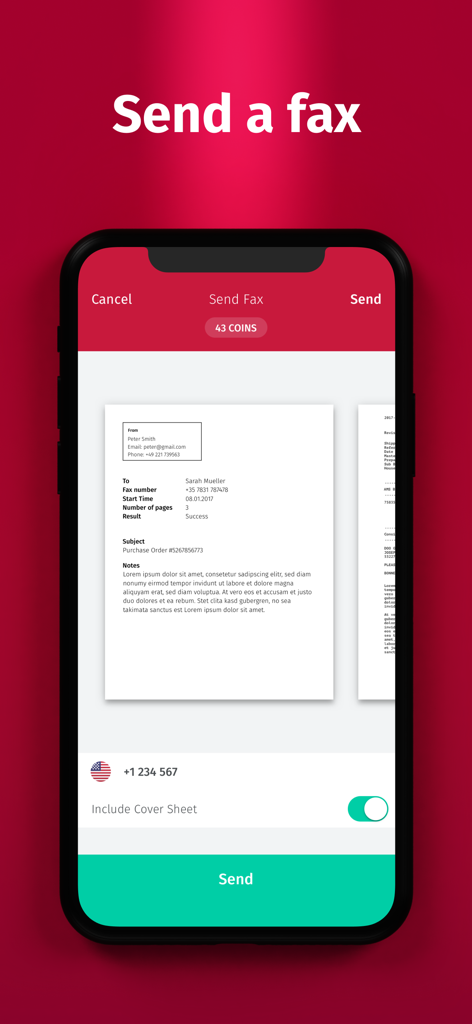
SwiftScan Pro Document Scanner - SwiftScan Pro mobile app interface showing the send fax feature with a document preview and send button

SwiftScan Pro mobile app interface showing the send fax feature with a document preview and send button

Description

SwiftScan Pro unlocks full access to all the features limited in SwiftScan’s app. SwiftScan Pro is the best mobile scanner app for documents and QR codes. Create high-quality PDF or JPG scans with just one tap. Send files via email or as a fax. Upload them to iCloud Drive, Box, Dropbox, Evernote and other cloud services. SwiftScan Pro packs all the power of a desktop scanner into one tiny scanner app! FEATURE HIGHLIGHTS • iOS widget: Shortcut widget provides instant access to scan, search, or view recent documents • Scan premium quality PDFs or JPGs with 200 dpi and higher • Advanced AI Tools to summarize your documents for quick comprehension, or even translate documents to another language • Fax: you can now send your documents as a fax right from SwiftScan Pro! • Cloud integration: iCloud Drive, Dropbox, Box, Evernote, WebDAV and other cloud services • Scan QR codes: URLs, Contacts, Phone Numbers, Locations, Hotspots, etc. • Lightning fast: automatic edge detection and scanning • Multi-page documents • Enhance your scans: color modes and automatic optimization • Smart background upload • Beautifully designed • Text recognition (OCR): extract the text of your scans to copy, search, lookup, etc. • Beautiful themes: select your preferred look and feel • Smart file naming • Passcode protection with Touch ID / Face ID support • Add pages to existing scans • Fast full-text search • PDF password protection Scan HIGH-QUALITY SwiftScan Pro relies on the latest and most advanced mobile scanning technology available. Your scans are delivered at a premium quality with 200 dpi and higher, which is comparable to the performance of modern desktop scanners. In addition, various color modes, auto-optimization and blur-reduction help you to get the most out of your scans. Scan QUICKLY Just hold your iPhone over any document, receipt or whiteboard and it takes only a second to scan a page and save it as a PDF or JPG. Thanks to SwiftScan Pro’s latest technology, the edges of the document are automatically identified so that only the document itself is scanned. SwiftScan Pro captures the best possible image in the perfect moment. Scan ANYTHING SwiftScan Pro works on all occasions with all kind of media. Scan any kind of document such as paper documents, business cards, receipts, notes, whiteboards or post-its. SwiftScan Pro helps you save the documents that are important for you and get rid of paper clutter. No matter whether you are at work or on holidays, SwiftScan Pro is with you. Scan to the CLOUD Scanned documents can be emailed, printed or uploaded to a supported cloud drive. If you enable automatic upload and SwiftScan Pro will automatically save your scans to your preferred cloud service right at the moment your PDF scan has been created. Learn more: https://swiftscan.app Get in touch: support@swiftscanapp.com Terms of Service: https://maplemedia.io/terms-of-service/ Privacy Policy: https://maplemedia.io/privacy/

Download

Download on App Store

This page is not an official page of the app or its developer, but an independent editorial publication created for informational and commentary purposes. Unless expressly stated otherwise, neither the app nor its developer is affiliated with, endorsed by, sponsored by, authorized by, or otherwise officially connected with MWM, Apple, Google Play, the app publisher, or the app's developer, and nothing on this page implies that the app was developed using MWM's services. Any trademarks, logos, screenshots, and other content remain the property of their respective owners.








