
This page is not an official page of the app or its developer, but an independent editorial publication created for informational and commentary purposes. Unless expressly stated otherwise, neither the app nor its developer is affiliated with, endorsed by, sponsored by, authorized by, or otherwise officially connected with MWM, Apple, Google Play, the app publisher, or the app's developer, and nothing on this page implies that the app was developed using MWM's services. Any trademarks, logos, screenshots, and other content remain the property of their respective owners.


Teleprompter - Captions
No more blank stares. Users command the camera, script in sync, delivering polished content every time.
Downloads
100k+User Rating
Total Ratings
142Publisher
Category
ProductivityLocales
20Latest Version
3.0.0Size
100.7 MBFirst Released
Sep 13, 2024An evaluation of core functionalities for digital content creation and professional delivery.
Key Features Analysis: Teleprompter - Captions
Automatic Subtitling
The app automatically generates subtitles for videos, enhancing accessibility and saving significant post-production time for content creators.
Integrated Video Recording
It allows users to record videos directly within the app while reading from a scrolling script, ensuring professional delivery and maintaining eye contact with the audience.
Comprehensive Video Editing
This tool features integrated editing capabilities, including adding logos, resizing for social media, incorporating music, and applying green screen effects, streamlining the content creation workflow.
Remote Teleprompter Control
It provides the ability to control the teleprompter script from any web browser on the same WiFi network, offering flexibility and ease during recording sessions.
Unlimited Script Management
The app allows users to write and manage an unlimited number of scripts with no length restrictions, supporting extensive content creation and project organization.
Timed Script Scrolling
This tool features timed scrolling, allowing users to pre-set the script to scroll from start to finish within a specified duration, ensuring precise pacing for presentations and videos.
The following screenshots and description are sourced directly from the app's official store listing and are the property of the app developer.
App Store
Screenshots

Observe how the app presents a clear, scrolling script and integrates seamlessly with popular social media platforms.
Elegant Script Display

This tool allows users to maintain eye contact with the camera while reading a floating script, ideal for live streaming and recording across various software.
Versatile Floating Prompts

Discover how users can enhance videos with automatically generated captions, customizing them with diverse fonts and creative styles.
Dynamic Caption Styles
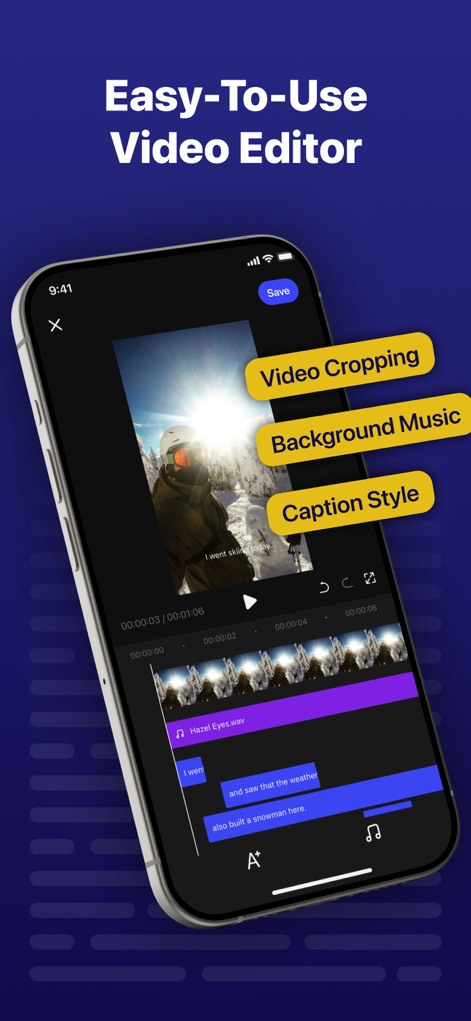
Explore the app's streamlined editor, offering powerful features like precise video cropping and customizable caption styles for polished final products.
Intuitive Video Editing

See how the app intelligently extracts text from both photos and videos, converting visual content into editable scripts.
Smart Script Extraction

This feature enables users to dictate scripts using voice recording and manage playback controls for hands-free content creation.
Voice-Activated Scripting
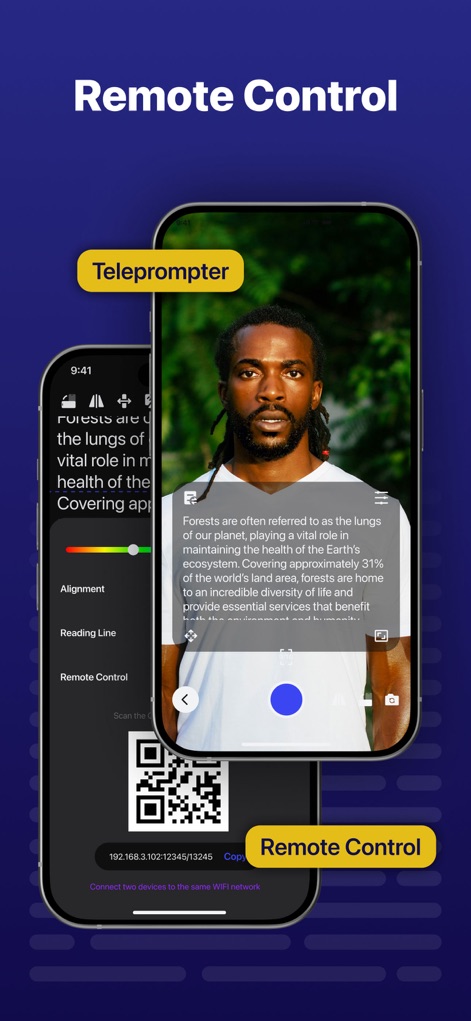
Users can remotely control the teleprompter script, adjusting alignment and reading line position, by connecting two devices on the same WiFi network.
Convenient Remote Operation

The app facilitates direct sharing of polished videos to multiple social media platforms, including TikTok and Instagram, optimizing content distribution.
Seamless Social Sharing
Description
Download
More Like This
Apps with similar features and user experience

Teleprompter
Teleprompter Apps Ltd

BIGVU Teleprompter Captions AI
BIGVU INC

Teleprompter for Video
Norton Five Ltd

Teleprompter.com
Teleprompter LLC

Vmake: AI Talking Video Editor
Starii Tech Pty Ltd

说得AI提词器相机-全能的脚本创作提词拍摄快速剪辑口播神器
Hangzhou Gaishi Technology Co., Ltd.

Teleprompter-Record Script
晨铭 李

Verba: Captions & Video Editor
Verba Creative Inc.

Teleprompter: Video Recording
志威 王
This page is not an official page of the app or its developer, but an independent editorial publication created for informational and commentary purposes. Unless expressly stated otherwise, neither the app nor its developer is affiliated with, endorsed by, sponsored by, authorized by, or otherwise officially connected with MWM, Apple, Google Play, the app publisher, or the app's developer, and nothing on this page implies that the app was developed using MWM's services. Any trademarks, logos, screenshots, and other content remain the property of their respective owners.