
This page is not an official page of the app or its developer, but an independent editorial publication created for informational and commentary purposes. Unless expressly stated otherwise, neither the app nor its developer is affiliated with, endorsed by, sponsored by, authorized by, or otherwise officially connected with MWM, Apple, Google Play, the app publisher, or the app's developer, and nothing on this page implies that the app was developed using MWM's services. Any trademarks, logos, screenshots, and other content remain the property of their respective owners.


Teleprompter: Video Record AI
No more blank stares. This app ensures your video delivery is always spot on, making you sound like a pro, every time.
Downloads
100k+User Rating
Total Ratings
21Publisher
Category
Photo & VideoLocales
18Latest Version
1.5.2Size
166.0 MBFirst Released
Mar 25, 2025An Analytical Overview for Content Creators and Professionals
Key Features of Teleprompter: Video Record AI
Integrated Teleprompter for Eye Contact
The app provides an elegant teleprompter that scrolls text near the lens, enabling users to read scripts naturally while maintaining direct eye contact with the camera, ensuring professional video delivery.
Comprehensive In-App Video Editing
The app offers robust post-recording editing tools, allowing users to resize for various social media platforms, replace backgrounds, add text overlays, generate auto-captions, and incorporate royalty-free music, all within a single application.
AI-Powered Script Generation
This tool features advanced AI capabilities that can generate a comprehensive 200+ word script from a single sentence, significantly streamlining the content creation process based on specified scene and tone.
Multi-Format Recording & Direct Sharing
It supports both horizontal and vertical video formats suitable for diverse platforms and offers HD export with one-click sharing options to popular social media channels like Instagram and TikTok, simplifying distribution.
AI Eye Contact Correction
It incorporates an AI-powered feature to subtly correct minor eye drifts, ensuring that presenters consistently appear to maintain direct eye contact with the audience throughout their video recordings.
Customizable AI Auto-Captions
It provides smart AI auto-caption generation with support for over a dozen languages, enabling users to customize text, timing, and appearance to perfectly match their video content and enhance accessibility.
Personalized Teleprompter Display
The app allows extensive customization of the teleprompter display, including scrolling speed, font size and color, and background transparency, ensuring an optimal reading experience tailored to individual preferences.
Versatile Script Import & Creation
This tool facilitates script management by allowing direct writing, copy-pasting, and even importing text by snapping photos of physical documents or screens, providing multiple flexible options for content preparation.
Flexible Camera Controls
The app provides flexible camera controls, including the ability to switch between front and rear cameras and a customizable countdown timer (0-10 seconds), enhancing recording setup and versatility.
Distraction-Free Teleprompter Mode
This tool offers a 'Pure Teleprompter Mode' with a focused full-screen text display and no distractions, which is ideal for practicing speeches or rehearsing content without recording.
Frequently Asked Questions
Everything you need to know about Teleprompter: Video Record AI
How does the Teleprompter - Floating Script app work for recording videos?
The Teleprompter app allows users to read a scrolling script while filming in HD, maintaining eye contact. After recording, users can edit videos, resize for social media, replace backgrounds, add text, auto captions, and royalty-free music.
Can Teleprompter - Floating Script generate scripts automatically?
Yes, Teleprompter - Floating Script includes Smart AI Captions Tools. Users type one sentence to generate a complete 200+ word script based on a selected scene and tone. It also provides AI subtitle recognition.
What customization options are available for captions in Teleprompter - Floating Script?
Teleprompter - Floating Script offers extensive caption customization. Users adjust scrolling speed (1-50), font size (12pt-112pt), and font color. It also allows full customization of text and display duration for subtitles.
Does Teleprompter - Floating Script offer an eye contact correction feature?
Yes, Teleprompter - Floating Script features an AI eye contact fix. This capability ensures users maintain natural eye contact with the camera while reading their script, enhancing video professionalism.
How can users import scripts into Teleprompter - Floating Script?
Teleprompter - Floating Script offers diverse script import options. Users can copy/paste, write directly, or snap a photo to extract text. It also supports importing Word, PDF, AI scripts, and TXT files.
What platforms can Teleprompter - Floating Script videos be shared to?
Teleprompter - Floating Script supports one-click sharing of HD videos directly to popular platforms. These include Instagram, TikTok, and other social media to easily showcase created content.
How does the Teleprompter - Floating Script subscription work?
Teleprompter subscriptions via Apple automatically renew. Payment is charged to the App Store account upon confirmation. Auto-renewal must be turned off 24 hours before the current period ends, and can be managed in App Store settings.
What devices are compatible with Teleprompter - Floating Script?
Teleprompter - Floating Script is compatible with both iPhone and iPad devices. This ensures broad accessibility for users who want to create and edit videos on Apple's mobile platforms.
Does Teleprompter - Floating Script offer a floating script overlay?
Yes, Teleprompter - Floating Script offers a floating script feature that overlays on top of all other apps. This enables users to read scripts hands-free without switching applications.
Can users adjust the background of the teleprompter in Teleprompter - Floating Script?
Yes, Teleprompter - Floating Script provides background customization. Users select between white and black backgrounds and adjust transparency from 0% to 50%, suiting diverse recording environments and preferences.
The following screenshots and description are sourced directly from the app's official store listing and are the property of the app developer.
App Store
Screenshots
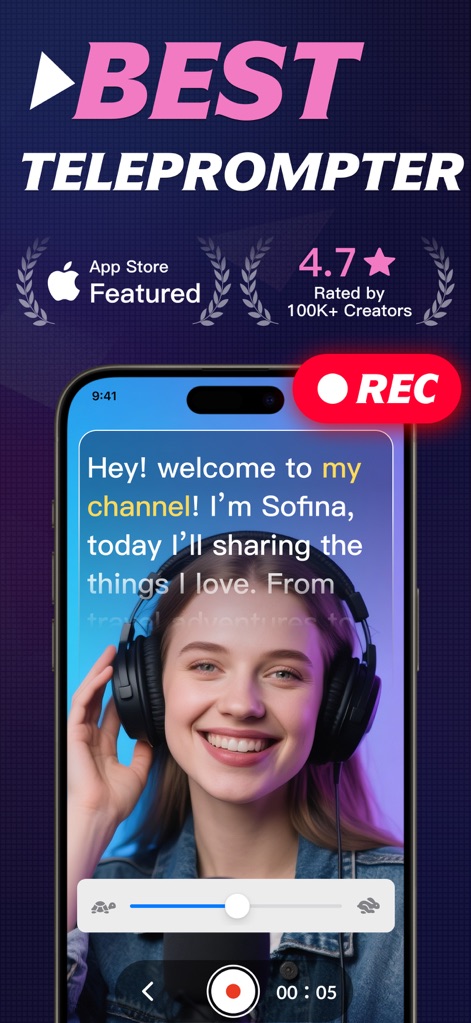
See how the app integrates teleprompter text directly into the recording interface and features a prominent 'REC' button for easy professional video capture.
Seamless Video Recording
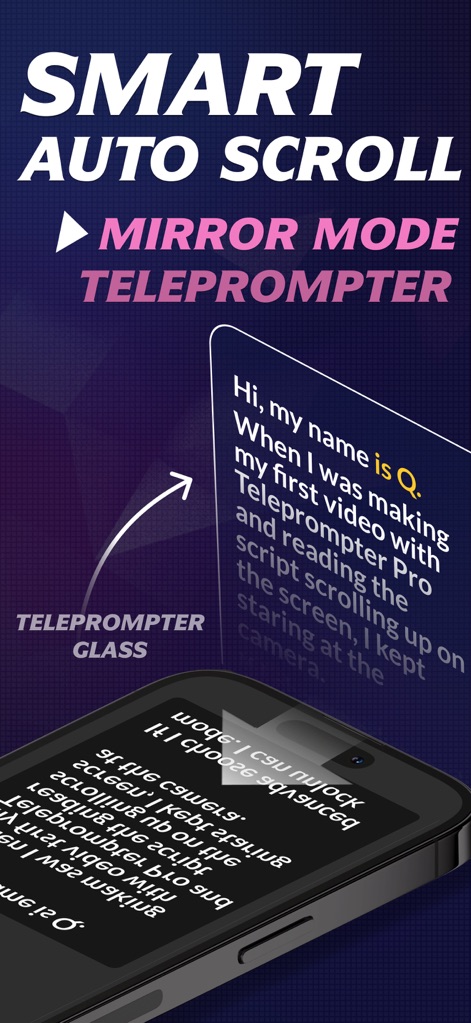
Discover the app's 'Mirror Mode' teleprompter, ideal for external glass setups, and its 'Smart Auto Scroll' feature for natural, smooth delivery.
Intelligent Text Scrolling
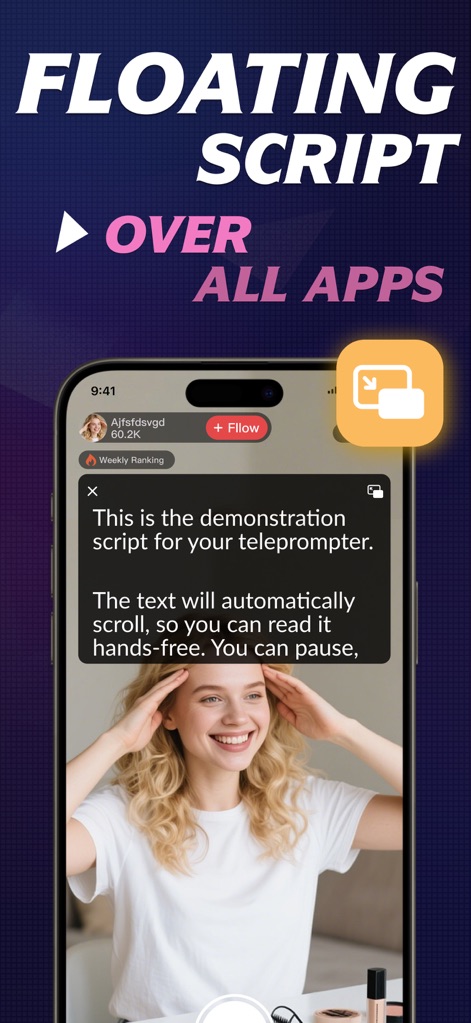
Observe the innovative 'Floating Script' feature, which allows the teleprompter to appear 'Over All Apps', perfect for live streaming or parallel tasks.
Multitasking Script Overlay
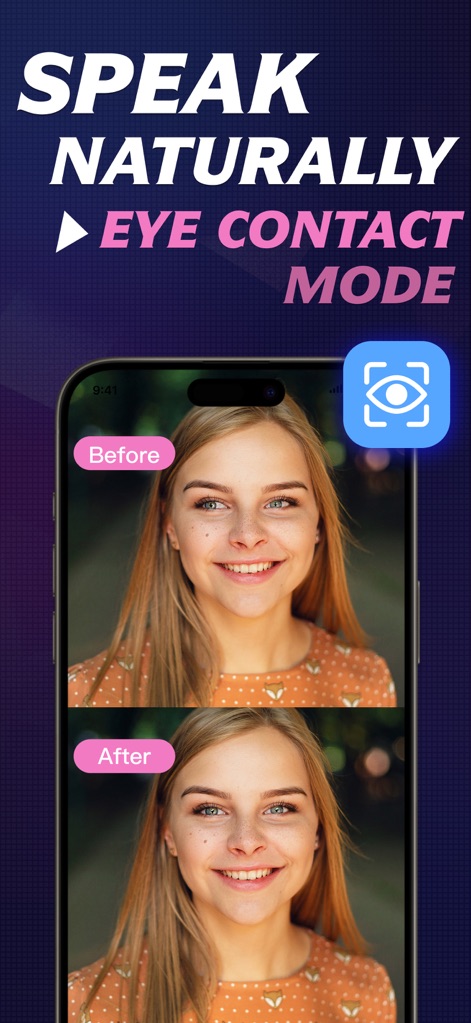
Explore the innovative 'Eye Contact Mode' with its clear 'Before' and 'After' views, ensuring users maintain a natural and direct gaze toward the camera.
Perfect Eye Contact
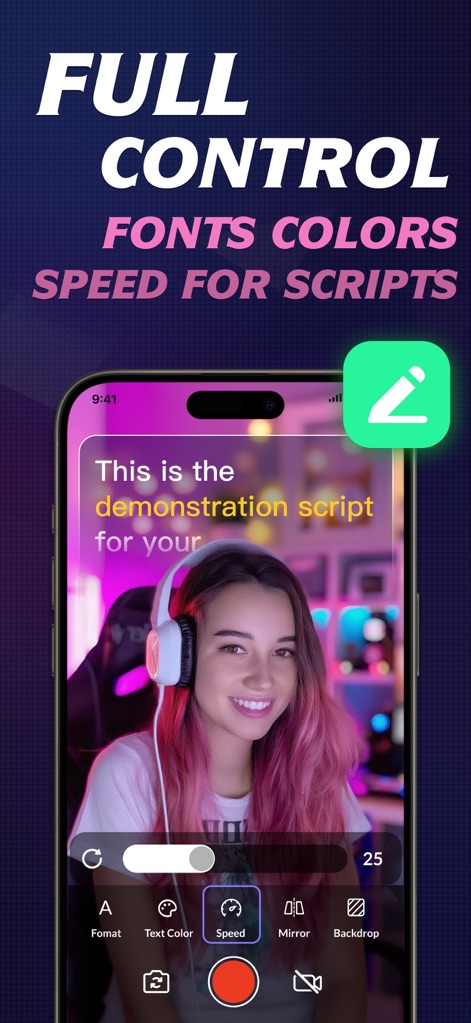
Gain 'Full Control' over script presentation by easily adjusting the scrolling 'Speed' and customizing diverse 'Font Colors' to match any visual style.
Script Customization Controls
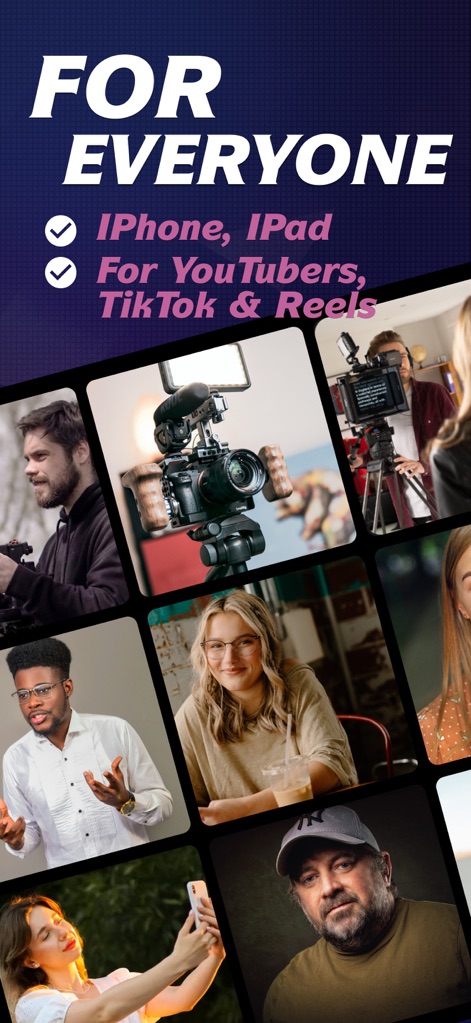
This tool is designed 'For Everyone', supporting content creation across both 'iPhone, iPad' and catering specifically to 'YouTubers, TikTok & Reels' professionals.
Versatile Creator Tool
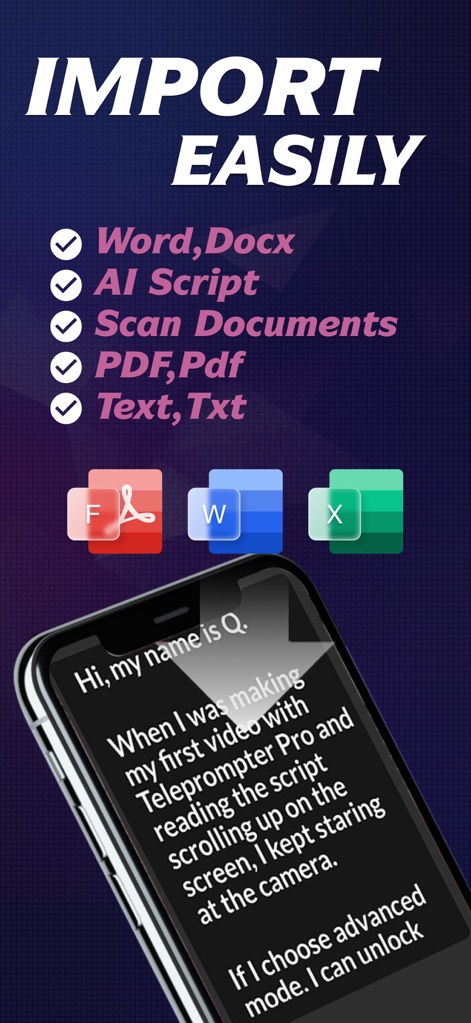
Experience how users can 'Import Easily' scripts from various document types like 'Word, Docx' and leverage 'AI Script' tools for instant text generation.
Effortless Script Import
View the app's 'RECOMMENDED WORLDWIDE' status, backed by impressive '5-star' ratings and enthusiastic user testimonials like 'Best for TikTok!'.
Globally Acclaimed Performance
Description
Download
More Like This
Apps with similar features and user experience

Teleprompter
Teleprompter Apps Ltd

BIGVU Teleprompter Captions AI
BIGVU INC

Teleprompter for Video
Norton Five Ltd

Teleprompter.com
Teleprompter LLC

Vmake: AI Talking Video Editor
Starii Tech Pty Ltd

说得AI提词器相机-全能的脚本创作提词拍摄快速剪辑口播神器
Hangzhou Gaishi Technology Co., Ltd.

Teleprompter-Record Script
晨铭 李

Verba: Captions & Video Editor
Verba Creative Inc.

Teleprompter: Video Recording
志威 王
This page is not an official page of the app or its developer, but an independent editorial publication created for informational and commentary purposes. Unless expressly stated otherwise, neither the app nor its developer is affiliated with, endorsed by, sponsored by, authorized by, or otherwise officially connected with MWM, Apple, Google Play, the app publisher, or the app's developer, and nothing on this page implies that the app was developed using MWM's services. Any trademarks, logos, screenshots, and other content remain the property of their respective owners.