
This page is not an official page of the app or its developer, but an independent editorial publication created for informational and commentary purposes. Unless expressly stated otherwise, neither the app nor its developer is affiliated with, endorsed by, sponsored by, authorized by, or otherwise officially connected with MWM, Apple, Google Play, the app publisher, or the app's developer, and nothing on this page implies that the app was developed using MWM's services. Any trademarks, logos, screenshots, and other content remain the property of their respective owners.

Toybox: 3D Print your own toys
Transform screen time into a hands-on STEM adventure. Empower your little maker to choose from hundreds of safe designs and watch their imagination come to life at the push of a button.
Downloads
152K+User Rating
Total Ratings
1K+Publisher
Category
EntertainmentLocales
1Latest Version
1.19.5Size
74.9 MBFirst Released
Feb 7, 2017Empower the Next Generation of Makers
Toybox bridges the gap between digital creativity and physical play, offering an easy-to-use platform where kids can safely print their own adventures.
One-Touch Printing Magic
No complex technical skills or slicing required. Just browse, pick a toy, and press print for instant physical gratification.
An Endless Toy Library
Gain access to thousands of curated collections and licensed characters, ensuring your child always has something new to create and collect.
Frequently Asked Questions
Everything you need to know about Toybox: 3D Print your own toys
What is the Toybox app?
The Toybox app is a companion application for the Toybox 3D printer, allowing children to find, customize, and print their own toys at the push of a button.
How does the Toybox app work to print toys?
Users browse hundreds of toy collections in the Toybox app, select a desired toy, and press the print button. The Toybox 3D printer immediately begins printing the selected item.
Can users customize toys within the Toybox app?
Yes, the Toybox app allows users to personalize their toys. Features like hair, eyes, and eyebrows can be adjusted to create unique designs for models like "Block Buddy".
How many toys are available to print with Toybox?
The Toybox app offers a vast selection, allowing users to browse thousands of toys and collections. This includes diverse items like "Toybox Planes" and "Printer Pals: Dog".
Where can I find the Terms of Use for Toybox?
The Terms of Use for Toybox are available online. Users can access the full terms at the official Toybox website via the link: https://toybox.com/pages/terms-of-service.
Does Toybox offer resources for learning how to use the printer?
Yes, the Toybox app includes a "Learn Something New" section. This section provides educational content, such as a "Calibration Crash Course with Crash" video, to help users operate the printer effectively.
How long does it take for the Toybox printer to print a toy?
The printing time for toys varies. For example, the app shows a "Propeller" printing with an estimated duration of 5 minutes. The app displays real-time progress during printing.
The following screenshots and description are sourced directly from the app's official store listing and are the property of the app developer.
App Store
Screenshots
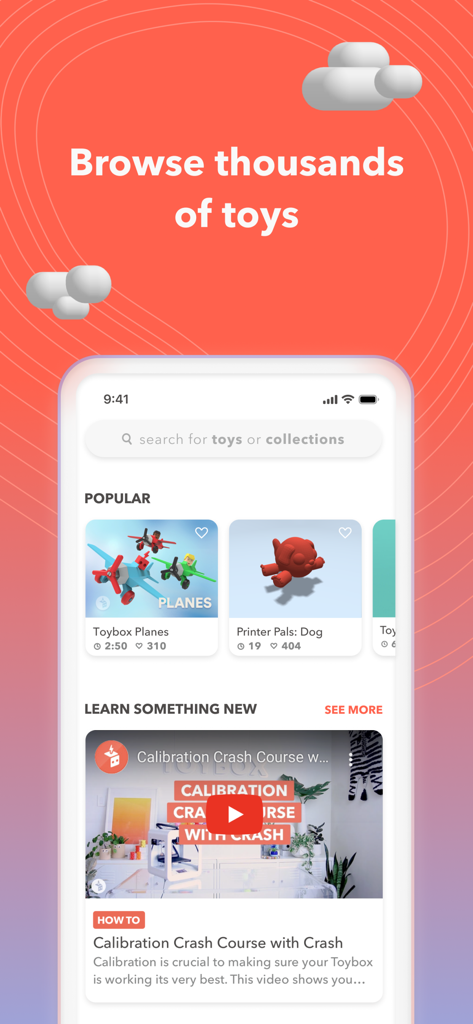
Toybox app home screen displaying popular 3D printable toys and tutorial videos.
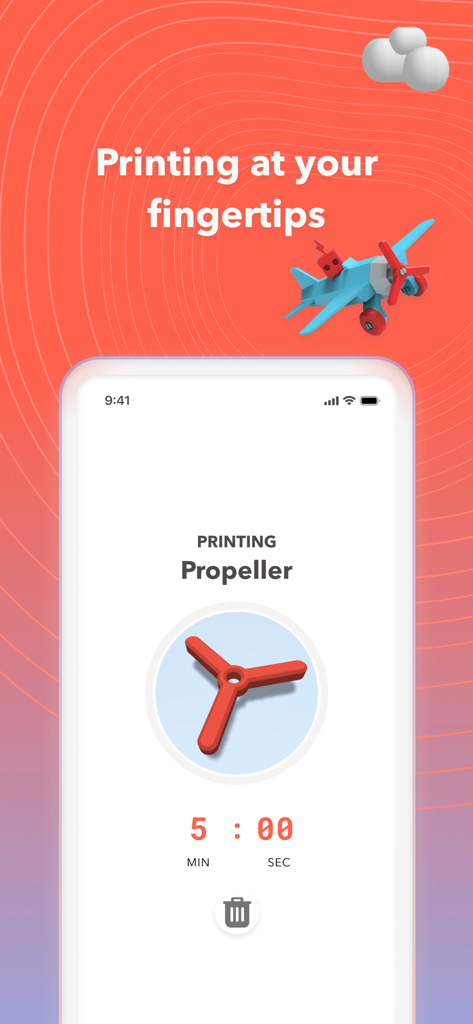
Toybox app screen showing a countdown timer for a 3d printed toy propeller
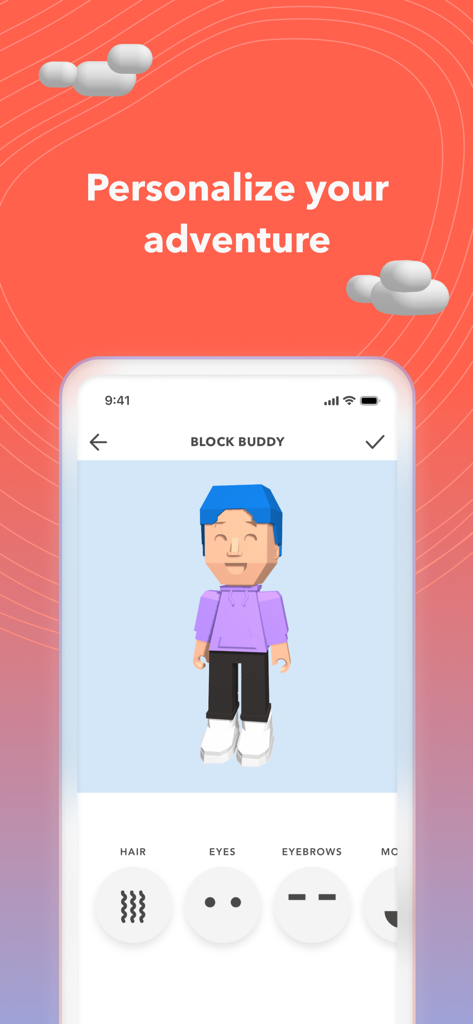
Smartphone screen displaying character personalization options for 3D printing in the Toybox app
Description
Download
More Like This
Apps with similar features and user experience
Super T-Shirt Designer
Shenzhen Bigger Lens LLC

iShaper: Custom Surfboards
Ryan Kotzebue

Fonts & Designs For DIY Space
UN Global

Cricut Design Space
Cricut, Inc.
Creality Cloud - 3D Printing
CREALITY 3D HK TECHNOLOGY LIMITED

Tinkercad
Autodesk

HelloBlink
Shenzhen Yihengke Electronic Technology Co.,Ltd.

Easy-PhotoPrint Editor
Canon Inc.

Dot Lab - Perler beads pattern
桂华 冉
This page is not an official page of the app or its developer, but an independent editorial publication created for informational and commentary purposes. Unless expressly stated otherwise, neither the app nor its developer is affiliated with, endorsed by, sponsored by, authorized by, or otherwise officially connected with MWM, Apple, Google Play, the app publisher, or the app's developer, and nothing on this page implies that the app was developed using MWM's services. Any trademarks, logos, screenshots, and other content remain the property of their respective owners.