
This page is not an official page of the app or its developer, but an independent editorial publication created for informational and commentary purposes. Unless expressly stated otherwise, neither the app nor its developer is affiliated with, endorsed by, sponsored by, authorized by, or otherwise officially connected with MWM, Apple, Google Play, the app publisher, or the app's developer, and nothing on this page implies that the app was developed using MWM's services. Any trademarks, logos, screenshots, and other content remain the property of their respective owners.


TurboScan™ Pro: PDF scanner
Turn your iPhone into a powerful document hub. Get ultra-fast, high-quality scans in seconds with zero data collection and a no-nonsense workflow designed for your efficiency.
Downloads
908K+User Rating
Total Ratings
490K+Publisher
Category
BusinessLocales
10Latest Version
3.3.8Size
19.8 MBFirst Released
Dec 7, 2009Professional Tools for Your Mobile Office
Join over 1 million pragmatics who choose reliability and speed over flashy subscriptions. TurboScan™ Pro delivers high-performance scanning with a focus on privacy and efficiency.
Ultra-Fast 3-Second Scanning
Save time with our high-speed algorithms that detect edges and correct perspective instantly. Perfect for high-volume paperwork and busy schedules.
Total Privacy by Design
Your sensitive documents stay on your device. We collect zero data and process everything locally, keeping your legal and financial information secure.
Frequently Asked Questions
Everything you need to know about TurboScan™ Pro: PDF scanner
Does TurboScan Pro collect user data?
No, TurboScan does not collect any user data. All scanning processes occur directly on your iPhone, ensuring the confidentiality of your information.
What is SureScan in TurboScan Pro PDF scanner?
SureScan is a proprietary scanning mode in TurboScan Pro. It automatically captures three images of the same document, producing sharper scans, especially beneficial in low-light conditions.
Does TurboScan Pro have security features like Face ID?
Yes, TurboScan Pro offers Face/Touch ID and passcode lock for enhanced security. This feature helps protect your scanned documents on your iPhone.
What types of documents can TurboScan Pro scan?
TurboScan Pro can scan various items, including documents, receipts, books, photos, and whiteboards. It supports outputting scans as high-quality PDFs or JPEGs.
How can I share documents from TurboScan Pro?
Users can share documents from TurboScan Pro via email, messages, AirDrop, or by printing with AirPrint. It also supports saving to Photos, iCloud Drive, Google Drive, and other cloud apps.
Can I organize and search for documents in TurboScan Pro?
Yes, TurboScan Pro allows users to name documents, organize them into folders, and utilize a smart search function for efficient retrieval of scanned files.
Does TurboScan Pro offer accessibility features like VoiceOver?
Yes, TurboScan Pro features VoiceOver support, designed to assist visually impaired users in navigating and utilizing the application.
Can I send faxes using TurboScan Pro?
Yes, TurboScan Pro facilitates sending faxes through its integration with the companion Turbo Fax app.
Does TurboScan Pro combine multiple receipts into one PDF?
Yes, TurboScan Pro offers the option to arrange multiple receipts or cards onto a single PDF page, which is useful for printing or convenient viewing.
How fast does TurboScan Pro scan documents?
TurboScan Pro processes scans rapidly, completing each page in under 3 seconds. This ensures quick document digitalization.
The following screenshots and description are sourced directly from the app's official store listing and are the property of the app developer.
App Store
Screenshots
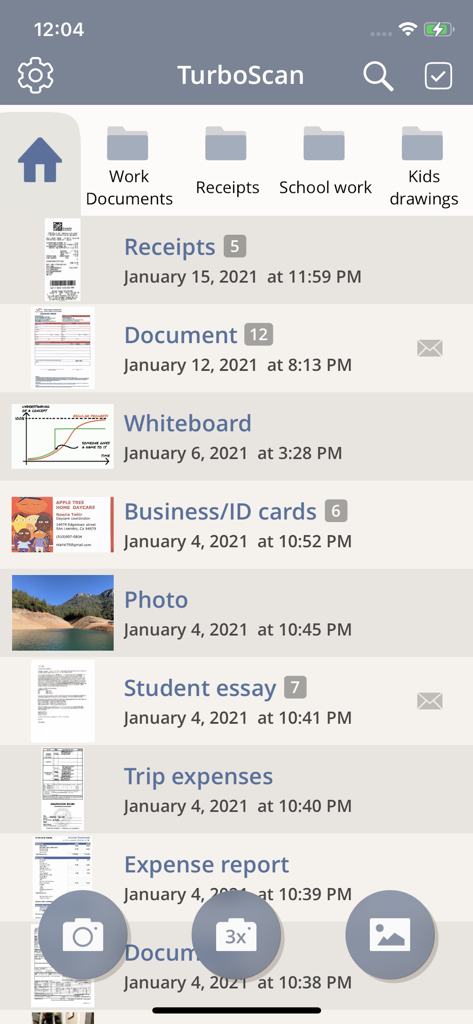
Main screen of the TurboScan Pro app showing organized folders and a list of scanned PDF documents including receipts and essays.
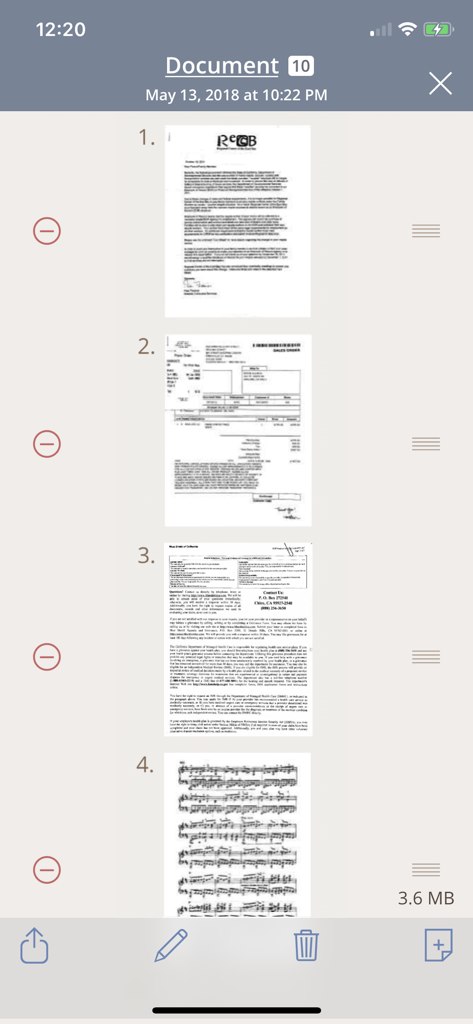
TurboScan Pro interface showing a list of multiple scanned document pages including a letter and an invoice
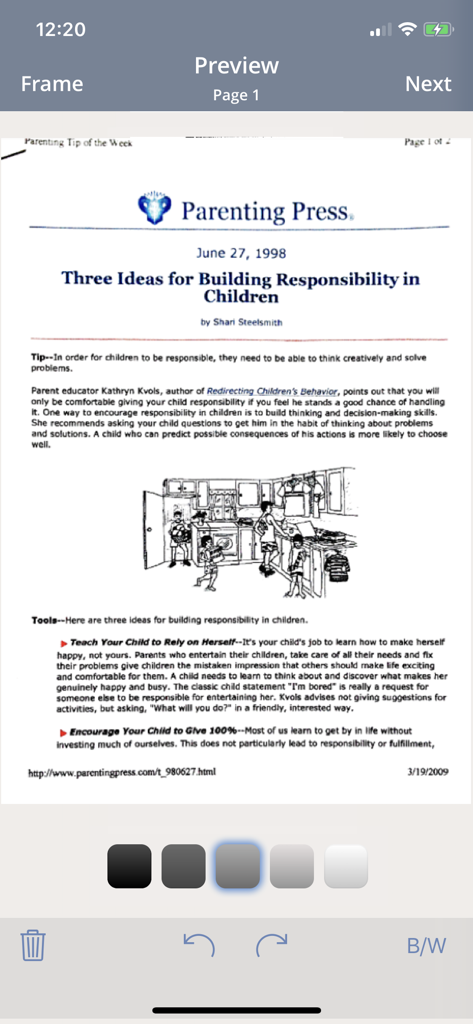
TurboScan Pro interface showing a scanned document preview with editing tools
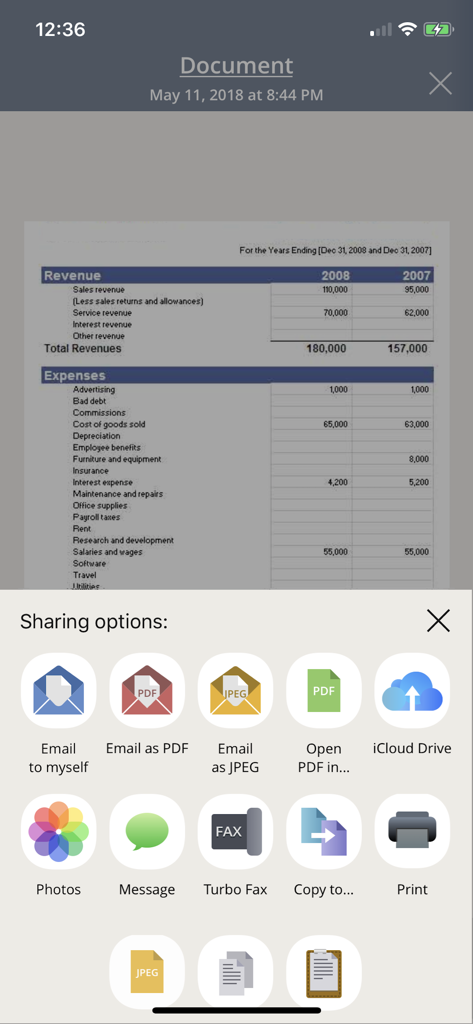
Sharing options menu in the TurboScan Pro app showing features like email to myself and cloud storage for scanned documents
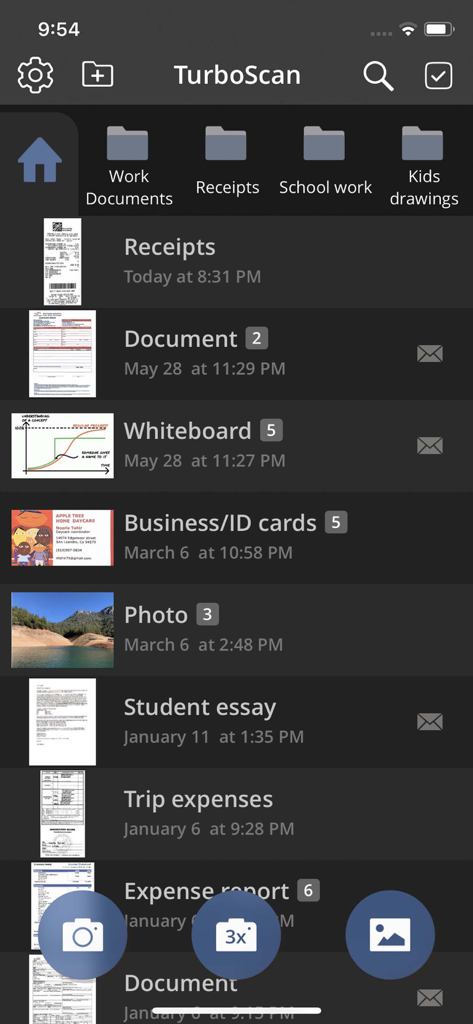
TurboScan Pro app screen with scanned documents organized in folders
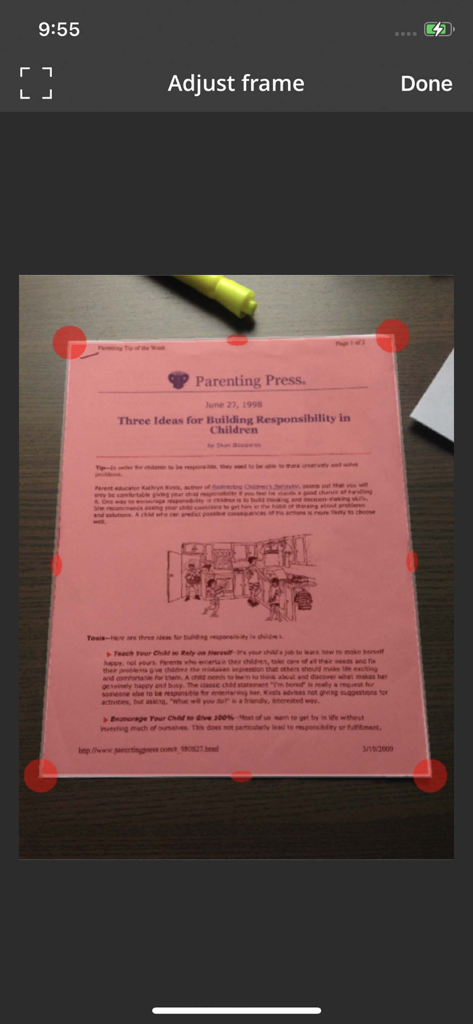
Interface of TurboScan Pro showing adjustable red corner handles for manual document cropping and perspective correction on a scanned pink flyer.
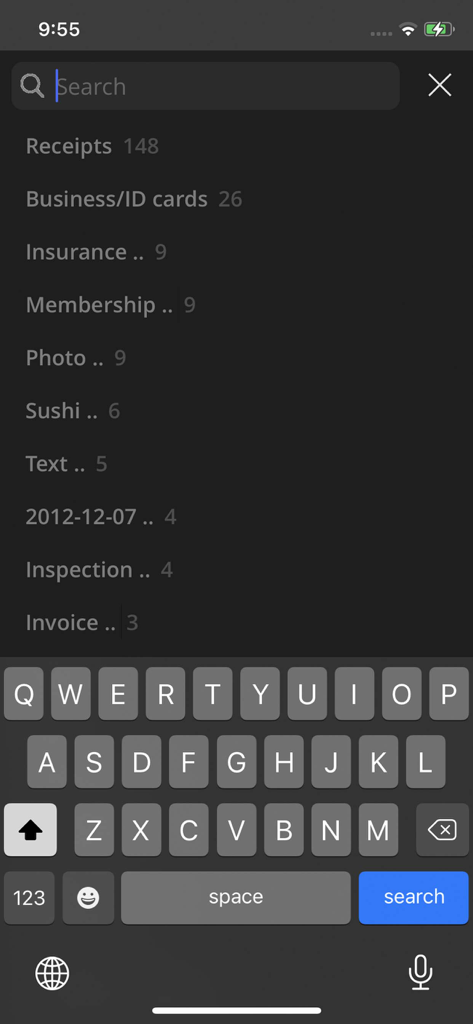
Search interface in TurboScan Pro showing document categories like receipts and business cards
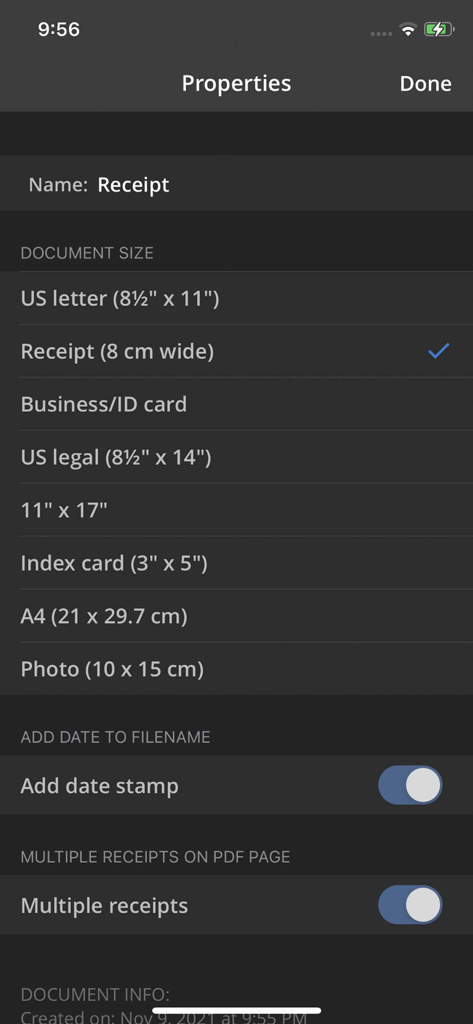
TurboScan Pro document properties screen showing scan size and receipt options.
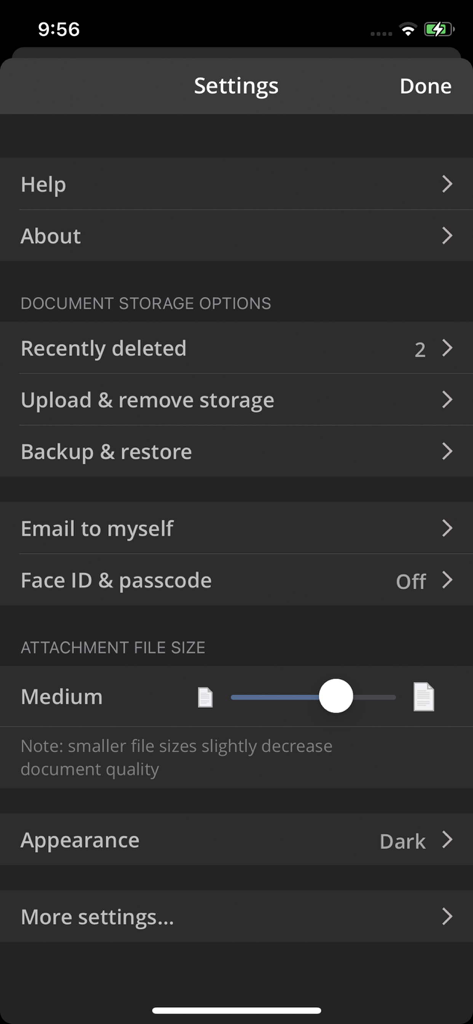
Settings screen of the TurboScan Pro app displaying document storage and security options
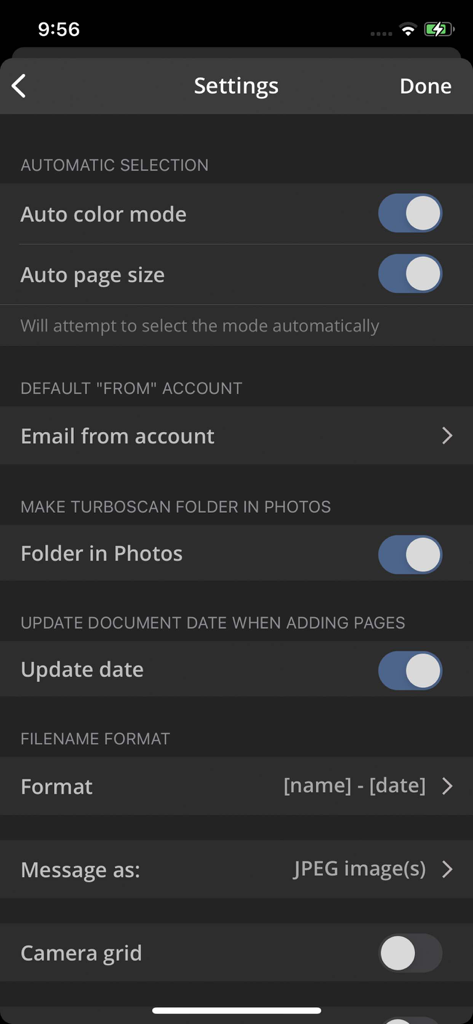
Settings menu of TurboScan Pro app showing scan automation and file format options
Description
Download
More Like This
Apps with similar features and user experience

PDF PRO Scan Image & Documents
Balzo srl

The PDF Scanner, PDF editor HQ
NEXT K.U.M. LTD

CamScanner - PDF Scanner App
INTSIG Information Co., Ltd

Adobe Scan: PDF & OCR Scanner
Adobe Inc.

WPS Office: PDF, Docs, Sheets
KINGSOFT OFFICE SOFTWARE CORPORATION LIMITED

iLovePDF - PDF Editor & Scan
ILOVEPDF S.L.

Scanner App: Genius Scan
The Grizzly Labs

Microsoft Lens: PDF Scanner
Microsoft Corporation

Clear Scan: Doc Scanner App
INDY MOBILE APP COMPANY LIMITED
This page is not an official page of the app or its developer, but an independent editorial publication created for informational and commentary purposes. Unless expressly stated otherwise, neither the app nor its developer is affiliated with, endorsed by, sponsored by, authorized by, or otherwise officially connected with MWM, Apple, Google Play, the app publisher, or the app's developer, and nothing on this page implies that the app was developed using MWM's services. Any trademarks, logos, screenshots, and other content remain the property of their respective owners.