Turning: Screen Time & Routine
Download on App Store

This page is not an official page of the app or its developer, but an independent editorial publication created for informational and commentary purposes. Unless expressly stated otherwise, neither the app nor its developer is affiliated with, endorsed by, sponsored by, authorized by, or otherwise officially connected with MWM, Apple, Google Play, the app publisher, or the app's developer, and nothing on this page implies that the app was developed using MWM's services. Any trademarks, logos, screenshots, and other content remain the property of their respective owners.


Logo of Turning: Screen Time & Routine
Download on App Store

Turning: Screen Time & Routine

Stop doomscrolling and start living. Join 250,000+ high-achievers using the scientifically-backed "Hard Mode" lock to eliminate distractions, boost focus, and build intentional habits that stick.

Key Figures

Downloads

128K+

User Rating

4.0/5

Total Ratings

2K+

Publisher

HUSTLERS Corp

Category

Productivity

Locales

3

Latest Version

26.3.0

Size

77.9 MB

First Released

May 31, 2023
Features

Unlock Your Peak Potential

Built for high-achievers who need more than just a timer. Join 250,000+ users worldwide saving an average of 3.5 hours of screen time daily through scientifically-validated discipline.

Unbreakable Focus Lock

Stop bypassing your own rules with our reliable 24-hour lock system. It’s the 'Hard Mode' for digital discipline that native screen time tools simply can't provide.

Gamified Habit Buddy

Meet Turny, your digital focus companion. Watch Turny's mood transform in real-time as you replace impulsive scrolling with high-value work and intentional living.

The following screenshots and description are sourced directly from the app's official store listing and are the property of the app developer.

App Store

Screenshots
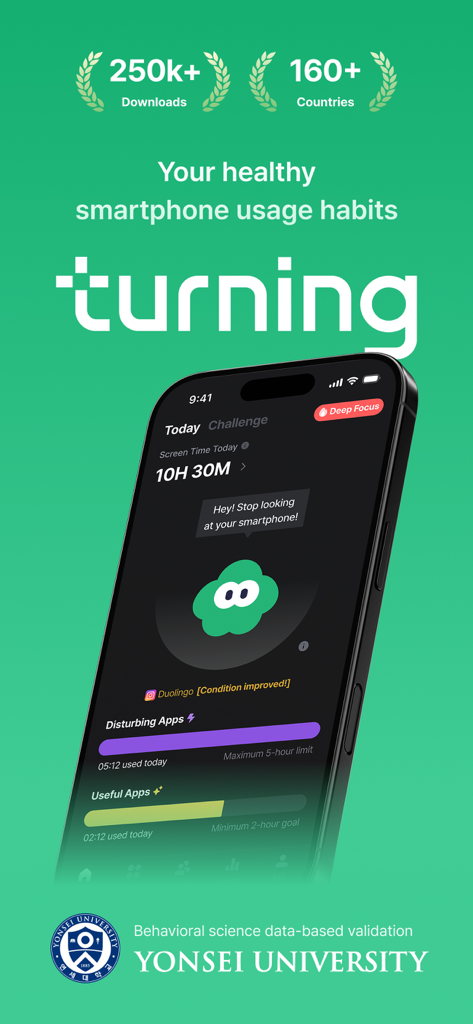
Turning: Screen Time & Routine - The Turning app dashboard features screen time tracking, a Deep Focus mode, and a digital buddy character named Turny.
The Turning app dashboard features screen time tracking, a Deep Focus mode, and a digital buddy character named Turny.

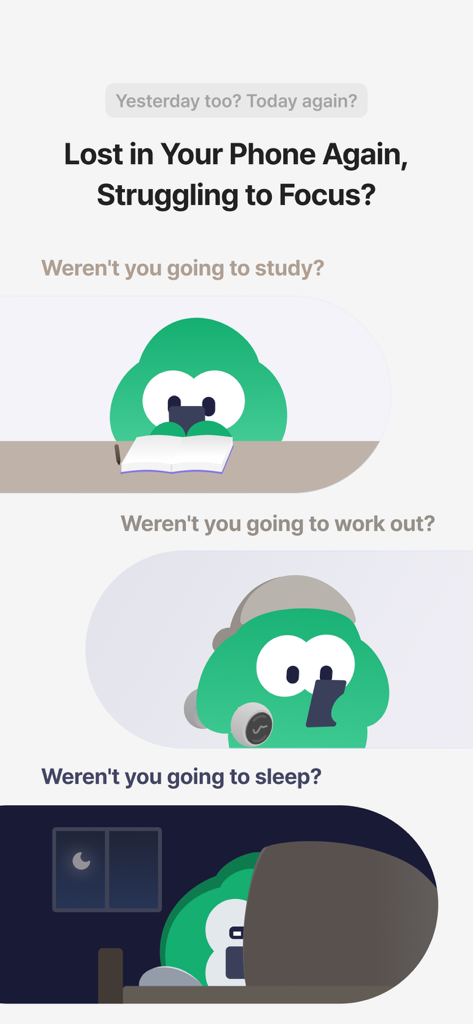
Turning: Screen Time & Routine - A series of illustrations showing a character distracted by a smartphone during study, exercise, and bedtime
A series of illustrations showing a character distracted by a smartphone during study, exercise, and bedtime

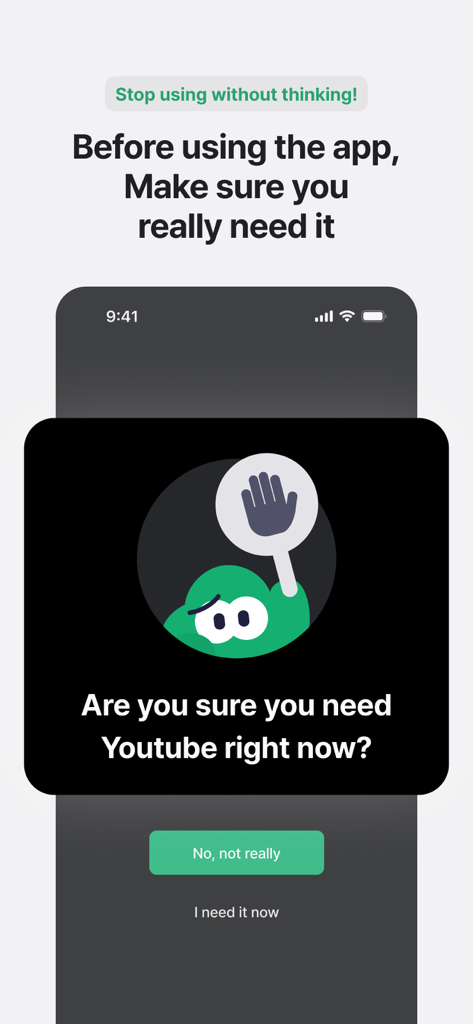
Turning: Screen Time & Routine - A mobile screen showing a mindful prompt from the Turning app asking the user if they really need to open YouTube to prevent impulsive scrolling.
A mobile screen showing a mindful prompt from the Turning app asking the user if they really need to open YouTube to prevent impulsive scrolling.

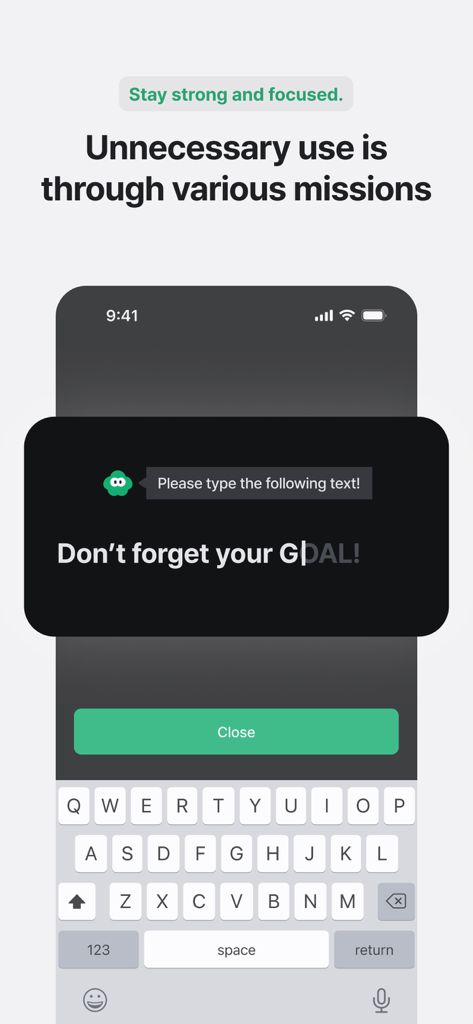
Turning: Screen Time & Routine - Screen showing a focus mission in Turning app asking users to type a phrase to reduce unnecessary phone use
Screen showing a focus mission in Turning app asking users to type a phrase to reduce unnecessary phone use

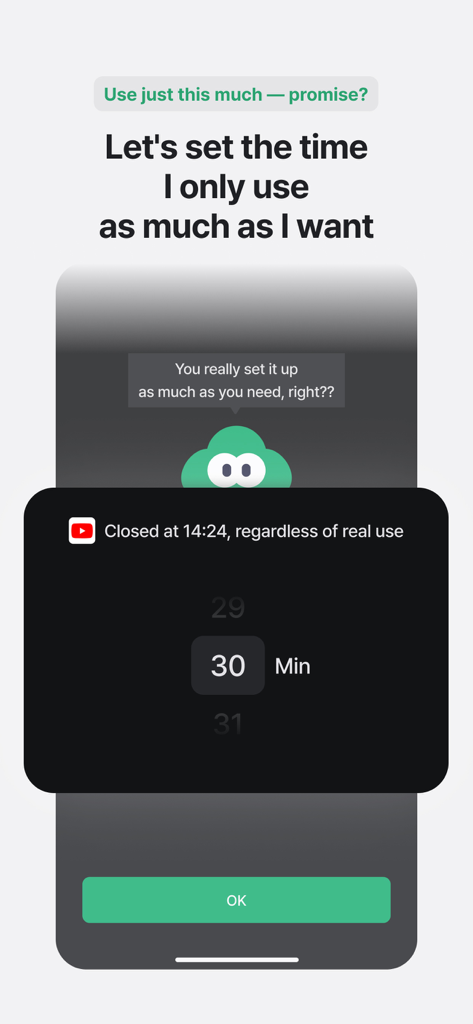
Turning: Screen Time & Routine - Setting a 30 minute app usage limit in the Turning screen time app with the digital buddy Turny
Setting a 30 minute app usage limit in the Turning screen time app with the digital buddy Turny

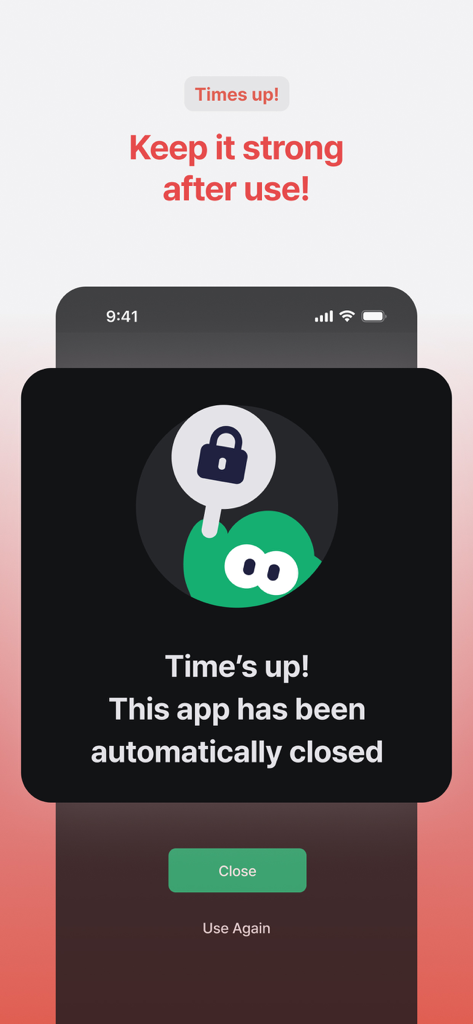
Turning: Screen Time & Routine - A notification screen from the Turning app stating that the screen time limit is up and the app has been automatically closed.
A notification screen from the Turning app stating that the screen time limit is up and the app has been automatically closed.

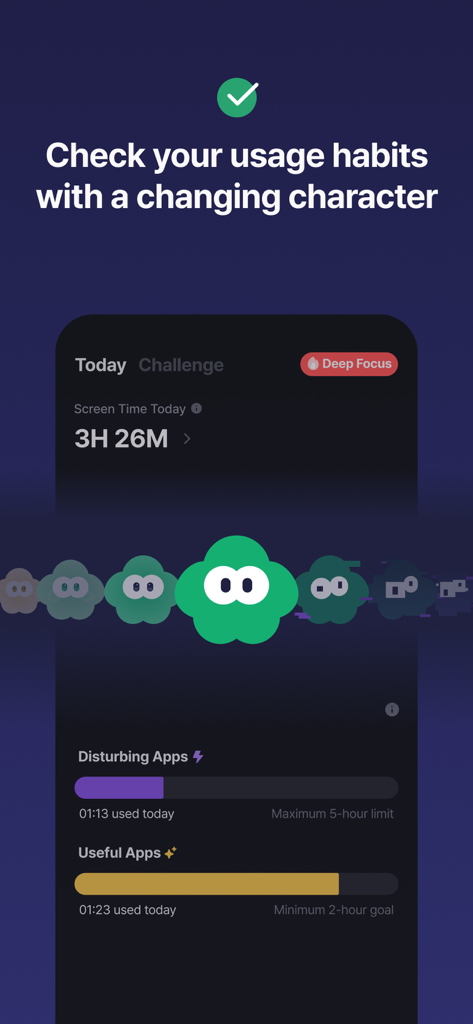
Turning: Screen Time & Routine - Turning app dashboard displaying screen time usage habits and the gamified digital buddy Turny.
Turning app dashboard displaying screen time usage habits and the gamified digital buddy Turny.

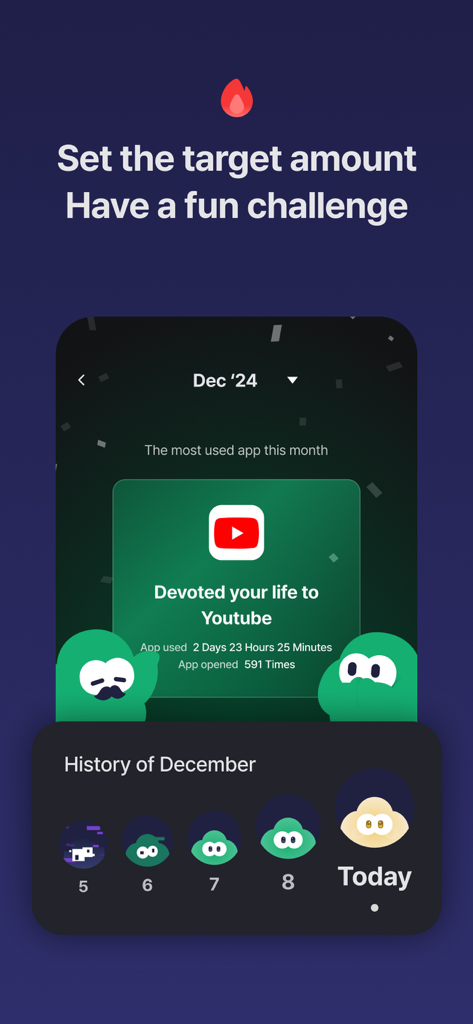
Turning: Screen Time & Routine - Turning app screen showing monthly YouTube usage statistics and gamified habit tracking history
Turning app screen showing monthly YouTube usage statistics and gamified habit tracking history

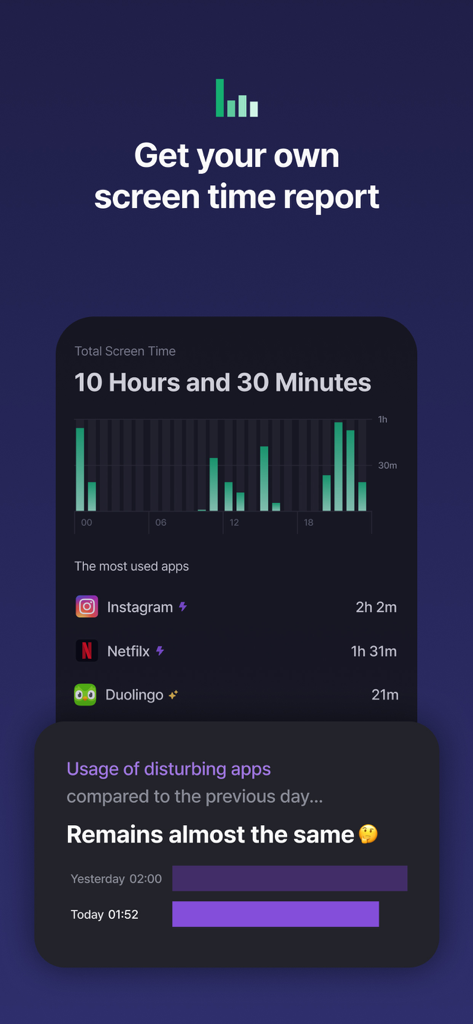
Turning: Screen Time & Routine - Turning app screen time report showing total daily phone usage and most used apps list

Turning app screen time report showing total daily phone usage and most used apps list

Description

#Boost focus, reduce screen time, and build better habits# -- “Just 10 more minutes... Just one more video... I’ll start tomorrow, for real... Wait, what time is it?” ”Turn your time around. Save up to 2 hours a day — use only the apps you *truly* need, when you need them” -- ■ The first and #1 screen time management app in Korea, used in over ''160 countries by 250,000+ users'' ■ Highly recommended for students, exam takers, job seekers, freelancers, and anyone seeking productivity ■ Scientifically validated in collaboration with ''Yonsei University’s Applied Statistics Lab'' ■ ''Reduces daily screen time from 6 hours to just 2.5 hours'' on average after starting Turning — ▶ Who is Turning for? - Those who can't stop watching Shorts or Reels before bed - Those who lose entire days to impulsive smartphone use - Those preparing for exams, competitions, or major events - Those experiencing poor focus or recurring digital fatigue - Those concerned about kids, partners, or friends using phones all day - Those who’ve tried everything to break phone addiction — ▶ Turning helps you ''use apps intentionally, not habitually.'' ▶ Now featuring ''a reliable 24-hour lock system'' to control app usage with consistency. (1) Simply register your apps once. Our intuitive, straightforward system locks distractions for 24 hours. Through the “Apps” tab, categorize your helpful and distracting apps. Turning helps you consciously access only what you need, when you need it. (2) Need stronger control? Subscribe to ''Deep Focus Mode.'' With per-app time limits and total daily usage caps, Deep Focus Mode offers more powerful blocking. If the basic mode felt too lenient, upgrade for full control and digital discipline. (3) Meet your digital buddy ''Turny'' on the home screen. Turny’s mood changes based on your screen time patterns :) Decrease distracting app use, and increase productivity-enhancing apps! (4) Track your ''personalized usage statistics'' See which apps you used today and how you've improved compared to yesterday. Build long-term healthy habits through daily insights and steady progress. — ▶ Have suggestions or feature requests? Contact us via in-app support or at [cs@hustlers.co.kr](mailto:cs@hustlers.co.kr) — ▶ Thousands are improving their lives with Turning. Build healthier smartphone habits — start today with Turning. — #screentime #focus #study #routine #digitaldetox #productivity #studyapp #miraclemorning #habits #selfcontrol #sleep #phoneaddiction #timer #studywithme — ▶ Terms of Use: https://www.apple.com/legal/internet-services/itunes/dev/stdeula — ▶ Payment will be charged to your Apple ID account upon purchase confirmation. ▶You can manage and cancel your subscription in your App Store account settings. ▶Your subscription renews automatically unless canceled at least 24 hours before the end of the current period.

Download

Download on App Store

This page is not an official page of the app or its developer, but an independent editorial publication created for informational and commentary purposes. Unless expressly stated otherwise, neither the app nor its developer is affiliated with, endorsed by, sponsored by, authorized by, or otherwise officially connected with MWM, Apple, Google Play, the app publisher, or the app's developer, and nothing on this page implies that the app was developed using MWM's services. Any trademarks, logos, screenshots, and other content remain the property of their respective owners.