
This page is not an official page of the app or its developer, but an independent editorial publication created for informational and commentary purposes. Unless expressly stated otherwise, neither the app nor its developer is affiliated with, endorsed by, sponsored by, authorized by, or otherwise officially connected with MWM, Apple, Google Play, the app publisher, or the app's developer, and nothing on this page implies that the app was developed using MWM's services. Any trademarks, logos, screenshots, and other content remain the property of their respective owners.


UE | BOOM
Forget passive listening. This app hands users unparalleled mastery over their soundscape, crafting individual speakers into a cohesive audio spectacle.
Downloads
12.5M+User Rating
Total Ratings
121.5KPublisher
Category
MusicLocales
7Latest Version
7.21.3(178)Size
194.0 MBFirst Released
May 21, 2013UE | BOOM App: Feature Analysis
Optimizing Your Ultimate Ears Audio Experience
PartyUp
The app provides the PartyUp feature, enabling users to connect up to 150 Ultimate Ears speakers for a synchronized, immersive audio experience, perfect for large social gatherings.
Customizable Equalizer (EQ)
This tool features built-in and custom equalizer options, allowing users to fine-tune the sound profile of their speakers to match their preferences or acoustic environment.
Seamless Firmware Updates
This tool facilitates easy and quick firmware updates for the speakers directly through the app, ensuring users always have access to the latest features and performance enhancements.
Speaker Personalization
The app enables users to personalize their speaker's name, save custom EQ preferences, and manage preset playlists (for supported models), tailoring the device to their individual style.
Remote Power Control
It allows users to conveniently power their speakers on and off remotely directly from the app, enhancing user convenience.
Exclusive Offers & News
It allows users to sign up for Ultimate Ears newsletters and special offers, keeping them informed about new products and promotions.
Frequently Asked Questions
Everything you need to know about UE | BOOM
What is the BOOM app for Ultimate Ears?
The BOOM app by Ultimate Ears enhances your Ultimate Ears speaker experience. It unlocks features like PartyUp, customizable EQ, and remote control for BOOM series speakers.
How does PartyUp work with the BOOM app?
The BOOM app's PartyUp feature connects up to 150 Ultimate Ears speakers. This allows users to amplify their audio experience by synchronizing multiple speakers for large gatherings.
Can I control the sound equalizer with the BOOM app?
Yes, the BOOM app allows users to customize their sound. It offers built-in EQ and custom options, enabling adjustments like bass, mid, and treble to create the desired audio atmosphere.
Which Ultimate Ears speakers are compatible with the BOOM app's personalization features?
The BOOM app's personalization features, such as speaker name, EQ preferences, and preset playlists, are compatible with BOOM 3, MEGABOOM 3, BOOM 4, MEGABOOM 4, HYPERBOOM, EPICBOOM, and EVERBOOM speakers.
Can I update my Ultimate Ears speaker using the BOOM app?
Yes, the BOOM app allows users to update their Ultimate Ears speaker. A simple tap in the app updates the speaker with the latest features, ensuring optimal performance.
Does the BOOM app offer remote control capabilities for Ultimate Ears speakers?
Yes, the BOOM app provides remote control functionality for Ultimate Ears speakers. Users can use the app to power their speakers on and off, along with accessing other remote controls from a distance.
Can I create a stereo sound experience with two Ultimate Ears speakers using the BOOM app?
Yes, the BOOM app supports Stereo Mode with two identical Ultimate Ears speakers. This feature allows users to set up a dedicated left and right channel for an enhanced audio experience.
How can I access my playlists through the BOOM app?
The BOOM app provides one-touch access to your playlists. It integrates with music services like Apple Music, allowing users to select and play their 'Favorites Mix' or other curated lists directly.
The following screenshots and description are sourced directly from the app's official store listing and are the property of the app developer.
App Store
Screenshots
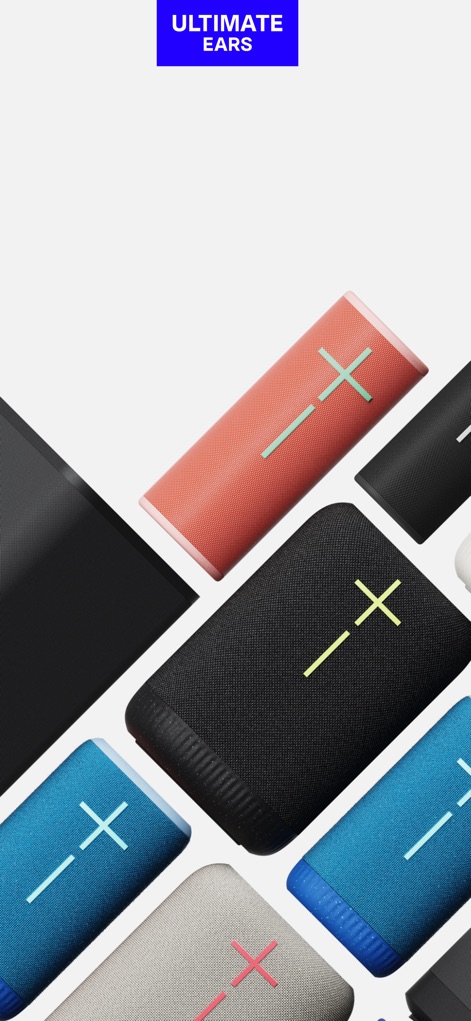
Ultimate Ears Ecosystem
Explore the diverse range of Ultimate Ears speakers, showcasing vibrant colors and the distinct brand logo, ready for app integration.
Feature Unlocked Potential
This screen highlights the variety of Ultimate Ears speakers and hints at the extensive features users can access through the app.
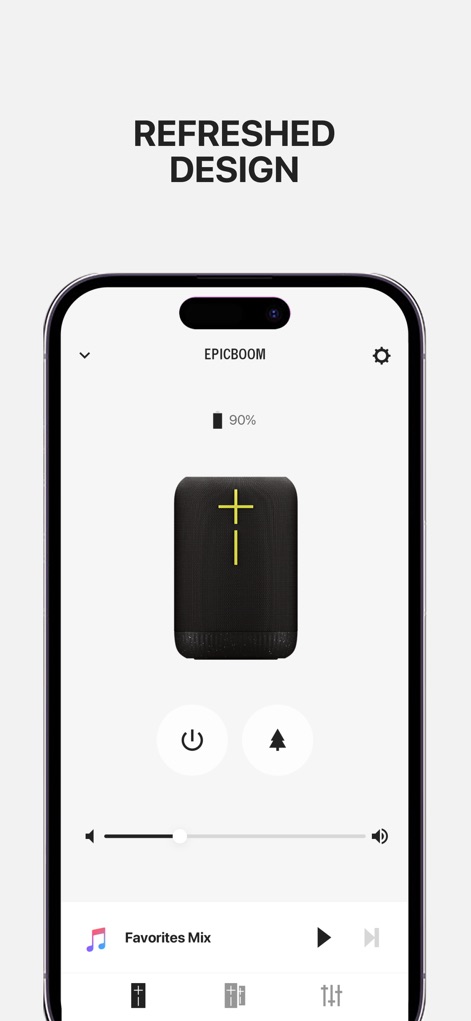
Intuitive Speaker Control
The app's refreshed design provides a clear battery indicator and seamless remote controls for power and volume, enhancing user interaction.
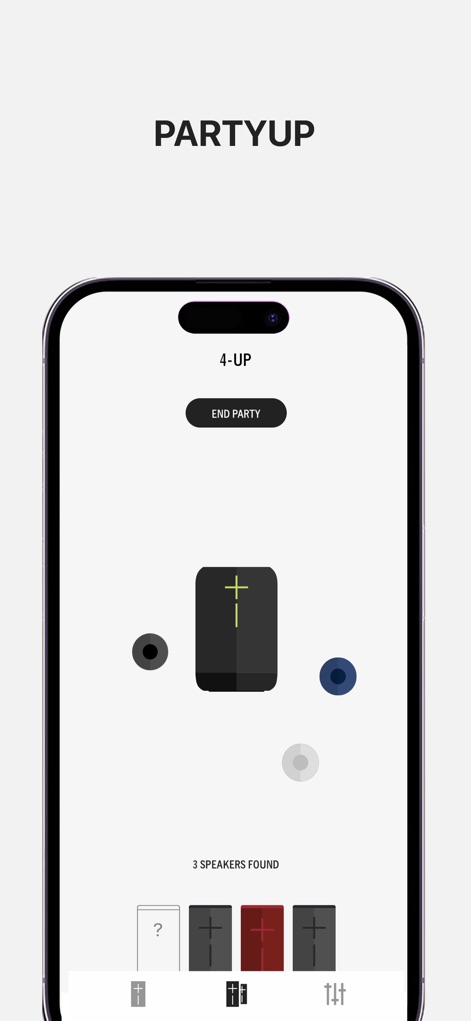
Amplify Your Parties
Experience PartyUp as the app visually connects multiple speakers, allowing users to effortlessly manage and expand their audio experience with ease.

Immersive Stereo Sound
Users can easily configure two identical speakers for immersive stereo sound, indicated by the 'DOUBLE' and 'STEREO' options, transforming their listening space.
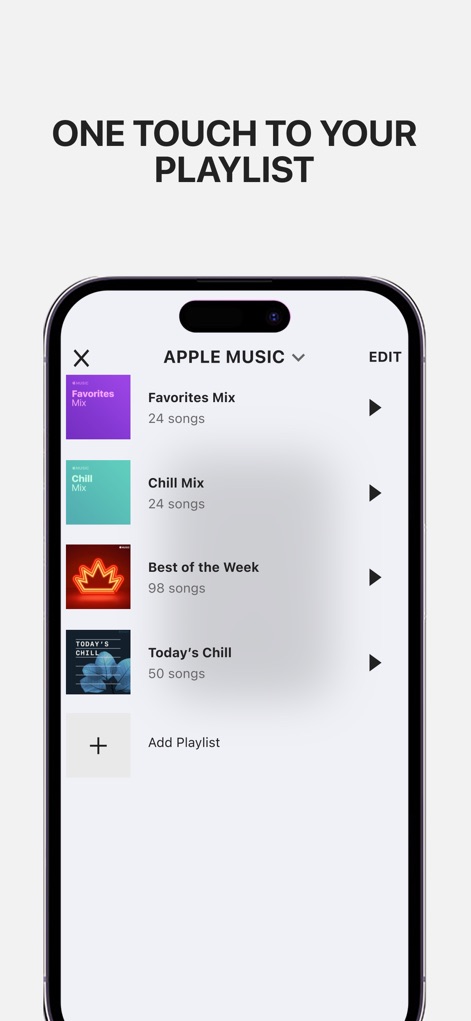
Instant Playlist Access
The app offers quick access to preset playlists from services like Apple Music, enabling users to instantly queue their 'Favorites Mix' or 'Chill Mix' with a single tap.

Precision Sound Customization
Users gain granular control over their audio with the customizable EQ, allowing fine-tuning of bass, mid, and treble frequencies for a personalized sound profile.
Description
Download
More Like This
Apps with similar features and user experience

Bose
Bose Corporation

Marshall Bluetooth
Marshall Group AB (publ)

JBL PartyBox
Harman International Industries

Bose Connect
Bose Corporation

Bose QC Earbuds
Bose Corporation

JBL Headphones
Harman International Industries

soundcore
Power Mobile Life LLC

JBL Portable
Harman International Industries

Xiaomi Earbuds
Beijing Xiaomi Co., Ltd
This page is not an official page of the app or its developer, but an independent editorial publication created for informational and commentary purposes. Unless expressly stated otherwise, neither the app nor its developer is affiliated with, endorsed by, sponsored by, authorized by, or otherwise officially connected with MWM, Apple, Google Play, the app publisher, or the app's developer, and nothing on this page implies that the app was developed using MWM's services. Any trademarks, logos, screenshots, and other content remain the property of their respective owners.