Video Teleprompter

Video Teleprompter

Download on App Store
Logo of Video Teleprompter

Video Teleprompter: Record Professional Videos with Natural Eye Contact

Stop memorizing scripts and look directly into the camera. The original app for creators and professionals to deliver flawless, one-take videos for YouTube, LinkedIn, and more.

Download on App Store

Publisher

Teleprompter Apps Ltd

Category

Photo & Video

Downloads

465K+

User Rating

4.8/5

Total Ratings

17K+

Locales

10

The Professional's Edge

Discover the interface used by 465K+ users.

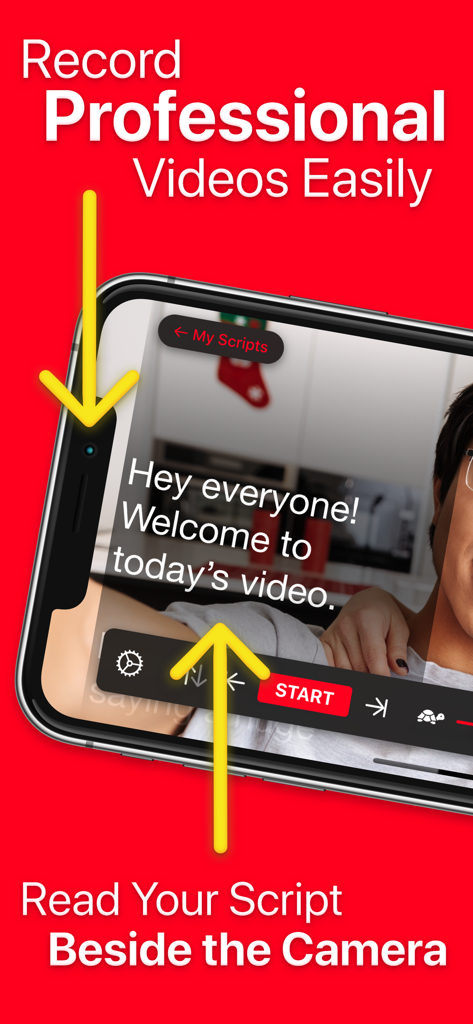
A smartphone recording a professional video with script text positioned next to the camera lens for better eye contact.
A smartphone recording a professional video with script text positioned next to the camera lens for better eye contact.

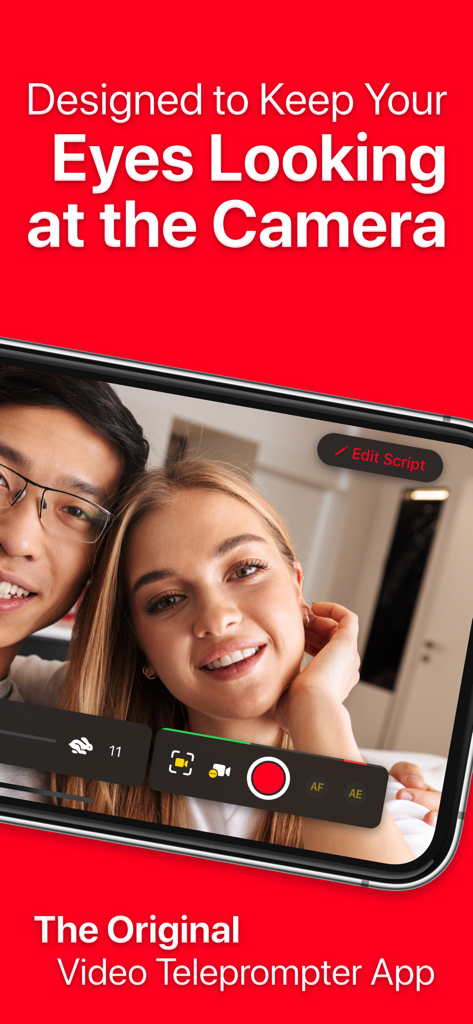
Two people recording a video while maintaining eye contact using the Video Teleprompter app interface
Two people recording a video while maintaining eye contact using the Video Teleprompter app interface

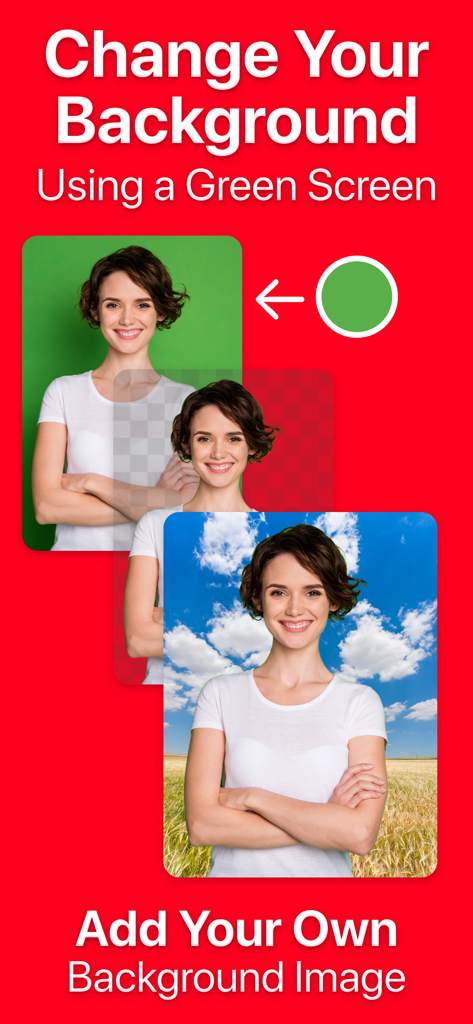
Infographic showing how to change a video background using the green screen feature in the Video Teleprompter app.
Infographic showing how to change a video background using the green screen feature in the Video Teleprompter app.

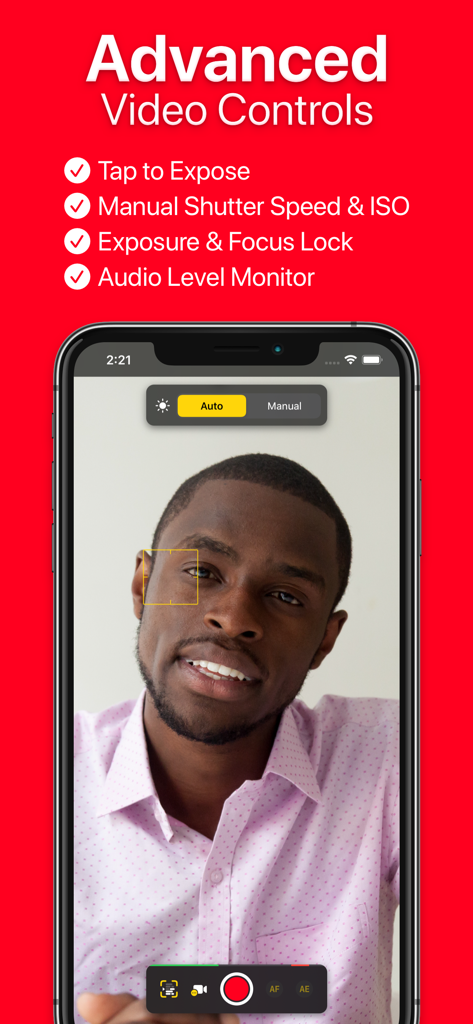
Interface of the Video Teleprompter app showing manual camera settings and advanced video recording controls
Interface of the Video Teleprompter app showing manual camera settings and advanced video recording controls

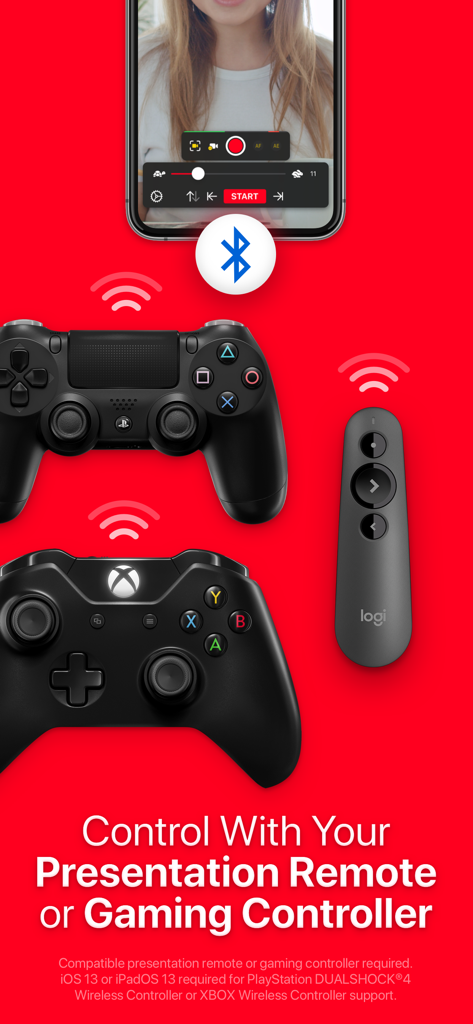
Video teleprompter app showing compatibility with gaming controllers and presentation remotes
Video teleprompter app showing compatibility with gaming controllers and presentation remotes

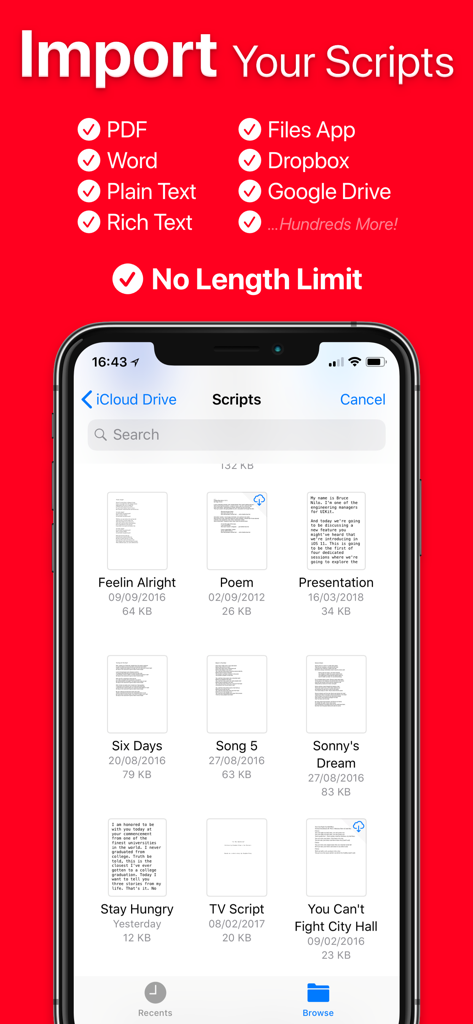
Screen showing script import options for Video Teleprompter including cloud storage and various file formats
Screen showing script import options for Video Teleprompter including cloud storage and various file formats

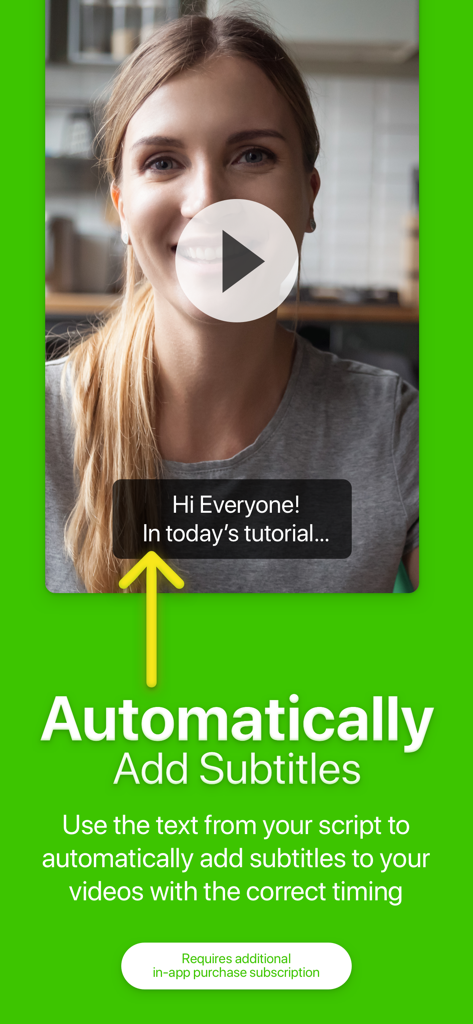
Video Teleprompter app feature showing automatic subtitles on a recorded video
Video Teleprompter app feature showing automatic subtitles on a recorded video

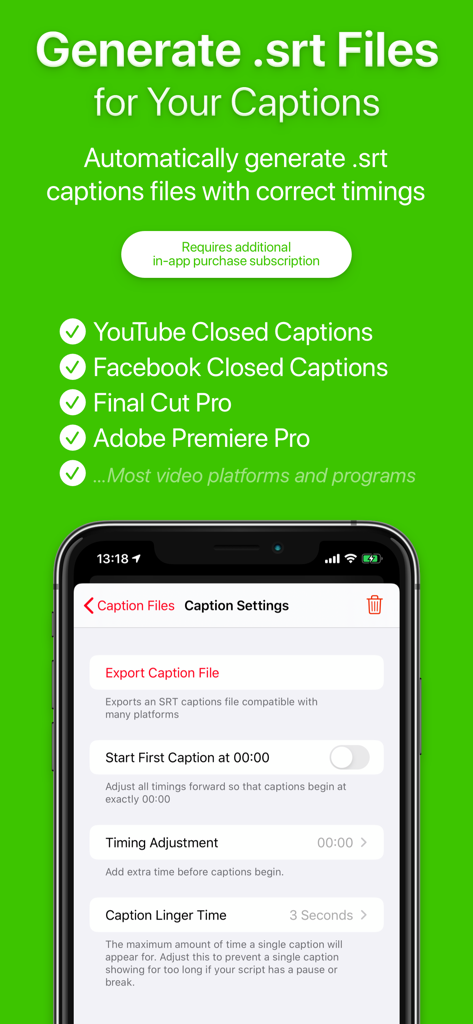
Screen showing SRT caption generation and export settings in the Video Teleprompter app
Screen showing SRT caption generation and export settings in the Video Teleprompter app

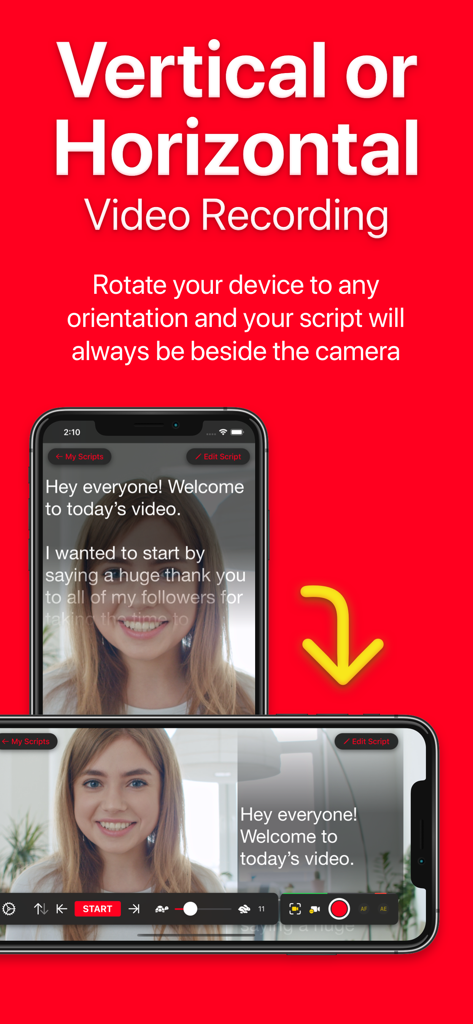
Video Teleprompter app showing script alignment in both vertical and horizontal recording modes
Video Teleprompter app showing script alignment in both vertical and horizontal recording modes

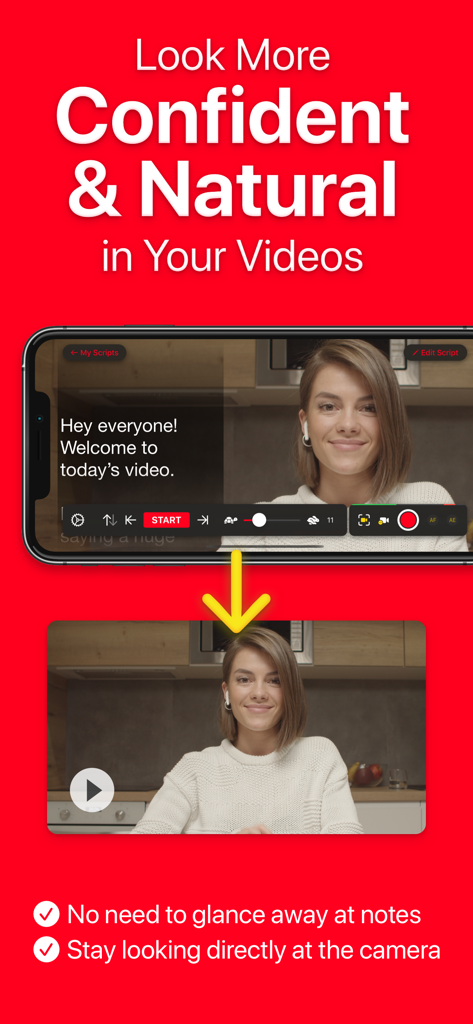
A woman using the Video Teleprompter app to maintain eye contact with the camera while reading her script

A woman using the Video Teleprompter app to maintain eye contact with the camera while reading her script

Capture Professional Videos Effortlessly

The tools that make this app stand out, trusted by 465K+ users.

👁️

Maintain Natural Eye Contact

Position your script directly next to the camera lens so you look straight at your audience, building trust and engagement in every take.

🎮

Solo-Friendly Remote Control

Manage your recording from a distance using an Apple Watch, gaming controller, or foot pedal—eliminating the awkward lean-in at the start and end of videos.

☁️

Seamless Workflow Integration

Import Word, PDF, or text scripts instantly from Google Drive or Dropbox, and finalize your content with 4K recording and auto-generated captions.

About the app

Everything you need to know about Video Teleprompter.

Description

Many other apps copy ours, but we're the original Video Recording Teleprompter! Perfect for video presentations, vlogging, video resumes, product explainer videos and much more! Video Teleprompter helps you to record professional and natural videos. Read your script beside the camera so that you're always looking towards the camera. No need to memorise lines or glance away at notes! Whichever way you position your device, Video Teleprompter will place your script directly beside the camera. Video Teleprompter is the original video recording teleprompter app to pioneer this idea! It's super easy... Just read your script! How can Video Teleprompter help you to record more professional and natural looking videos? • You'll be looking directly at the camera as you read your script • No more paper scripts or notes • No need to memorize what to say • No more glancing off-camera at your notes or prompts • Fewer mistakes • Fewer re-shoots Main Features & Benefits: • Present your videos just like a professional • Maintain better eye-contact with the camera • 4K video recording (for devices that support 4K video) • Green Screen feature to add your own background to your videos • Countdown timer to let you prepare for recording • Import your scripts from any location including Dropbox, Google Drive, iCloud Drive and any others • Import Word, txt, rtf and pdf documents • No character limit or script limit • Record in landscape or portrait orientation • Record with either the front-facing or rear-facing camera • Tap to focus and expose • Lock the autofocus and autoexposure • Custom shutter speed and ISO controls • Support for connected microphones • Audio level monitoring • Adjustable text window • Control Scrolling & Recording from any connected keyboard (customizable keys) • Control Scrolling & Recording from a media remote (customizable buttons) • Control Scrolling & Recording using a gaming controller including PlayStation and XBOX controllers • Control Scrolling & Recording from a connected foot pedal or page turner (customizable buttons) • Control Scrolling & Recording from Apple Watch on iPhone • Select between "Continuous" or "Paging" scroll modes • Create, import, edit, save and share unlimited scripts • Export your scripts as Rich Text (.rtf) files to edit on any computer, tablet of smartphone • Automatically add subtitles for your videos. (Auto Captions subscription required) • Automatically generate .srt captions and subtitles for your videos. (Auto Captions subscription required) ... and much more! Pro Upgrade: The Video Teleprompter Pro upgrade is available as a one-time in-app purchase forever, or as a subscription for extra features starting with a free trial. If you chose to subscribe (optional), you can cancel anytime within the app, or from your iTunes account settings. After your free trial ends, your subscription will automatically renew (does not apply to the one-time upgrade option) unless cancelled at least 24-hours before the end of the current period. Payment will be charged to your iTunes Account at confirmation of purchase. Your account will be charged for renewal within 24-hours prior to the end of the current period. Any unused portion of a free trial will be forfeited if you purchase a subscription. Terms of service are available at: https://joeallenpro.com/legal/ Video Teleprompter automatically scrolls your scripts on the side of display closest to the front-facing camera on your device. This means that when you read your script, you're looking closer to the camera, rather than off-camera.

Latest Version

3.9.19

Size

102.8 MB

First Released

Nov 30, 2018

Ready to record your perfect take?

Join over 465,000 professionals and creators using the original Video Teleprompter to deliver flawless, natural videos with perfect eye contact.

Download on App Store

App information, icons, screenshots, and descriptions displayed on this page are sourced from the Apple App Store and are the property of their respective developers. Download estimates and rankings are based on MWM's proprietary models and may not reflect actual figures. This page is provided for informational and analytical purposes only.

Believe this page infringes your intellectual property? File a dispute