
This page is not an official page of the app or its developer, but an independent editorial publication created for informational and commentary purposes. Unless expressly stated otherwise, neither the app nor its developer is affiliated with, endorsed by, sponsored by, authorized by, or otherwise officially connected with MWM, Apple, Google Play, the app publisher, or the app's developer, and nothing on this page implies that the app was developed using MWM's services. Any trademarks, logos, screenshots, and other content remain the property of their respective owners.

WavePad Master's Edition
Record, edit, and apply advanced effects with surgical precision. Experience desktop-class waveform power and seamless cloud integration designed for journalists, podcasters, and audio experts on the go.
Downloads
10K+User Rating
Total Ratings
100Publisher
Category
MusicLocales
1Latest Version
20.38Size
25.3 MBFirst Released
Dec 17, 2021Desktop-Class Power in the Palm of Your Hand
WavePad Master's Edition delivers the precision and tools professional audio engineers and creators need to produce broadcast-quality sound on the move.
Precision Waveform Editing
Perform surgical edits with cut, copy, and paste tools directly on the waveform for professional-grade accuracy on your mobile device.
Advanced Signal Processing
Enhance your recordings with high-pass filters, normalization, and echo effects to achieve clean, studio-standard audio every time.
Frequently Asked Questions
Everything you need to know about WavePad Master's Edition
What is WavePad Master's Edition used for?
WavePad Master's Edition is a professional sound editor for recording, editing, and adding effects to audio. It records voice or music, offering waveform editing and effect application for high-quality audio.
What audio effects does WavePad Master's Edition include?
WavePad Master's Edition includes amplify, normalize, echo, high pass filter, phaser, flanger, vibrato, tremolo, doppler, wah-wah, distortion, AM Radio, and telephone effects.
Can I edit audio files with WavePad Master's Edition?
Yes, WavePad Master's Edition provides editing capabilities including cut, copy, paste, insert, and trim. Users also work within audio waveforms to make selections for quick edits.
What audio file formats does WavePad support?
WavePad Master's Edition supports multiple audio file formats. Specifically, it includes compatibility with wave and aiff files for both import and export functions within the app.
Does WavePad Master's Edition integrate with cloud storage?
Yes, WavePad Master's Edition integrates with popular cloud storage services. Users can upload to and download audio files from their Google Drive and Dropbox accounts directly.
Is there a free trial for WavePad Master's Edition?
Yes, WavePad Master's Edition offers a 7-day free trial. After this trial period, a subscription is necessary to access and utilize all of the app's full features.
Can WavePad record audio when the screen is off?
Yes, WavePad Master's Edition supports background recording. The recording feature continues to operate seamlessly even when the screen is turned off or when the app is in the background.
Does WavePad Master's Edition support stereo editing?
Yes, WavePad Master's Edition supports stereo audio editing. Users can view and manipulate audio in Combined, Left/Right, or Stereo modes, visible under the View tab.
The following screenshots and description are sourced directly from the app's official store listing and are the property of the app developer.
App Store
Screenshots
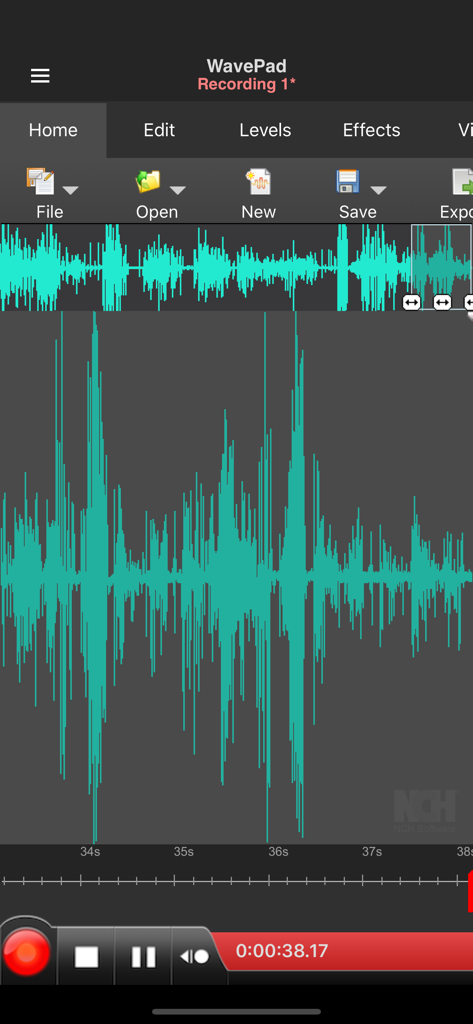
WavePad mobile app interface with an audio waveform and editing tools
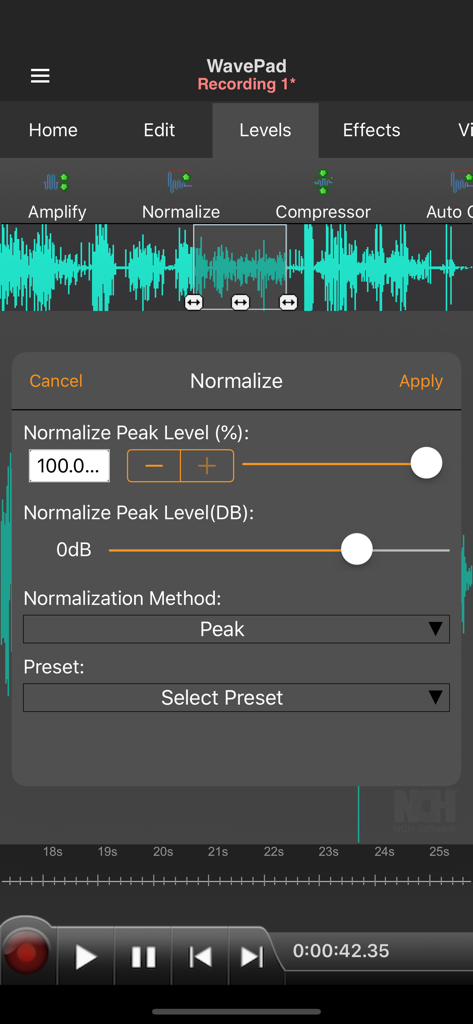
Professional audio normalization interface in WavePad Master Edition showing a waveform and peak level settings.
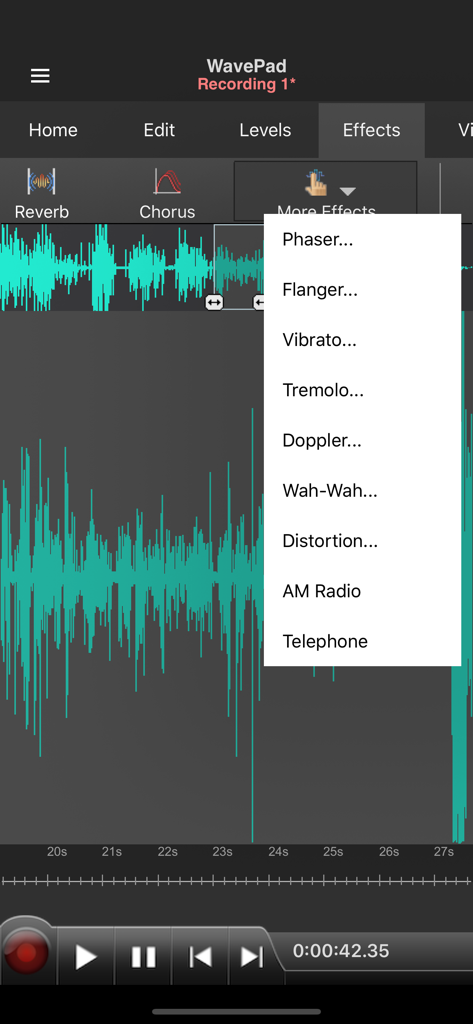
Dropdown menu showing various audio effects like phaser and flanger in the WavePad Master Edition app.
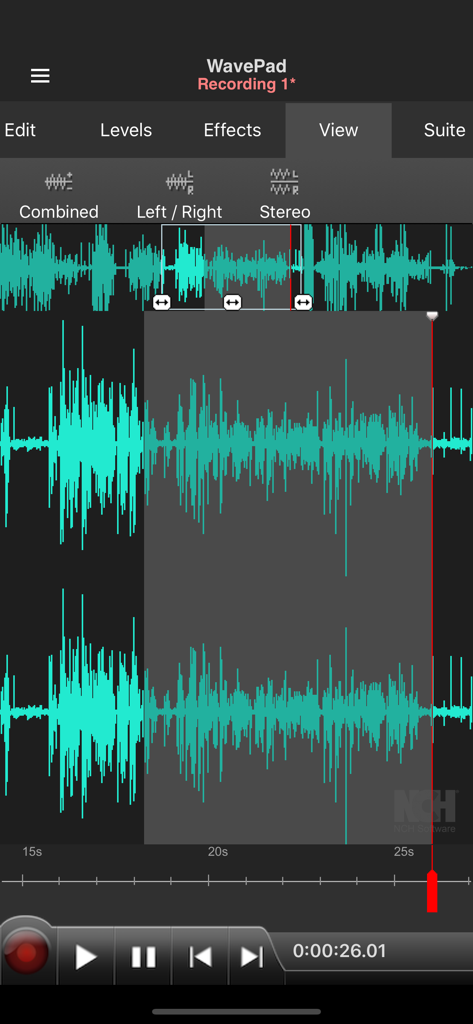
WavePad Master's Edition mobile app displaying professional audio waveform editing and stereo view options.
Description
Download
More Like This
Apps with similar features and user experience

WavePad音频和音乐编辑器
NCH Software

Audio Editor - Music editor
苏娟 陈

SoundLab - Audio Editor
孛 刘

Microphone Live-Voice Recorder
Arpenik Katikyan

Ferrite Recording Studio
Wooji Juice Ltd

WavePad Music and Audio Editor
NCH Software

Audio Editor - AudioLab, Mixer
Innovation Software Development 360 LLC

au editor - audio cutter
龙刚 李

Audio Editor: Video to Audio
文 夏
This page is not an official page of the app or its developer, but an independent editorial publication created for informational and commentary purposes. Unless expressly stated otherwise, neither the app nor its developer is affiliated with, endorsed by, sponsored by, authorized by, or otherwise officially connected with MWM, Apple, Google Play, the app publisher, or the app's developer, and nothing on this page implies that the app was developed using MWM's services. Any trademarks, logos, screenshots, and other content remain the property of their respective owners.