
This page is not an official page of the app or its developer, but an independent editorial publication created for informational and commentary purposes. Unless expressly stated otherwise, neither the app nor its developer is affiliated with, endorsed by, sponsored by, authorized by, or otherwise officially connected with MWM, Apple, Google Play, the app publisher, or the app's developer, and nothing on this page implies that the app was developed using MWM's services. Any trademarks, logos, screenshots, and other content remain the property of their respective owners.

Working Hours 4b
Stop relying on paper logs. Effortlessly track your overtime, manage multiple jobs, and calculate your exact pay with the intuitive app designed for the modern workforce.
Downloads
317K+User Rating
Total Ratings
8K+Publisher
Category
ProductivityLocales
43Latest Version
8.13.2Size
116.4 MBFirst Released
Apr 12, 2017Take Complete Command of Your Paycheck
Stop relying on paper logs and messy math. Working Hours 4b is the professional independent ledger designed for the modern hustle, from night shifts to multiple gig roles.
Smart Shift Versatility
Easily log early entries, overtime, and night shifts. Our 48-hour interval support ensures every minute is accounted for, even when your work crosses midnight.
Live Earnings Insights
Calculate your net gain instantly including bonuses, tips, and expenses. See your daily, weekly, and monthly totals so you know exactly what your check should be.
Frequently Asked Questions
Everything you need to know about Working Hours 4b
What types of work hours can Working Hours 4b track?
Working Hours 4b tracks regular, extra (early entry, overtime), paid/unpaid pauses, bonuses, and expenses for detailed work logging.
How does Working Hours 4b calculate earnings?
Working Hours 4b calculates earnings monthly, weekly, biweekly (14 or 15 days), annually, or for custom intervals based on entered work data.
Does Working Hours 4b include a calendar for tracking work?
Yes, Working Hours 4b features an in-app calendar to enter, edit, and observe work intervals, showing details like hours, earnings, bonuses, and expenses.
Can users mark work intervals as paid in Working Hours 4b?
Yes, Working Hours 4b allows users to use a "paid indicator" to track and mark their work intervals' payments, ensuring proper financial tracking.
What is the maximum duration for a single work interval in Working Hours 4b?
Working Hours 4b allows work intervals to cover a maximum of 48 hours, enabling the insertion of both daily and night shifts within a single entry.
What data export options does Working Hours 4b provide?
Working Hours 4b offers data export in Plain Text, CSV, and PDF formats. Users can also observe statistics for custom ranges and share their exported data.
Does Working Hours 4b support predefined work schedules or profiles?
Yes, Working Hours 4b supports "Working profiles" to easily add patterned intervals, such as daily or shift-based models. These profiles are editable.
Does Working Hours 4b provide visual statistics for earnings and hours?
Yes, Working Hours 4b provides graphical statistics showing annual earnings (month to month) and monthly hours (daily) for comprehensive data visualization.
Does Working Hours 4b synchronize data across multiple devices?
Yes, Working Hours 4b synchronizes data across multiple devices in real-time. Data is saved on the cloud using the user's identification method.
Are there in-app purchases available in Working Hours 4b?
Yes, Working Hours 4b offers optional in-app purchases, including an "Ads Remove" option to disable advertisements and a "Multiple jobs" feature.
Is Working Hours 4b a free application to download?
Yes, Working Hours 4b is free to download, but it contains optional in-app purchases for features like ad removal and supporting multiple jobs.
How can users get support for Working Hours 4b?
Users can get support for Working Hours 4b by joining its Facebook community or sending an email via the Contact section in the app's options.
Where can I find the terms and conditions for Working Hours 4b?
The terms and conditions for Working Hours 4b are available at https://workinghours4b.com/terms-and-conditions, linked within the app description.
The following screenshots and description are sourced directly from the app's official store listing and are the property of the app developer.
App Store
Screenshots
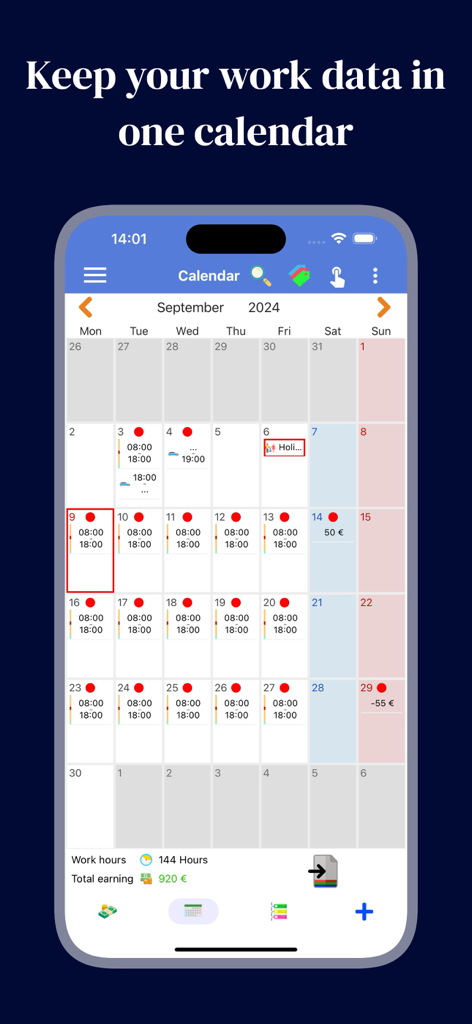
A monthly calendar interface within the Working Hours 4b app showing daily shift logs and total earnings
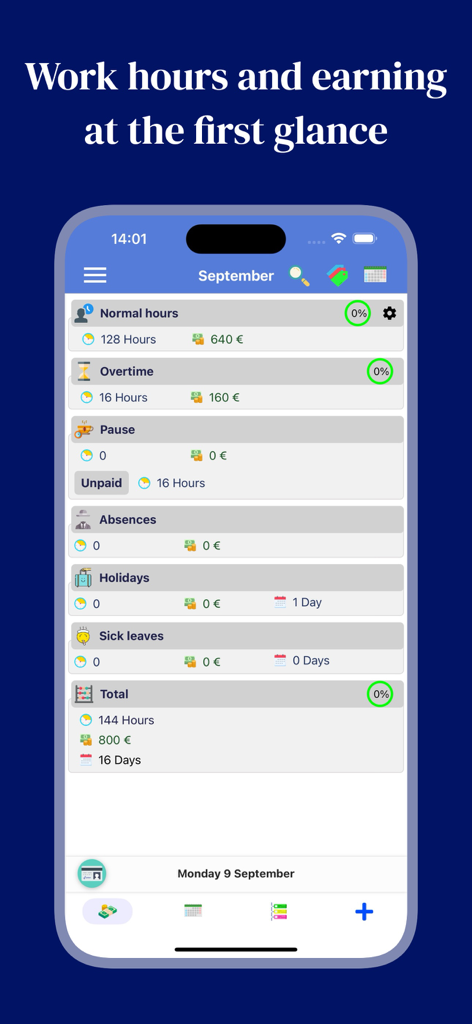
Dashboard of Working Hours 4b app showing monthly work hours and earnings summary
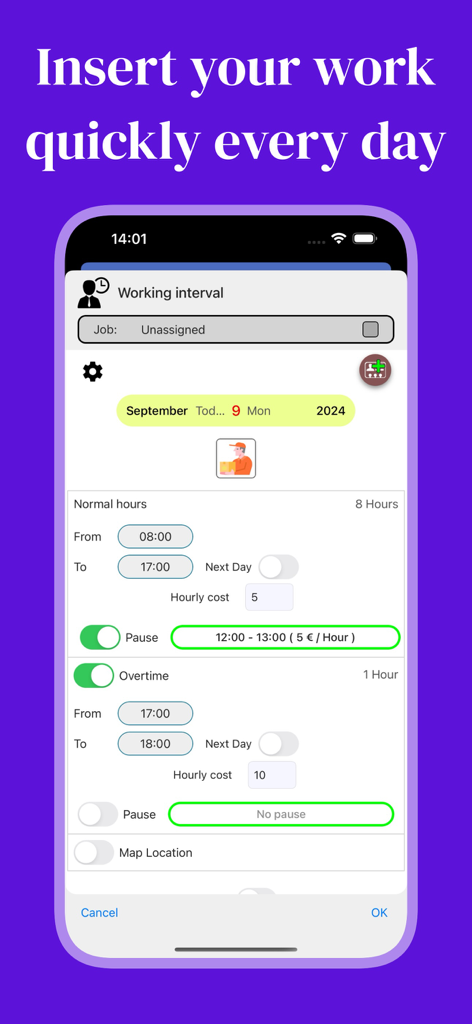
Smartphone screen displaying the Working Hours 4b interface for entering daily shift hours and overtime.
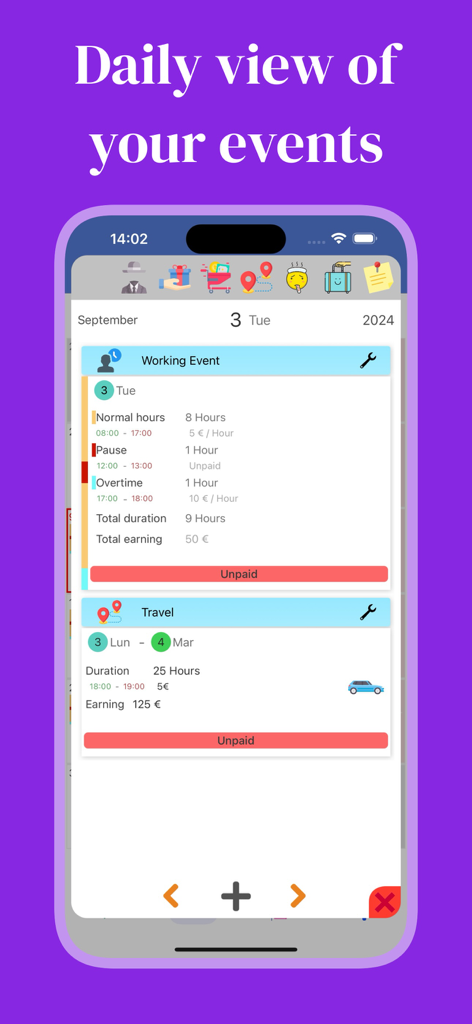
Mobile app interface displaying daily work events with shifts overtime and earnings details
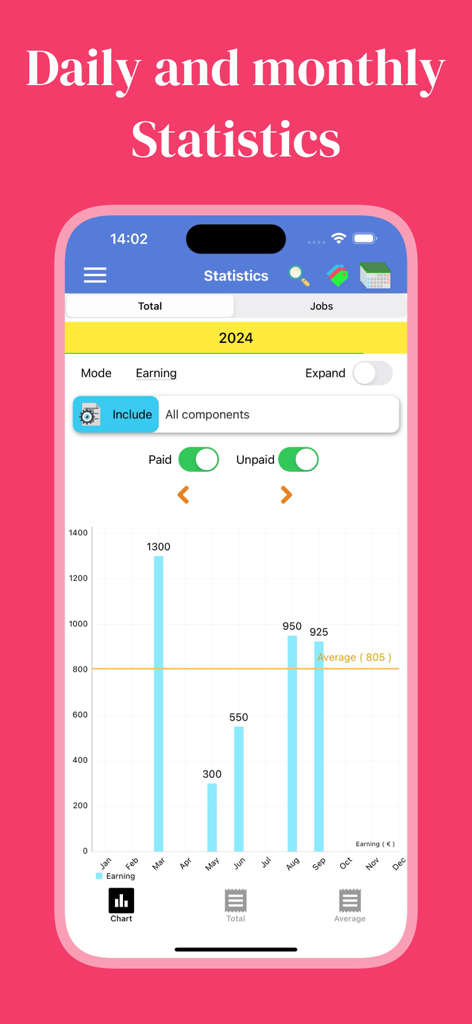
Working Hours 4b app displaying a bar chart of monthly earnings and average income for 2024
Description
Download
More Like This
Apps with similar features and user experience

Supershift Shift Work Calendar
Supershift GmbH

安心记加班-记考勤加班工资记录记账记工本
Shanghai Anjiaxin Network Technology Co., Ltd

Work Shift Calendar (Shifter)
Luis Alberto Reyes Halaby

极简记工时·小时工记加班
敏强 李

My Shift Planner - Calendar
MyBuzz Technologies Limited

Work hours tracker - Timesheet
Kanstantsin Markau

Punch Time Clock
Trent Morris

记工时考勤
Beijing Chejiang Internet Technology Co., Ltd.

wac - shift & earnings tracker
Work and Communications Ltd
This page is not an official page of the app or its developer, but an independent editorial publication created for informational and commentary purposes. Unless expressly stated otherwise, neither the app nor its developer is affiliated with, endorsed by, sponsored by, authorized by, or otherwise officially connected with MWM, Apple, Google Play, the app publisher, or the app's developer, and nothing on this page implies that the app was developed using MWM's services. Any trademarks, logos, screenshots, and other content remain the property of their respective owners.