
This page is not an official page of the app or its developer, but an independent editorial publication created for informational and commentary purposes. Unless expressly stated otherwise, neither the app nor its developer is affiliated with, endorsed by, sponsored by, authorized by, or otherwise officially connected with MWM, Apple, Google Play, the app publisher, or the app's developer, and nothing on this page implies that the app was developed using MWM's services. Any trademarks, logos, screenshots, and other content remain the property of their respective owners.


原片
Say goodbye to plastic filters. Enhance your portraits with professional-grade skin texture, precise tone control, and invisible fine-tuning for an editorial finish that stays true to you.
Downloads
2M+User Rating
Total Ratings
2K+Publisher
Category
Photo & VideoLocales
3Latest Version
2.0.1Size
163.7 MBFirst Released
Jun 3, 2021Unfiltered Perfection
Stop hiding behind heavy filters. Original Film delivers editorial-grade retouching that honors your real skin texture while enhancing your natural glow.
Authentic Skin Texture
Keep your freckles and pores. Our advanced microdermabrasion removes imperfections while preserving the natural texture that makes you, you.
Radiant Tone Control
Find your perfect light. Instantly switch between sun-kissed warmth and a radiant 'glass skin' finish without washing out your environment.
Frequently Asked Questions
Everything you need to know about 原片
What is the primary function of the 原片 app?
The 原片 app primarily functions as a photo editing and retouching tool. It offers natural texture portrait enhancements, skin microdermabrasion, skin tone adjustments, and various texture filters for comprehensive image refinement.
Does the 原片 app offer skin retouching features?
Yes, 原片 offers natural texture portrait retouching. It includes "Original Skin Microdermabrasion" to restore skin condition and "Promise Skin Tone" for switching between cold and white wheat tones, ensuring optimal skin appearance.
Can users reshape lips with the 原片 app?
Yes, 原片 provides advanced lip reshaping tools. Users can adjust lip width, size, position, create specific "M-shaped lips," and apply "4D plump lips" effects for a personalized look.
Does 原片 help create double eyelids?
Yes, the 原片 app features a "Facial Reshaping" tool that allows users to painlessly create "4D double eyelids." It also enables precise adjustments to eye size, height, width, and overall position.
Is it possible to refine the jawline using the 原片 app?
Yes, 原片 enables users to achieve a "stunning jawline" and eliminate double chins. It offers tools for "4D jawline" adjustments, face slimming, and refining the hairline for a perfect facial contour.
Does the 原片 app have an aegyo-sal feature?
Yes, 原片 includes an "aegyo-sal" (卧蚕) feature. This tool allows users to easily enhance their lower eyelids, creating a more natural and lively eye appearance through "4D aegyo-sal" adjustments.
What photo repair tools are available in the 原片 app?
The 原片 app provides several photo repair tools. These include an "eraser pen," options for adding "frames," a "magic cutout" feature, a "save discarded photos" function, and "background blur" capabilities for image restoration.
Does 原片 offer style filters for photos?
Yes, 原片 offers various "Style filters" for one-click color adjustment. These filters help users easily create a sense of story in their photos, with example styles such as "Creamy" and "Warm Light."
What is the "Ultimate Adjustment" feature in 原片?
The "Ultimate Adjustment" feature in 原片 provides professional fine-tuning capabilities. This makes complex editing tasks handy, allowing for precise control and advanced enhancements in photo editing.
The following screenshots and description are sourced directly from the app's official store listing and are the property of the app developer.
App Store
Screenshots
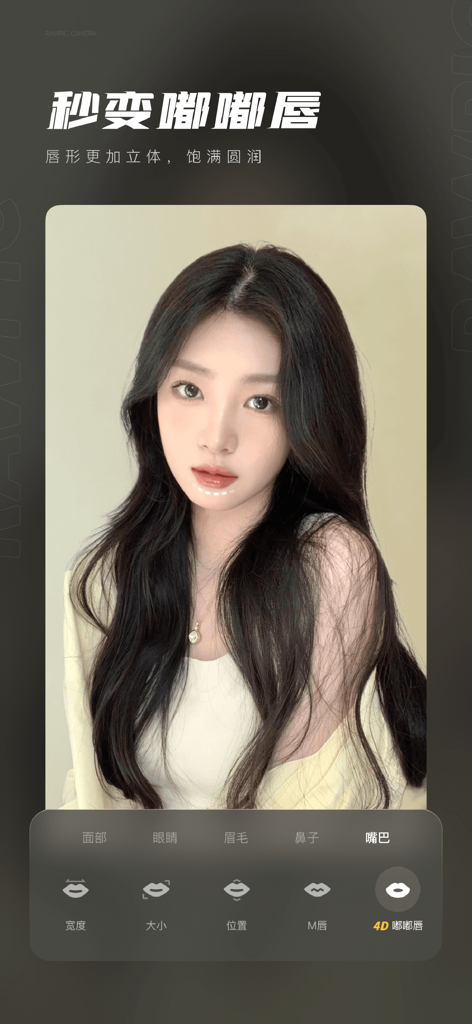
Mobile app interface showing natural lip retouching and plumping tools on a portrait.
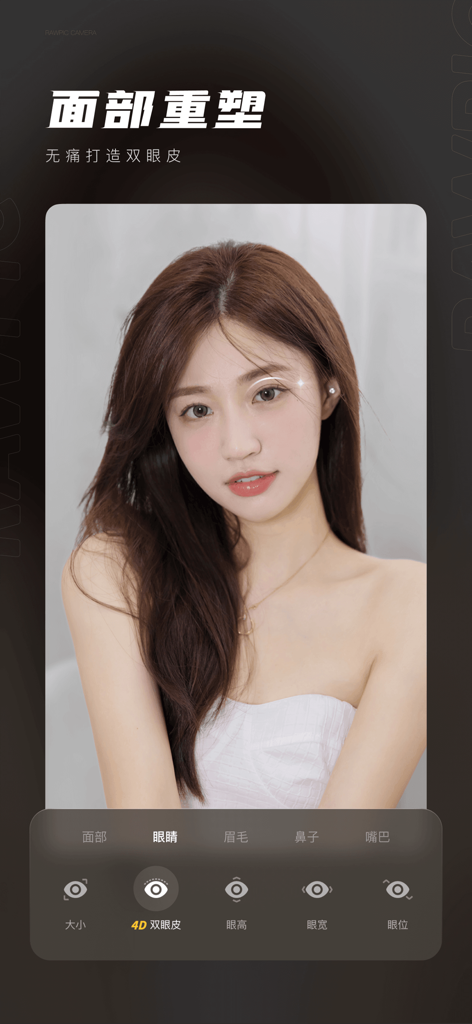
Interface of the Original Film app showing facial reshaping and eye enhancement features for portrait photos
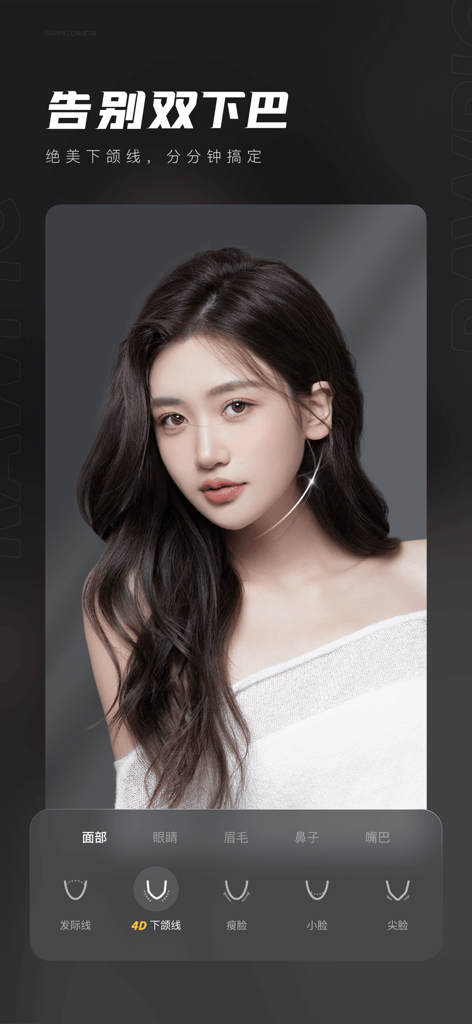
Original Film app screenshot showing the 4D jawline retouching feature on a young woman's portrait
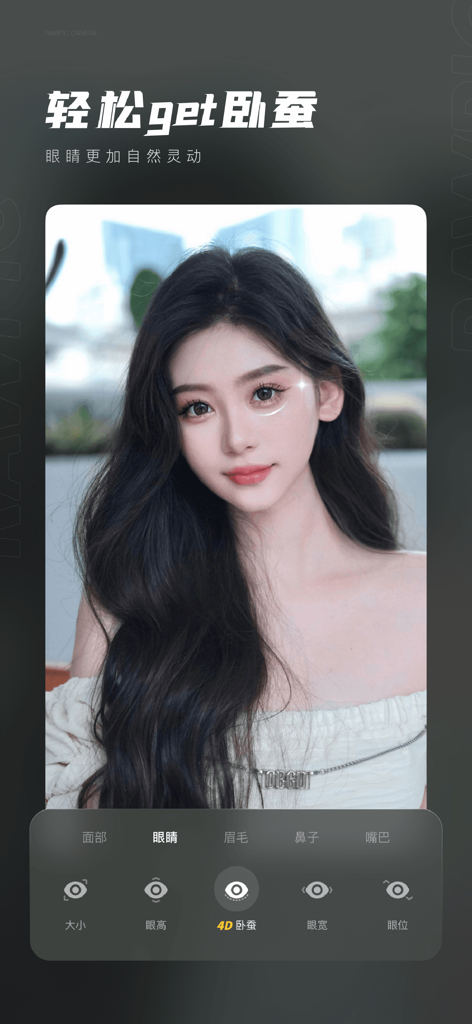
A portrait of a woman showing natural eye enhancement features in the Original Film app
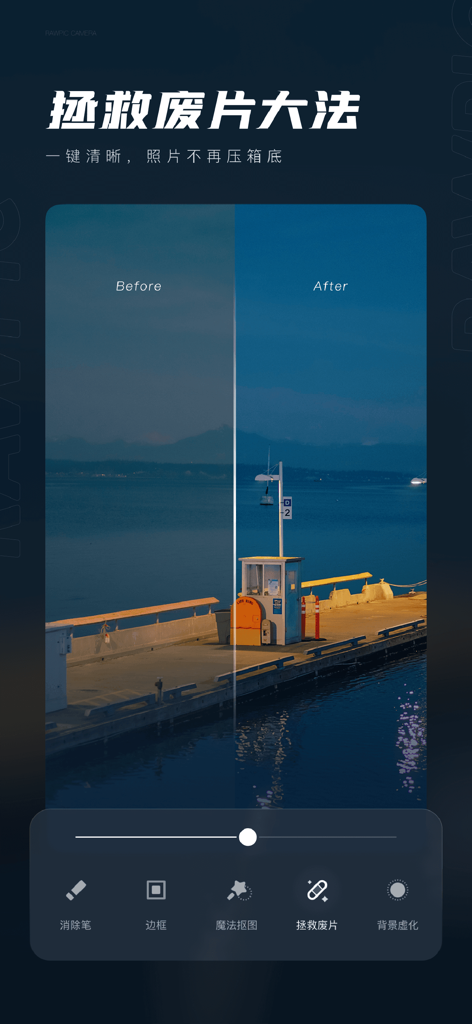
A side by side before and after comparison of a night landscape photo enhanced with the Original Film app
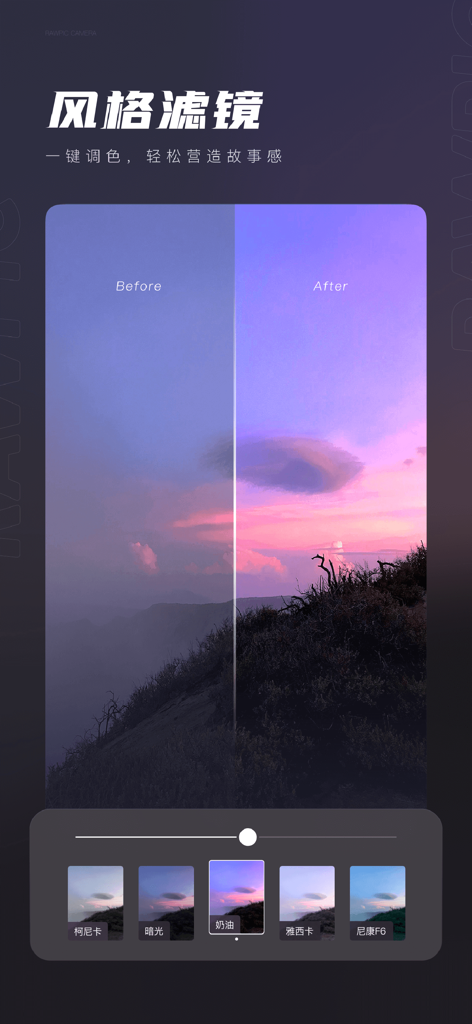
Before and after comparison of a sunset landscape using a style filter in the Original Film photo editing app
Description
Download
More Like This
Apps with similar features and user experience

Evoto-AI Photo Editor&Retouch
TRUESIGHT PTE. LTD.

Darkroom: Photo & Video Editor
Bergen Co.

LD - Photo & Video Finishing
Lens Distortions, LLC

Focos
Mosaic S.r.l.

SKRWT
Mathaeus Jagielski

Polarr Pro Photo Editor
Polarr Inc

Photomator – Photo Editor
Apple Inc.

Canon DPP Express
Canon Inc.

Snapseed: Photo Editor
Google LLC
This page is not an official page of the app or its developer, but an independent editorial publication created for informational and commentary purposes. Unless expressly stated otherwise, neither the app nor its developer is affiliated with, endorsed by, sponsored by, authorized by, or otherwise officially connected with MWM, Apple, Google Play, the app publisher, or the app's developer, and nothing on this page implies that the app was developed using MWM's services. Any trademarks, logos, screenshots, and other content remain the property of their respective owners.