Remote Mouse Pro

Remote Mouse Pro

ダウンロード: App Store
ロゴ: Remote Mouse Pro

Remote Mouse Pro:コンピューター用究極のワイヤレスコントローラー

スマホやタブレットを洗練されたマウス、キーボード、トラックパッドに変身させましょう。重要なプレゼンテーションをリードする場合でも、ソファからホームシネマを操作する場合でも、手のひらでシームレスなクロスデバイスの生産性を体験してください。

開発元

耀 阮

カテゴリ

Utilities

ダウンロード

425K+

ユーザー評価

4.4/5

評価数

29K+

対応言語

19

完全なコントロールの一端を垣間見る

このインターフェースを利用する 425K+ 人のユーザー.

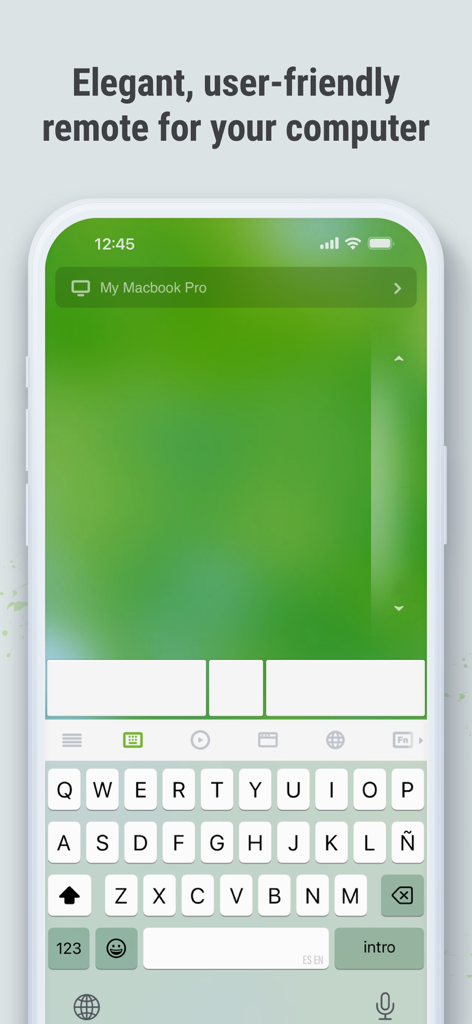
リモートコンピューターコントロールのために、デジタルトラックパッドとキーボードを表示するiPhone上のRemote Mouse Proアプリインターフェース。
リモートコンピューターコントロールのために、デジタルトラックパッドとキーボードを表示するiPhone上のRemote Mouse Proアプリインターフェース。

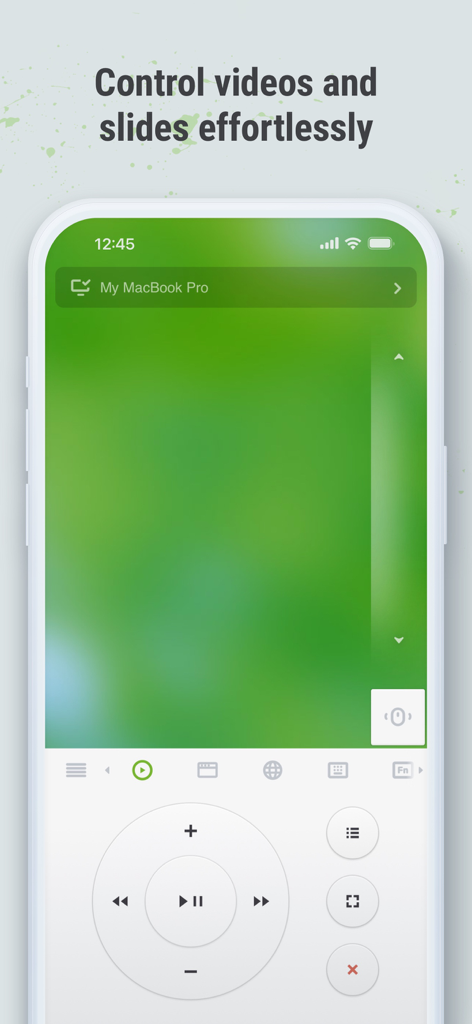
iPhone上のRemote Mouse Proインターフェースで、メディアコントロールとトラックパッドが表示され、ビデオやスライドをリモートでコントロールできます
iPhone上のRemote Mouse Proインターフェースで、メディアコントロールとトラックパッドが表示され、ビデオやスライドをリモートでコントロールできます

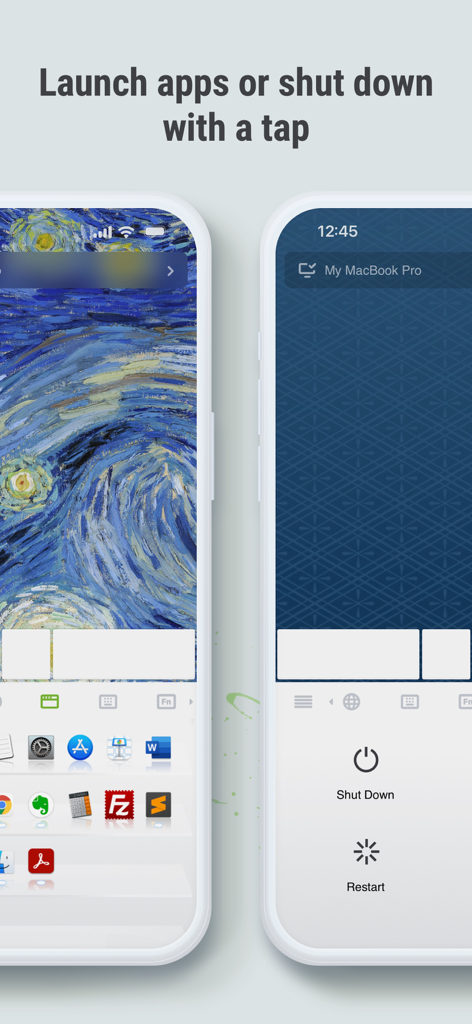
コンピューターのリモートアプリケーションランチャーと電源コントロールを表示するRemote Mouse Proアプリ画面。
コンピューターのリモートアプリケーションランチャーと電源コントロールを表示するRemote Mouse Proアプリ画面。

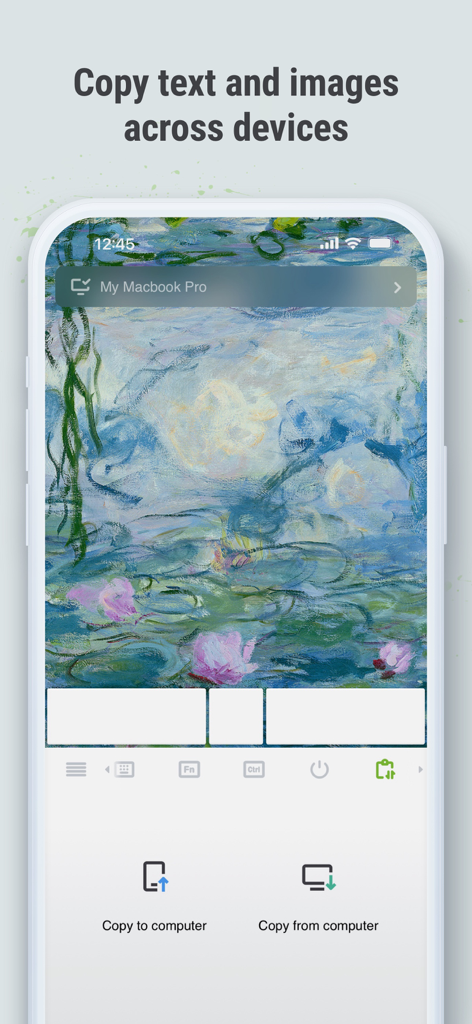
スマートフォンとコンピューター間でテキストや画像をコピーするためのクロスデバイスクリップボード機能を表示するRemote Mouse Proインターフェース。
スマートフォンとコンピューター間でテキストや画像をコピーするためのクロスデバイスクリップボード機能を表示するRemote Mouse Proインターフェース。

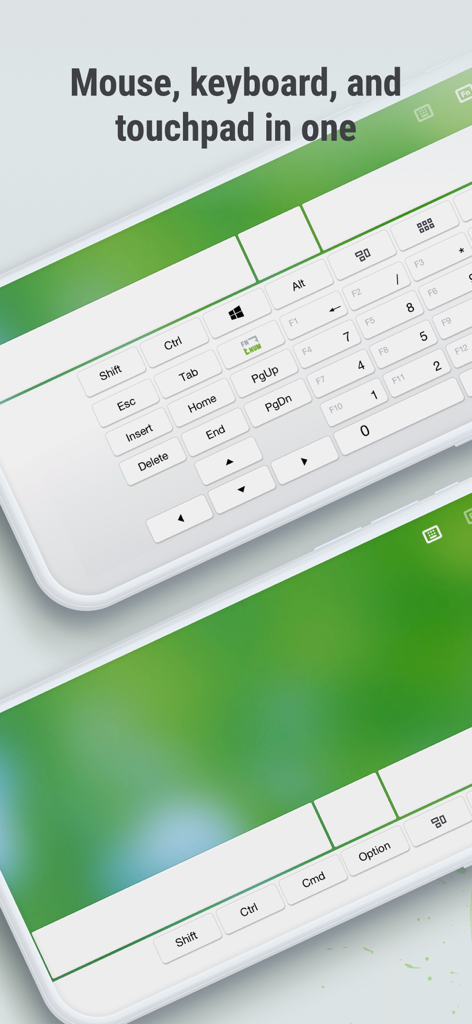
2台のスマートフォンでフルキーボードとタッチパッドコントロールを表示するRemote Mouse Proアプリインターフェース
2台のスマートフォンでフルキーボードとタッチパッドコントロールを表示するRemote Mouse Proアプリインターフェース

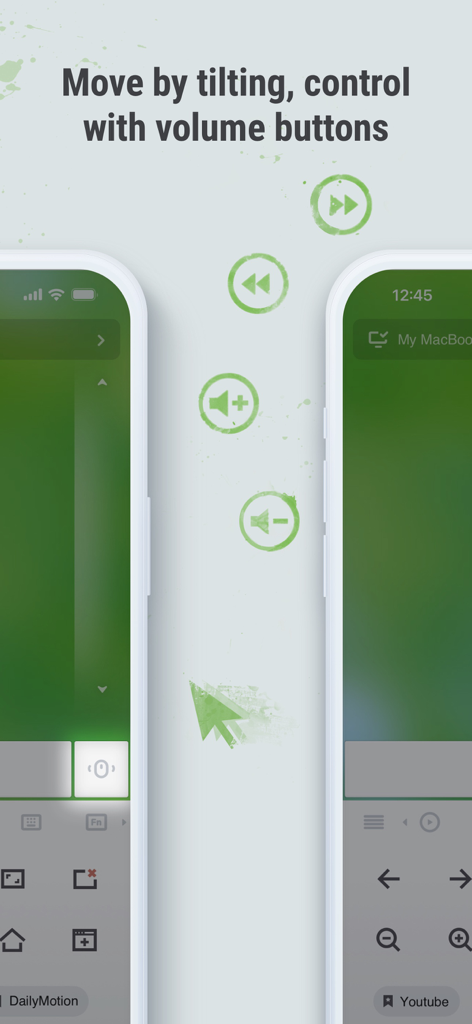
リモートコンピューターナビゲーションのためのジャイロチルト動作と物理的な音量ボタンコントロールを示すRemote Mouse Proのインターフェース
リモートコンピューターナビゲーションのためのジャイロチルト動作と物理的な音量ボタンコントロールを示すRemote Mouse Proのインターフェース

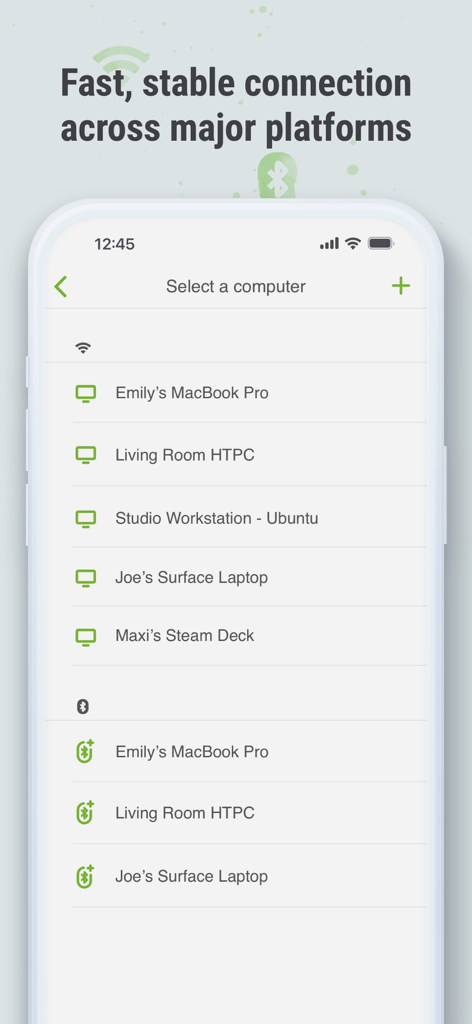
Wi-FiおよびBluetooth経由で利用可能なコンピューターおよびデバイスのリストを表示するRemote Mouse Proモバイルアプリインターフェース
Wi-FiおよびBluetooth経由で利用可能なコンピューターおよびデバイスのリストを表示するRemote Mouse Proモバイルアプリインターフェース

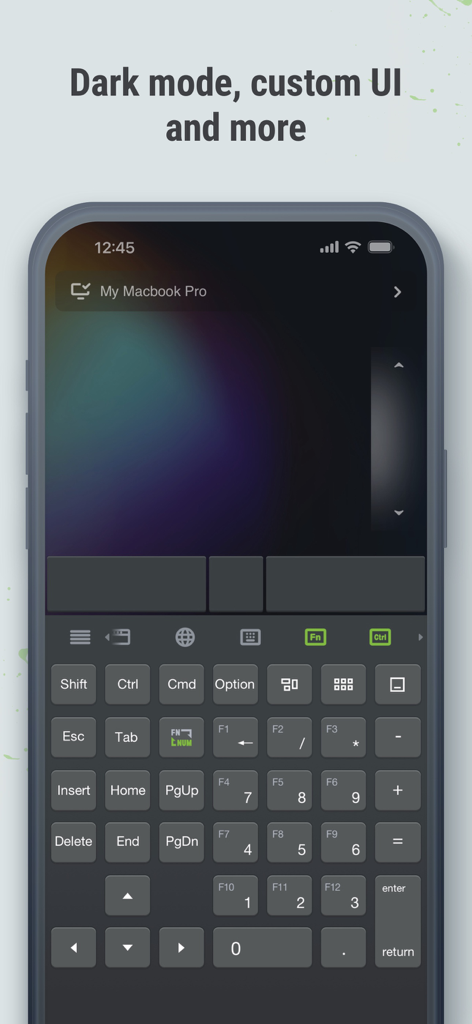
iPhone上のフルリモートキーボードとトラックパッドを表示する、ダークモードのRemote Mouse Proアプリインターフェース

iPhone上のフルリモートキーボードとトラックパッドを表示する、ダークモードのRemote Mouse Proアプリインターフェース

スマホからデスクトップを自在に操作

このアプリを際立たせるツール、 425K+ 人のユーザーが選択.

📽️

プロフェッショナルなプレゼンテーションパワー

内蔵リモートクリッカーで部屋をコマンドしましょう。PowerPointやKeynoteの要点を、デスクに縛られることなく、スマホのジャイロセンサーをレーザーポインターとして使用して強調表示します。

🍿

究極のリーンバック体験

Netflix、VLC、YouTube用の専用メディアリモコンにスマホを変えましょう。物理的なマウスを必要とせずに、ソファから音量、再生、ナビゲーションをコントロールできます。

シームレスなクロスデバイスの生産性

クロスデバイスのクリップボードで、モバイルとPC間でテキストや画像を瞬時に同期します。特別なパネルを使用して、シングルタップでアプリケーションを切り替えたり、コンピューターをシャットダウンしたりします。

アプリについて

について知っておくべきこと Remote Mouse Pro.

説明

Remote Mouse™ transforms your mobile phone or tablet into an easy-to-use remote control for your computer, complete with a cross-device clipboard that enables seamless text and image transfer across platforms. It mimics the functions of a wireless mouse, keyboard, and touchpad, and also offers various specialized control panels that enhance your control over specific operations. The small features, designed for one-handed use or intuitive operations, will delight you. Featured on CNET, Mashable, and Product Hunt, Remote Mouse is recognized as one of the most sophisticated and user-friendly computer remote apps. With over 20 million users worldwide, it's a trusted choice for effortless computer control. Whether you're watching a movie online, giving a presentation, or shutting down your computer with one click, nothing can be more convenient than having a mobile phone remote at your fingertips. Mouse • Fully simulated mouse function • Gyro mouse is a feature that allows you to move the mouse cursor with a gyro sensor • Left-handed mode Keyboard • Integrated with system and third-party keyboards, supports typing in various languages • Remotely typing by voice if the soft keyboard supports speech recognition • Supports sending various shortcuts • Displays different keypads for Mac or PC Touchpad • Simulates the Apple Magic Trackpad and supports multi-touch gestures Specialty Control Panels • Media Remote: Supports iTunes, VLC, Windows Media Player, Keynote, PowerPoint, and Windows Photo Viewer, and will support more • Web Remote: Supports Chrome, Firefox, and Opera • Application Switcher: quickly launch and switch between programs • Power Options: Supports remotely shutting down, sleeping, restarting, and logging off • Cross-device Clipboard: Allows for the transfer of text and images between your computer and mobile device Other Features • Use the physical volume buttons on the mobile device for remote control • Set a password for the connection • Customizable wallpaper Connection Method • Connect via IP address or QR code • Connect via history Operating Environment • Compatible with Windows, Mac OSX, and Linux • Works under Wi-Fi or Bluetooth To Get Started 1. Visit https://www.remotemouse.net on your computer and download the Remote Mouse computer server software. 2. Install and run the computer server software. 3. Connect your mobile device to the same Wi-Fi network or use Bluetooth to pair with your computer. If you're a macOS user, you may need to grant access to Remote Mouse. You can refer to this video (https://youtu.be/8LJbtv42i44) for guidance.

最新バージョン

5.310

サイズ

90.3 MB

リリース日

2010年7月20日

座ったままデスクトップを自在に操作

2000万人のプロフェッショナルやホームエンターテイメント愛好家に加わりましょう。今すぐRemote Mouse Proをダウンロードして、Mac、PC、Linuxを究極のコントロールで体験してください。

ダウンロード: App Store

App information, icons, screenshots, and descriptions displayed on this page are sourced from the Apple App Store and are the property of their respective developers. Download estimates and rankings are based on MWM's proprietary models and may not reflect actual figures. This page is provided for informational and analytical purposes only.

Believe this page infringes your intellectual property? File a dispute