
This page is not an official page of the app or its developer, but an independent editorial publication created for informational and commentary purposes. Unless expressly stated otherwise, neither the app nor its developer is affiliated with, endorsed by, sponsored by, authorized by, or otherwise officially connected with MWM, Apple, Google Play, the app publisher, or the app's developer, and nothing on this page implies that the app was developed using MWM's services. Any trademarks, logos, screenshots, and other content remain the property of their respective owners.

atWork Hours & Pay Tracker
The ultimate time clock and pay tracker for freelancers, contractors, and professionals. Automate your logs with Siri and geofencing, track overtime in real-time, and export professional timesheets in seconds.
Downloads
1M+User Rating
Total Ratings
43K+Publisher
Category
BusinessLocales
18Latest Version
3.2.1Size
9.5 MBFirst Released
Aug 11, 2014Master Your Time, Maximize Your Earnings
The all-in-one toolkit designed for modern independent earners to track every billable minute and hit financial goals with ease.
Automatic Location Tracking
Never lose a dollar to a forgotten timer. Set your workplace and let geofencing clock you in and out automatically the moment you arrive or leave.
Real-Time Pay & Goal Tracking
Turn your hustle into data. See exactly how much you've earned today and set custom income goals to stay motivated and hit your financial targets.
Frequently Asked Questions
Everything you need to know about atWork Hours & Pay Tracker
What is atWork?
atWork is a simple time tracker and timesheet app designed for freelancers, contractors, and hourly employees. It tracks work hours, overtime, earnings, and manages jobs, shifts, and clients.
Can atWork track overtime hours?
Yes, atWork tracks overtime hours. Users can see their overtime balance directly within the app and define regular working hours to display overtime.
How can I clock in and out using the atWork app?
Users can clock in and out with a few taps in the atWork app. Siri can also be used to start and stop timers. Manual entry and editing of hours are also supported.
Does atWork offer automatic time tracking by location?
Yes, atWork offers automatic location tracking. Users can set workplaces to clock in or out automatically upon arrival or departure and receive notifications.
Can I export timesheets from atWork?
Yes, atWork allows users to export timesheets in CSV, Excel, or PDF formats. These exports include pay and overtime details, suitable for clients or payroll.
Does the atWork app support custom fields for entries?
Yes, atWork allows users to customize time entries with custom fields. This includes details like expenses (travel, mileage) or payment status (paid or pending).
How does atWork backup user data?
atWork keeps user data safe with automatic backup to iCloud. Users can also perform manual backups via email.
Can I track different jobs or projects with atWork?
Yes, atWork allows users to track multiple jobs. Work can be organized by client, project, or task for detailed record-keeping.
Can atWork help manage time off like vacation or sick days?
Yes, atWork helps manage time off. Users can record vacation days, sick days, and public holidays to maintain accurate and complete timesheets.
Does atWork integrate with Apple Watch?
Yes, atWork integrates with Apple Watch. Users can sync with their Apple Watch to start or stop timers and dictate notes while on the go.
The following screenshots and description are sourced directly from the app's official store listing and are the property of the app developer.
App Store
Screenshots
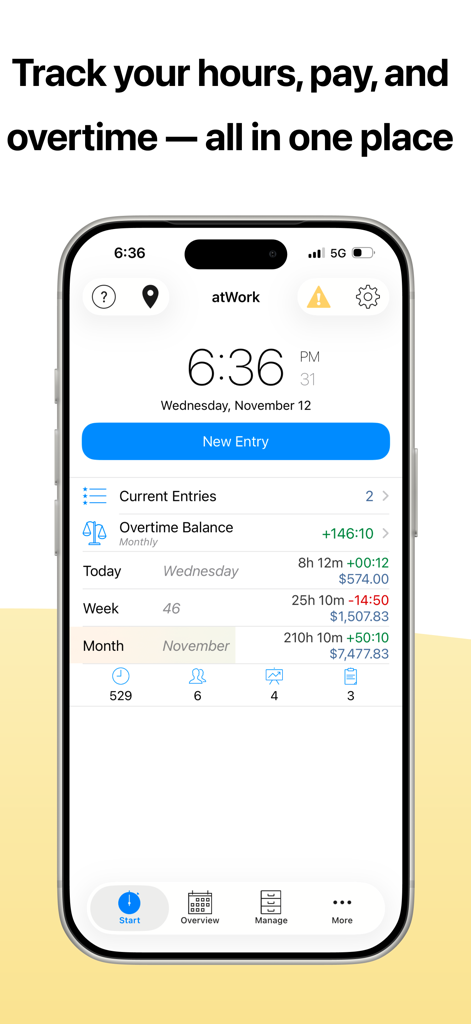
iPhone screen showing atWork app dashboard with tracked work hours pay and overtime summary
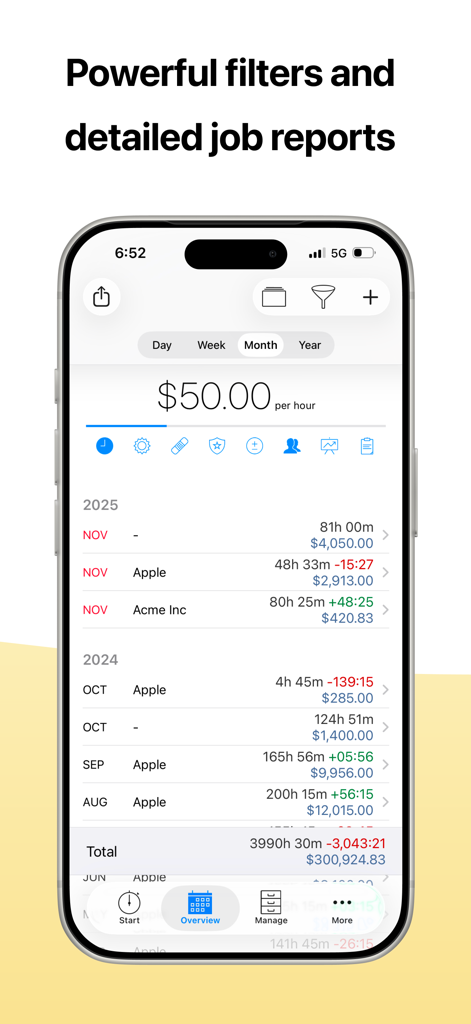
atWork app interface displaying detailed job reports and monthly earnings summary
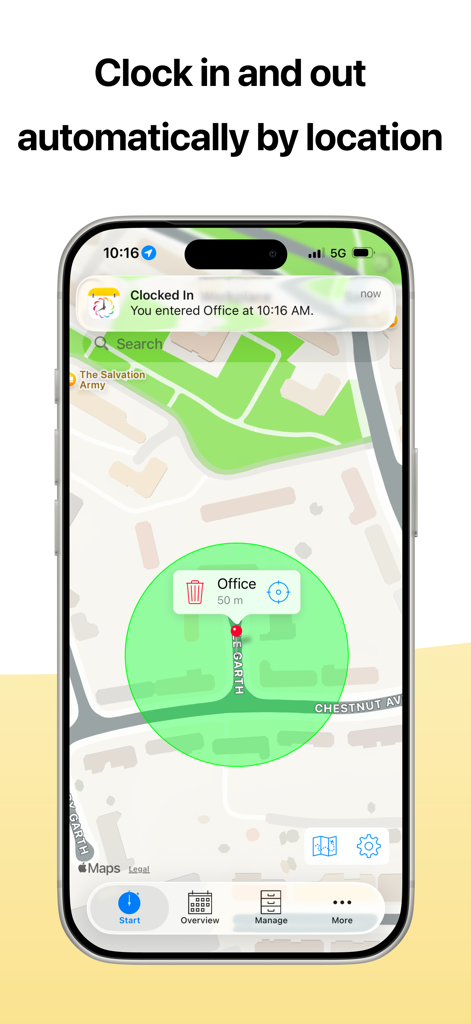
atWork app interface showing automatic clock in and out using location geofencing on a map
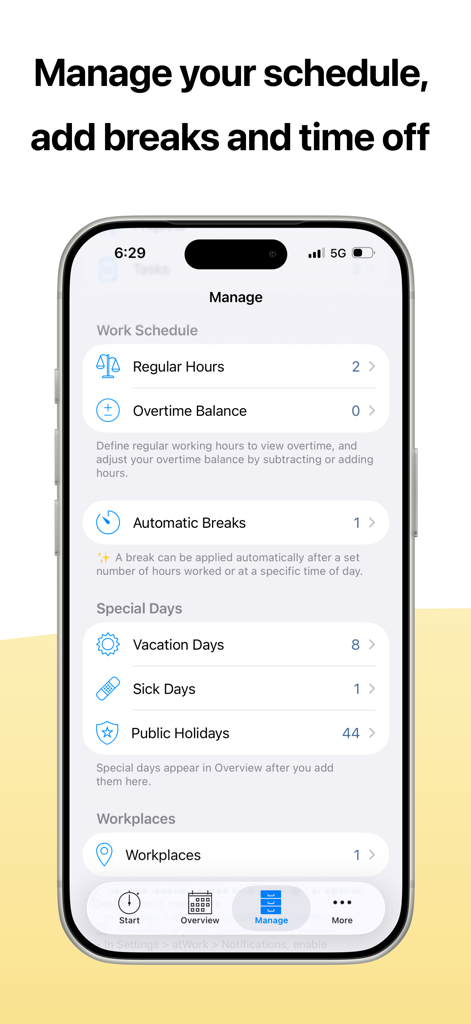
atWork app interface for managing work schedules automatic breaks and time off
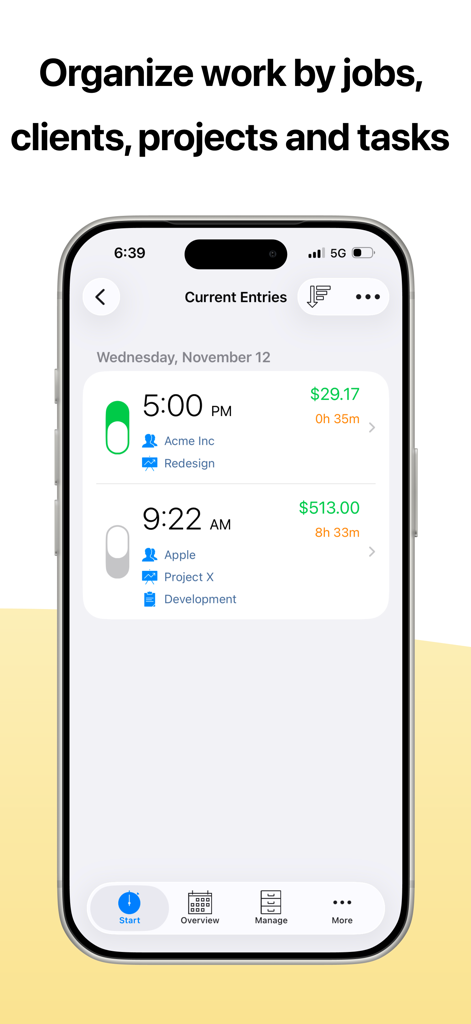
iPhone screenshot showing the atWork app interface with time entries organized by clients and projects
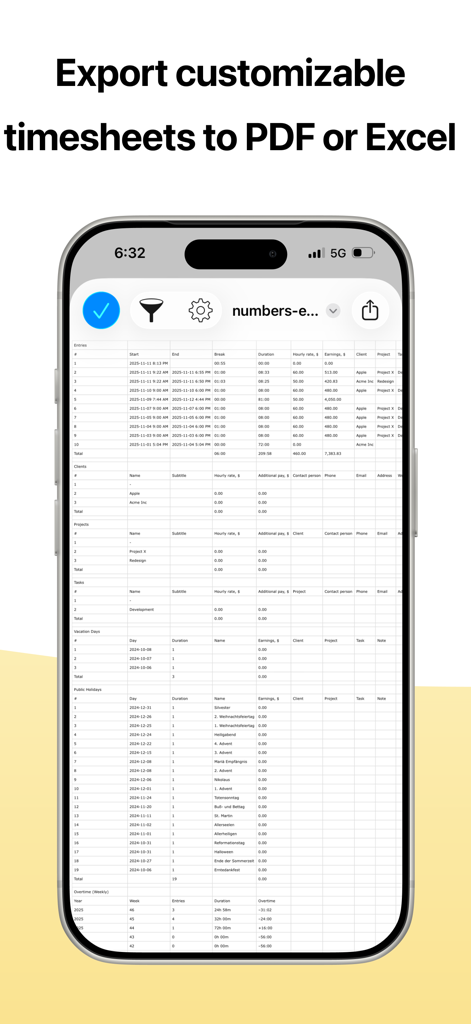
atWork app displaying a detailed professional timesheet report on an iPhone ready for export to PDF or Excel
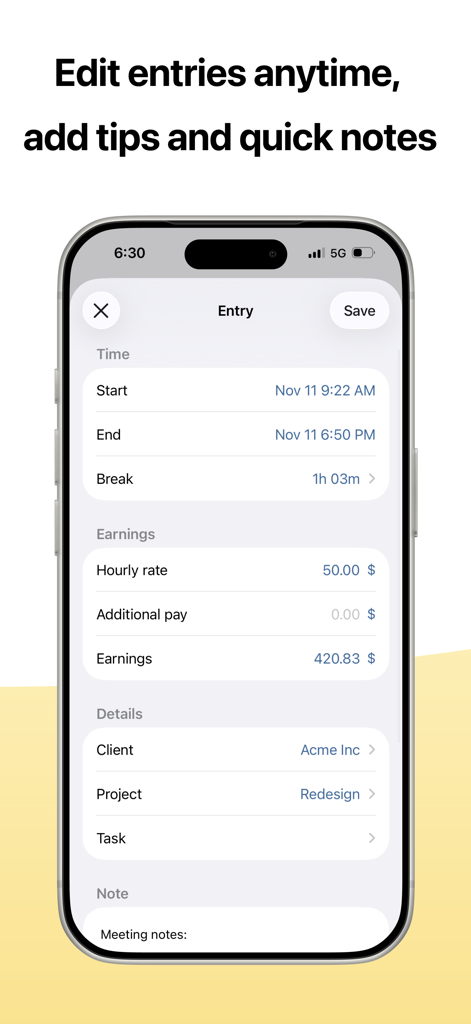
Mobile app screen for editing a work entry with time tracking earnings and client details
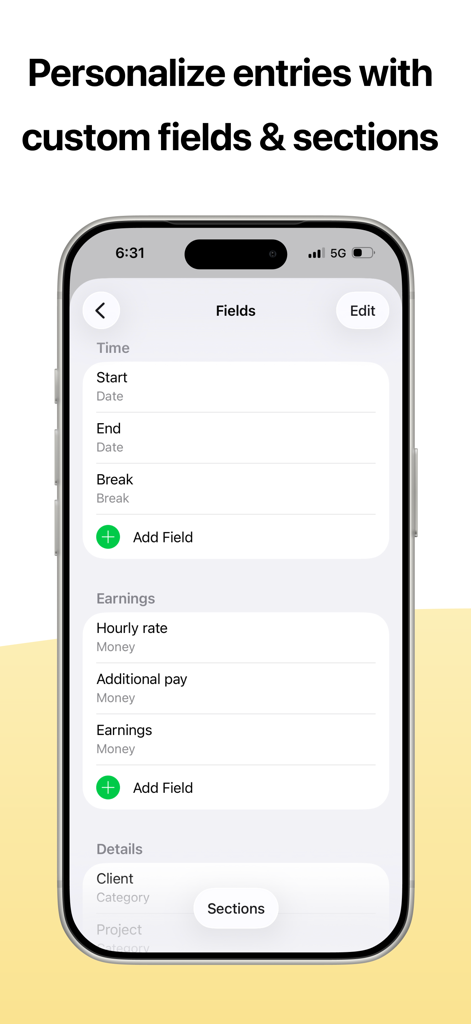
A mobile interface for atWork app showing options to personalize entries with custom fields for time, earnings, and client details.
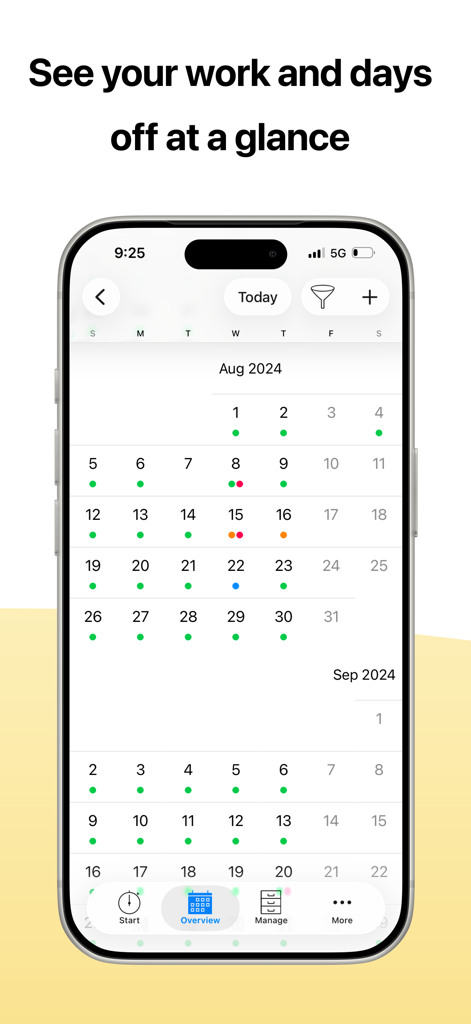
atWork app calendar overview showing work shifts and days off at a glance.
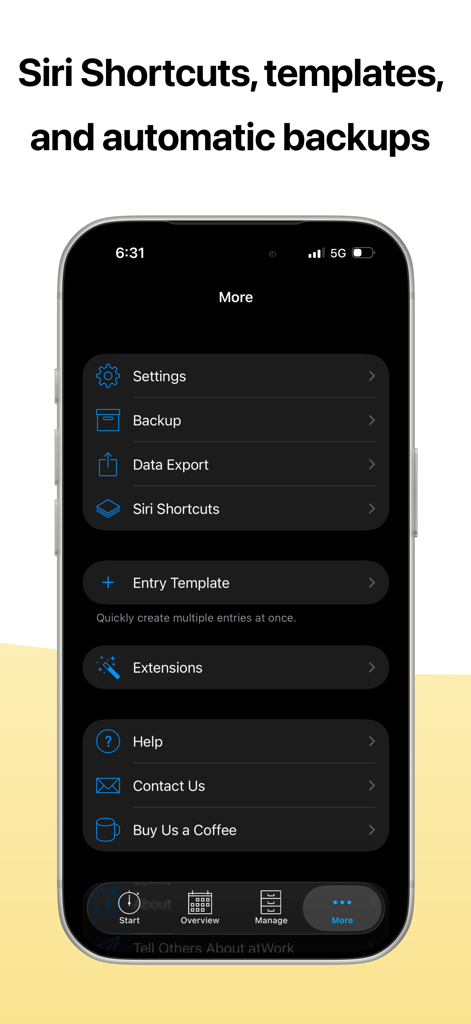
atWork app more menu showing siri shortcuts templates and data backup options
Description
Download
More Like This
Apps with similar features and user experience

Supershift Shift Work Calendar
Supershift GmbH

安心记加班-记考勤加班工资记录记账记工本
Shanghai Anjiaxin Network Technology Co., Ltd

Work Shift Calendar (Shifter)
Luis Alberto Reyes Halaby

极简记工时·小时工记加班
敏强 李

My Shift Planner - Calendar
MyBuzz Technologies Limited

Work hours tracker - Timesheet
Kanstantsin Markau

Punch Time Clock
Trent Morris

记工时考勤
Beijing Chejiang Internet Technology Co., Ltd.

Time Squared: Hours Tracker
TSQ Publishing Corp.
This page is not an official page of the app or its developer, but an independent editorial publication created for informational and commentary purposes. Unless expressly stated otherwise, neither the app nor its developer is affiliated with, endorsed by, sponsored by, authorized by, or otherwise officially connected with MWM, Apple, Google Play, the app publisher, or the app's developer, and nothing on this page implies that the app was developed using MWM's services. Any trademarks, logos, screenshots, and other content remain the property of their respective owners.