
This page is not an official page of the app or its developer, but an independent editorial publication created for informational and commentary purposes. Unless expressly stated otherwise, neither the app nor its developer is affiliated with, endorsed by, sponsored by, authorized by, or otherwise officially connected with MWM, Apple, Google Play, the app publisher, or the app's developer, and nothing on this page implies that the app was developed using MWM's services. Any trademarks, logos, screenshots, and other content remain the property of their respective owners.


Automatic Time Clock
Effortlessly log hours, overtime, and breaks with geolocation and Siri Shortcuts. Total control with 100% local storage—no cloud, no tracking, just your data.
Downloads
559K+User Rating
Total Ratings
33K+Publisher
Category
ProductivityLocales
11Latest Version
7.3.2Size
55.4 MBFirst Released
Feb 25, 2016Master Your Schedule, Protect Your Time
The ultimate local-first time tracker designed for professionals who value privacy, automation, and precision within the Apple ecosystem.
Hands-Free Automation
Leverage smart geolocation to automatically log your hours as you arrive at or leave your workspace, eliminating manual entry errors.
Privacy by Design
Your data is yours alone. All records are stored locally on your device—never in the cloud—ensuring total confidentiality and security.
Frequently Asked Questions
Everything you need to know about Automatic Time Clock
Where does the StempelUhr app store user data?
The StempelUhr app stores all user data locally on the device. It ensures privacy by never sending data to the cloud.
What is StempelUhr used for?
StempelUhr is a time tracking app. It monitors work hours, overtime, and breaks, offering control for flex-time or dynamic schedules.
What features are free in the StempelUhr app?
The free version of StempelUhr tracks absences, provides daily/weekly goal reminders, offers automatic geolocation tracking, and supports Apple Watch and widgets.
What does the Pro Version of StempelUhr offer?
StempelUhr Pro includes automatic public holiday import, annual overview, tagging, custom work time models, overtime accounting, and report export to PDF, Excel, or CSV.
Does StempelUhr automatically track time based on location?
Yes, StempelUhr supports automatic time tracking using geolocation. It allows users to define and track work across multiple locations.
How can I export my time tracking data from StempelUhr?
The Pro Version of StempelUhr exports detailed reports as PDF, Excel, or CSV. The free version allows data backup as JSON files.
Is StempelUhr compatible with Apple Watch?
Yes, StempelUhr offers full Apple Watch support. Users view their work time directly on the watch face for convenience.
Can StempelUhr track absences like vacation or sick days?
Yes, StempelUhr tracks absences, including vacation and sick days. This feature helps manage time off effectively and is available in the free version.
Does StempelUhr provide overtime tracking?
Yes, StempelUhr features a precise overtime account in the Pro Version. It also displays daily and monthly time differences.
Does StempelUhr sync with external calendars?
Yes, the Pro Version of StempelUhr synchronizes with your calendar. This integrates time tracking with your existing schedule for better organization.
The following screenshots and description are sourced directly from the app's official store listing and are the property of the app developer.
App Store
Screenshots
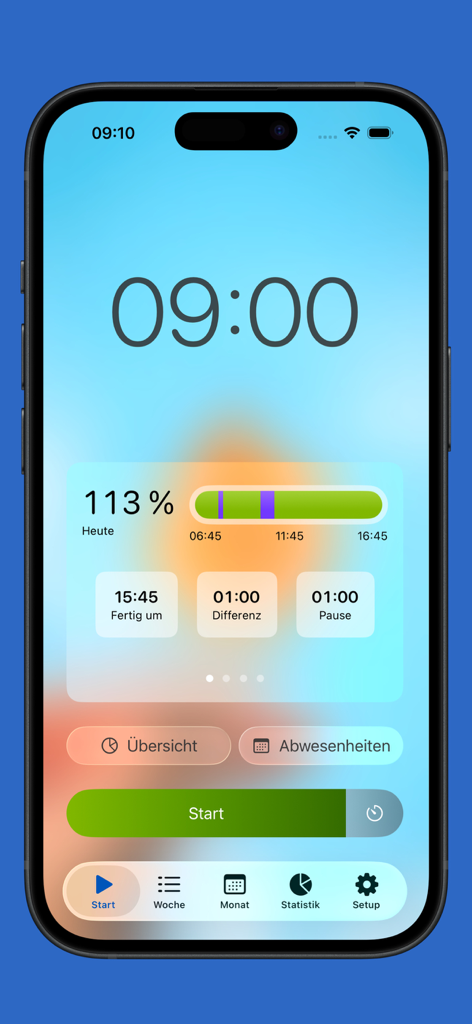
iPhone dashboard of the Automatic Time Clock app displaying daily work hours progress and a large green start button for tracking.
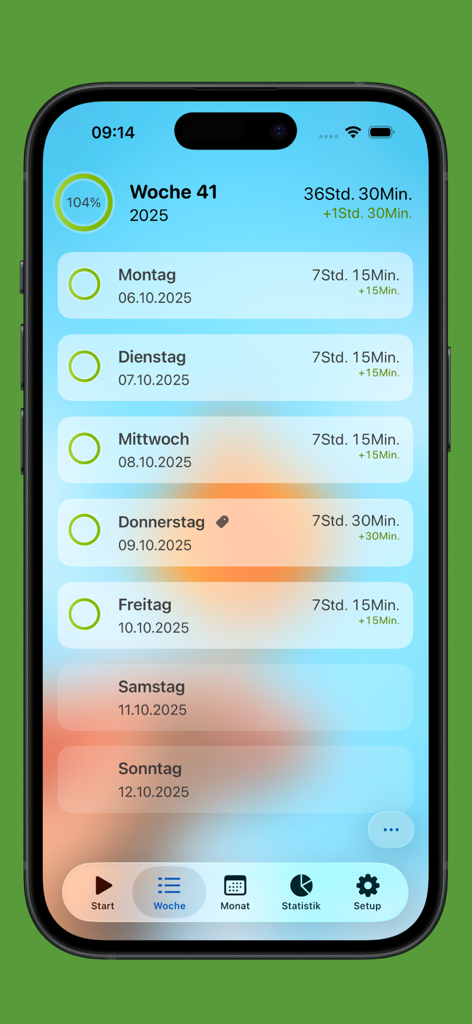
Weekly work hours log showing daily entries and overtime tracking on iPhone
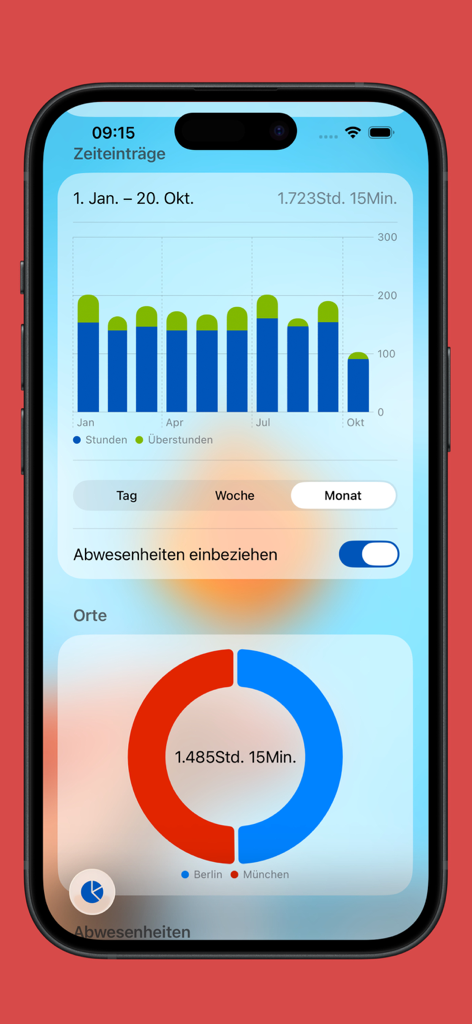
A mobile app interface displaying a bar chart for monthly work hours and a donut chart for location-based time tracking
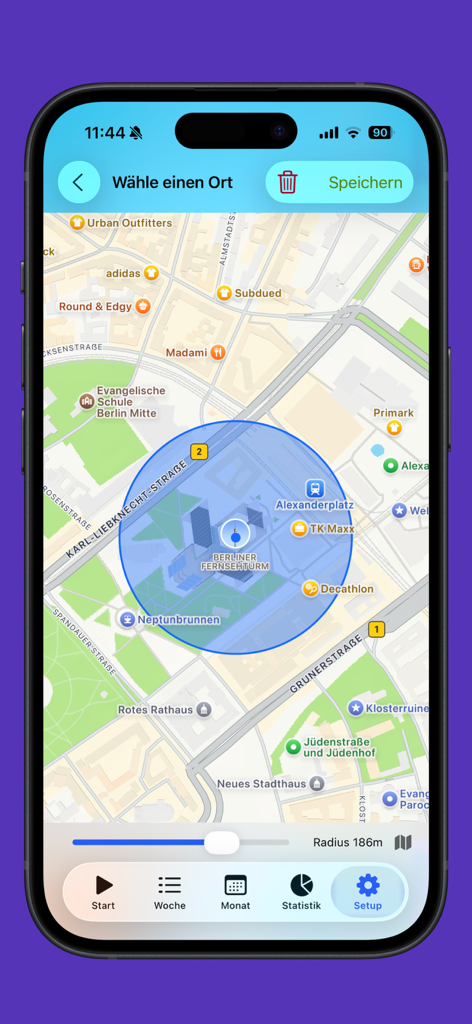
A smartphone interface showing a map with a circular geofence radius for automatic work location tracking
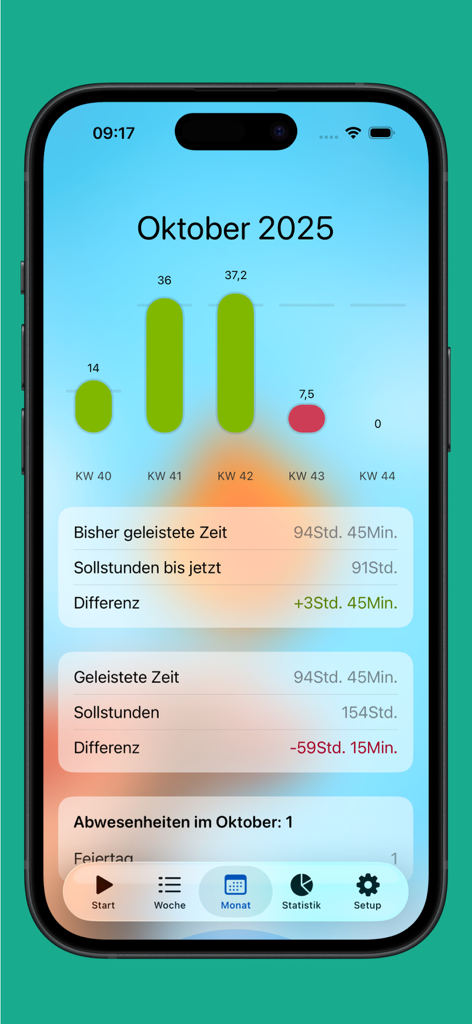
Monthly dashboard of the Automatic Time Clock app showing work hour bar charts and overtime tracking calculations
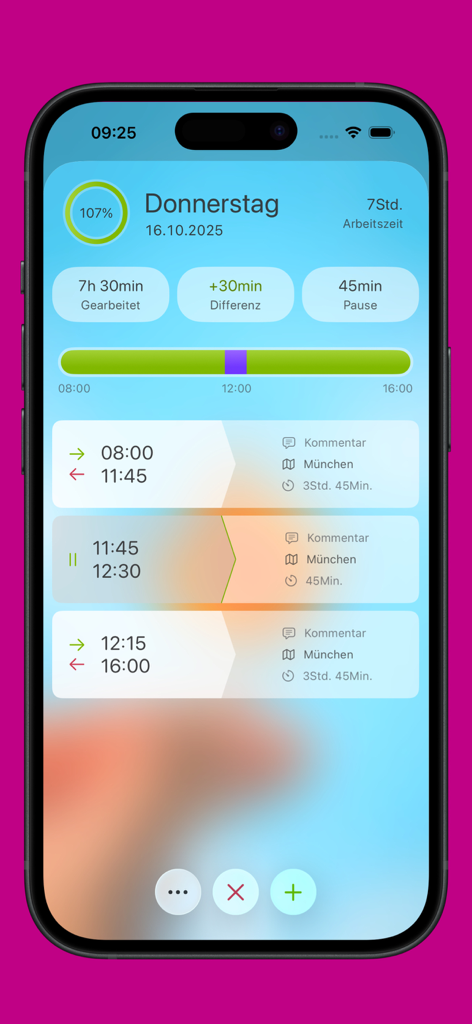
iPhone interface of the Automatic Time Clock app showing a daily summary of work hours breaks and overtime tracking
Description
Download
More Like This
Apps with similar features and user experience
Supershift Shift Work Calendar
Supershift GmbH

安心记加班-记考勤加班工资记录记账记工本
Shanghai Anjiaxin Network Technology Co., Ltd

Work Shift Calendar (Shifter)
Luis Alberto Reyes Halaby
极简记工时·小时工记加班
敏强 李

My Shift Planner - Calendar
MyBuzz Technologies Limited

Work hours tracker - Timesheet
Kanstantsin Markau

Punch Time Clock
Trent Morris

记工时考勤
Beijing Chejiang Internet Technology Co., Ltd.

Time Squared: Hours Tracker
TSQ Publishing Corp.
This page is not an official page of the app or its developer, but an independent editorial publication created for informational and commentary purposes. Unless expressly stated otherwise, neither the app nor its developer is affiliated with, endorsed by, sponsored by, authorized by, or otherwise officially connected with MWM, Apple, Google Play, the app publisher, or the app's developer, and nothing on this page implies that the app was developed using MWM's services. Any trademarks, logos, screenshots, and other content remain the property of their respective owners.