
This page is not an official page of the app or its developer, but an independent editorial publication created for informational and commentary purposes. Unless expressly stated otherwise, neither the app nor its developer is affiliated with, endorsed by, sponsored by, authorized by, or otherwise officially connected with MWM, Apple, Google Play, the app publisher, or the app's developer, and nothing on this page implies that the app was developed using MWM's services. Any trademarks, logos, screenshots, and other content remain the property of their respective owners.


Bark Kids
Digital safety is no longer optional. This app gives parents the superpower of omnipresence.
Downloads
1M+User Rating
Total Ratings
10.4KPublisher
Category
Social NetworkingLocales
1Latest Version
4.47.0Size
61.8 MBFirst Released
Mar 15, 2020An Analytical Overview for Concerned Parents
Key Digital Safety Features of Bark Kids
Real-time Location Tracking
The app offers robust GPS-powered location tracking, enabling real-time monitoring of a child's whereabouts and movement status (stationary, walking, biking, or driving).
Comprehensive Web Filtering
This tool features advanced web filtering capabilities, allowing parents to block specific websites or entire categories such as streaming services, online gaming, or inappropriate content on their child's devices.
Private Account Monitoring Connection
It allows children to connect their personal online accounts directly to the monitoring service, ensuring digital safety and privacy without the need for password sharing.
Flexible Screen Time Controls
The app provides families with the ability to set healthy time limits and create customized schedules for internet access (via cell service and Wi-Fi) on their children’s devices.
Frequently Asked Questions
Everything you need to know about Bark Kids
What is Bark Kids?
Bark Kids is a free child companion app for Bark and Bark Jr. It must be installed on a child's device and requires an established Bark account for usage.
Is Bark Kids a free app?
Yes, Bark Kids is a free companion app. However, it requires an established Bark account, which may have associated costs depending on the Bark service plan.
Does Bark Kids require a separate Bark account?
Yes, to use the Bark Kids app, you must have an established Bark account. Bark Kids functions as a companion app installed on your child's device.
Can Bark Kids manage screen time for children's devices?
Yes, Bark Kids enables families to set healthy time limits and create internet connection schedules for children's devices, covering both cell service and Wi-Fi.
How does Bark Kids filter web content?
Bark Kids features a web filter that allows parents to select specific websites or entire categories, such as streaming services or online gaming, to allow or block on their child's devices.
Does Bark Kids provide real-time location tracking?
Yes, Bark Kids offers robust, GPS-powered location tracking. It allows parents to track their child in real time on a map and identify if they are stationary, walking, biking, or driving.
What are Check-Ins in the Bark Kids app?
Check-Ins allow children to send GPS-based location confirmations, verifying safe arrival at destinations. This feature offers peace of mind to parents by confirming their child's location.
Can children connect their personal accounts for monitoring with Bark Kids?
Yes, Bark Kids allows children to connect their own accounts directly to Bark’s monitoring service. This provides more privacy as it eliminates the need to share usernames or passwords.
How does Bark Kids integrate with the Bark Parent app?
The Bark Kids app works as a companion to the Bark Parent app. Parents download the Bark Parent app to manage features like monitoring texts, apps, social media, screen time, web blocking, and location tracking.
Does Bark Kids offer a free trial period?
Yes, users can try Bark for seven days absolutely free. The Bark Kids app is a free companion to the Bark service during this trial period.
The following screenshots and description are sourced directly from the app's official store listing and are the property of the app developer.
App Store
Screenshots
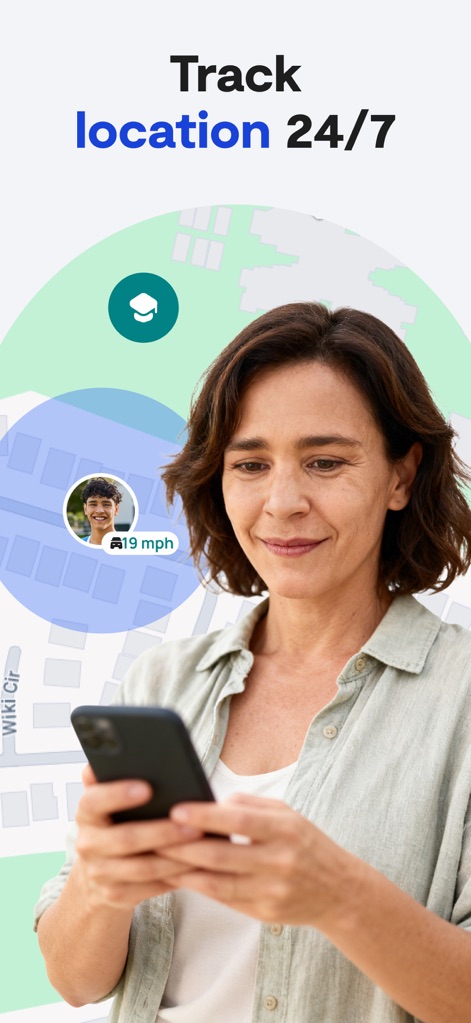
The app enables robust GPS-powered tracking, clearly displaying a child's real-time location on a map and their current movement speed.
Real-Time Location Tracking
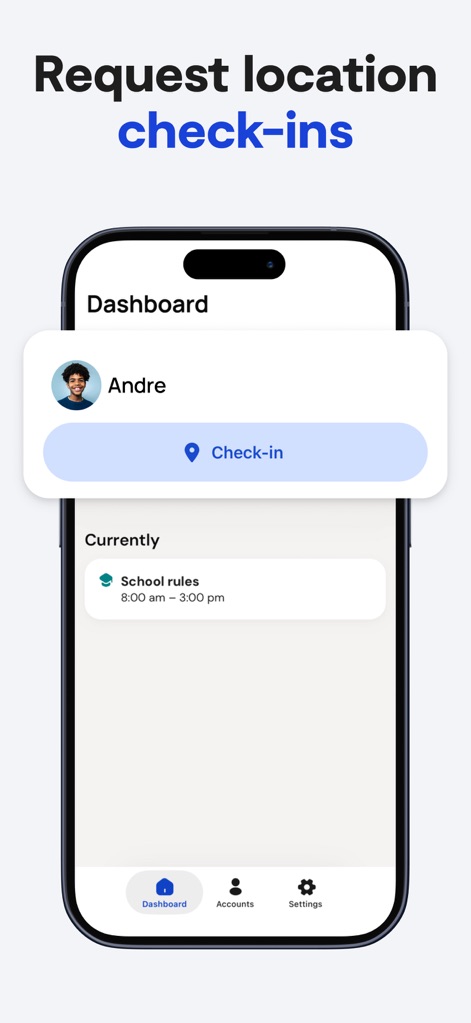
Users can easily request and receive location check-ins from their children, seamlessly integrated with defined schedules like school rules.
Effortless Location Check-ins

This tool offers extensive digital activity oversight by allowing connection to popular platforms such as Instagram and YouTube, facilitating monitoring of online interactions.
Digital Activity Oversight
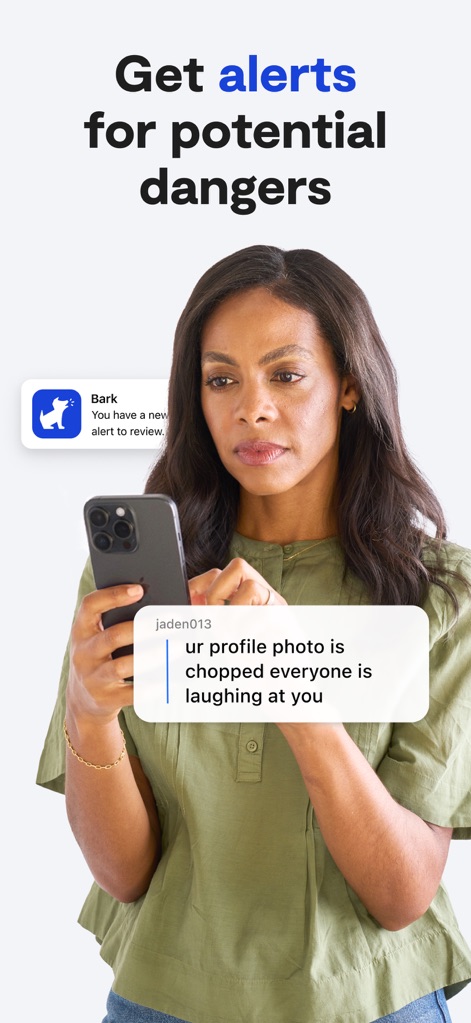
The app provides critical safety alerts, notifying parents of potential dangers identified in text messages or social media interactions.
Critical Safety Alerts

The companion app unlocks a suite of comprehensive parental tools, empowering users to create custom screen time schedules and block inappropriate websites and apps.
Comprehensive Parental Tools
Description
Download
More Like This
Apps with similar features and user experience

Findos - Find My Device
Pollux Bilisim Teknolojileri Sanayi ve Ticaret Limited Sirketi

Boost Family Guard
Smith Micro Software, Inc.

Google Family Link
Google LLC

Findmykids: GPS Phone Tracker
LETEM LTD

Nintendo Switch Parental Cont…
Nintendo Co., Ltd.

Parental Control App Kids360
ANKO SOLUTIONS LLC

JusTalk Kids - Safe Messenger
Ningbo Jus Internet Technology Co., Ltd.

FlashGet Kids:parental control
HONGKONG FLASHGET NETWORK TECHNOLOGY CO., LIMITED

Parental Control App: AirDroid
SAND STUDIO CORPORATION LIMITED
This page is not an official page of the app or its developer, but an independent editorial publication created for informational and commentary purposes. Unless expressly stated otherwise, neither the app nor its developer is affiliated with, endorsed by, sponsored by, authorized by, or otherwise officially connected with MWM, Apple, Google Play, the app publisher, or the app's developer, and nothing on this page implies that the app was developed using MWM's services. Any trademarks, logos, screenshots, and other content remain the property of their respective owners.