
This page is not an official page of the app or its developer, but an independent editorial publication created for informational and commentary purposes. Unless expressly stated otherwise, neither the app nor its developer is affiliated with, endorsed by, sponsored by, authorized by, or otherwise officially connected with MWM, Apple, Google Play, the app publisher, or the app's developer, and nothing on this page implies that the app was developed using MWM's services. Any trademarks, logos, screenshots, and other content remain the property of their respective owners.


Cascable Studio: Tether & More
Transform your iPhone, iPad, or Mac into the ultimate professional field monitor and remote. Tether your camera, automate complex shots, and transfer RAW files seamlessly with one unified interface for over 250 models.
Downloads
63K+User Rating
Total Ratings
1K+Publisher
Category
Photo & VideoLocales
2Latest Version
7.2.2Size
87.6 MBFirst Released
Jun 17, 2015Supercharge Your Creative Workflow
Take total control of your camera from your iPhone, iPad, or Mac. Cascable turns your Apple devices into a professional field monitor and automation powerhouse.
Pro-Grade Remote Control
Get full manual control over exposure, focus, and shutter speed with a lag-free live view. Experience one unified interface for over 250 camera models.
Advanced Shot Automation
Execute complex timelapses, focus stacking, and exposure bracketing with ease. Built-in calculators make night sky and long exposure shots effortless.
Frequently Asked Questions
Everything you need to know about Cascable Studio: Tether & More
What is Cascable Studio?
Cascable Studio is an app that provides remote control and automation for compatible cameras. It allows users to manage camera settings, transfer photos and videos, and utilize automation tools from an iPhone, iPad, or Mac.
Which cameras are compatible with Cascable Studio?
Cascable Studio supports over 250 cameras from major manufacturers via WiFi and USB, including Canon, Nikon, Sony, Fujifilm, Olympus, and Panasonic. Specific model ranges are detailed in the app's description.
Can I control my camera's settings with Cascable Studio?
Yes, Cascable Studio provides full control over your camera's exposure and other settings directly from your iPhone, iPad, or Mac. This includes aperture, shutter, ISO, and EV.
Does Cascable Studio support camera automation and timelapses?
Yes, Cascable Studio includes built-in automation tools for timelapses, exposure bracketing, and complex sequences. The "Recipes Editor" allows for drag-and-drop automation of camera functions.
Can Cascable Studio transfer RAW images from my camera?
Yes, Cascable Studio offers fast and easy downloading of full-resolution images, including RAW files, directly to your iPhone or iPad. Note that some Fujifilm, GoPro, and older models do not support RAW transfer.
Does Cascable Studio offer backup options for my photos?
Yes, Cascable Studio features a zero-tap backup option to ensure photos are not lost. It supports backing up to your device and external flash drives or SSDs.
Is Cascable Studio a free app or does it require a purchase?
Cascable Studio offers additional features through Cascable Studio Pro. This upgrade is available as a one-time purchase or a subscription, managed via your App Store account.
Does Cascable Studio support Apple Watch for camera control?
Yes, Cascable Studio provides Apple Watch support. Users can control their camera's shutter directly from their Apple Watch, which is convenient for group shots.
Can I edit photos directly within Cascable Studio?
Yes, Cascable Studio allows users to view and perform basic edits on their photos directly within the app. Adjustments such as exposure, highlights, and shadows are available.
Can Cascable Studio save images to external storage devices?
Yes, Cascable Studio supports external flash drives and SSDs for flexible media storage. Users can copy images from their camera to these external storage options directly.
The following screenshots and description are sourced directly from the app's official store listing and are the property of the app developer.
App Store
Screenshots
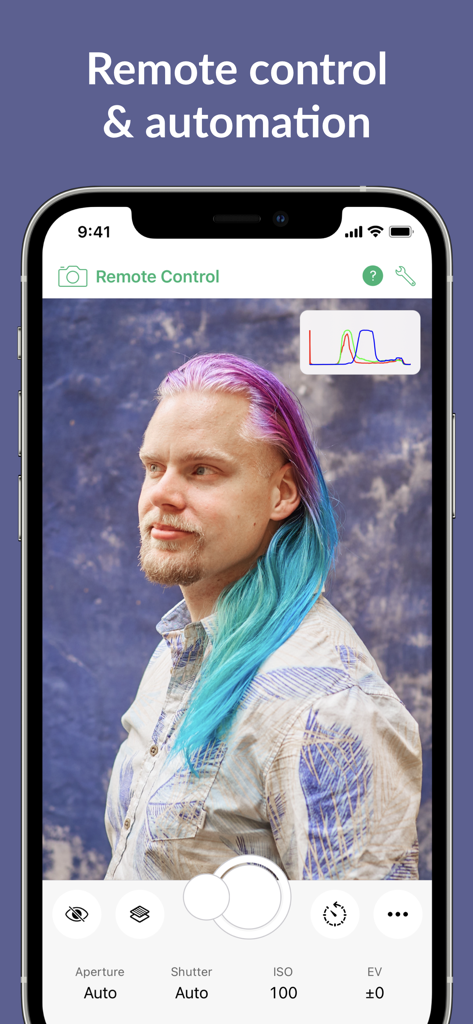
iPhone interface of Cascable Studio app showing remote camera control for a portrait photo shoot with exposure settings
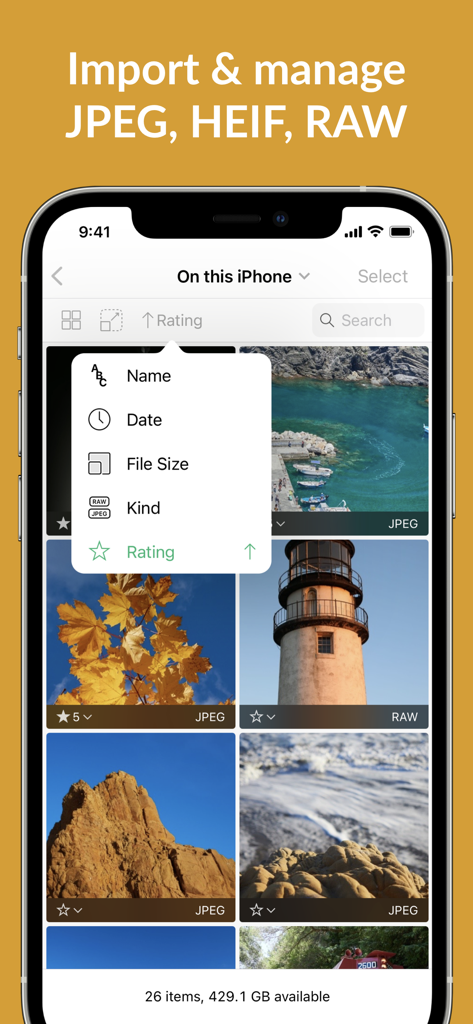
iPhone screenshot of Cascable Studio app showing a photo gallery with RAW and JPEG images and a sorting menu with options like date, file size, and rating.
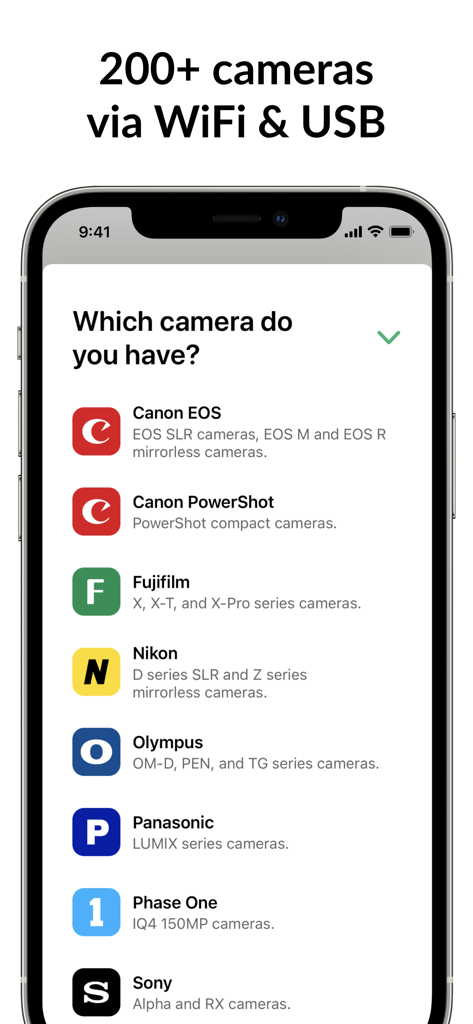
Smartphone screen showing compatible camera brands for Cascable Studio tethering app
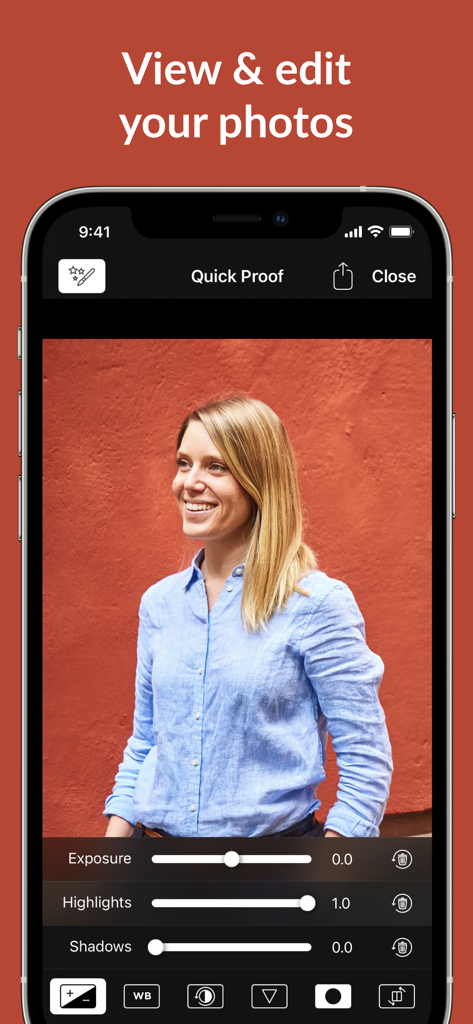
Photo editing interface of Cascable Studio showing exposure and highlight sliders on an iPhone.
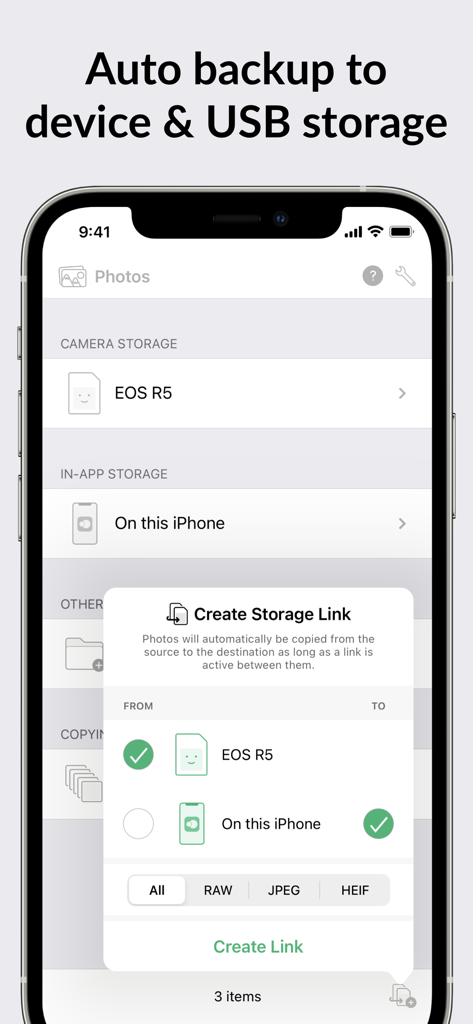
Cascable Studio interface for setting up automatic photo backup from a camera to an iPhone
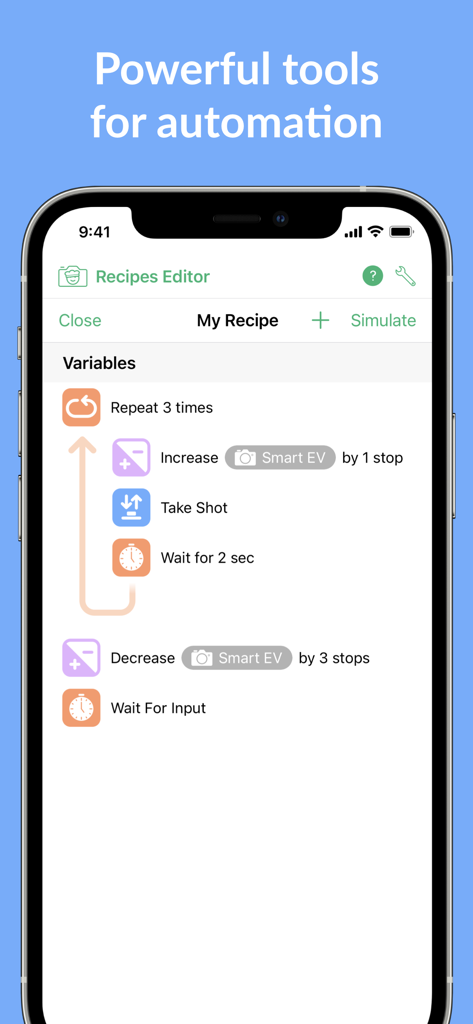
Cascable Studio Recipes Editor for camera automation workflows
Description
Download
More Like This
Apps with similar features and user experience

DJI Mimo
SZ DJI TECHNOLOGY CO., LTD

DJI Ronin
SZ DJI TECHNOLOGY CO., LTD

Roku TV Remote Control & Cast
Aleh Piashkou

Remote for Hisense TV.
Duscov Stepan

Alpha Linker - Camera Transfer
恒茂 刘

MyCentsys Pro
Centurion Systems (Pty) Ltd

Roku TV Remote Control・
Artur Belov

Luminair
Synthe FX, LLC

FUJIFILM XApp
FUJIFILM Corporation
This page is not an official page of the app or its developer, but an independent editorial publication created for informational and commentary purposes. Unless expressly stated otherwise, neither the app nor its developer is affiliated with, endorsed by, sponsored by, authorized by, or otherwise officially connected with MWM, Apple, Google Play, the app publisher, or the app's developer, and nothing on this page implies that the app was developed using MWM's services. Any trademarks, logos, screenshots, and other content remain the property of their respective owners.