
This page is not an official page of the app or its developer, but an independent editorial publication created for informational and commentary purposes. Unless expressly stated otherwise, neither the app nor its developer is affiliated with, endorsed by, sponsored by, authorized by, or otherwise officially connected with MWM, Apple, Google Play, the app publisher, or the app's developer, and nothing on this page implies that the app was developed using MWM's services. Any trademarks, logos, screenshots, and other content remain the property of their respective owners.


CIB OTP Token
Manage your CIB Egypt accounts from the USA with total peace of mind. Generate offline One-Time Passcodes to authorize third-party transfers instantly, without the hassle of international roaming or SMS delays.
Downloads
429K+User Rating
Total Ratings
200Publisher
Category
FinanceLocales
2Latest Version
4.30.92Size
7.0 MBFirst Released
Jan 20, 2016Secure Your Global Transactions
Manage your CIB Egypt accounts with complete peace of mind from the USA. Our digital token provides the essential security layer needed to authorize transfers instantly, without relying on international SMS.
Works Offline Anywhere
Avoid the frustration of roaming delays. Generate secure codes instantly on your device without needing a cellular signal or an Egyptian SIM card.
Bank-Grade Protection
Ensure your international assets are protected with advanced two-factor authentication, giving you total control over high-value third-party transfers.
Frequently Asked Questions
Everything you need to know about CIB OTP Token
What is the CIB OTP Token app used for?
The CIB OTP Token app generates a One Time Passcode (OTP) to authorize third-party transactions outside personal accounts on the Commercial International Bank (CIB) Egypt Online Banking platform.
Do I need to submit a request before activating my CIB OTP Token?
Yes, to activate the CIB OTP Token, users must first submit a Token Activation request on the Internet Banking platform. Then, they use the in-app option "Activate your token."
What information is required to activate the CIB OTP Token?
Activation of the CIB OTP Token requires inputting a Serial number, an Activation Code, and a Reactivation Counter. These details are entered during the activation data step.
Does the CIB OTP Token generate a time-sensitive passcode?
Yes, the CIB OTP Token generates a time-sensitive One Time Passcode. Users must input the displayed OTP within 60 seconds for successful transaction authorization.
Can I access OTP generation directly from a menu in the CIB OTP Token app?
Yes, the CIB OTP Token app features a "Services Menu" where users can directly select the "OTP" option. This allows for convenient generation of their One Time Passcode.
The following screenshots and description are sourced directly from the app's official store listing and are the property of the app developer.
App Store
Screenshots
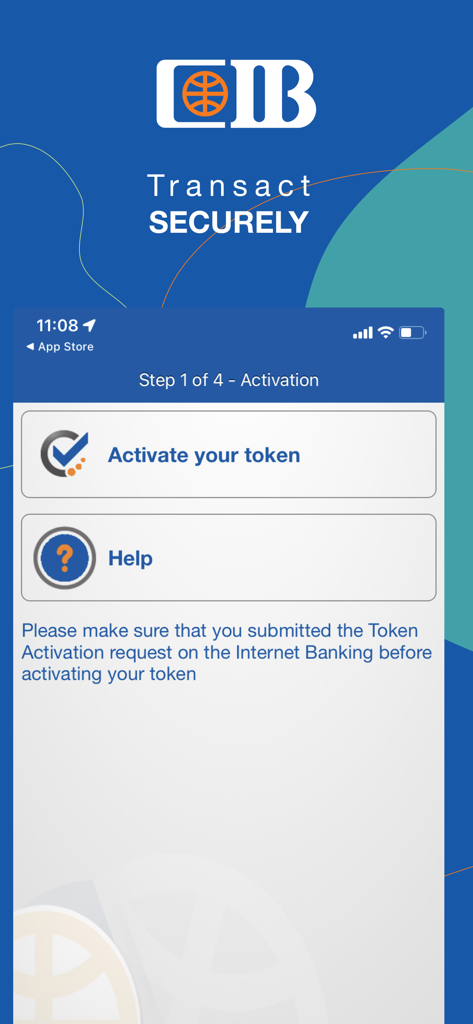
CIB OTP Token app activation screen showing step 1 with the option to activate the token
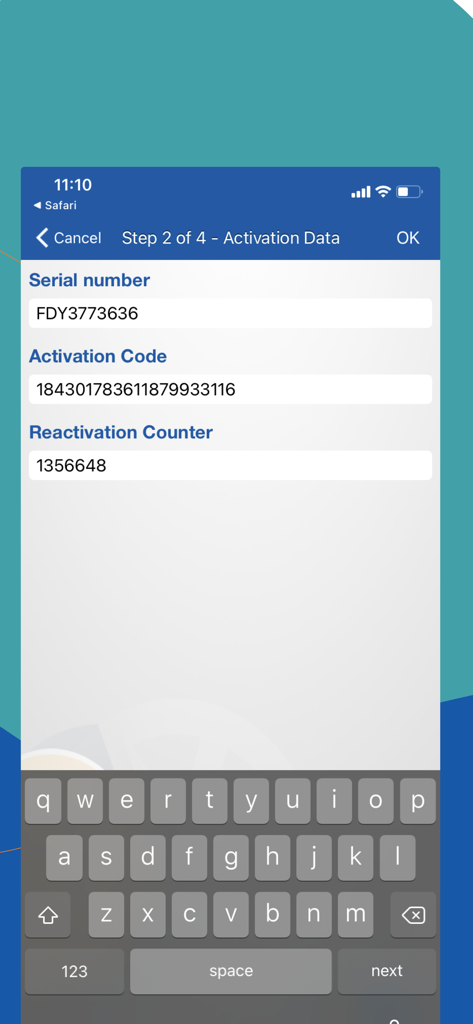
CIB OTP Token app activation screen showing serial number and activation code fields
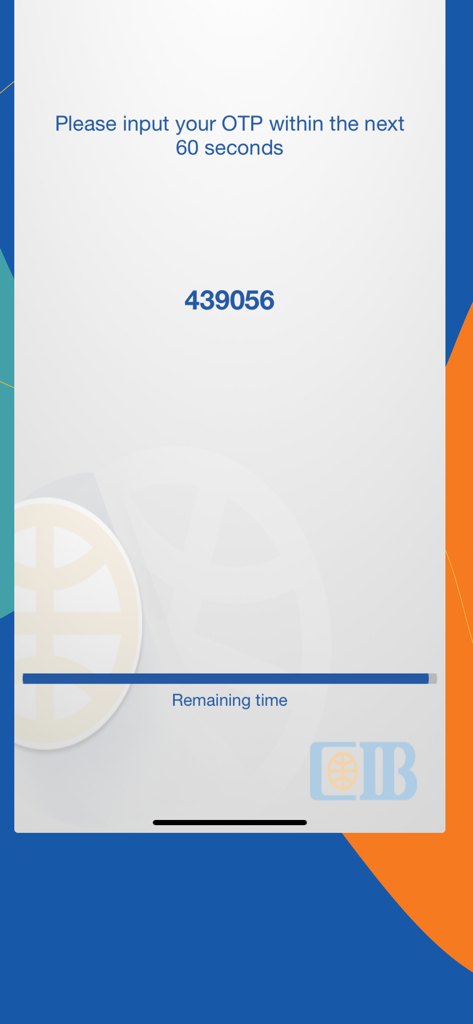
The CIB OTP Token mobile app interface displaying a six-digit one-time passcode with a progress bar for the remaining time.
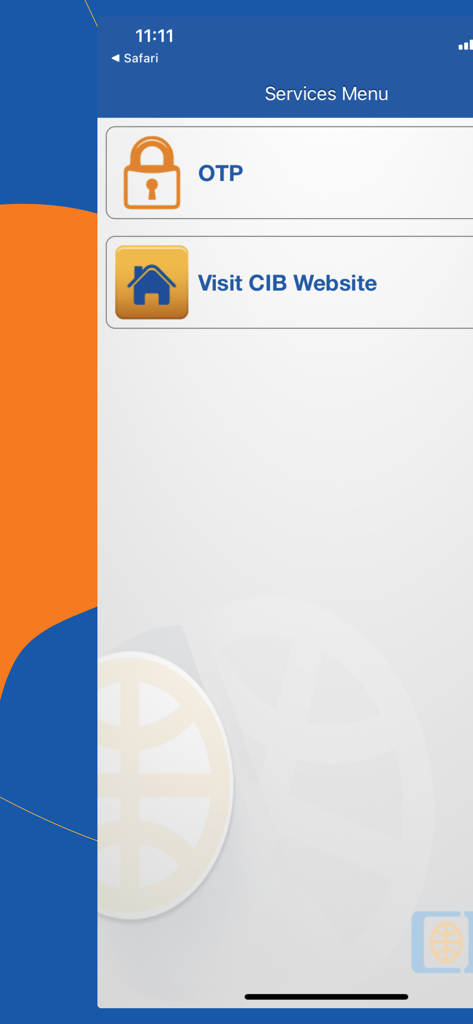
CIB OTP Token app services menu showing options for OTP generation and visiting the bank website
Description
Download
More Like This
Apps with similar features and user experience

Mi_Pass
Banco de Chile

Raiffeisen SmartToken
Raiffeisen Bank S.A.

Synology Secure SignIn
Synology Inc.

DATEV SmartLogin
DATEV eG

VR SecureGo plus
Atruvia AG

Namirial OTP
Namirial Spa

UBS Access – secure login
UBS AG

Mobilní klíč eGovernmentu
MINISTERSTVO VNITRA

Commerzbank photoTAN
Commerzbank AG
This page is not an official page of the app or its developer, but an independent editorial publication created for informational and commentary purposes. Unless expressly stated otherwise, neither the app nor its developer is affiliated with, endorsed by, sponsored by, authorized by, or otherwise officially connected with MWM, Apple, Google Play, the app publisher, or the app's developer, and nothing on this page implies that the app was developed using MWM's services. Any trademarks, logos, screenshots, and other content remain the property of their respective owners.