
This page is not an official page of the app or its developer, but an independent editorial publication created for informational and commentary purposes. Unless expressly stated otherwise, neither the app nor its developer is affiliated with, endorsed by, sponsored by, authorized by, or otherwise officially connected with MWM, Apple, Google Play, the app publisher, or the app's developer, and nothing on this page implies that the app was developed using MWM's services. Any trademarks, logos, screenshots, and other content remain the property of their respective owners.


Commerzbank photoTAN
Experience the ultimate security for your Commerzbank banking. Approve transactions in seconds with one-click push notifications and digital-first activation, tailored for your international lifestyle.
Downloads
3M+User Rating
Total Ratings
242K+Publisher
Category
FinanceLocales
15Latest Version
15.1.0Size
61.5 MBFirst Released
Nov 23, 2012Uncompromising Security, Effortless Access
Bridge the gap between your US-based lifestyle and German banking. The photoTAN app provides the fastest, most secure way to authorize international transactions from anywhere in the world.
One-Tap Push Approvals
Experience seamless banking with photoTAN-Push. Approve transfers instantly via secure notifications without the need for manual code entry.
Elite Security Standards
Leverage Germany's most innovative security technology. Benefit from real-time hardware checks and advanced encryption to protect your transatlantic assets.
Frequently Asked Questions
Everything you need to know about Commerzbank photoTAN
What is the Commerzbank photoTAN app used for?
The Commerzbank photoTAN app is a security method for online and mobile banking. It generates transaction numbers (TANs) to verify order data and secure logins and transactions, using either push notifications or graphic scanning.
How does the photoTAN push function work in the Commerzbank app?
The photoTAN push function sends a notification for new orders. Users open the app, review the order, and approve it with a single click. This provides quick and secure transaction approval within the Commerzbank app.
Can I activate the Commerzbank photoTAN app digitally?
Yes, users can fully legitimize themselves with the VideoIdent app. After legitimation, a code is received via SMS for quick digital activation of the photoTAN app within three hours, eliminating the wait for activation graphics.
Is the Commerzbank photoTAN app free to use?
Yes, the use of the Commerzbank photoTAN app is free of charge for all users. It is explicitly listed as one of the key advantages of the app's services.
What security checks does the Commerzbank photoTAN app perform?
The Commerzbank photoTAN app performs runtime security checks for known attack vectors like rooted/jailbreak devices and malicious apps. Users must consent to these checks for app installation and usage.
Can I use the Commerzbank photoTAN app offline?
Yes, the Commerzbank photoTAN app supports offline usability. If your smartphone is offline, you can continue to approve orders easily using the scan function.
How does the photoTAN scan function work in the Commerzbank app?
After placing an order online, a mosaic-like graphic appears. Users scan this with the photoTAN app to generate a TAN. The app displays order details for verification before entering the TAN.
Can I reset my PIN for Commerzbank online banking through the photoTAN app?
Yes, the Commerzbank photoTAN app includes a feature to reset your PIN for Commerzbank online banking. This functionality is accessible directly through the app's interface.
Does the Commerzbank photoTAN app support biometrics for credit card payments?
Yes, the Commerzbank photoTAN app supports biometrics for credit card payments. This feature is listed among the actions available on the new home screen for user convenience and security.
The following screenshots and description are sourced directly from the app's official store listing and are the property of the app developer.
App Store
Screenshots
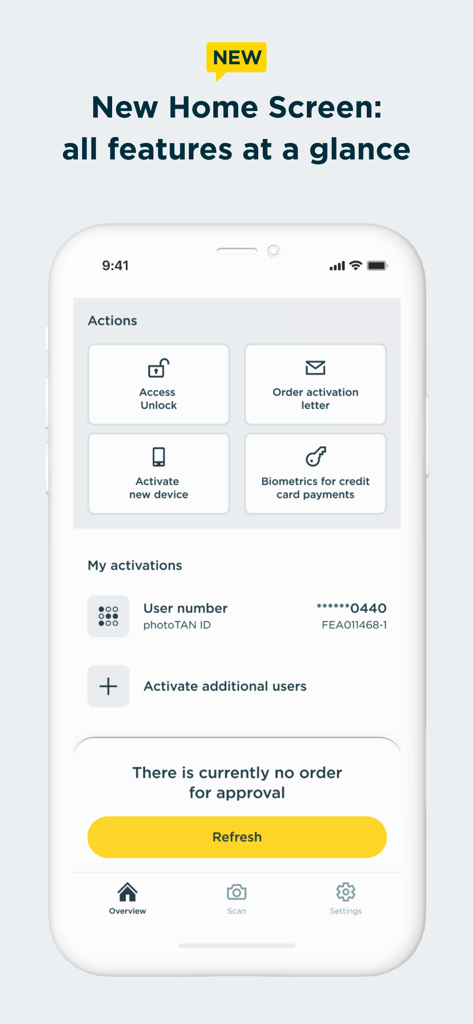
The home screen of the Commerzbank photoTAN app displaying action shortcuts and account activation status
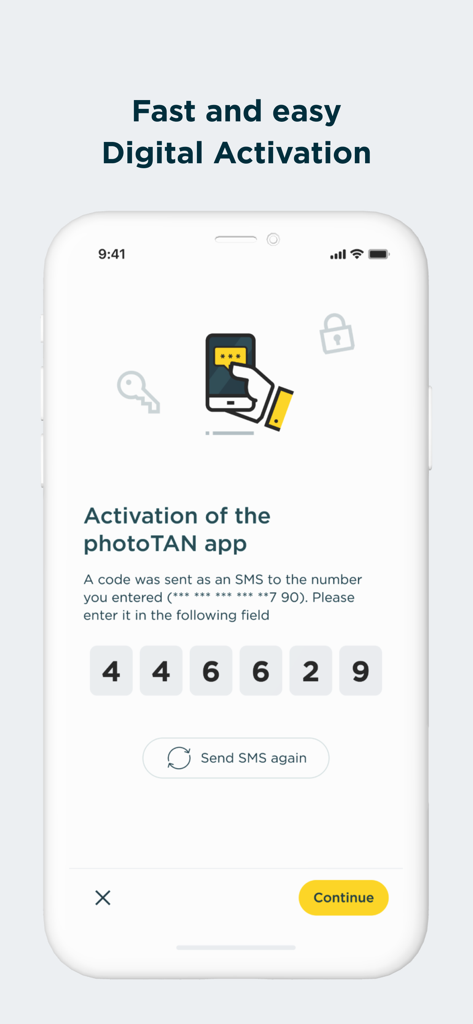
Commerzbank photoTAN app digital activation screen showing a six digit SMS code entry field
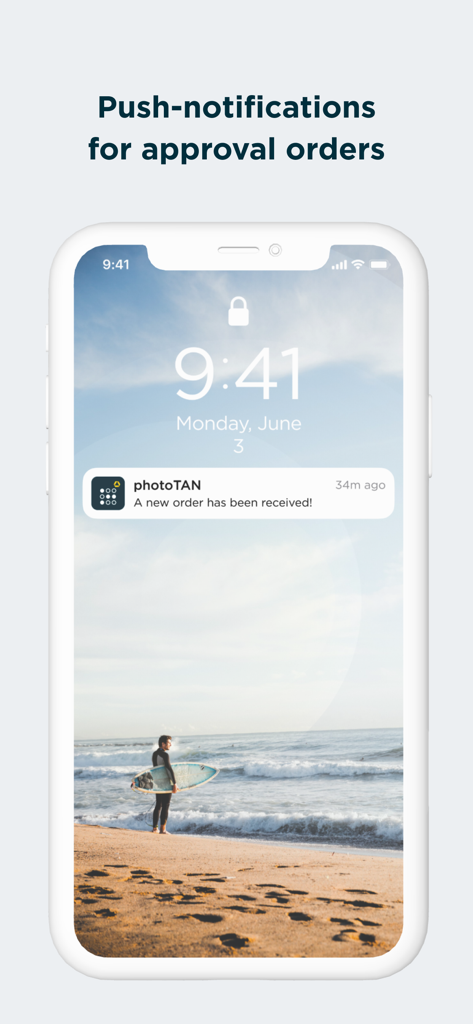
Commerzbank photoTAN push notification for order approval
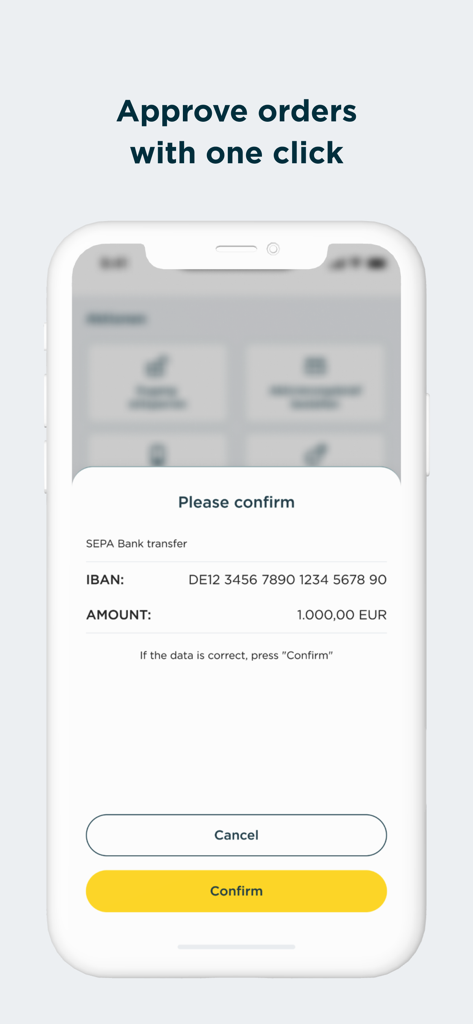
Mobile screen of Commerzbank photoTAN app showing a SEPA bank transfer confirmation request for 1000 Euros with a yellow confirm button.
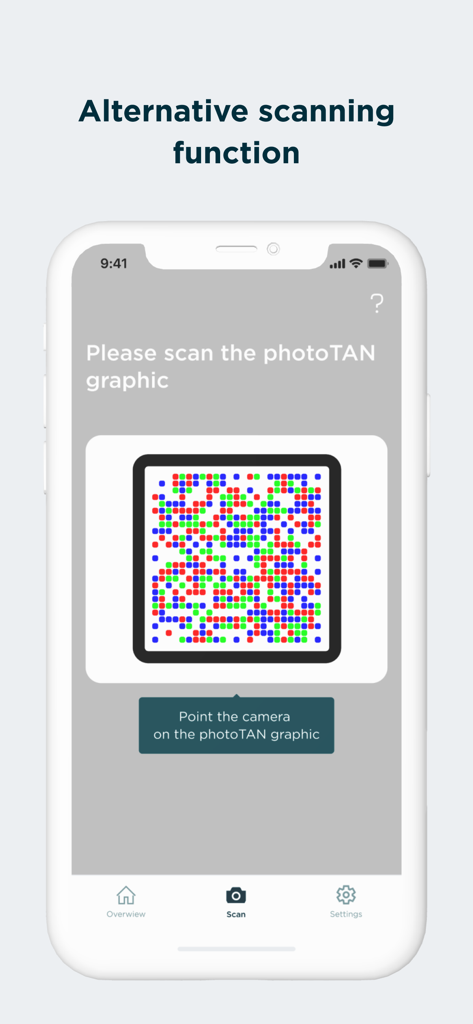
Screen of Commerzbank photoTAN app displaying the alternative scanning function for security graphics
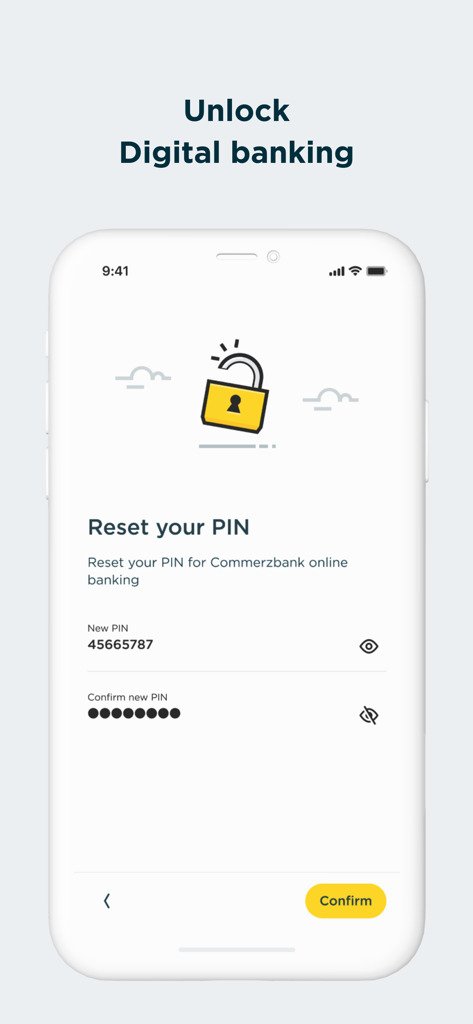
Commerzbank photoTAN app screen to reset PIN for digital banking
Description
Download
More Like This
Apps with similar features and user experience

Mi_Pass
Banco de Chile

Raiffeisen SmartToken
Raiffeisen Bank S.A.

Synology Secure SignIn
Synology Inc.

DATEV SmartLogin
DATEV eG

VR SecureGo plus
Atruvia AG

Namirial OTP
Namirial Spa

UBS Access – secure login
UBS AG

Mobilní klíč eGovernmentu
MINISTERSTVO VNITRA

comdirect photoTAN App
Commerzbank Aktiengesellschaft
This page is not an official page of the app or its developer, but an independent editorial publication created for informational and commentary purposes. Unless expressly stated otherwise, neither the app nor its developer is affiliated with, endorsed by, sponsored by, authorized by, or otherwise officially connected with MWM, Apple, Google Play, the app publisher, or the app's developer, and nothing on this page implies that the app was developed using MWM's services. Any trademarks, logos, screenshots, and other content remain the property of their respective owners.