
This page is not an official page of the app or its developer, but an independent editorial publication created for informational and commentary purposes. Unless expressly stated otherwise, neither the app nor its developer is affiliated with, endorsed by, sponsored by, authorized by, or otherwise officially connected with MWM, Apple, Google Play, the app publisher, or the app's developer, and nothing on this page implies that the app was developed using MWM's services. Any trademarks, logos, screenshots, and other content remain the property of their respective owners.


Synology Secure SignIn
Ditch the password fatigue. Protect your private cloud with frictionless two-factor authentication and one-tap sign-in approvals directly from your mobile device or Apple Watch.
Downloads
425K+User Rating
Total Ratings
38K+Publisher
Category
UtilitiesLocales
21Latest Version
1.3.0Size
49.8 MBFirst Released
Dec 7, 2020Bulletproof Security for Your Private Cloud
Experience the perfect balance of enterprise-grade protection and effortless access for your Synology NAS, designed for professionals who value their data and their time.
Frictionless Passwordless Login
Eliminate password fatigue. Sign in to your NAS with a single tap using biometric-backed mobile approvals for a seamless workflow.
Fortified Dual-Layer Defense
Secure your business assets and family memories with robust 2nd-step verification, including time-based OTP codes and push notifications.
Frequently Asked Questions
Everything you need to know about Synology Secure SignIn
What is Synology Secure SignIn?
Synology Secure SignIn enhances account security by offering two verification methods: Approve sign-in and time-based one-time passwords (OTP). It functions as a second factor for authentication or can replace DSM passwords.
What are the requirements for Synology Secure SignIn?
Yes, Synology Secure SignIn requires a Synology NAS, a Synology account, and DiskStation Manager 7.0 or above with the Synology Secure SignIn service enabled.
What verification methods does Synology Secure SignIn provide?
Synology Secure SignIn offers two main verification methods: 'Approve sign-in' for one-tap login verification and 'verification code (OTP)' for generating time-based one-time passwords.
Can Synology Secure SignIn replace my DSM password?
Yes, the 'Approve sign-in' feature of Synology Secure SignIn can replace your DiskStation Manager (DSM) password for a streamlined and secure login experience.
Does Synology Secure SignIn provide real-time login notifications?
Yes, Synology Secure SignIn delivers real-time notifications for DSM login requests to your device, enabling immediate approval or denial directly from the notification.
Can Synology Secure SignIn generate OTP for third-party services?
Yes, Synology Secure SignIn supports generating Time-based One-time Passwords (OTP) to protect various services, including Synology DSM, Amazon, Google, and Facebook accounts.
The following screenshots and description are sourced directly from the app's official store listing and are the property of the app developer.
App Store
Screenshots
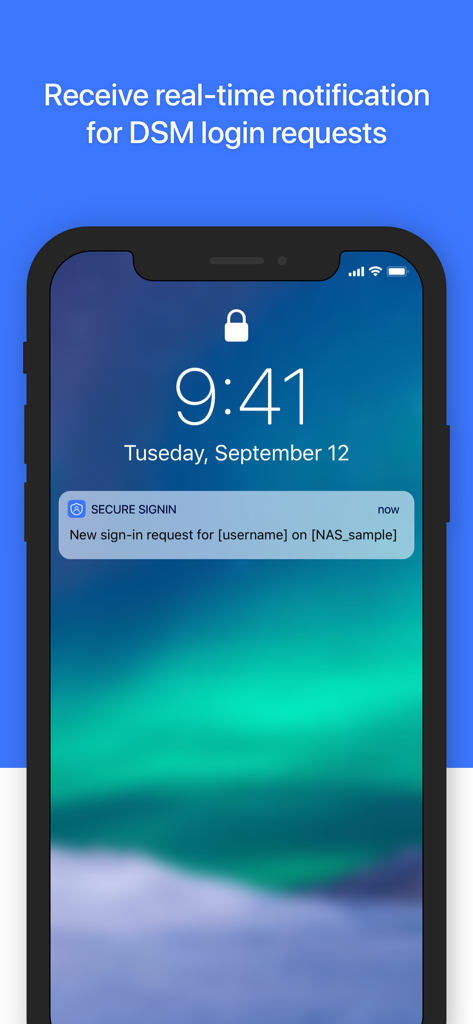
Smartphone lock screen showing a real time notification for a Synology DSM login request
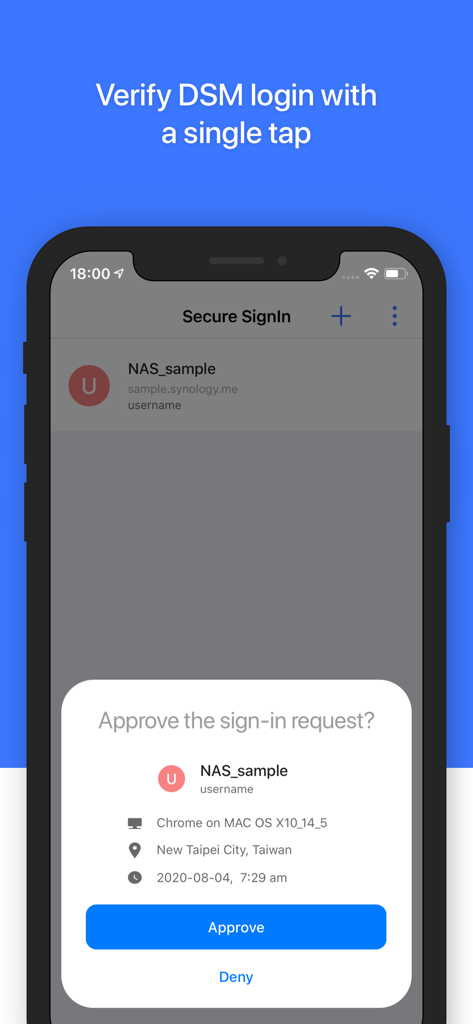
Synology Secure SignIn app displaying a login approval request on a mobile device.
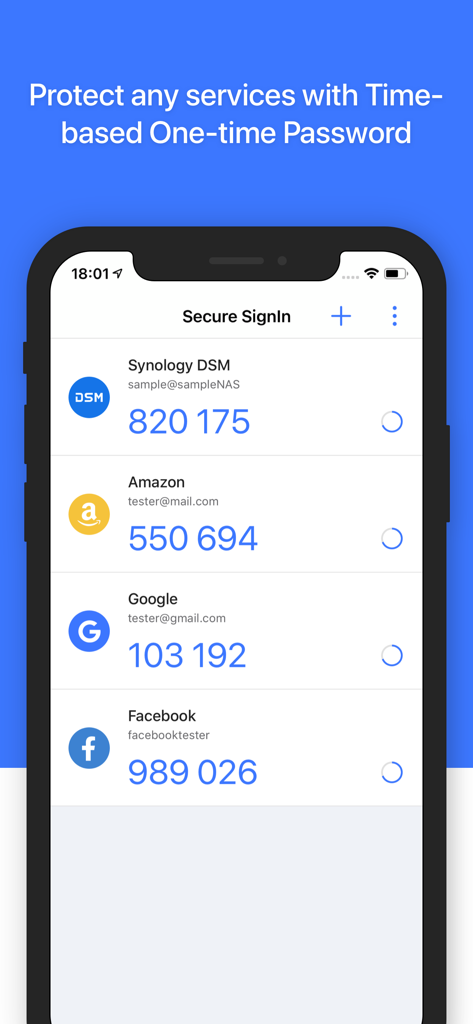
Synology Secure SignIn app displaying time-based one-time password OTP codes for various accounts
Description
Download
More Like This
Apps with similar features and user experience

Mi_Pass
Banco de Chile

Raiffeisen SmartToken
Raiffeisen Bank S.A.

DATEV SmartLogin
DATEV eG

VR SecureGo plus
Atruvia AG

Namirial OTP
Namirial Spa

UBS Access – secure login
UBS AG

Mobilní klíč eGovernmentu
MINISTERSTVO VNITRA

Commerzbank photoTAN
Commerzbank AG

comdirect photoTAN App
Commerzbank Aktiengesellschaft
This page is not an official page of the app or its developer, but an independent editorial publication created for informational and commentary purposes. Unless expressly stated otherwise, neither the app nor its developer is affiliated with, endorsed by, sponsored by, authorized by, or otherwise officially connected with MWM, Apple, Google Play, the app publisher, or the app's developer, and nothing on this page implies that the app was developed using MWM's services. Any trademarks, logos, screenshots, and other content remain the property of their respective owners.