
This page is not an official page of the app or its developer, but an independent editorial publication created for informational and commentary purposes. Unless expressly stated otherwise, neither the app nor its developer is affiliated with, endorsed by, sponsored by, authorized by, or otherwise officially connected with MWM, Apple, Google Play, the app publisher, or the app's developer, and nothing on this page implies that the app was developed using MWM's services. Any trademarks, logos, screenshots, and other content remain the property of their respective owners.


ClapFind: Phone Finder
Stop the panic of misplaced devices. Whether it’s hidden under a cushion or set to silent, locate your phone fast and prevent theft with smart, sound-activated alerts.
Downloads
395K+User Rating
Total Ratings
7K+Publisher
Category
UtilitiesLocales
14Latest Version
1.2.54Size
116.8 MBFirst Released
Jul 25, 2025Never Lose Your Phone Again
ClapFind provides instant peace of mind for busy parents, commuters, and multitaskers with smart sound-activated technology and proactive security features.
Clap to Locate Instantly
Trigger a loud ring or flashing light by simply clapping your hands. Perfect for finding your phone under couch cushions or buried in a deep handbag.
Active Anti-Theft Protection
Essential for urban commuters. Set an immediate siren to go off if someone tries to move your device or pick it from your pocket in public spaces.
Frequently Asked Questions
Everything you need to know about ClapFind: Phone Finder
What is ClapFind: Phone Finder?
ClapFind is a smart phone finder app that helps users locate their misplaced phones and prevent theft using sound-based commands. It responds to claps, voice passcodes, and motion detection.
How do I find my phone with ClapFind?
You can find your phone with ClapFind by clapping your hands, speaking a custom voice passcode like "Hey Phone!", or by activating anti-theft modes if your phone is moved or removed from a pocket.
Does ClapFind work if my phone is in silent mode?
Yes, ClapFind works even if your phone is in silent mode. When activated by a clap, voice command, or motion, the ClapFind app will still make your phone ring, flash, or vibrate.
What is ClapFind's "Don't Touch Mode"?
ClapFind's "Don't Touch Mode" is an anti-theft feature. If you place your phone on a surface and activate this mode, a loud alarm sounds if anyone attempts to move the device.
Can I customize the alert sounds in ClapFind: Phone Finder?
Yes, ClapFind: Phone Finder allows full customization of alerts. Users can choose from multiple alarm sounds, flashing light styles, and vibration patterns to suit their preferences.
Does ClapFind offer protection against pickpockets?
Yes, ClapFind offers pickpocket protection through its "Pocket Mode". If someone attempts to remove your phone from your pocket without your knowledge, the app triggers a powerful alarm with an optional flashlight strobe.
How easy is it to set up ClapFind?
ClapFind features simple setup and fast activation, requiring no special tech skills. Users just tap to turn on the desired feature, and it runs quietly in the background, ready to react.
Does ClapFind use voice commands to find a phone?
Yes, ClapFind uses voice commands. You can set a personalized voice passcode, such as "Hey Phone!", and speak it aloud to trigger an alarm and locate your misplaced device.
The following screenshots and description are sourced directly from the app's official store listing and are the property of the app developer.
App Store
Screenshots
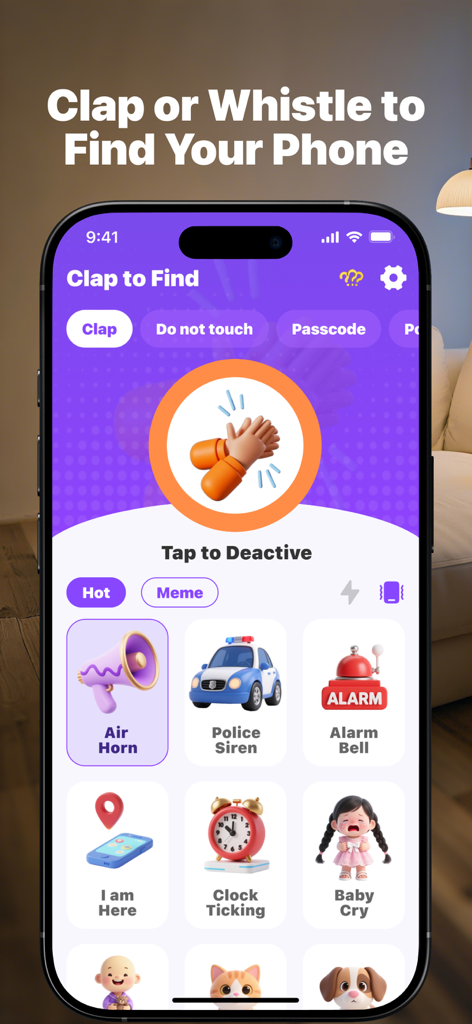
ClapFind app interface showing the clap to find feature and customizable alarm sounds
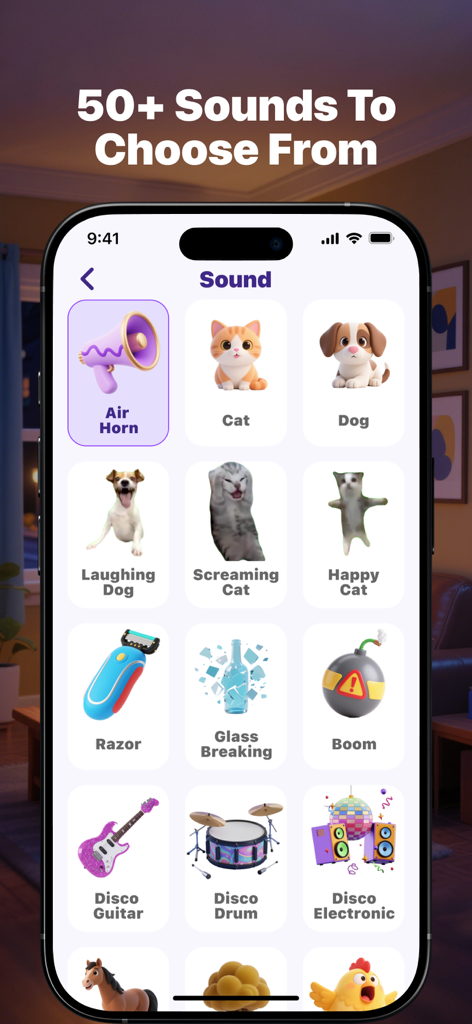
Interface showing more than 50 alert sounds to choose from in the ClapFind app including animal noises and musical instruments
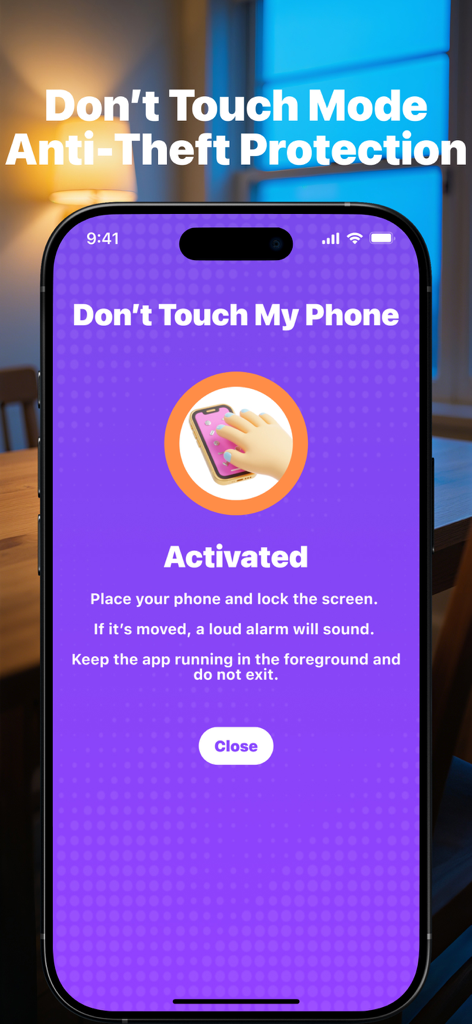
The activated Don't Touch Mode interface for anti-theft protection in the ClapFind app.
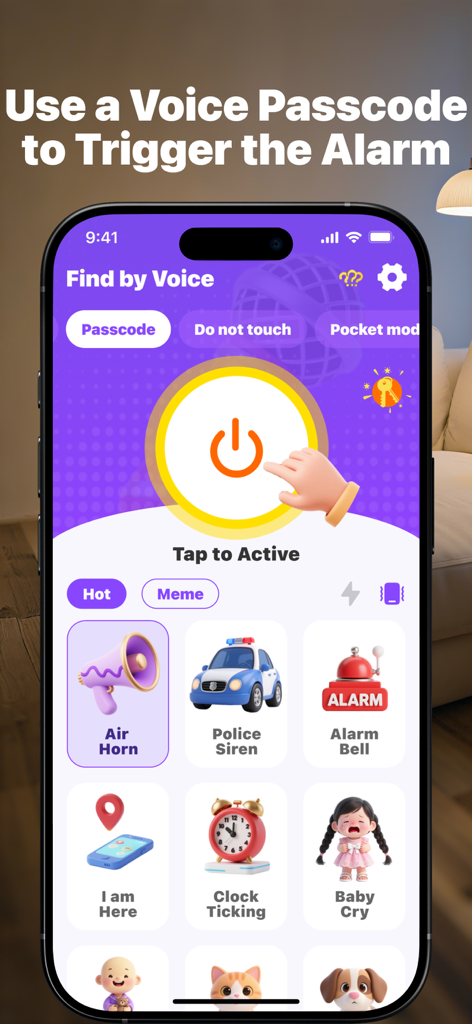
ClapFind app screen showing voice passcode activation and custom alarm sound options.
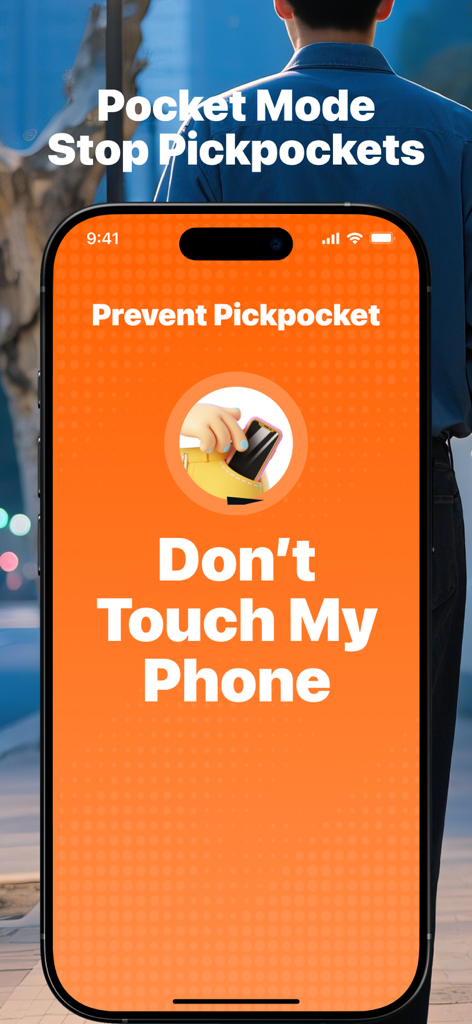
ClapFind app interface showing the Pocket Mode feature to prevent pickpocketing with an anti-theft alarm.
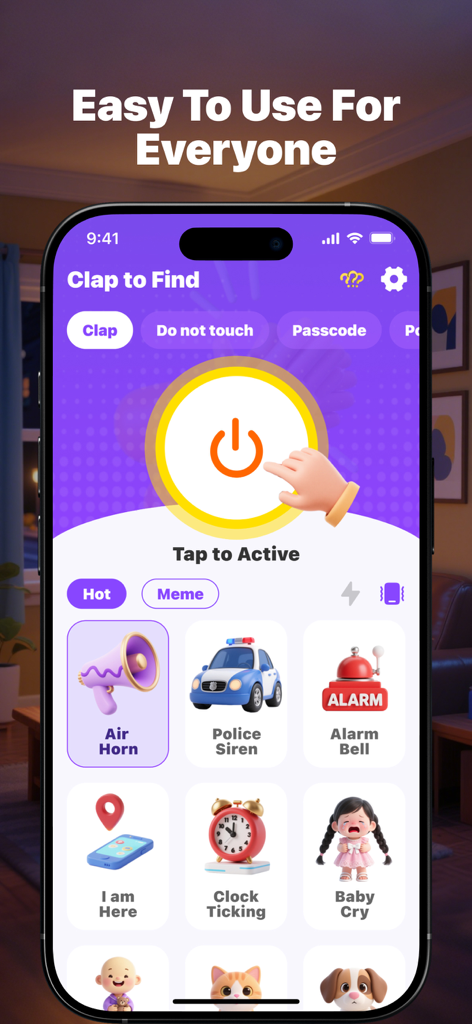
Interface of ClapFind phone finder app featuring a large activation button and various alarm sound options like air horn and police siren
Description
Download
More Like This
Apps with similar features and user experience
Amor AntiTheft-Clap Find Phone
FUTURISTIX DIGITAL MARKETING PTE. LTD

ClapSeek: Find phone by clap
PIXEL VERTEX MOBILE PTE. LTD.
Dont Touch My Phone: Antitheft
FITNESS TRAINING GLOBAL ONE MEMBER COMPANY LIMITED

ClapBack: Antilost
CODEJOY TECHNOLOGY LIMITED

AntiLost: Phone Finder & Alarm
MATRIX MOBILE PTE. LTD.

Who Touched My Phone :Guardian
Emre Erol

ClapTrack : Clap to Find Phone
80ugame Limited

Find My Phone By Clapping
Hieu Tran Thanh
AntiLost - Clap to Find Phone
Ion Danilov
This page is not an official page of the app or its developer, but an independent editorial publication created for informational and commentary purposes. Unless expressly stated otherwise, neither the app nor its developer is affiliated with, endorsed by, sponsored by, authorized by, or otherwise officially connected with MWM, Apple, Google Play, the app publisher, or the app's developer, and nothing on this page implies that the app was developed using MWM's services. Any trademarks, logos, screenshots, and other content remain the property of their respective owners.