
This page is not an official page of the app or its developer, but an independent editorial publication created for informational and commentary purposes. Unless expressly stated otherwise, neither the app nor its developer is affiliated with, endorsed by, sponsored by, authorized by, or otherwise officially connected with MWM, Apple, Google Play, the app publisher, or the app's developer, and nothing on this page implies that the app was developed using MWM's services. Any trademarks, logos, screenshots, and other content remain the property of their respective owners.
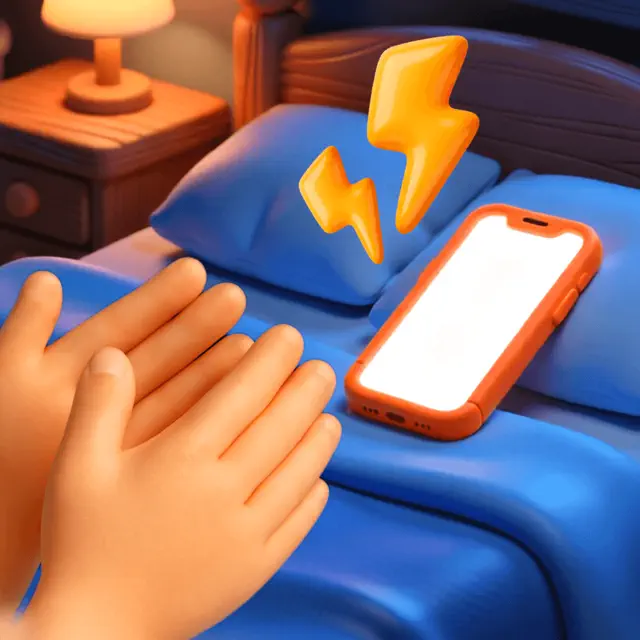

ClapSeek: Find phone by clap
Stop losing your phone, start commanding it. ClapSeek grants users the power to summon their device with a simple sound.
Downloads
100k+User Rating
Total Ratings
817Publisher
Category
UtilitiesLocales
15Latest Version
1.1.06Size
90.5 MBFirst Released
Nov 3, 2025Evaluating key features providing simple, private phone location and security for everyday users.
ClapSeek: A Focused Analysis of its Core Utility
Clap-Activated Phone Location
The app provides a reliable and quick method to locate a misplaced phone by simply clapping hands, triggering an audible alert on the device.
Offline and Network-Independent Operation
This tool features independence from internet connectivity or Bluetooth, ensuring the phone location functionalities work anywhere, anytime, without reliance on external networks.
Simple and Intuitive User Interface
It allows users to quickly understand and utilize the app's functions due to its streamlined design, catering to those who prefer straightforward and efficient solutions.
Bag Detection Security Mode
The app includes a Bag Detection Mode that alerts users if their phone is removed from a bag, providing a basic layer of anti-loss or anti-theft protection in shared environments.
Surface Movement Alert System
This tool features a Surface Tap Mode that triggers an alert if the surface on which the phone rests is moved or touched, aiding in awareness in shared spaces.
Adjustable Sensitivity Settings
It allows users to fine-tune the detection sensitivity, adapting the app's responsiveness to various acoustic and environmental conditions for optimal performance.
Frequently Asked Questions
Everything you need to know about ClapSeek: Find phone by clap
What is ClapSeek: Find phone by clap?
ClapSeek is an application that helps users locate their misplaced phone. It reacts to actions like clapping, bag removal, or surface movement to trigger a sound, enabling quick device retrieval without internet or Bluetooth.
How does ClapSeek assist in finding a lost phone?
ClapSeek helps find your phone through three modes: Clap Mode, Bag Detection Mode (Pocket Mode), and Surface Tap Mode (Touch Mode). Each mode causes your phone to ring or play a sound when triggered by specific user actions or environmental changes.
Does ClapSeek: Find phone by clap need internet access to work?
No, ClapSeek does not require an internet connection or Bluetooth to function. It is designed to work independently, providing a reliable solution for locating your phone in any environment.
How do I use Clap Mode in ClapSeek?
Clap Mode in ClapSeek allows users to locate their phone by clapping their hands twice. The phone responds by ringing, which is ideal for quickly finding it in nearby locations like home or work.
What is the function of Bag Detection Mode in ClapSeek?
ClapSeek's Bag Detection Mode, labeled Pocket Mode, triggers a sound if the phone is removed from a bag. This feature helps users notice immediately if their phone is no longer where they left it.
Can I adjust the sensitivity in the ClapSeek app?
Yes, ClapSeek provides adjustable sensitivity settings. Users can choose between Very High, High, and Average Sensitivity to optimize the app's responsiveness based on their environment and preferences.
Is ClapSeek a phone tracking application?
ClapSeek is not a tracking tool. It does not utilize GPS or microphones for tracking user location or conversations. Its sole purpose is to react to physical interactions to help locate the phone.
Does ClapSeek: Find phone by clap contain ads?
No, ClapSeek does not include any advertisements. It is designed to be lightweight and efficient, providing a clean and uninterrupted user experience without intrusive ads.
Are there different alert sounds available in ClapSeek?
Yes, ClapSeek offers a variety of alert sounds for customization. Options include "Air horn," "Baby cry," "Car horn," "Police siren," and many others, allowing users to select their preferred notification.
The following screenshots and description are sourced directly from the app's official store listing and are the property of the app developer.
App Store
Screenshots
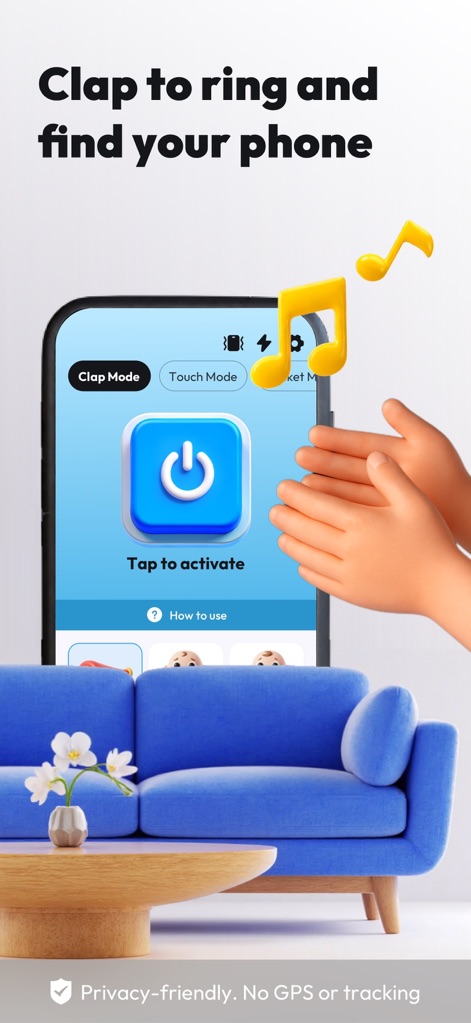
This mode is easily activated by the 'Tap to activate' button, allowing users to find their device with a simple clap, as indicated by the Clap Mode tab.
Activate Clap Detection
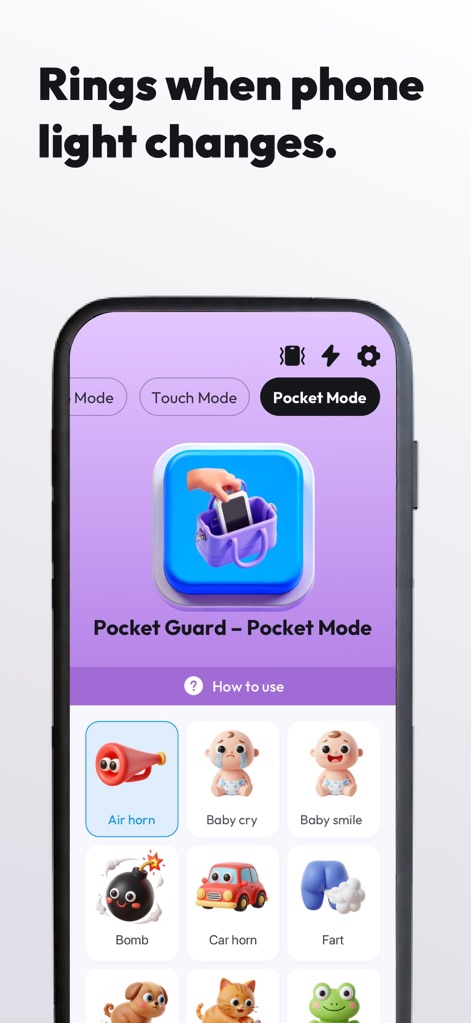
Discover the 'Pocket Mode' for discreet security, where the app protects your device by alerting users with a chosen sound from the extensive sound options grid when removed from a pocket or bag.
Secure Pocket Mode
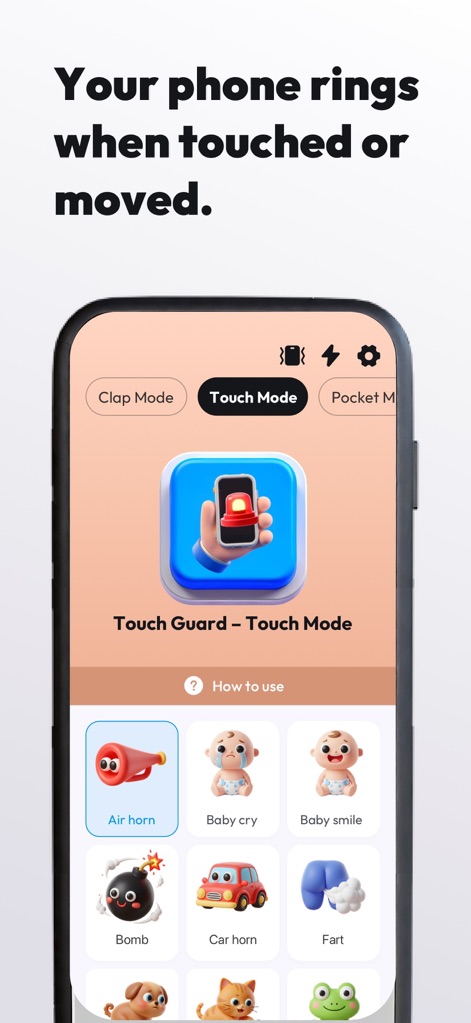
Explore 'Touch Mode', which activates an alert when the phone is moved, and customize the alert sound from the diverse sound options grid to suit your preferences.
Responsive Touch Guard
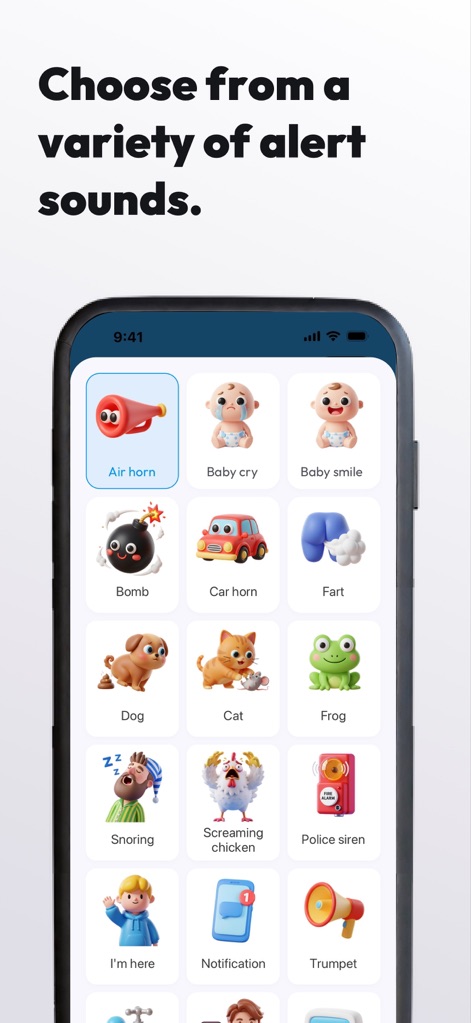
The app offers a wide variety of alert sounds, from a playful 'Baby cry' to a distinct 'Air horn', allowing users to personalize their phone's response within a clean interface.
Diverse Alert Sounds
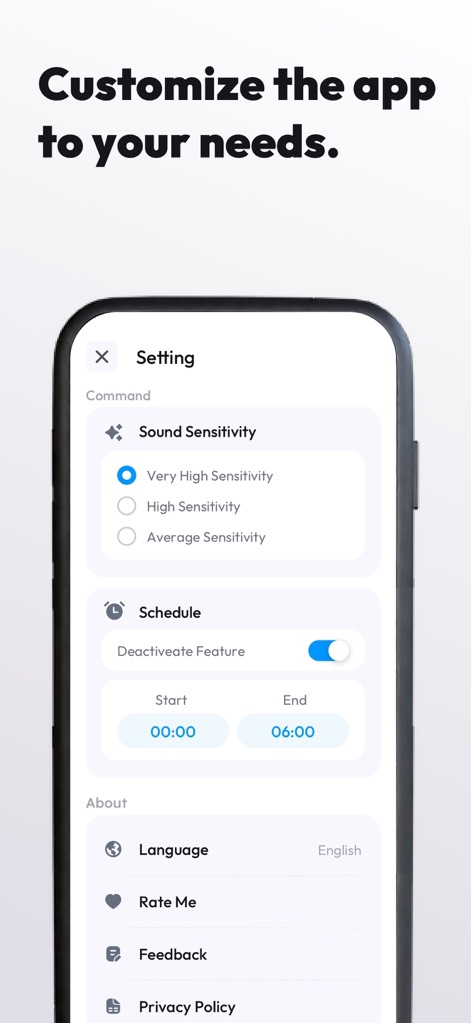
Users can fine-tune their experience by adjusting the 'Sound Sensitivity' and setting specific 'Scheduling options' to deactivate features during certain hours, tailoring the app to individual needs.
Personalized Settings
Description
Download
More Like This
Apps with similar features and user experience
Amor AntiTheft-Clap Find Phone
FUTURISTIX DIGITAL MARKETING PTE. LTD
Dont Touch My Phone: Antitheft
FITNESS TRAINING GLOBAL ONE MEMBER COMPANY LIMITED
ClapBack: Antilost
CODEJOY TECHNOLOGY LIMITED
AntiLost: Phone Finder & Alarm
MATRIX MOBILE PTE. LTD.

ClapFind: Phone Finder
MATRIX MOBILE PTE. LTD.
Who Touched My Phone :Guardian
Emre Erol

ClapTrack : Clap to Find Phone
80ugame Limited

Find My Phone By Clapping
Hieu Tran Thanh
AntiLost - Clap to Find Phone
Ion Danilov
This page is not an official page of the app or its developer, but an independent editorial publication created for informational and commentary purposes. Unless expressly stated otherwise, neither the app nor its developer is affiliated with, endorsed by, sponsored by, authorized by, or otherwise officially connected with MWM, Apple, Google Play, the app publisher, or the app's developer, and nothing on this page implies that the app was developed using MWM's services. Any trademarks, logos, screenshots, and other content remain the property of their respective owners.