
This page is not an official page of the app or its developer, but an independent editorial publication created for informational and commentary purposes. Unless expressly stated otherwise, neither the app nor its developer is affiliated with, endorsed by, sponsored by, authorized by, or otherwise officially connected with MWM, Apple, Google Play, the app publisher, or the app's developer, and nothing on this page implies that the app was developed using MWM's services. Any trademarks, logos, screenshots, and other content remain the property of their respective owners.


Compress Photos & Pictures
Storage full? This app gives users the power to reclaim their device, shrinking images without sacrificing clarity.
Downloads
2.5M+User Rating
Total Ratings
63.9KPublisher
Category
Photo & VideoLocales
1Latest Version
3.3Size
9.5 MBFirst Released
Feb 16, 2019An overview of core functionalities and user benefits.
Key Features Analysis
Efficient Photo Compression
The app provides intelligent compression to significantly reduce photo file sizes, freeing up substantial device storage without compromising visual quality.
Quality Preservation
This tool features an optimized engine that ensures original image quality remains sharp and clear even after photos have been compressed.
Batch Photo Compression
It allows users to compress multiple photos simultaneously, significantly speeding up the process of managing large photo collections.
Optimized for Sharing & Social Media
The app reduces photo file sizes, enabling quicker sharing with friends and family and faster uploads to social media platforms.
User-Friendly Interface
This tool offers an intuitive and simple interface, making photo compression accessible and easy for all users, regardless of technical skill.
Metadata Management for Privacy
It allows users to control and remove sensitive metadata, such as location details, from photos to enhance privacy before sharing.
Flexible Compression Settings
The app provides adjustable compression settings, giving users control over the balance between file size reduction and image quality.
Broad Image Format Compatibility
It supports common image formats including PNG, JPEG, HEIF, and HEIC, ensuring a wide range of user photos can be processed.
Pre-Compression Size Estimation
This tool provides an estimate of storage savings before compression, allowing users to make informed decisions.
Organized Storage of Compressed Photos
The app automatically saves processed images into a dedicated "Compressed Photos" album on the device for easy location and management.
Frequently Asked Questions
Everything you need to know about Compress Photos & Pictures
What is the main function of Compress Photos & Pictures?
Compress Photos & Pictures compresses images to reduce their file size, saving storage space on your iPhone or iPad. It does this without reducing photo quality.
Does Compress Photos & Pictures preserve original image quality?
Yes, Compress Photos & Pictures preserves image quality. Its intelligent compression engine significantly reduces file sizes by 90% or more without a noticeable difference to the naked eye.
What types of image files does Compress Photos & Pictures support?
Compress Photos & Pictures supports PNG, JPEG, HEIF, and HEIC image files. This ensures compatibility with common photo formats on Apple devices.
Does Compress Photos & Pictures offer advanced settings for compression?
Yes, Compress Photos & Pictures provides advanced compression tools. Users can control metadata, location details, select export formats, and utilize smart file size estimation for flexibility.
Are photos uploaded to a server when using Compress Photos & Pictures?
No, Compress Photos & Pictures processes photos directly on your device. Images are never uploaded to a remote server, ensuring privacy and security for all user data.
What benefits does the Pro version of Compress Photos & Pictures offer?
The Pro version of Compress Photos & Pictures removes ads, unlocks advanced compression settings, and enables users to compress more than three photos at once.
How much storage space can I save using Compress Photos & Pictures?
Compress Photos & Pictures can help users save significant storage space, potentially allowing them to store up to 10 times more photos on their iPhone or iPad.
The following screenshots and description are sourced directly from the app's official store listing and are the property of the app developer.
App Store
Screenshots
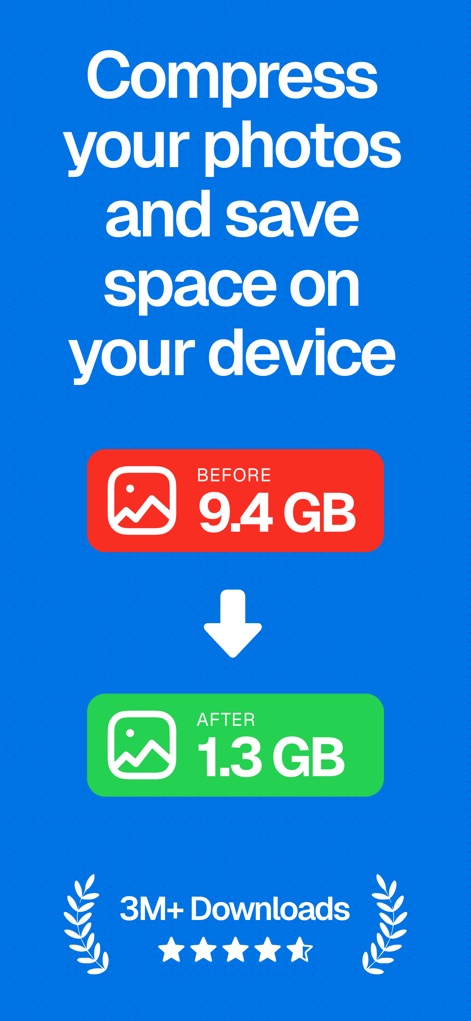
See how the app visibly demonstrates significant storage savings from 9.4 GB to 1.3 GB and showcases its widespread user adoption with 3M+ downloads and high ratings.
Instant Storage Relief
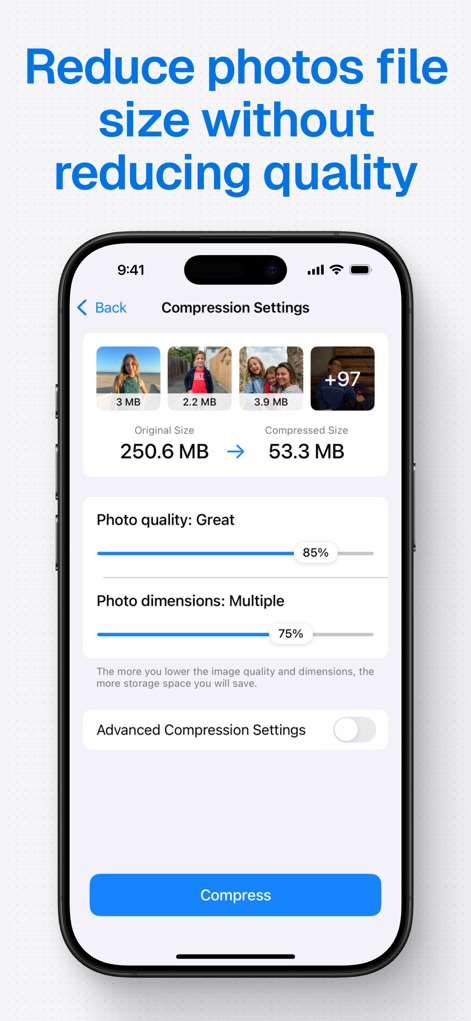
This tool allows users to precisely adjust compression settings using intuitive sliders for photo quality and dimensions, revealing the substantial reduction from 250.6 MB to 53.3 MB.
Refine Compression Control
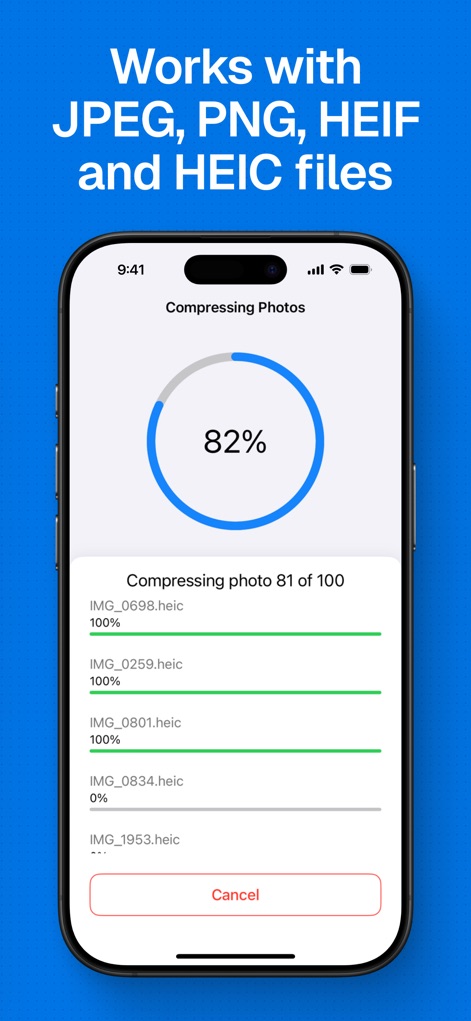
Users can monitor the compression process with a clear percentage indicator and observe individual file progress bars as multiple images are efficiently processed.
Seamless Processing Monitor
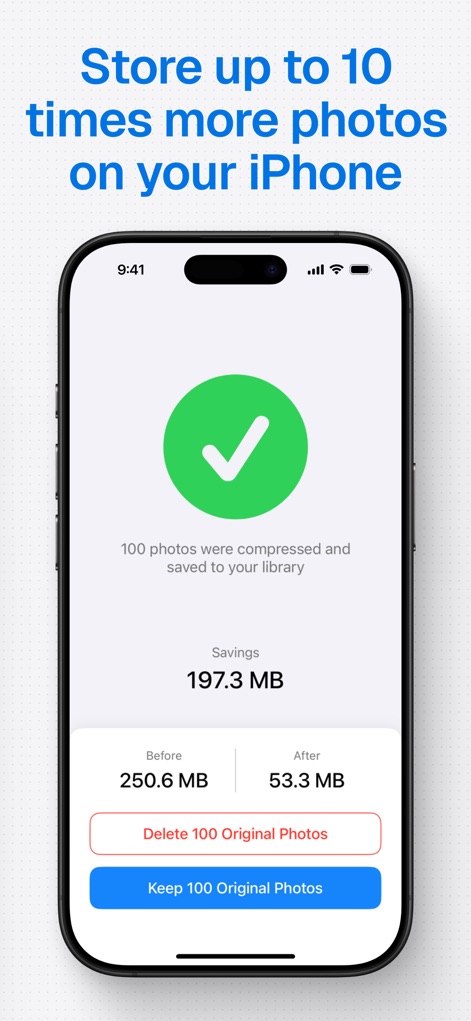
The app provides a clear summary of storage savings, displaying the total 197.3 MB saved, and offers users direct options to either delete or keep original photos.
Post-Compression Management

This app emphasizes user privacy by performing all photo processing directly on the device, ensuring no data is uploaded to a remote server and remains 100% safe.
Privacy First Approach
Description
Download
More Like This
Apps with similar features and user experience

Square Fit Photo Video Editor
Honk Honk Punch Pty Ltd

Image Size
Vitalij Schaefer

JPEG-PNG Image file converter
handyCloset Inc.

Compress Photos, Resize Image
SMDA GROUP SP. Z OO

Photo Resizer: resize image
Ryoichi Fukugawa

Photo Compress - Shrink Pics
Brachmann Online Marketing GmbH & Co. KG

Size Image
Abdullah Albalawi

Photo & Picture Resizer
Farluner Apps Grzegorz Balcerzak

Easy Photo Compressor
Osawa Shunsuke
This page is not an official page of the app or its developer, but an independent editorial publication created for informational and commentary purposes. Unless expressly stated otherwise, neither the app nor its developer is affiliated with, endorsed by, sponsored by, authorized by, or otherwise officially connected with MWM, Apple, Google Play, the app publisher, or the app's developer, and nothing on this page implies that the app was developed using MWM's services. Any trademarks, logos, screenshots, and other content remain the property of their respective owners.