
This page is not an official page of the app or its developer, but an independent editorial publication created for informational and commentary purposes. Unless expressly stated otherwise, neither the app nor its developer is affiliated with, endorsed by, sponsored by, authorized by, or otherwise officially connected with MWM, Apple, Google Play, the app publisher, or the app's developer, and nothing on this page implies that the app was developed using MWM's services. Any trademarks, logos, screenshots, and other content remain the property of their respective owners.


Compress Photos, Resize Image
Storage wars? This app gives users control, allowing them to shrink images without visible compromise.
Downloads
50k+User Rating
Total Ratings
560Publisher
Category
UtilitiesLocales
37Latest Version
1.18Size
63.8 MBFirst Released
Oct 12, 2024An Evaluation of the 'Compress Photos, Resize Image' Application's Core Capabilities for Mobile-First Users.
Key Features Analysis
Intuitive Interface
The app provides a streamlined and easy-to-use design, making photo optimization accessible for all users, including beginners.
Photo Compression
This tool allows users to significantly reduce image file sizes while maintaining visual fidelity, perfect for storage and sharing.
Image Resizing
It enables users to precisely adjust image dimensions to meet specific requirements for social media platforms, websites, and other digital uses.
Batch Processing
The app features the ability to process multiple photos simultaneously, saving considerable time for users managing large collections.
Preview and Compare
This tool offers a side-by-side comparison feature, allowing users to evaluate optimized images before committing to changes.
Multi-Format Support
The app supports common image formats such as JPEG and PNG, ensuring broad compatibility for various user needs.
Frequently Asked Questions
Everything you need to know about Compress Photos, Resize Image
How does "Compress Photos, Resize Image" reduce photo file size?
Compress Photos, Resize Image reduces file sizes by compressing images while maintaining sharpness and clarity. This helps optimize photos for web use and save storage space without quality loss.
Can I resize images with the Compress Photos, Resize Image app?
Yes, you can resize images with the "Compress Photos, Resize Image" app. It allows users to adjust photo dimensions to fit various requirements, such as social media or websites.
Does "Compress Photos, Resize Image" support batch processing?
Yes, "Compress Photos, Resize Image" supports batch processing. Users can compress and resize multiple photos simultaneously, saving significant time.
What image formats does "Compress Photos, Resize Image" support?
"Compress Photos, Resize Image" supports popular image formats. These include JPEG and PNG, providing flexibility for various image types and uses.
Can I preview the compression results before saving in "Image Compressor & Resizer"?
Yes, "Image Compressor & Resizer" allows users to preview and compare results side by side before saving. This feature ensures satisfaction with the compressed or resized output.
What is the estimated compressed size when using "Compress Photos, Resize Image"?
"Compress Photos, Resize Image" provides an estimated compressed size before processing. For example, three images totaling 7.19 MB can be estimated to compress to 0.18 MB.
How do subscriptions work for the "Compress Photos, Resize Image" app?
"Compress Photos, Resize Image" offers subscriptions that automatically renew. Payment is charged to your Apple ID upon purchase confirmation, and renewals occur 24 hours before the current period ends.
How do I cancel a subscription for "Compress Photos, Resize Image"?
You can cancel your "Compress Photos, Resize Image" subscription at any time. Manage subscriptions and turn off auto-renewal after purchase by going to your App Store account settings.
Does "Compress Photos, Resize Image" offer a free trial?
Yes, "Compress Photos, Resize Image" may offer a free trial. If a trial is provided, the subscription automatically renews after 3 days unless cancelled before the trial period concludes.
Can "Compress Photos, Resize Image" remove the background from images?
Yes, "Compress Photos, Resize Image" includes a feature to remove backgrounds from images. This functionality is accessible directly from the app's home screen.
Does "Compress Photos, Resize Image" preserve the aspect ratio when resizing?
Yes, "Compress Photos, Resize Image" offers the option to preserve the aspect ratio during resizing. A toggle button is available on the resize screen to control this feature.
The following screenshots and description are sourced directly from the app's official store listing and are the property of the app developer.
App Store
Screenshots

This tool’s intuitive home screen presents direct access to core functions like 'COMPRESS' and 'RESIZE', emphasizing ease of use for quick image management.
Main Features Hub
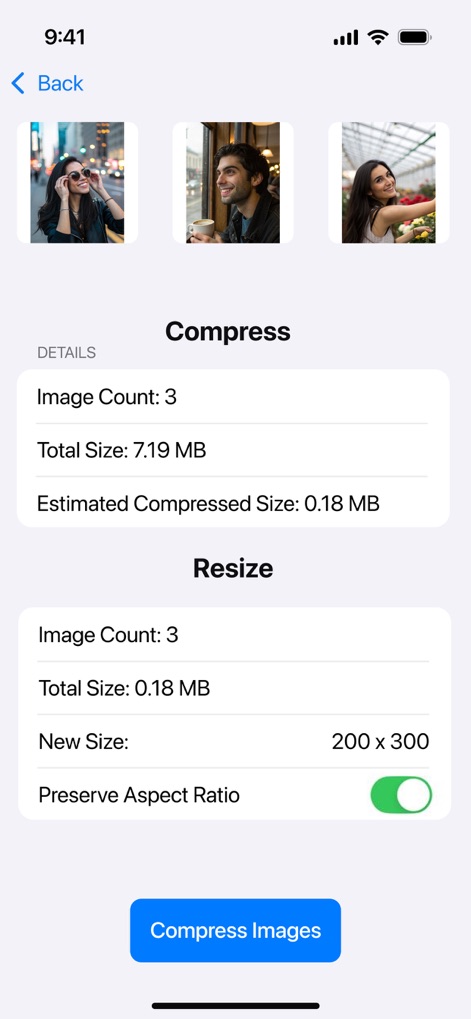
Users can review comprehensive details like 'Total Size' and 'Estimated Compressed Size' for multiple images, while adjusting dimensions with the 'Preserve Aspect Ratio' toggle.
Compression & Resizing Details
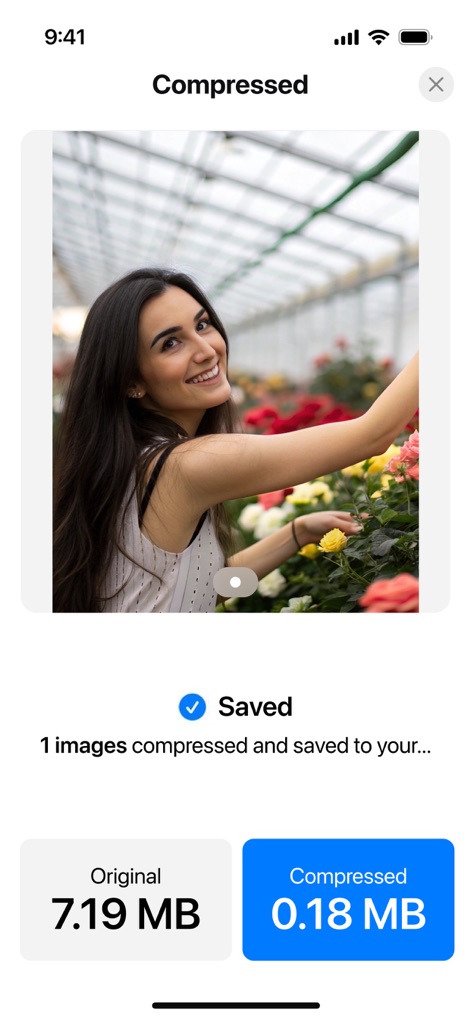
The app clearly displays compression success with a 'Saved' confirmation and allows direct comparison of 'Original' versus 'Compressed' file sizes for visual assurance.
Instant Compression Results
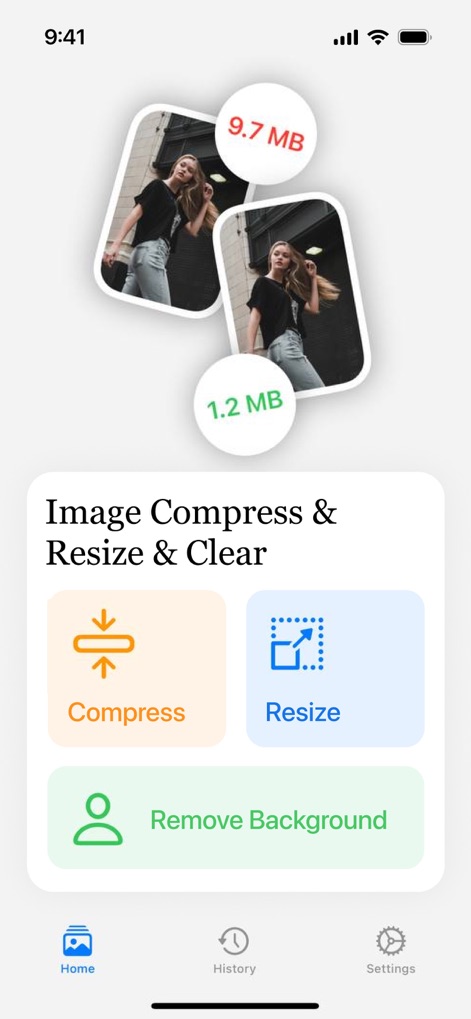
The app's engaging dashboard highlights key actions with visual indicators of file size reduction and provides quick access to functions like 'Remove Background' and navigation to 'History'.
Feature-Rich Dashboard
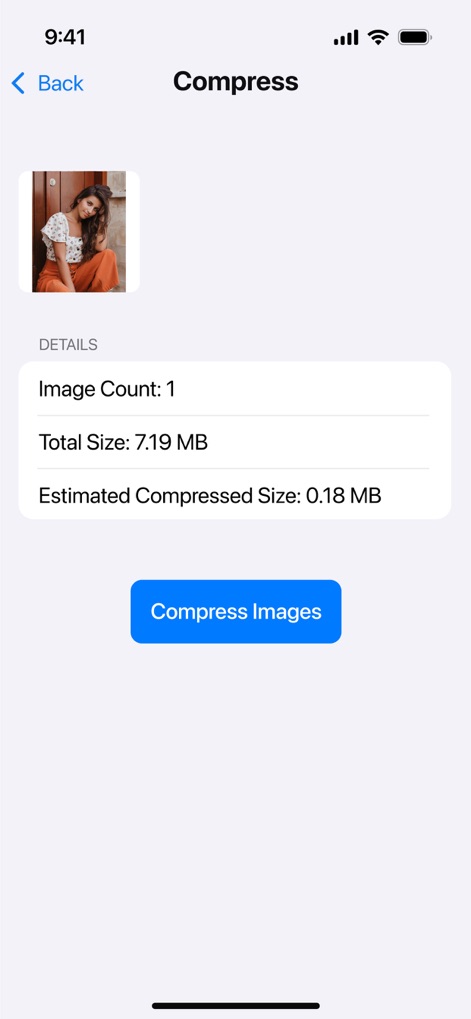
This screen provides detailed pre-compression information, showing the 'Total Size' of a single image and its 'Estimated Compressed Size' before processing.
Single Image Compression
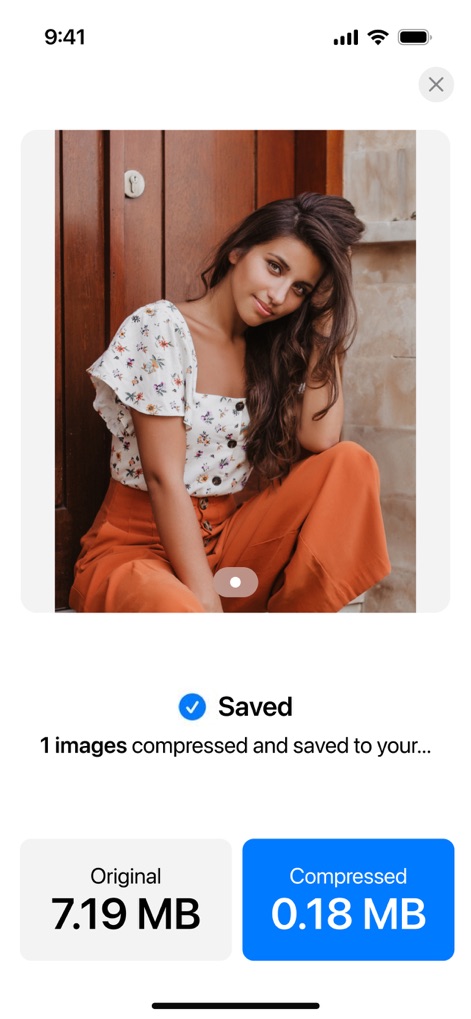
Upon completion, the app presents a clear 'Saved' confirmation and distinct buttons showcasing the 'Original' and significantly 'Compressed' file sizes for user verification.
Post-Compression Clarity
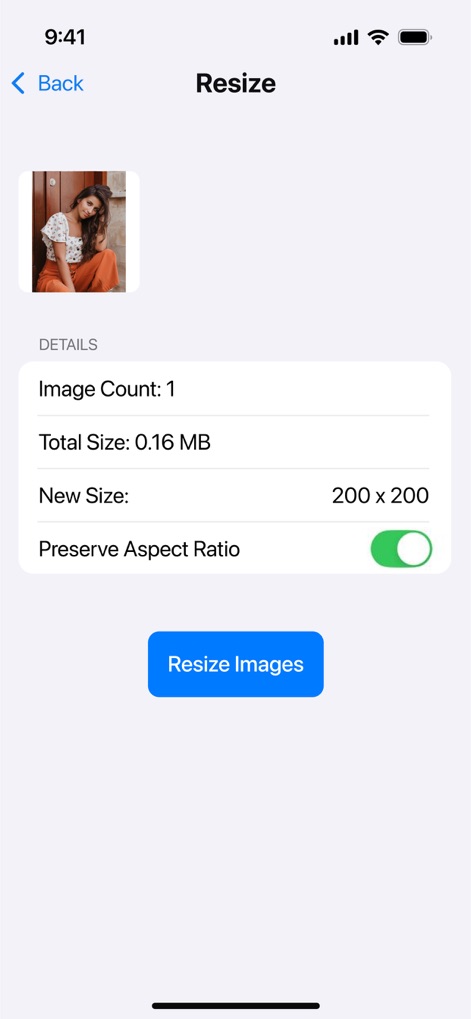
This screen allows users to define a 'New Size' with exact dimensions (e.g., 200 x 200) and includes a crucial 'Preserve Aspect Ratio' toggle for maintaining image integrity.
Precise Image Resizing
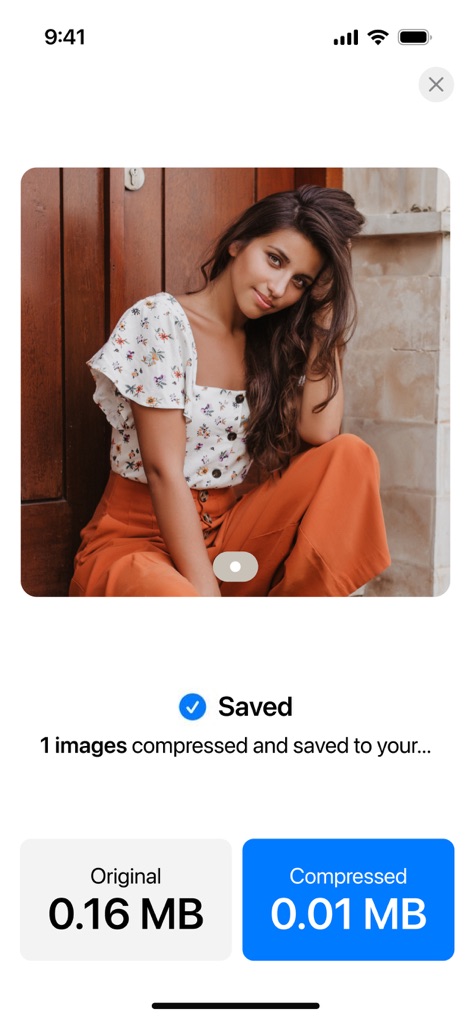
After resizing, the app confirms the successful operation with a 'Saved' message and presents a side-by-side comparison of 'Original' and optimized file sizes for review.
Resizing Result Confirmation
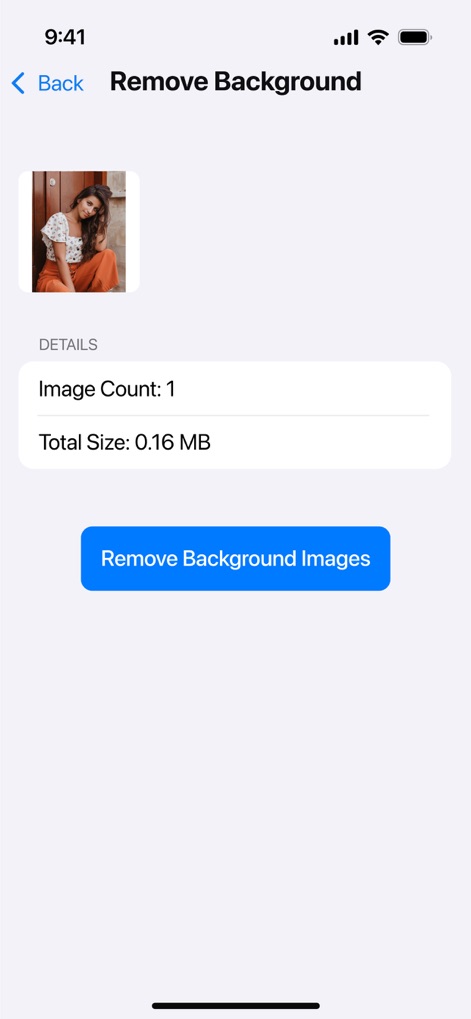
This feature’s interface clearly indicates the 'Image Count' for background processing and prompts users with a prominent 'Remove Background Images' button to initiate the action.
Background Removal Setup
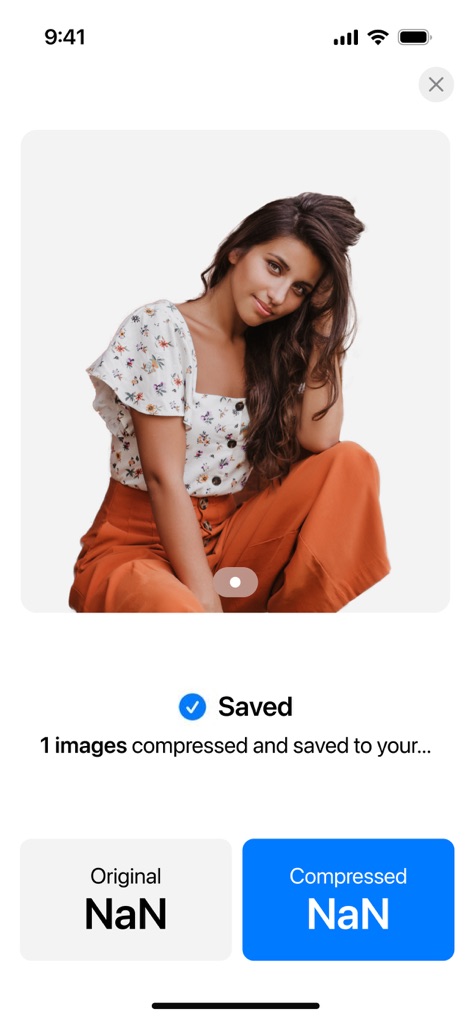
The app confirms successful background processing with a 'Saved' notification, presenting the edited image prominently, though file size comparisons might show 'NaN' values in this view.
Seamless Background Removal
Description
Download
More Like This
Apps with similar features and user experience

Square Fit Photo Video Editor
Honk Honk Punch Pty Ltd

Image Size
Vitalij Schaefer

Compress Photos & Pictures
New Marketing Lab, Inc

JPEG-PNG Image file converter
handyCloset Inc.

Photo Resizer: resize image
Ryoichi Fukugawa

Photo Compress - Shrink Pics
Brachmann Online Marketing GmbH & Co. KG

Size Image
Abdullah Albalawi

Photo & Picture Resizer
Farluner Apps Grzegorz Balcerzak

Easy Photo Compressor
Osawa Shunsuke
This page is not an official page of the app or its developer, but an independent editorial publication created for informational and commentary purposes. Unless expressly stated otherwise, neither the app nor its developer is affiliated with, endorsed by, sponsored by, authorized by, or otherwise officially connected with MWM, Apple, Google Play, the app publisher, or the app's developer, and nothing on this page implies that the app was developed using MWM's services. Any trademarks, logos, screenshots, and other content remain the property of their respective owners.