
This page is not an official page of the app or its developer, but an independent editorial publication created for informational and commentary purposes. Unless expressly stated otherwise, neither the app nor its developer is affiliated with, endorsed by, sponsored by, authorized by, or otherwise officially connected with MWM, Apple, Google Play, the app publisher, or the app's developer, and nothing on this page implies that the app was developed using MWM's services. Any trademarks, logos, screenshots, and other content remain the property of their respective owners.


Photo & Picture Resizer
Stop getting "file too large" errors. Batch resize images for email, social media, and web forms in seconds—all while keeping crystal-clear quality.
Downloads
108K+User Rating
Total Ratings
600Publisher
Category
Photo & VideoLocales
17Latest Version
1.2.9Size
27.7 MBFirst Released
Oct 17, 2024Efficiency Meets Precision
Stop battling "file too large" errors. Resize, compress, and format your images in seconds so you can get back to what matters.
One-Tap Batch Resizing
Process your entire photo gallery at once. Perfect for uploading dozens of listings to eBay or Poshmark without the wait.
Smart Size Reduction
Shrink 4MB photos down to 400KB while keeping them crystal clear. Say goodbye to email attachment limits forever.
Frequently Asked Questions
Everything you need to know about Photo & Picture Resizer
What is Photo & Picture Resizer?
Photo & Picture Resizer is an app that allows users to quickly downsize photo size or resize photo resolution. It supports adjusting photos for various uses like social media, emails, and web forms.
Does Photo & Picture Resizer support batch resizing of photos?
Yes, Photo & Picture Resizer features batch resizing, enabling users to resize multiple photos simultaneously. This saves time and effort during image adjustments.
Does Photo & Picture Resizer modify original pictures during resizing?
No, Photo & Picture Resizer does not affect original pictures. Resized images are automatically saved in a separate output folder named 'Pictures/PhotoResizer'.
How does Photo & Picture Resizer maintain image quality?
Photo & Picture Resizer maintains good quality for resized photos by preserving the original quality and aspect ratio during the downsizing process. Even repeated resizing does not degrade quality.
What file formats can Photo & Picture Resizer convert images to?
Photo & Picture Resizer can convert images to JPG, PNG, PDF, WebP, and HEIC formats. This feature allows users to select the desired output file type.
Can Photo & Picture Resizer resize images for social media platforms?
Yes, Photo & Picture Resizer can downsize photos specifically for Instagram, Facebook, Twitter, Pinterest, Reddit, Tumblr, Google+, VKontakte, and KakaoTalk. It also offers "Fit to size" for socials.
Can Photo & Picture Resizer adjust photo resolution and file size?
Yes, Photo & Picture Resizer allows users to adjust both resolution and file size. It supports custom dimensions and target file sizes in KB or MB, with options to maintain proportions.
Does Photo & Picture Resizer include video resizing capabilities?
Yes, Photo & Picture Resizer includes the capability to resize, compress, or convert video files. This feature is accessible from the main menu.
Can I compare the original and resized images in Photo & Picture Resizer?
Yes, Photo & Picture Resizer allows users to compare the original and reduced versions of images. This feature helps check the quality and size difference before saving.
Can Photo & Picture Resizer help overcome email message size limits?
Yes, Photo & Picture Resizer helps users avoid exceeding email message size limits. It allows downsizing photos before attaching them to emails, resulting in much smaller files.
The following screenshots and description are sourced directly from the app's official store listing and are the property of the app developer.
App Store
Screenshots
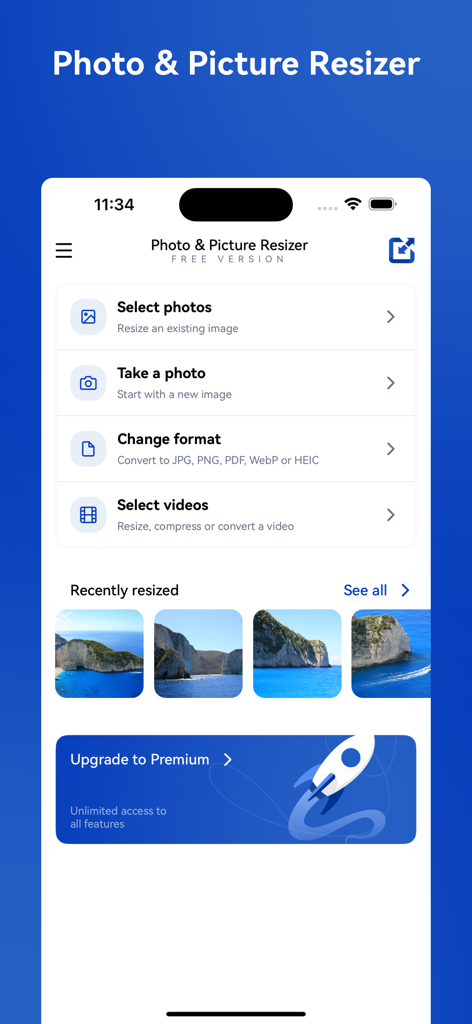
The home screen of the Photo and Picture Resizer app showing features like select photos, change format, and recently resized images.
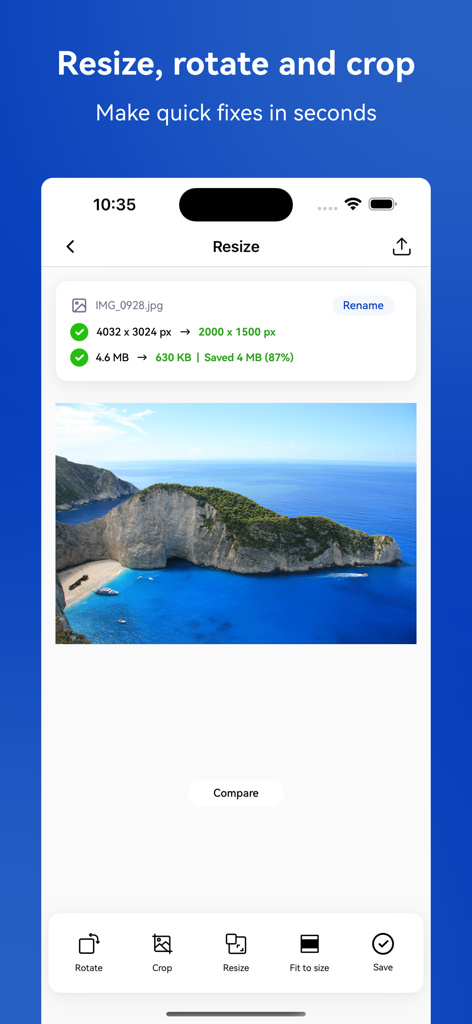
Mobile app interface showing a landscape photo being resized and compressed from 4.6MB to 630KB
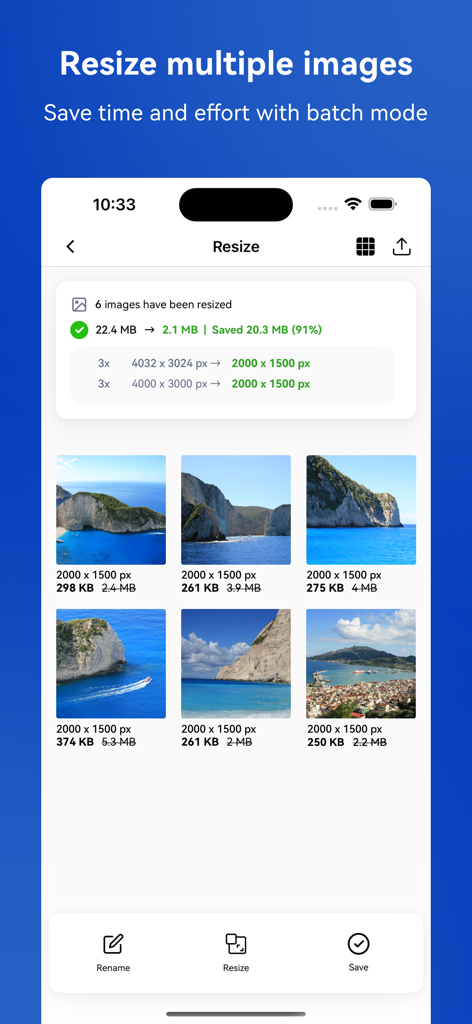
A screen showing the batch resize feature of the app with file size reduction statistics and a grid of resized images
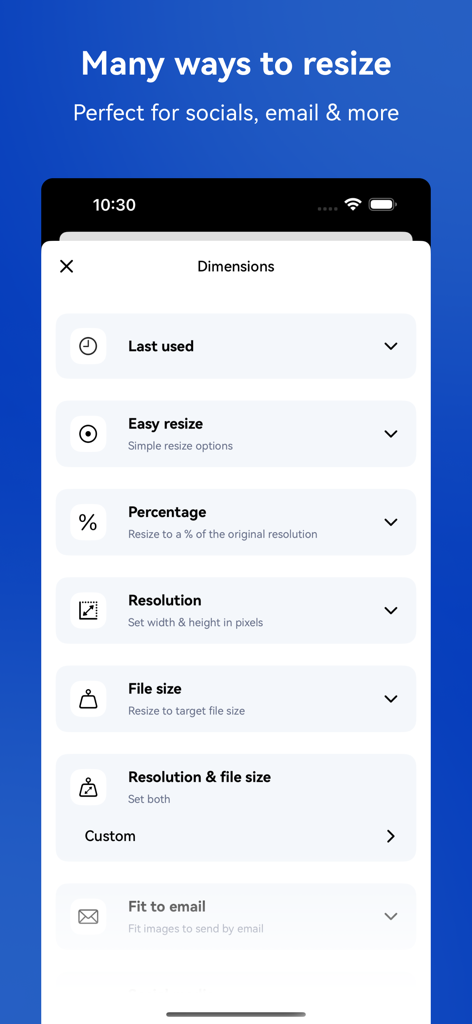
A mobile app interface showing multiple photo resizing methods including percentage resolution and file size options
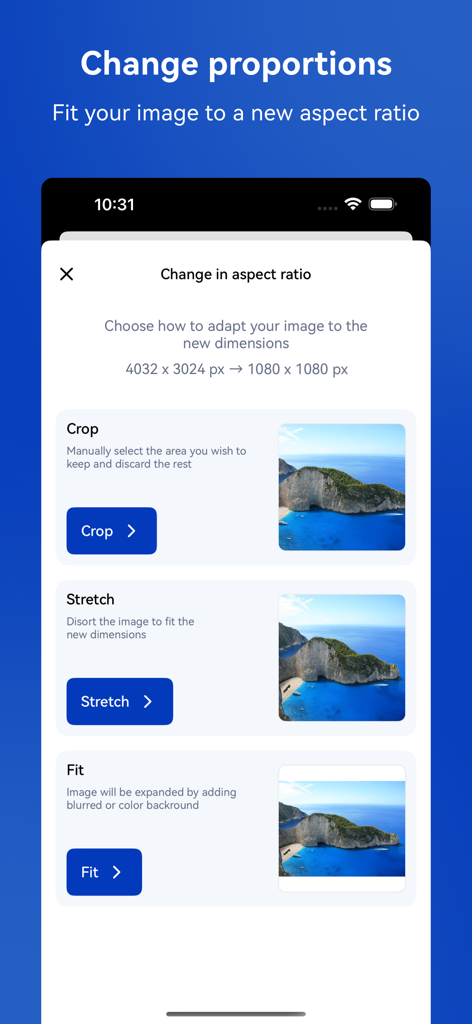
Mobile app screen showing crop stretch and fit options to change photo aspect ratio
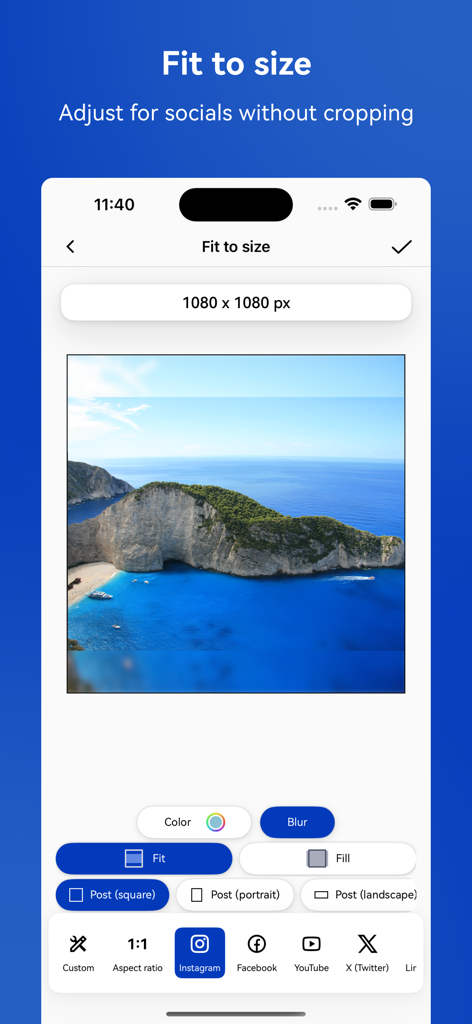
Photo resizer app interface showing an image being adjusted for social media platforms without cropping
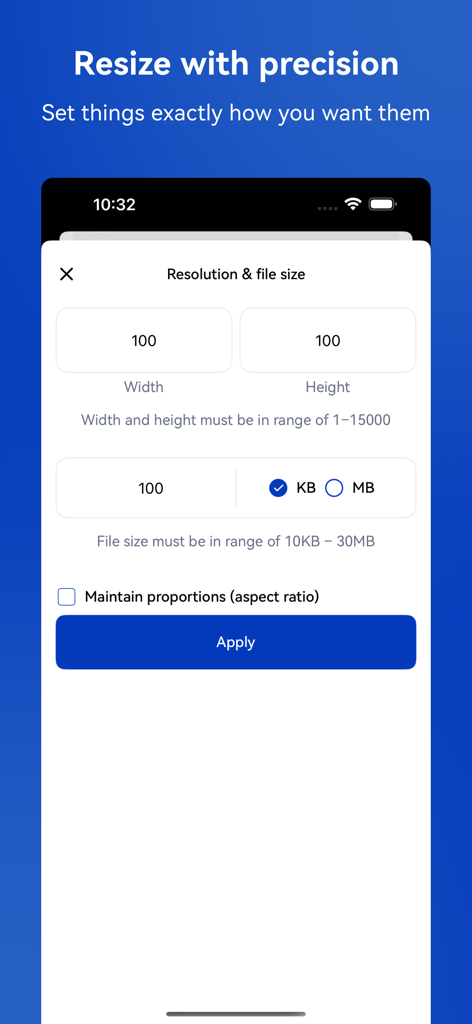
Interface for setting custom photo resolution and target file size in KB or MB
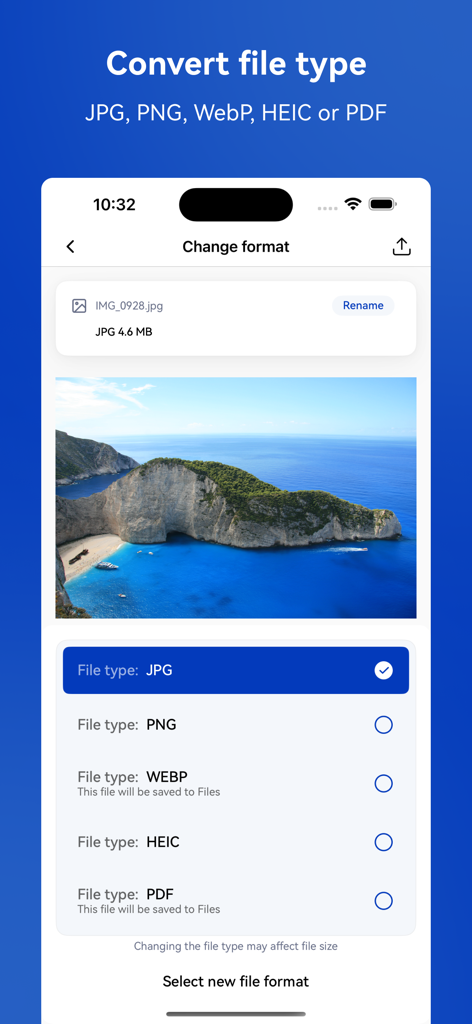
App interface showing options to convert photo file formats to JPG, PNG, WEBP, HEIC or PDF
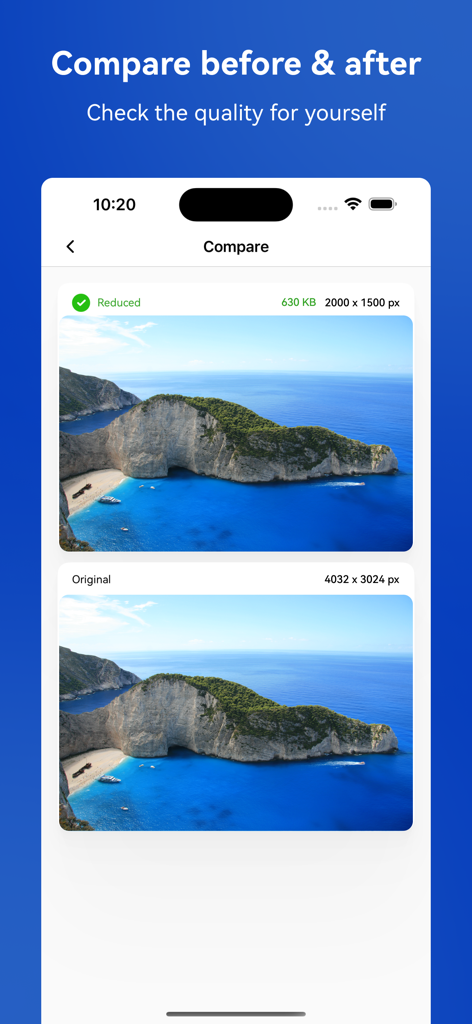
Side by side comparison of original and resized images showing no quality loss
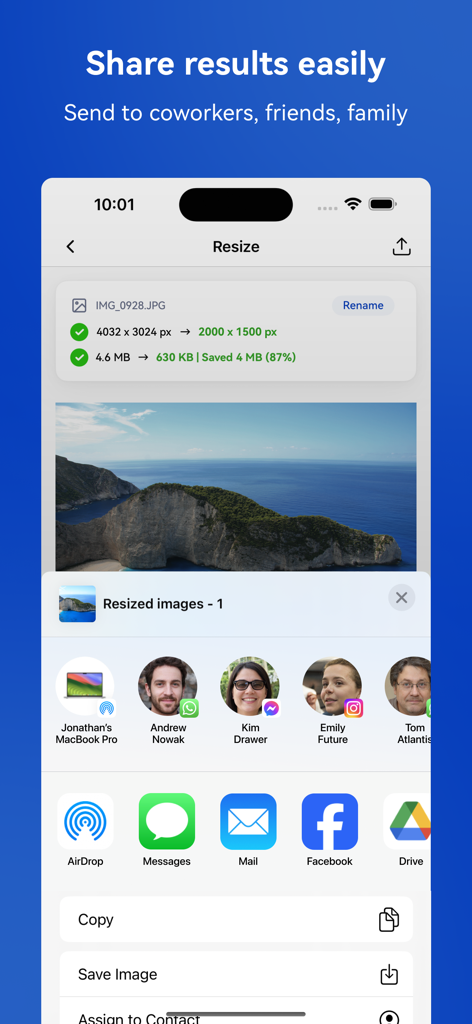
Sharing a resized photo from the app via the mobile sharing menu
Description
Download
More Like This
Apps with similar features and user experience

Square Fit Photo Video Editor
Honk Honk Punch Pty Ltd

Image Size
Vitalij Schaefer

Compress Photos & Pictures
New Marketing Lab, Inc

JPEG-PNG Image file converter
handyCloset Inc.

Compress Photos, Resize Image
SMDA GROUP SP. Z OO

Photo Resizer: resize image
Ryoichi Fukugawa

Photo Compress - Shrink Pics
Brachmann Online Marketing GmbH & Co. KG

Size Image
Abdullah Albalawi

Easy Photo Compressor
Osawa Shunsuke
This page is not an official page of the app or its developer, but an independent editorial publication created for informational and commentary purposes. Unless expressly stated otherwise, neither the app nor its developer is affiliated with, endorsed by, sponsored by, authorized by, or otherwise officially connected with MWM, Apple, Google Play, the app publisher, or the app's developer, and nothing on this page implies that the app was developed using MWM's services. Any trademarks, logos, screenshots, and other content remain the property of their respective owners.