
This page is not an official page of the app or its developer, but an independent editorial publication created for informational and commentary purposes. Unless expressly stated otherwise, neither the app nor its developer is affiliated with, endorsed by, sponsored by, authorized by, or otherwise officially connected with MWM, Apple, Google Play, the app publisher, or the app's developer, and nothing on this page implies that the app was developed using MWM's services. Any trademarks, logos, screenshots, and other content remain the property of their respective owners.


Photo Resizer: resize image
Stop struggling with large file limits. Instantly reduce image size for emails, web portals, and marketplaces like eBay or Poshmark in just a few taps.
Downloads
347K+User Rating
Total Ratings
5K+Publisher
Category
Photo & VideoLocales
2Latest Version
1.7.1Size
11.6 MBFirst Released
Apr 21, 2022Optimize your photos in seconds
The essential toolkit for small business owners and busy professionals to resize, compress, and share images instantly.
Tailor-Made Dimensions
Adjust dimensions instantly to meet the strict requirements of marketplace listings like eBay, Poshmark, or professional web portals.
Space-Saving Compression
Reduce file size without sacrificing quality to free up iPhone storage and bypass strict email or upload limits.
Frequently Asked Questions
Everything you need to know about Photo Resizer: resize image
How can I resize photos using the Photo Resizer app?
To resize photos with Photo Resizer, select or take a photo, then tap the "RESIZE" button. The app then presents resolution options for adjustment.
Does Photo Resizer: resize image reduce file size?
Yes, Photo Resizer: resize image reduces photo file size. The app allows users to resize photo resolution, which directly results in a smaller file size.
What features does the Photo Resizer app offer?
The Photo Resizer app offers features to resize photo resolution, reduce photo file size, and attach resized photos to email with one click.
Can Photo Resizer: resize image attach photos to email?
Yes, Photo Resizer: resize image can attach resized photos to email. The app provides a one-click option to send images directly via email.
Can Photo Resizer set custom image resolutions?
Yes, Photo Resizer supports custom image resolutions. Users can choose from predefined sizes or input their own width and height for precise resizing.
The following screenshots and description are sourced directly from the app's official store listing and are the property of the app developer.
App Store
Screenshots
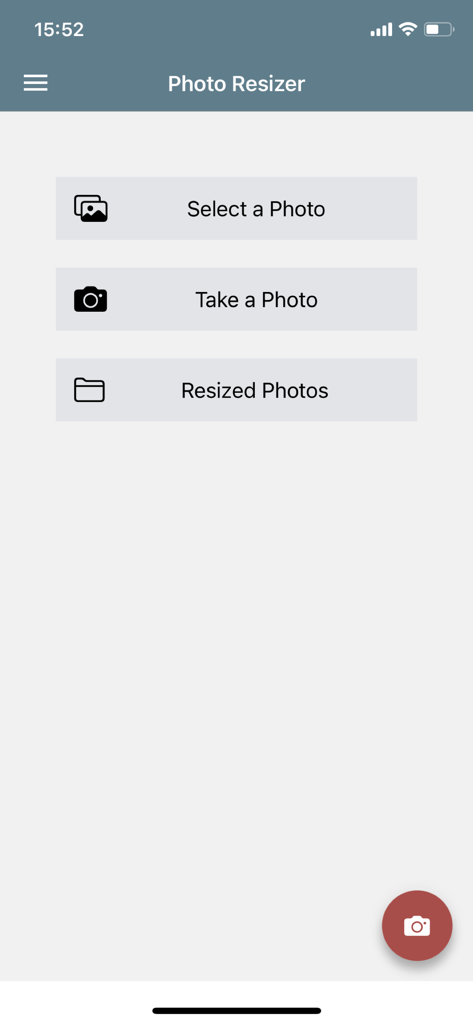
Home screen of the Photo Resizer app featuring buttons to select a photo, take a photo, and view resized photos
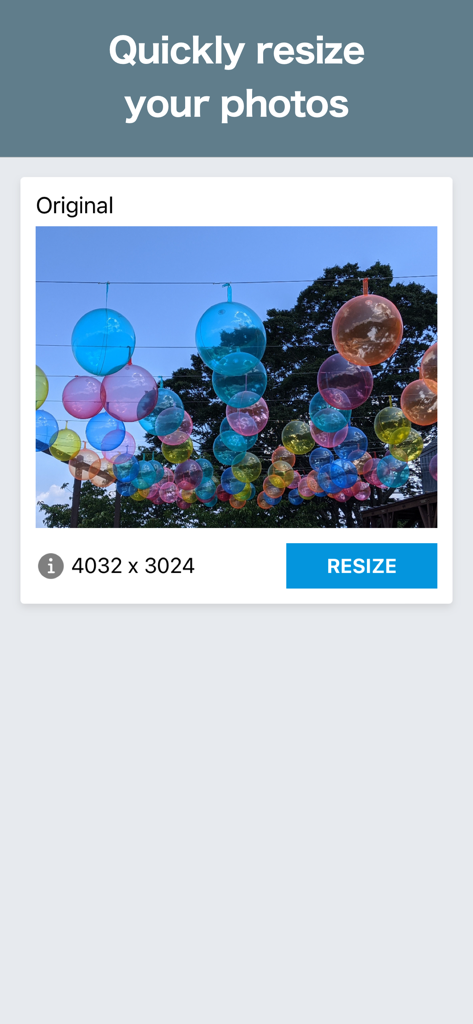
A screenshot of the Photo Resizer app interface showing an original image with its dimensions and a resize button
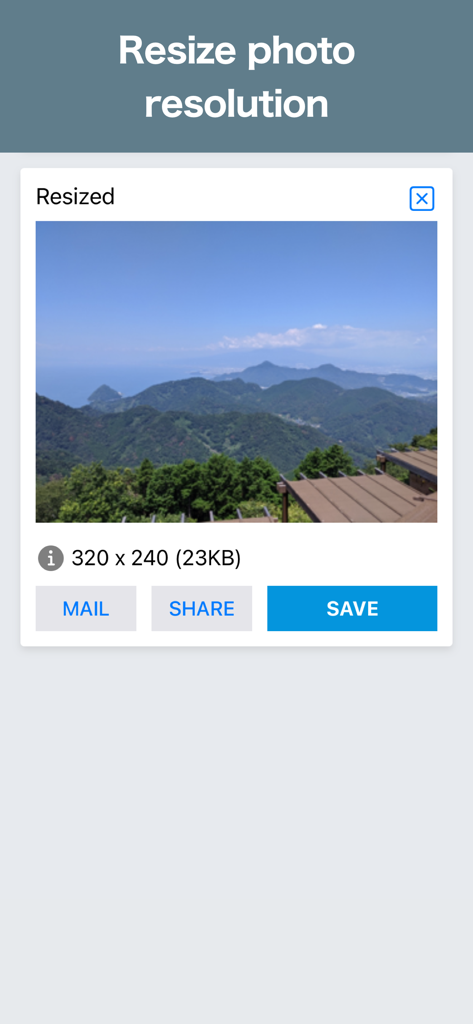
Smartphone screen showing the Photo Resizer app with a resized landscape photo and options to mail share or save
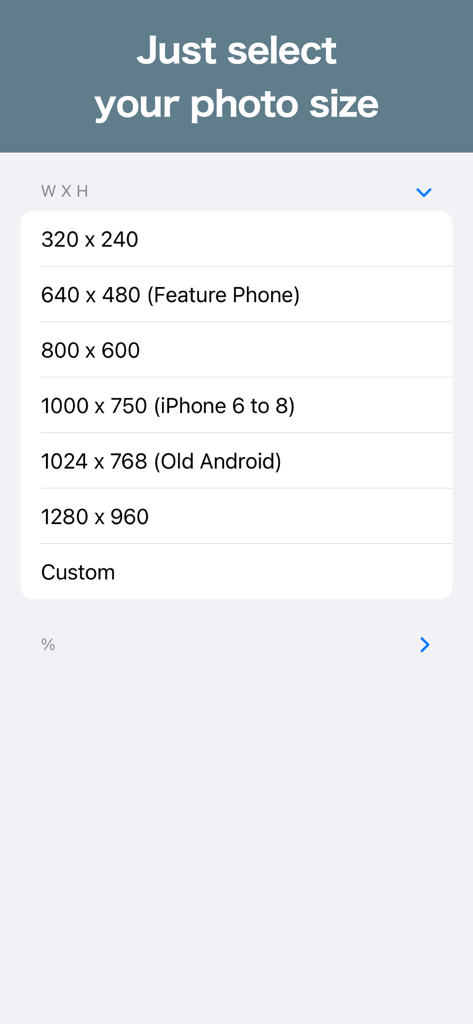
A mobile interface showing various image resolution presets and dimensions in the Photo Resizer app.
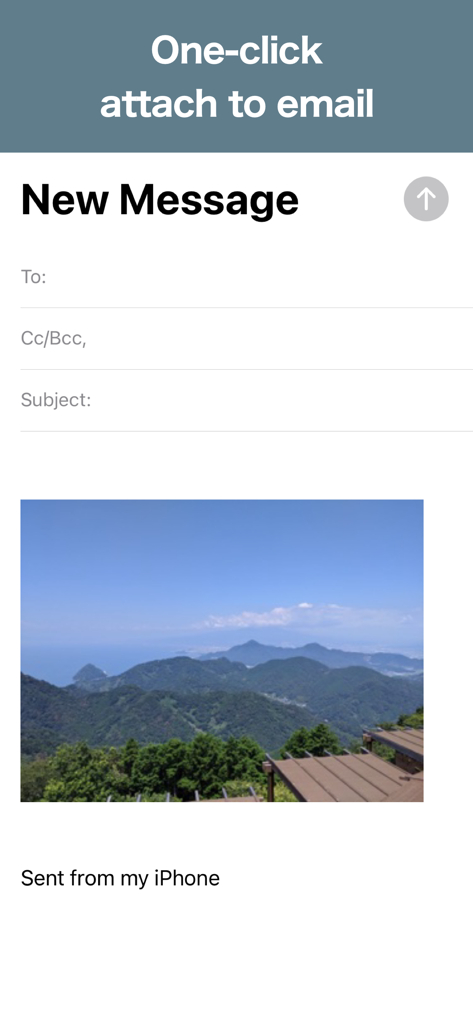
A new email message on iPhone showing a resized landscape photo attached via the one-click feature
Description
Download
More Like This
Apps with similar features and user experience

Square Fit Photo Video Editor
Honk Honk Punch Pty Ltd

Image Size
Vitalij Schaefer

Compress Photos & Pictures
New Marketing Lab, Inc

JPEG-PNG Image file converter
handyCloset Inc.

Compress Photos, Resize Image
SMDA GROUP SP. Z OO

Photo Compress - Shrink Pics
Brachmann Online Marketing GmbH & Co. KG

Size Image
Abdullah Albalawi

Photo & Picture Resizer
Farluner Apps Grzegorz Balcerzak

Easy Photo Compressor
Osawa Shunsuke
This page is not an official page of the app or its developer, but an independent editorial publication created for informational and commentary purposes. Unless expressly stated otherwise, neither the app nor its developer is affiliated with, endorsed by, sponsored by, authorized by, or otherwise officially connected with MWM, Apple, Google Play, the app publisher, or the app's developer, and nothing on this page implies that the app was developed using MWM's services. Any trademarks, logos, screenshots, and other content remain the property of their respective owners.